
Inngangur
Welcome to the GUHUAVMI GT4 Pro Smartwatch user manual. This guide provides detailed instructions on how to set up, operate, and maintain your new smartwatch. The GT4 Pro combines advanced health monitoring, comprehensive fitness tracking, and smart connectivity features in a durable, stylish design. Please read this manual carefully to ensure optimal performance and longevity of your device.
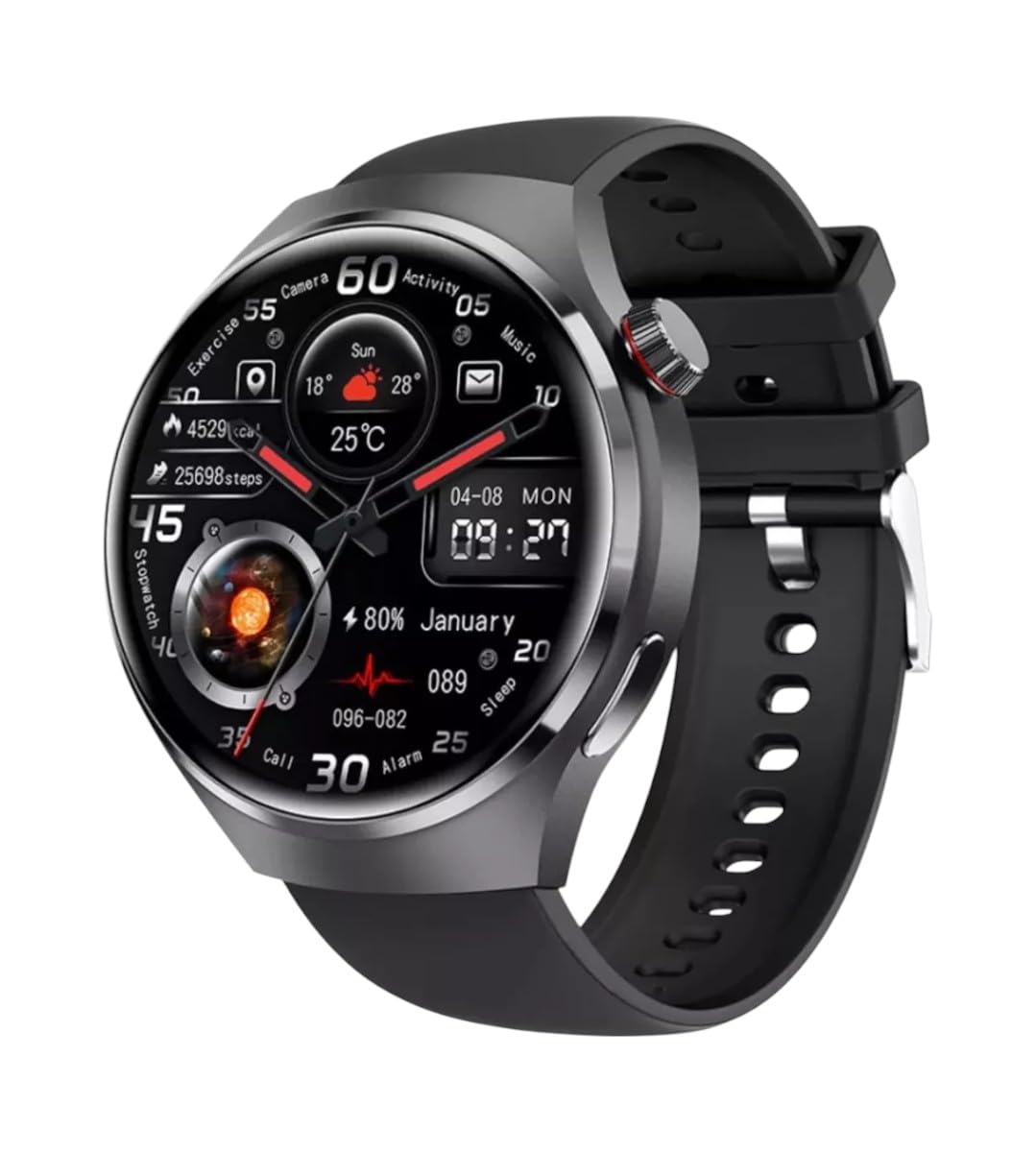
Mynd: Framan view of the GUHUAVMI GT4 Pro Smartwatch, showcasinglæsileg hönnun og skjár.
Uppsetning
1. Upppakkning og íhlutir
Áður en þú byrjar skaltu ganga úr skugga um að allir íhlutir séu til staðar í pakkanum:
- GUHUAVMI GT4 Pro Smartwatch
- Þráðlaus hleðslutæki
- Notendahandbók (þetta skjal)
2. Hleðsla snjallúrsins
For first-time use, fully charge your GT4 Pro Smartwatch. Connect the wireless charger to a USB power adapter (not included) and place the smartwatch onto the magnetic charging base. The watch will indicate charging status on its screen.
- Hleðslutími: Um það bil 3 klukkustundir fyrir fulla hleðslu.
- Rafhlöðuending: Typical usage provides 5-7 days of battery life.

Image: The GUHUAVMI GT4 Pro Smartwatch placed on its magnetic wireless charger, displaying battery life and charging time information.
3. Kveikt/slökkt
- Kveikt á: Ýttu á hliðarhnappinn og haltu honum inni þar til skjárinn lýsist upp.
- Slökkva á: Ýttu á hliðarhnappinn og haltu honum inni og veldu síðan valkostinn „Slökkva“ á skjánum.
4. Niðurhal og pörun appsins
To unlock the full potential of your GT4 Pro, download the companion app on your smartphone. Scan the QR code provided in the watch's initial setup screen or search for the app name (usually indicated on the watch or packaging) in your phone's app store.
- Virkjaðu Bluetooth á snjallsímanum þínum.
- Open the companion app and follow the on-screen instructions to create an account or log in.
- In the app, select 'Add Device' or 'Pair Device' and choose 'GT4 Pro' from the list of available devices.
- Staðfestu pörunarbeiðnina bæði í snjallsímanum og snjallúrinu.
Notkunarleiðbeiningar
1. Grunnleiðsögn
The GT4 Pro features a 1.6-inch HD AMOLED touchscreen and a side crown button for navigation.
- Strjúktu upp/niður: Fletta í gegnum valmyndir og tilkynningar.
- Strjúktu til vinstri/hægri: Fáðu aðgang að flýtileiðum eða mismunandi úrskífum.
- Bankaðu á: Veldu hlut eða opnaðu forrit.
- Ýttu á hliðarhnappinn: Farðu aftur á heimaskjáinn eða opnaðu forritalistann.
2. Raddaðstoðarmaður með gervigreind
Your GT4 Pro is equipped with an integrated AI voice assistant for hands-free operation.
- Virkjun: Tap the voice assistant icon on the watch face or use a designated gesture/button press (refer to watch settings).
- Skipanir: Speak clearly to ask questions, set reminders, make calls, or control music.
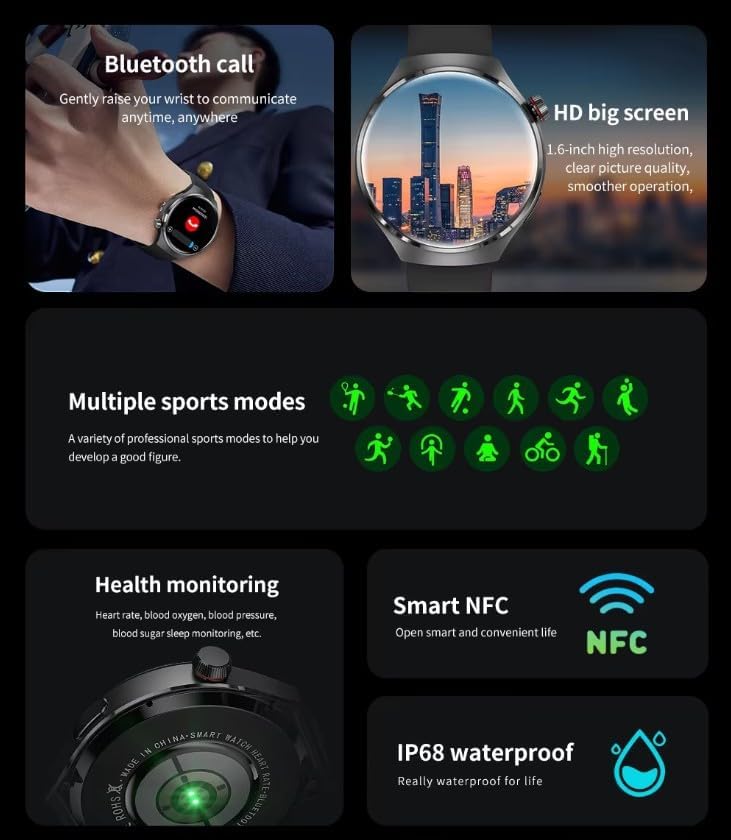
Image: The GUHUAVMI GT4 Pro Smartwatch displaying the AI voice assistant interface, showing exampminni raddskipana.
3. Bluetooth-símtöl
Once paired with your smartphone, you can make and receive calls directly from your smartwatch.
- Hringing: Access the dialer or contacts list on your watch.
- Að taka á móti símtölum: Svaraðu eða hafnaðu símtölum beint af úrskjánum.
4. Heilsufarseftirlit
The GT4 Pro provides real-time health data to help you monitor your well-being.
- Hjartsláttur: Stöðug eftirlit allan daginn.
- Súrefni í blóði (SpO2): Mældu súrefnismettun blóðsins.
- Blóðsykur: Provides estimated blood sugar readings.
- Svefnmæling: Eftirlit með svefnitagog gæði.
View detailed health reports in the companion app.
5. Líkamleg mæling
Track your workouts and daily activity with precision.
- Margar íþróttastillingar: Select from various activities like running, cycling, swimming, and more for accurate data.
- Innbyggt GPS: Records your route, distance, and pace during outdoor activities.
- Áttaviti: Provides directional guidance for outdoor adventures.

Image: The GUHUAVMI GT4 Pro Smartwatch showcasing icons for NFC, GPS, compass, heart rate, and Bluetooth call, highlighting its comprehensive features.
6. NFC Features
The GT4 Pro supports NFC for convenient interactions.
- Aðgangsstýring: Use your watch for compatible access systems.
- Finndu iPhone minn: Utilize NFC to locate your paired iPhone.
7. Dynamic Island Function
Experience enhanced interactive displays for notifications, music, and charging status.
- Interactive Displays: Smart displays adapt to show relevant information dynamically.
- OTA uppfærslur: New functional interactive displays may be added through future over-the-air updates.
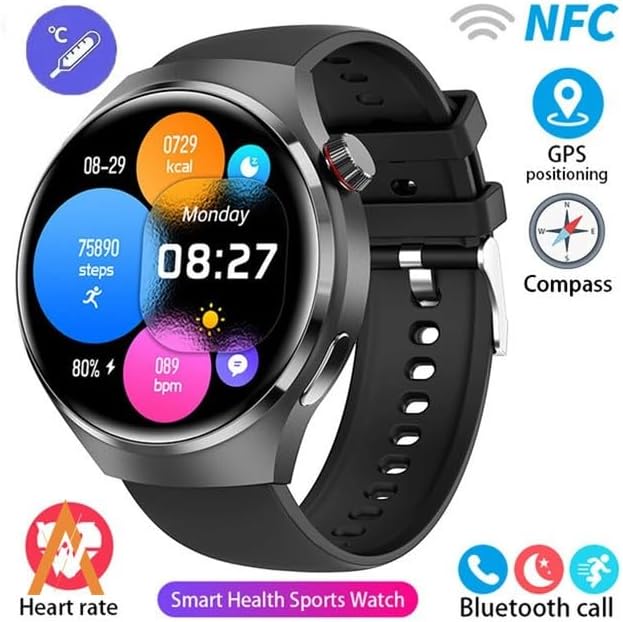
Image: The GUHUAVMI GT4 Pro Smartwatch screen demonstrating the Dynamic Island function, showing notifications and active processes.
8. Other Utility Features
The smartwatch includes several convenient tools:
- Ytri myndavél: Stjórnaðu snjallsímamyndavélinni þinni með fjarstýringu.
- Vekjaraklukka: Stilltu vekjaraklukkur beint frá úlnliðnum.
- Skeiðklukka og tímamælir: Fyrir nákvæma tímamælingu.
- Hitamæling: Monitor ambient temperature.
- Multi-Time Zone Settings: Keep track of different time zones.
- Tónlistarspilunarstýring: Manage music on your paired smartphone.
Viðhald
1. Vatnsheldni (IP68)
The GT4 Pro has an IP68 waterproof rating, meaning it is resistant to dust and can withstand immersion in water up to 1.5 meters for 30 minutes. It is suitable for swimming and use in rainy conditions.
- Do not use in hot water, saunas, or steam rooms.
- Avoid exposure to high-velocity water.
- After exposure to water, wipe the watch dry with a soft cloth.
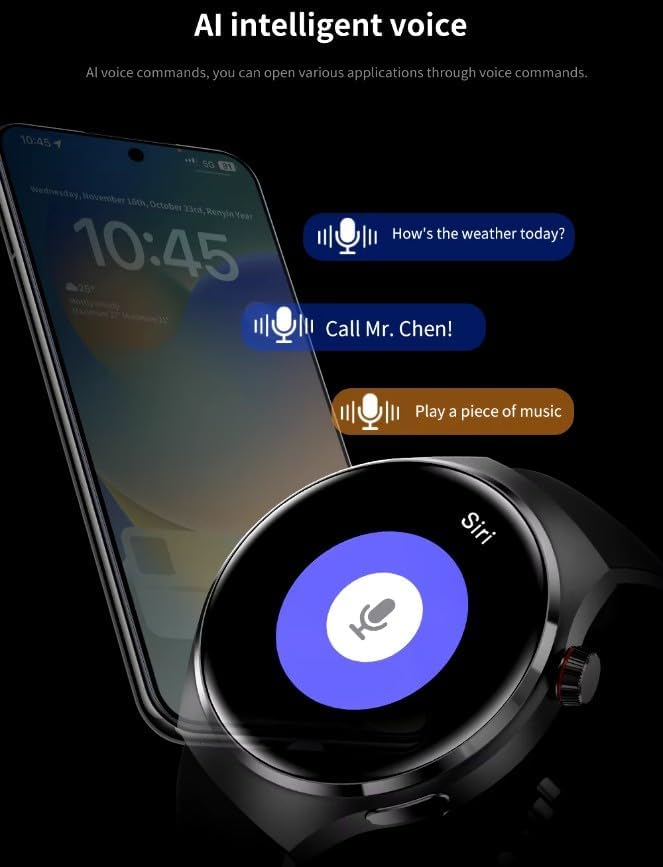
Image: Two GUHUAVMI GT4 Pro Smartwatches shown with water droplets, illustrating their IP68 waterproof capability.
2. Þrif
Regularly clean your smartwatch to maintain its appearance and sensor accuracy.
- Þurrkaðu skjáinn og húsið með mjúkum klútamp, lófrír klút.
- Clean the charging contacts and heart rate sensor on the back of the watch to ensure proper function.
- Forðist að nota sterk efni eða slípiefni.
3. Hugbúnaðaruppfærslur
Periodically check for software updates through the companion app. Updates can provide new features, performance improvements, and bug fixes.
Úrræðaleit
- Úrið kveiknar ekki á sér: Gakktu úrið úr fullhlaðið. Tengdu það við hleðslutækið í að minnsta kosti 30 mínútur.
- Ekki er hægt að para við snjallsíma:
- Gakktu úr skugga um að Bluetooth sé virkt í símanum þínum og úrinu.
- Gakktu úrið úr innan seilingar símans.
- Endurræstu bæði úrið og símann.
- Athugaðu hvort fylgiforritið sé uppfært í nýjustu útgáfu.
- Ónákvæmar heilsufarsupplýsingar:
- Gakktu úrið úr því að sitja þétt á úlnliðnum, ekki of þröngt né of laust.
- Hreinsið skynjarana aftan á úrinu.
- Forðist óhóflega hreyfingu við mælingar.
- Stuttur rafhlöðuending:
- Minnka birtustig skjásins.
- Slökkva á óþarfa tilkynningum eða eiginleikum.
- Takmarkaðu stöðuga hjartsláttarmælingu ef það er ekki þörf á.
Tæknilýsing
| Eiginleiki | Lýsing |
|---|---|
| Gerðarnúmer | GT4 Pro |
| Skjár | 1.6-inch HD AMOLED, 360x360 resolution |
| Tengingar | Bluetooth 5.0 |
| Vatnsheld einkunn | IP68 |
| Heilbrigðiseftirlit | Heart Rate, Blood Oxygen, Blood Sugar, Sleep Tracking |
| Fitness mælingar | Built-in GPS, Compass, Multiple Sports Modes |
| Raddaðstoðarmaður | AI Voice Assistant Integrated |
| NFC | Supported (e.g., Find My iPhone, Access Control) |
| Tegund hleðslu | Magnetic þráðlaus hleðsla |
| Dæmigert rafhlöðuending | 5-7 dagar |
| Hleðslutími | U.þ.b. 3 klst |
| Innifalið íhlutir | Smartwatch, User Manual, Wireless Charger |
Ábyrgð og stuðningur
Upplýsingar um ábyrgð
The GUHUAVMI GT4 Pro Smartwatch comes with a 6 mánaða ábyrgð frá kaupdegi. Þessi ábyrgð nær yfir framleiðslugalla við eðlilega notkun. Hún nær ekki til tjóns sem orsakast af misnotkun, slysum, óheimilum breytingum eða eðlilegu sliti.
Þjónustudeild
If you encounter any issues or have questions regarding your GUHUAVMI GT4 Pro Smartwatch, please refer to the troubleshooting section of this manual. For further assistance, contact your retailer or the manufacturer's customer support channel. Please have your purchase receipt and product model number (GT4 Pro) ready when contacting support.