
1. Inngangur
Thank you for choosing the DEVAISE Electric Standing Desk. This manual provides detailed instructions for the assembly, operation, and maintenance of your new adjustable height desk. Designed for both home and office environments, this desk features a seamless whole-piece desktop, a robust dual-motor lift system, and convenient memory presets for effortless height adjustments.
Please read this manual thoroughly before assembly and use to ensure proper function and safety.
2. Öryggisleiðbeiningar
- Gakktu úr skugga um að allir íhlutir séu tryggilega festir fyrir notkun.
- Haldið börnum og gæludýrum frá borðinu meðan á notkun stendur.
- Do not place hands or objects near moving parts during height adjustment.
- Avoid overloading the desk. The maximum weight capacity is 180 lbs.
- Do not modify the desk or its components. Use only original parts.
- Aftengdu rafmagnið áður en þú þrífur eða framkvæmir viðhald.
- Gakktu úr skugga um að rafmagnssnúran sé ekki klemmd eða skemmd.
- The desk is equipped with anti-collision sensors. Do not intentionally obstruct its movement.
3. Innihald pakka
Before beginning assembly, verify that all parts are present and undamaged. Refer to the image below for a visual representation of the components included in your package.
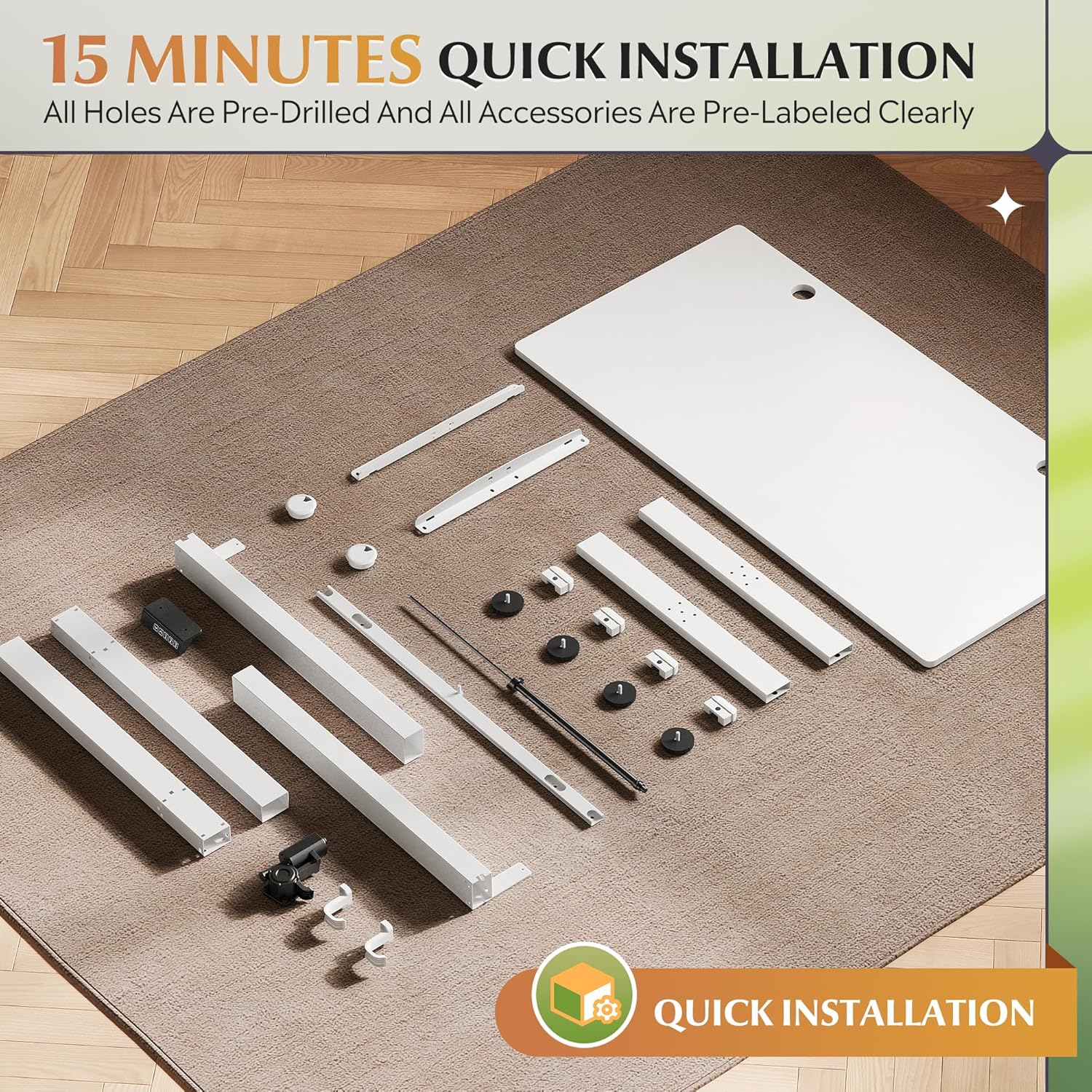
Mynd 3.1: All components of the DEVAISE standing desk laid out for quick installation, including the desktop, leg frames, feet, control panel, and various hardware. All holes are pre-drilled and accessories are clearly labeled for easy identification.
The package includes the whole-piece desktop, dual leg frames, desk feet, the electric control box, digital control panel, power adapter, and all necessary screws and tools for assembly.
4. Uppsetning og samsetning
The DEVAISE Electric Standing Desk is designed for quick and easy assembly, typically completed within 15 minutes. Follow these steps for a smooth setup:
- Taka upp íhluti: Fjarlægið alla hluta varlega úr umbúðunum og leggið þá á hreint, slétt yfirborð. Staðfestið innihald þeirra á listanum yfir þau.
- Festið fótleggjaramma: Secure the leg frames to the pre-drilled holes on the underside of the desktop using the provided screws. Ensure they are aligned correctly.
- Setja upp fætur: Attach the desk feet to the bottom of the leg frames.
- Mount Control Box and Panel: Secure the electric control box and the digital control panel to the designated areas under the desktop.
- Tengja snúrur: Connect all motor cables and the power cable to the control box. Ensure all connections are firm.
- Kapalstjórnun: Utilize the integrated cable holes on the desktop and any provided cable ties to manage wires neatly, preventing tangles and ensuring smooth operation.
- Kveikt á: Plug the power adapter into a wall outlet and then into the control box.
For visual guidance, refer to the assembly diagram in the included step-by-step user guide.
5. Notkunarleiðbeiningar
5.1 Stafrænt stjórnborð
Your DEVAISE standing desk is equipped with an intuitive digital control panel for easy height adjustments and memory functions. The panel features an LED display, up/down buttons, and three memory preset buttons.

Mynd 5.1: The digital control panel allows for precise height adjustments and saving preferred positions.
- LED skjár: Sýnir núverandi hæð skrifborðsins í tommum.
- Up & Down Buttons (▲ / ▼): Press and hold to smoothly adjust the desk height upwards or downwards. Release to stop at the desired height.
- Memory Height Buttons (1, 2, 3): These buttons allow you to save and recall up to three preferred desk heights.
- 'S' Button (Set): Used to save a new memory preset.
5.2 Hæðarstilling
To adjust the desk height, simply press and hold the Up (▲) or Down (▼) button until the desk reaches your desired position. The desk can be adjusted between 28.35 inches and 46.46 inches.
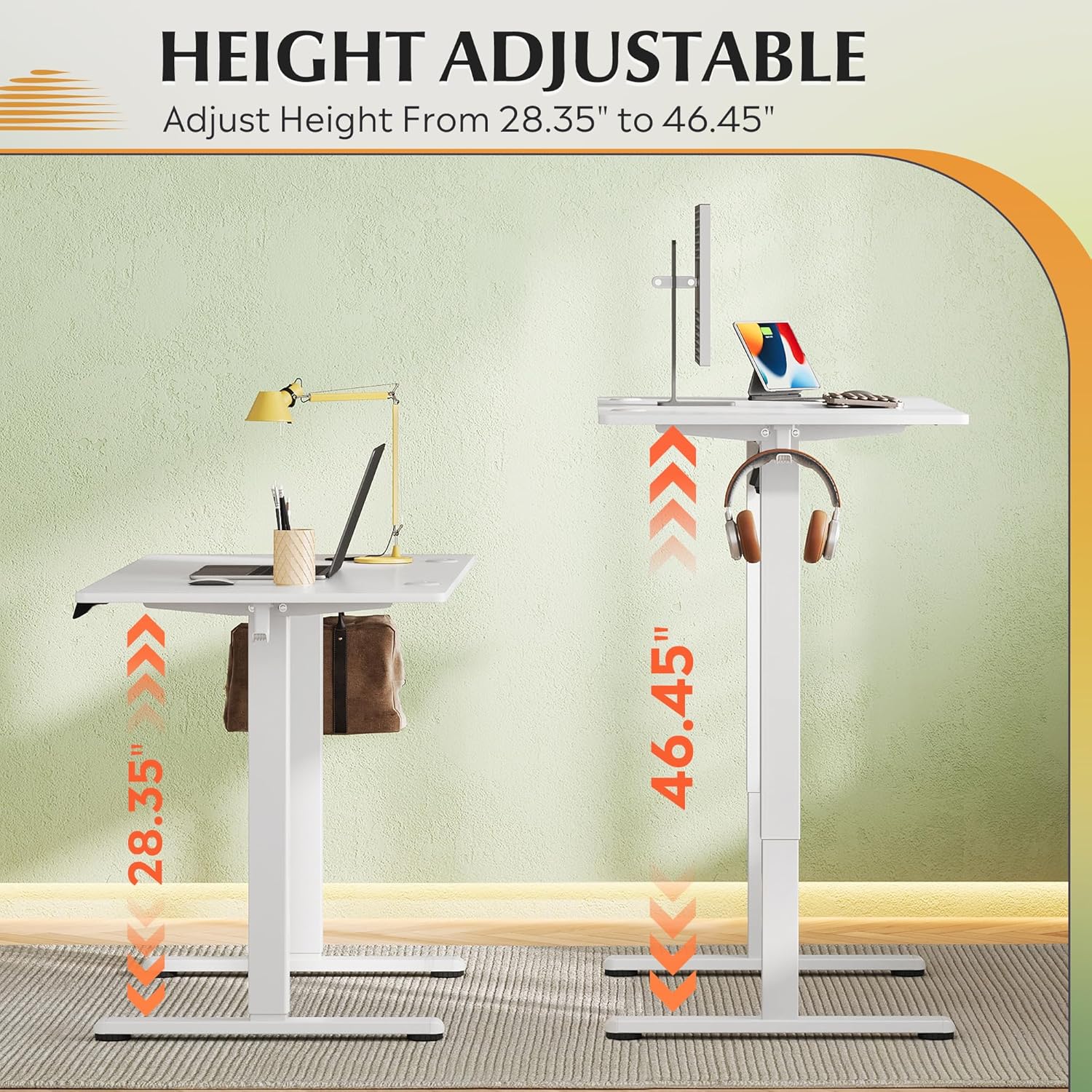
Mynd 5.2: The desk offers a wide height adjustment range from 28.35 inches to 46.46 inches.
5.3 Stilling minnisforstillinga
To save a specific height to a memory preset (1, 2, or 3):
- Stilltu borðið í þá hæð sem þú vilt með því að nota upp/niður hnappana.
- Press the 'S' button. The LED display will show 'S-'.
- Within 3 seconds, press the desired memory button (1, 2, or 3). The display will show 'S-1', 'S-2', or 'S-3' to confirm the setting.
To recall a saved height, simply press the corresponding memory button (1, 2, or 3). The desk will automatically move to the saved position.
5.4 Árekstrarvörn
The desk is equipped with an anti-collision system. If the desk encounters an obstacle during height adjustment, it will automatically stop and reverse slightly to prevent damage. Ensure the area around the desk is clear before operation.
6. Viðhald
- Þrif: Þurrkið af skjáborðinu og rammanum með mjúkum klút.amp klút. Forðist sterk efni eða slípiefni.
- Skoðun: Athugið reglulega allar skrúfur og tengingar til að tryggja að þær séu vel hertar. Herðið ef þörf krefur.
- Kapalstjórnun: Ensure cables remain tidy and are not caught or pinched by moving parts.
- Smurning: The lift mechanism is designed to be maintenance-free and does not require lubrication.
7. Bilanagreining
If you encounter any issues with your DEVAISE Electric Standing Desk, please refer to the following common troubleshooting steps:
| Vandamál | Möguleg orsök | Lausn |
|---|---|---|
| Skrifborðið hreyfist ekki. | Power cord disconnected; Control box not properly connected; Overload. | Check power connections. Ensure all cables are securely plugged into the control box. Reduce weight on the desk. |
| Skrifborðið hreyfist ójafnt eða gefur frá sér óvenjuleg hljóð. | Lausar tengingar; Hindrun; Ójöfn þyngdardreifing. | Check all screws and connections. Remove any obstructions. Distribute weight evenly on the desktop. |
| Error code displayed on control panel. | Sérstök kerfisvilla. | Refer to the detailed error code list in the full user manual (if applicable) or contact customer support. Try unplugging and replugging the power after 30 seconds. |
| Árekstrarvörnin virkjast of oft. | Næmisstilling; Hindrun. | Ensure no objects are in the path of the desk's movement. If the issue persists, contact customer support for potential sensitivity adjustment. |
If the problem persists after attempting these solutions, please contact DEVAISE customer service for further assistance.
8. Tæknilýsing

Mynd 8.1: Key dimensions and weight capacity of the DEVAISE Electric Standing Desk.
| Eiginleiki | Forskrift |
|---|---|
| Vörumerki | DEVAISE |
| Vörumál | 23.62" D x 47.24" B x 28.34" H |
| Litur | Hvítur |
| Stíll | Klassískt |
| Grunnefni | Járn |
| Efsta gerð efnis | Hannaður viður |
| Gerð klára | Ólokið |
| Sérstakir eiginleikar | 3 Adjustable Height, Cable Hole, Electric, Ergonomic, Whole Piece Desktop |
| Herbergistegund | Bedroom, Home, Office, Study Room, Writing |
| Mælt er með notkun | Vinna, skrifa |
| Hámarksþyngdargeta | 180 pund |
9. Ábyrgð og stuðningur
The DEVAISE Electric Standing Desk comes with a 1 ára ramma ábyrgð, ensuring peace of mind regarding the structural integrity of your product.
For any questions, concerns, or technical assistance, our 24/7 US-based customer service team is available to help. Please have your model number and purchase information ready when contacting support.
You can reach DEVAISE customer service through the contact information provided on the official DEVAISE websíðuna eða í gegnum kaupvettvanginn þinn.


