
GN-438-1
MP3 MP4 Player User Manual
Model: GN-438-1 | Brand: Generic
Inngangur
This manual provides detailed instructions for the operation, maintenance, and troubleshooting of your new MP3 MP4 Player. Please read this manual thoroughly before using the device to ensure proper function and longevity.
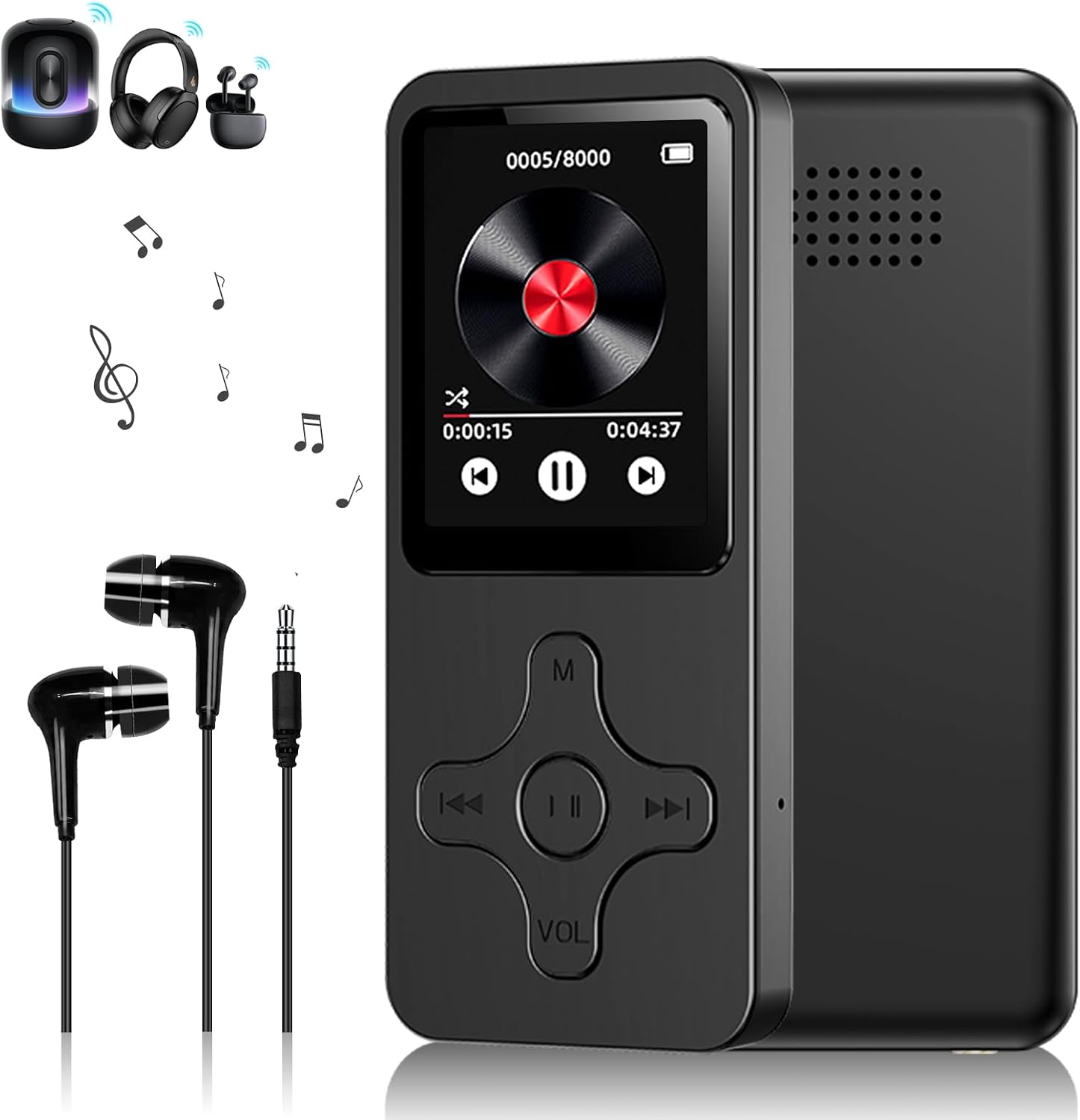
Mynd: Framan view of the MP3 MP4 Player, showcasing its sleek design, along with included headphones and wireless earbuds, indicating versatile audio output options.
Innihald pakka
Gakktu úr skugga um að allir hlutir séu til staðar í pakkanum:
- 1 x MP3 Player
- 1 x USB hleðslusnúra
- 1 x heyrnartól
- 1 x Notendahandbók

Image: A clear display of the product's accessories, including the user manual, earphones, USB data cable, and the player itself within its packaging, ensuring users can verify all components.
Uppsetning
Hleður tækið
Before first use, fully charge the MP3 player. Connect the provided USB cable to the player's USB port and the other end to a USB power adapter (not included) or a computer's USB port.
- Hleðslutími: Um það bil 2 klukkustundir fyrir fulla hleðslu.
- Battery Life: Up to 3 hours for music/video playback, 20 hours standby.
Að setja Micro SD kort í
The player does not have internal memory. A Micro SD card (up to 128GB, not included) is required for storing music, videos, and other files. Locate the Micro SD card slot on the side of the device and gently insert the card until it clicks into place.
Flytur Files
Connect the player to your computer using the USB cable. The device will appear as a removable disk. Drag and drop your music (MP3/WMA/APE/WAV/FLAC), video, and image (JPG/GIF) files into the appropriate folders on the Micro SD card.
Notkunarleiðbeiningar
Grunnleiðsögn
The player features a 1.8-inch LCD screen and classic navigation buttons. Use the directional buttons to navigate through menus and the central button to select options. The 'M' button typically accesses the menu or returns to the previous screen, and 'VOL' adjusts volume.

Image: The MP3 MP4 Player displayed with its compact dimensions (4cm width, 9.1cm height, 0.9cm thickness), highlighting its portability and slim profile.
Spilun tónlistar
- Í aðalvalmyndinni skaltu velja „Tónlist“.
- Browse through your folders or select "All Songs".
- Choose a song to begin playback.
- Use the navigation buttons for Play/Pause, Next/Previous track, and Volume adjustment.
- Supports MP3, WMA, APE, WAV, FLAC audio formats.
Myndspilun
- Í aðalvalmyndinni skaltu velja „Myndband“.
- Veldu myndband file að spila.
- Note: Video playback is supported on the 1.8-inch screen.
FM útvarp
- Connect the earphones as they act as the antenna.
- Í aðalvalmyndinni skaltu velja „FM útvarp“.
- Skannaðu að tiltækum stöðvum.
Bluetooth tenging
The player features Bluetooth 5.0 for connecting to Bluetooth headphones or speakers. Note: Bluetooth does NOT connect with mobile phones, computers, car radios, etc.
- Í aðalvalmyndinni skaltu velja „Bluetooth“.
- Kveiktu á Bluetooth.
- Leitaðu að available devices and select your desired audio output device to pair.
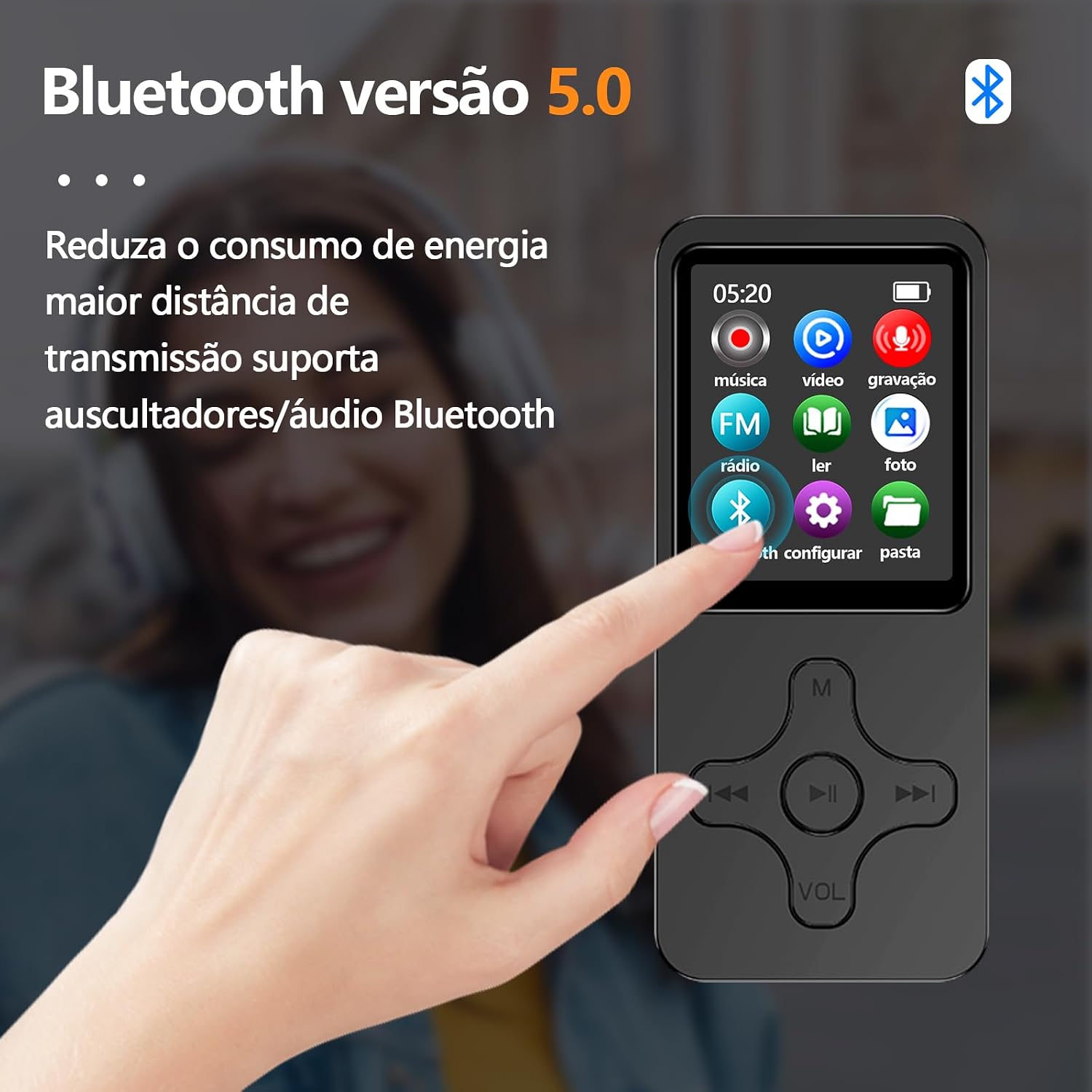
Image: The MP3 MP4 Player screen showing the Bluetooth icon, emphasizing its Bluetooth 5.0 capability for connecting to compatible audio devices, along with a text overlay explaining its benefits.
Aðrar aðgerðir
- Raddupptaka: Select "Recording" from the menu.
- Rafbókalesari: Supports TXT format.
- Myndasafn: View JPG/GIF images.
- Mappa View: Sigla files by folder structure.

Image: A visual summary of the MP3 player's multifunctional capabilities, including music playback, FM radio, video viewing, e-book reading, Bluetooth connectivity, and photo display, illustrating its versatility.
Viðhald
- Haldið tækinu þurru. Forðist að það komist í snertingu við raka eða vökva.
- Þrífið skjáinn og húsið með mjúkum, þurrum klút. Notið ekki slípiefni.
- Forðastu mikinn hita.
- Ekki missa tækið eða láta það verða fyrir miklum höggum.
- Geymið tækið á köldum, þurrum stað þegar það er ekki í notkun í langan tíma.
Úrræðaleit
Ekki kveikir á tækinu
- Gakktu úr skugga um að rafhlaðan sé hlaðin. Tengdu við aflgjafa og reyndu aftur.
- Haltu rofanum inni í nokkrar sekúndur.
Ekkert hljóð meðan á spilun stendur
- Athugaðu hljóðstyrkinn.
- Ensure earphones are properly connected or Bluetooth device is paired and connected.
- Test with different earphones/speakers.
- Staðfestu hljóðið file snið er stutt.
Ekki hægt að flytja files
- Gakktu úr skugga um að USB-snúran sé vel tengd bæði við spilarann og tölvuna.
- Prófaðu aðra USB tengi eða snúru.
- Verify that a Micro SD card is inserted and properly formatted.
- Restart both the player and the computer.
Bluetooth not connecting to phone/car radio
- As stated in the operating instructions, this player's Bluetooth functionality is designed for connecting to Bluetooth headphones or speakers only, not mobile phones, computers, or car radios.
Tæknilýsing
| Eiginleiki | Smáatriði |
|---|---|
| Innra minni | Ekkert (krefst Micro SD korts) |
| Stuðningur við Micro SD kort | Allt að 128 GB (ekki innifalið) |
| Viðmót | USB 2.0 |
| Bluetooth útgáfa | 5.0 (for headphones/speakers only) |
| Skjástærð | 1.8 tommur |
| Tegund skjás | TFT skjár |
| Upplausn | 128 x 160 dílar |
| Hljóðsnið | MP3, WMA, APE, WAV, FLAC |
| Myndsnið | JPG, GIF |
| Rafhlaða | 450mAh litíumjón |
| Hleðslutími | 2 klst |
| Playback Time (Music/Video) | 3 hours (with headphones) |
| Biðtími | 20 klst |
| Mál | 9.0 cm x 4.0 cm x 0.8 cm |
| Þyngd | 31g |
| Efni | ABS |
| Innbyggður hátalari | Já |
| FM útvarp | Já |
| Rafbókaraðstoð | TXT |
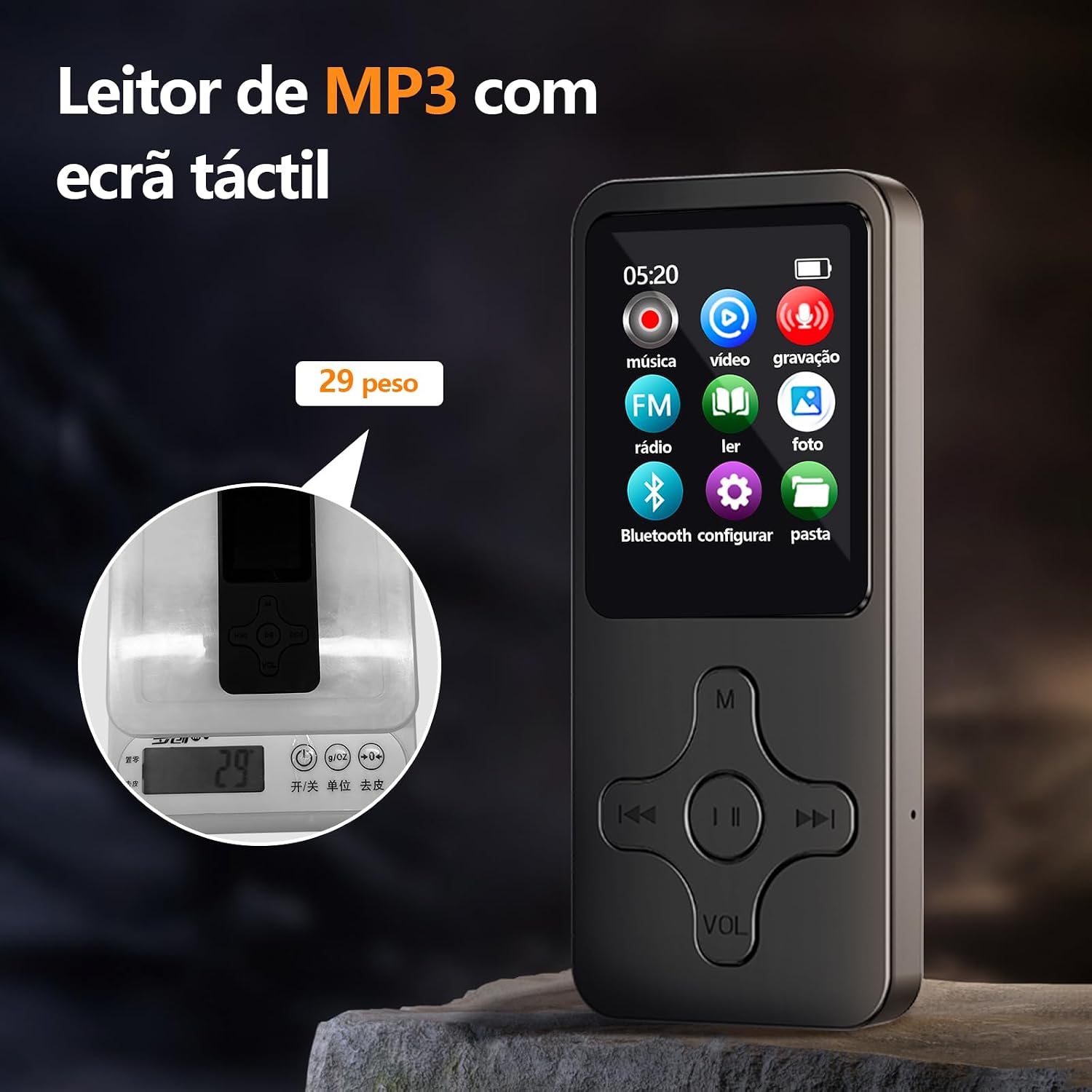
Image: The MP3 MP4 Player placed on a digital scale, indicating its remarkably light weight of 29 grams, emphasizing its portability.
Ábyrgð og stuðningur
Þessi vara kemur með ábyrgð framleiðanda upp á 3 mánuðir frá kaupdegi. Að auki, a 30 daga endurgreiðslu-/skiptastefna is available through the seller.
For technical support or warranty claims, please contact the seller or refer to the contact information provided with your purchase documentation.
Vinsamlegast geymið kaupkvittunina til staðfestingar á ábyrgðinni.
Ask a question about this manual
Ask about setup, troubleshooting, compatibility, parts, safety, or missing instructions. Manuals+ will review the question and use this page’s manual context to help answer it.