1. Inngangur
Thank you for choosing the HUNTVISION 5MP Smart Light Bulb Camera. This device integrates a high-definition security camera into a standard light bulb socket, offering convenient installation and comprehensive surveillance capabilities. It features 5MP HD clarity, smart night vision, two-way audio, and advanced AI algorithms for enhanced security monitoring.
This manual provides detailed instructions for setting up, operating, and maintaining your camera to ensure optimal performance and security for your home or office.

Image: The HUNTVISION Smart Light Bulb Camera, designed for versatile use in various environments including residential and commercial settings.
2. Öryggisupplýsingar
- Ensure the power is off before installing or removing the camera from the light bulb socket.
- This device is designed for indoor and outdoor use. Ensure proper weather protection if used outdoors.
- Do not expose the camera to extreme temperatures, humidity, or direct water immersion.
- Use only standard E27/E26 light bulb sockets for installation.
- Geymið myndavélina þar sem börn og gæludýr ná ekki til.
- Ekki reyna að taka myndavélina í sundur eða gera við hana sjálfur. Hafðu samband við þjónustuver viðskiptavina til að fá aðstoð.
3. Innihald pakka
Gakktu úr skugga um að allir hlutir séu til staðar í pakkanum:
- HUNTVISION 5MP Smart Light Bulb Camera (Model: A5M10)
- Mounting Stand (if applicable)
- Festingarskrúfur (ef við á)
- Leiðbeiningar (þetta skjal)
4. Uppsetningarleiðbeiningar
4.1. Líkamleg uppsetning
- Locate a standard E27/E26 light bulb socket where you wish to install the camera.
- Ensure the power to the socket is turned off at the circuit breaker before proceeding.
- Carefully screw the HUNTVISION Smart Light Bulb Camera into the socket until it is securely fastened. Do not overtighten.
- Turn on the power to the socket. The camera will power on and initiate its startup sequence.
4.2. Niðurhal á appi og stofnun reiknings
- Download the "IVY IoT" application from your smartphone's app store (App Store for iOS or Google Play Store for Android).
- Open the IVY IoT app and follow the on-screen instructions to create a new account or log in if you already have one.
4.3. Tenging myndavélarinnar við Wi-Fi
The camera supports various network connection methods:
- QR kóða skönnun: In the IVY IoT app, select "Add Device" and choose the QR code scanning option. Position your phone's screen with the generated QR code in front of the camera lens until you hear a confirmation sound.
- Bluetooth-parun: Some models support Bluetooth for initial setup. Follow the app's prompts to pair via Bluetooth.
- Sound Wave Pairing: The app can generate a sound wave to transmit Wi-Fi credentials. Ensure your phone's volume is up and place it near the camera.
- LAN-tenging: For wired setup, connect an Ethernet cable to the camera's LAN port (if available) and your router.
Follow the specific instructions within the IVY IoT app for your chosen connection method. Ensure your Wi-Fi network is 2.4GHz, as 5GHz networks may not be supported by the camera for initial setup.

Image: The camera and its accompanying mobile application, illustrating the Wi-Fi connection process.
5. Notkunarleiðbeiningar
5.1. Bein útsending og upptaka
Once connected, open the IVY IoT app and select your camera from the device list to view the live feed. You can:
- View Lifandi straumur: Access real-time video from your camera.
- Taka upp myndband: Manually start and stop video recording.
- Taktu skyndimyndir: Taktu kyrrmyndir af lifandi straumi.
- Spilun: Aðgangur skráð footage from cloud storage or a local TF card.
5.2. Remote Control (Pan/Tilt & Digital Zoom)
The camera features a 355° horizontal pan and 85° vertical tilt, allowing you to adjust the viewing angle remotely through the app. It also supports 6X digital zoom for closer inspection of details.

Image: Demonstrating the camera's remote pan, tilt, and digital zoom capabilities for comprehensive area coverage.
5.3. Snjallar nætursjónarstillingar
The camera offers multiple night vision options for clear monitoring in low-light conditions:
- Nætursjón í fullum lit: Utilizes ambient light or the camera's built-in light to provide color images at night.
- Innrauð nætursjón: Uses infrared LEDs for clear black-and-white images in complete darkness.
- Custom Night Vision: Allows you to configure specific settings based on your preferences.
The camera can automatically switch between modes based on lighting conditions.
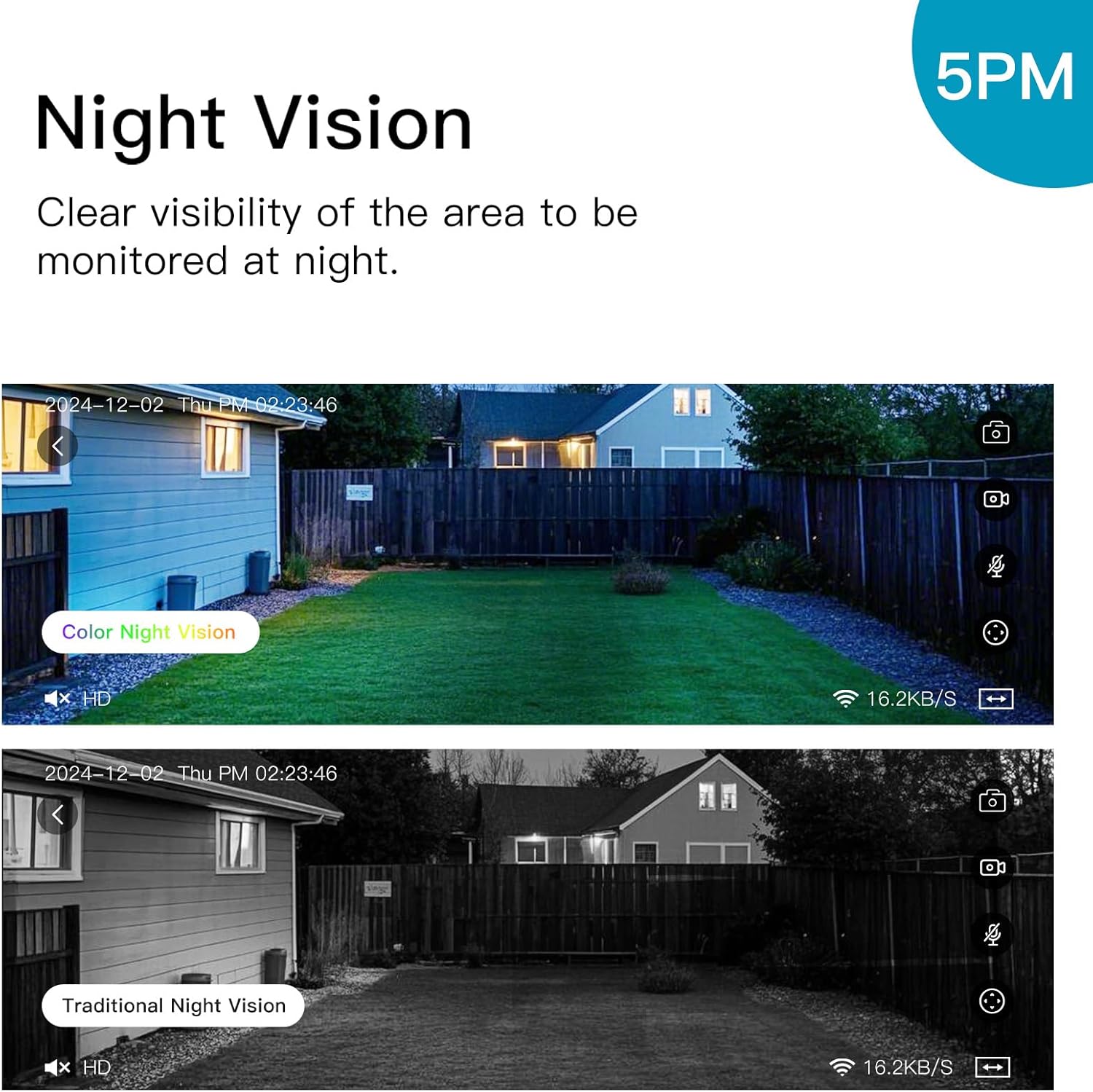
Image: Illustrating the difference between color and traditional infrared night vision capabilities.
5.4. Tvíhliða hljóð
The built-in microphone and speaker enable two-way communication. You can listen to the environment around the camera and speak through the camera using the IVY IoT app. This feature is useful for communicating with visitors or deterring intruders.
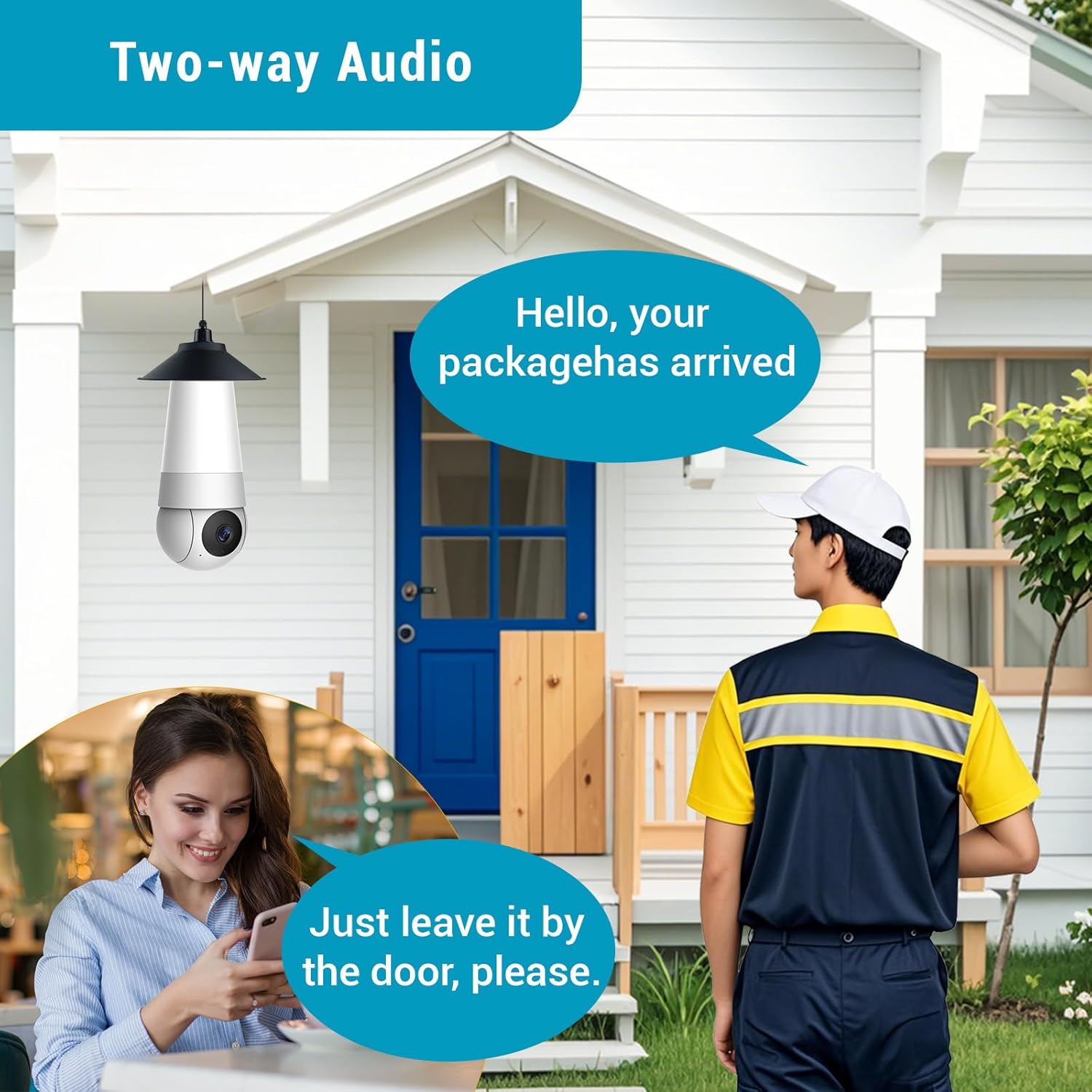
Image: Demonstrating the two-way audio feature for communication.
5.5. AI Smart Algorithms
The camera is equipped with advanced AI algorithms to provide intelligent alerts and monitoring:
- Mannleg uppgötvun: Identifies human shapes, reducing false alarms from pets or inanimate objects.
- Hreyfiskynjun: Triggers recording and alerts upon detecting any movement.
- Flame Recognition: Detects the presence of flames and sends immediate alerts.
- Personality Tracking: Follows detected human movement within the camera's field of view.
- Grátaskynjun: Alerts you to the sound of crying, useful for baby monitoring.
Configure these settings within the IVY IoT app to receive real-time push notifications and alert messages.

Mynd: Yfirview of the camera's multiple device-side AI algorithms for intelligent monitoring.
5.6. Cloud Storage & Multi-User Sharing
- Geymsluvalkostir: Supports both local TF (microSD) card storage (card not included) and cloud storage subscriptions for recorded footage.
- Spilun: Auðveldlega afturview recorded events from either storage option through the app.
- Deiling margra notenda: Share access to your camera with up to 10 authorized users, allowing family members or colleagues to view beina útsendingu og fá tilkynningar.
6. Viðhald
- Þrif: Þurrkið varlega af myndavélarlinsunni og myndavélarhúsinu með mjúkum, þurrum klút. Notið ekki fljótandi hreinsiefni eða slípiefni.
- Uppfærsla vélbúnaðar: Regularly check the IVY IoT app for available firmware updates. Keeping your camera's firmware updated ensures optimal performance, new features, and security enhancements.
- Geymslustjórnun: If using a TF card, periodically check its status and consider formatting it through the app to maintain performance. Manage cloud storage settings as needed.
7. Bilanagreining
| Vandamál | Möguleg orsök/lausn |
|---|---|
| Myndavélin kviknar ekki. |
|
| Ekki er hægt að tengjast Wi-Fi. |
|
| Léleg myndgæði eða töf. |
|
| Viðvaranir um hreyfiskynjun eru of tíðar/sjaldgæfar. |
|
8. Tæknilýsing
| Eiginleiki | Smáatriði |
|---|---|
| Vörumerki | HUNTVISION |
| Nafn líkans | A5M10 |
| Myndbandsupplausn | 1920p (5MP HD) |
| Tengitækni | Þráðlaust (Wi-Fi) |
| Tengireglur | Wi-Fi |
| Aflgjafi | Corded Electric (Light Bulb Socket) |
| Gerð stjórnanda | IVY IoT App |
| Gerð uppsetningar | Ceiling Mount (via light socket) |
| Stærðir hlutar (L x B x H) | 7.87 x 2.83 x 2.95 tommur |
| Þyngd hlutar | 10.4 aura |
| Inni/úti notkun | Úti, inni |
| Mælt er með notkun | Barnaeftirlit, gæludýraeftirlit, öryggi innanhúss, öryggi utandyra |
| Innifalið íhlutir | Stand, Mounting Screw, Instruction Manual |
9. Þjónustudeild
For technical support, warranty information, or any inquiries regarding your HUNTVISION Smart Light Bulb Camera, please contact our customer service team. Refer to the product packaging or the official HUNTVISION websíðu fyrir nýjustu tengiliðaupplýsingar.
Við erum staðráðin í að veita þér bestu mögulegu upplifun.