
KAMEP Bell J9 Plus
Notendahandbók fyrir þráðlausa dyrabjöllumyndavél KAMEP
Model: Bell J9 Plus | Brand: KAMEP
Inngangur
The KAMEP Wireless Doorbell Camera provides advanced home security with its 180° head-to-toe video, 2K HD live view, and two-way talk functionality. Designed for ease of use, it features battery power, smart motion detection with customizable alerts, and no mandatory subscription fees. This manual will guide you through the setup, operation, maintenance, and troubleshooting of your new doorbell camera.

The KAMEP Wireless Doorbell Camera offers comprehensive surveillance for your home entrance, capturing a wide field of view to ensure you miss nothing.
Hvað er í kassanum
This image displays all the components included in your KAMEP Wireless Doorbell Camera package, ensuring you have everything needed for installation and operation.
- 1 x mynddyrabjalla
- 1 x Þráðlaus innanhússbjöllu
- 1 x Notendahandbók
- 1 x hleðslusnúra
- 1 x skrúfusett
Uppsetningarleiðbeiningar
1. Hleður tækið

The doorbell camera is powered by a built-in rechargeable battery, offering extended usage between charges. An app notification will alert you when the battery level reaches 20%.
Before first use, fully charge the doorbell camera using the provided charging cable. A full charge can last 1-2 months depending on usage. The companion app will notify you when the battery level is low.
2. Uppsetning

Installation of the doorbell camera is designed to be quick and flexible. You can choose between using adhesive pads for a drill-free setup or the provided steel bracket and screws for a more secure, anti-theft installation.
The doorbell can be installed in approximately 5 minutes. For a rent-friendly option, use the adhesive pads. For enhanced security, utilize the steel bracket and screws to mount it to your door frame. The device is built to withstand various weather conditions, including snow, rain, and extreme temperatures.
3. App and Wi-Fi Connection
To begin, download the companion application to your smartphone. Ensure your Wi-Fi network is 2.4GHz, as 5GHz networks are not supported. Follow the in-app instructions to connect your doorbell camera to your home network. The app allows for customization of settings, viewing lifandi footage, and receiving alerts.
This video demonstrates the unboxing, installation process, and initial setup of the KAMEP Wireless Doorbell Camera, including connecting it to the mobile application and using its features.
Notkunarleiðbeiningar
1. Lifandi View and 2K HD Clarity
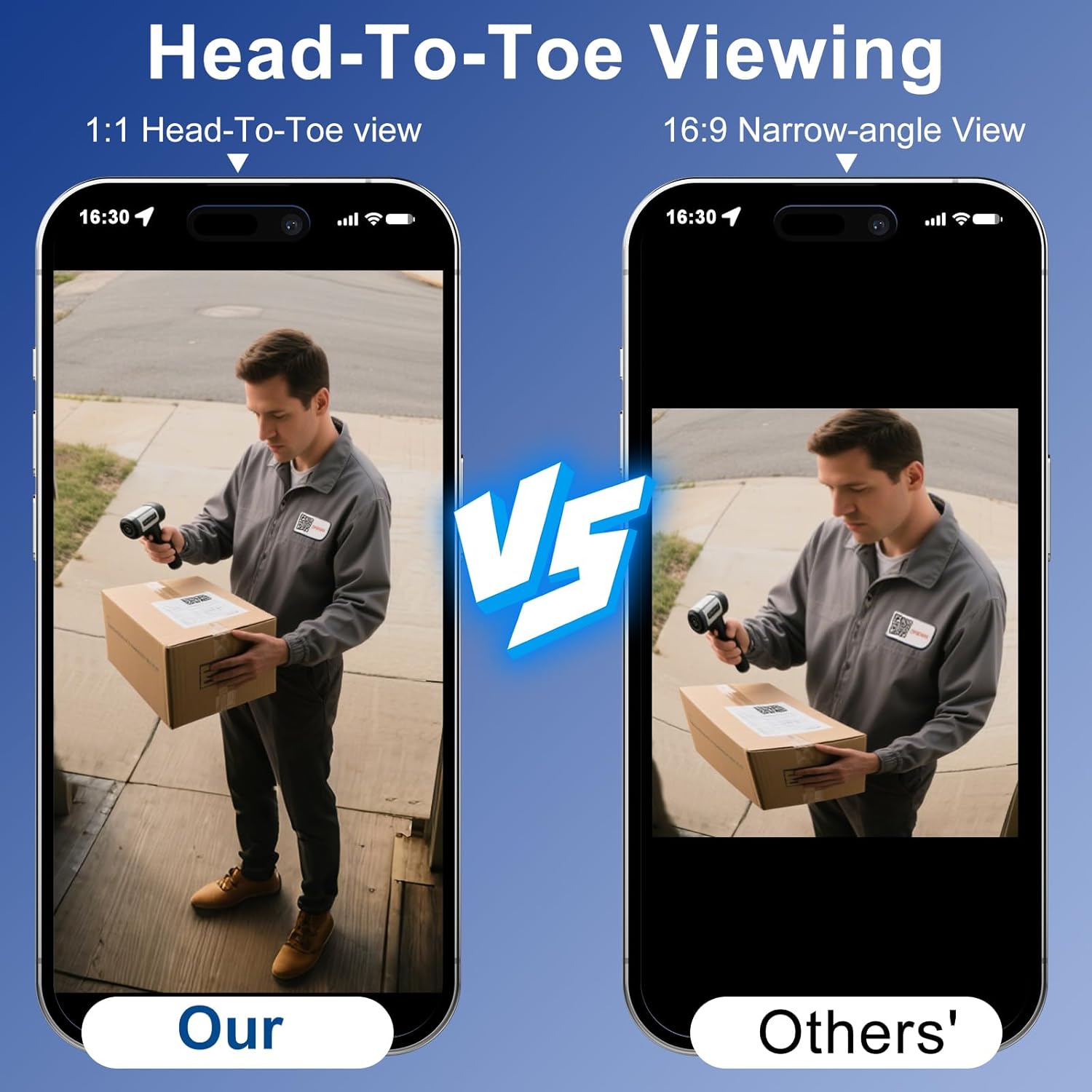
The KAMEP doorbell camera provides a 180-degree ultra-wide lens, offering a full head-to-toe view of visitors and packages on your doorstep, eliminating blind spots. The 2K HD resolution ensures clear and detailed live viewing.
Access the live feed from your doorbell camera at any time through the companion app. The 180° ultra-wide lens captures a complete head-to-toe view of visitors and packages, ensuring no blind spots. The crisp 2K HD resolution allows you to zoom in and identify details clearly.
2. Two-Way Audio and Quick Responses

Engage in real-time two-way conversations with visitors through the doorbell camera. For convenience, you can also utilize pre-set quick replies or a voice changer feature for added privacy.
Utilize the two-way audio feature to communicate directly with anyone at your door. You can also use the voice changer for added privacy or select from pre-set quick replies for common situations, such as instructing a delivery person to leave a package.
3. Snjall greining og viðvaranir fyrir fólk

The doorbell camera features advanced PIR motion detection, specifically designed to identify human movement and minimize false alarms. You can customize detection zones and sensitivity settings within the app to receive relevant alerts.
The advanced PIR motion detection system focuses on human movement, significantly reducing false alarms from pets or environmental factors. Customize detection zones and sensitivity levels through the app to receive alerts only for important activity at your doorstep.
4. Nætursjón

The camera provides clear 2K HD video quality during the day and extends its surveillance capabilities into the night with 33ft infrared night vision, ensuring visibility even in complete darkness.
The doorbell camera is equipped with powerful infrared night vision, allowing it to monitor your property effectively up to 33 feet even in pitch-black conditions, providing continuous security day and night.
5. Geymsluvalkostir

The KAMEP doorbell camera offers flexible storage solutions. You can choose to use a local TF (microSD) card (up to 128GB, not included) for recording, or utilize the free basic cloud storage which provides 6-second clips with a 7-day loop.
You have the flexibility to choose your preferred video storage method. The camera supports a 128GB TF (microSD) memory card for local storage (not included), or you can opt for the free lifetime cloud storage, which provides a basic 6-second/7-day loop recording.
6. Samþætting snjallheimila

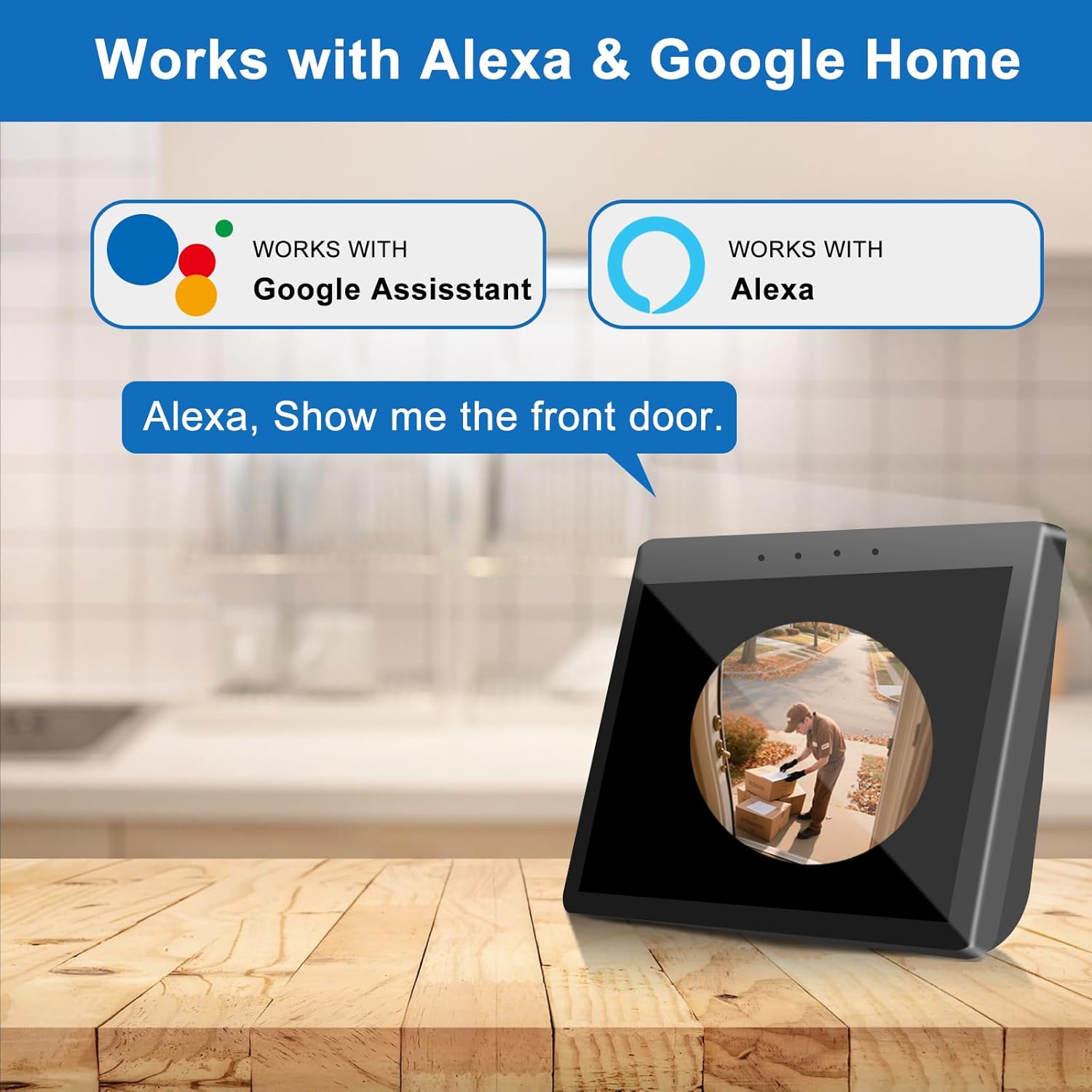
The doorbell camera is compatible with Amazon Alexa and Google Assistant, allowing you to integrate it into your smart home ecosystem for convenient voice control and live viewá samhæfum snjallskjám.
The KAMEP doorbell camera seamlessly integrates with Amazon Alexa and Google Assistant. Use voice commands like "Show me the front door" to view the live feed on compatible smart displays.
Viðhald
To maintain optimal performance, ensure the doorbell camera's built-in rechargeable battery is charged regularly. The companion app will provide alerts when the battery level is low (around 20%). A full charge typically lasts 1-2 months depending on usage. Keep the camera lens and sensors clean from dust and debris for clear video quality.
Úrræðaleit
- Wi-Fi tenging: Ensure your Wi-Fi network is 2.4GHz. The device does not support 5GHz networks. Check your router's signal strength at the doorbell's location.
- Rafhlöðuending: If the battery drains quickly, reduce motion detection sensitivity or frequency of live view access. Ensure the device is fully charged.
- Falskar viðvaranir: Adjust motion detection sensitivity and customize detection zones within the app to minimize alerts from non-human movements like pets or passing vehicles.
- Myndbandsgæði: Ensure the camera lens is clean and free from obstructions. Check your Wi-Fi connection for stable bandwidth.
For further assistance, refer to the in-app help section or contact customer support.
Tæknilýsing
| Eiginleiki | Smáatriði |
|---|---|
| Inni/úti notkun | Úti, inni |
| Samhæf tæki | Snjallsími |
| Aflgjafi | Rafhlöðuknúið |
| Tengireglur | Wi-Fi |
| Gerð stjórnanda | CloudEdge |
| Gerð uppsetningar | Hurðarfesting |
| Myndbandsupplausn | 2K HD |
| Litur | Svartur |
| Fjöldi hluta | 1 |
| Þráðlaus samskiptatækni | Wi-Fi |
| Árangursrík myndbandsupplausn | 1400 |
| Gerð uppsetningar | Self Adhesive,Screw In |
| Efni | Plast |
| Stærðir hlutar L x B x H | 5.79 x 2.2 x 1.5 tommur |
| Vatnsþolsstig | Vatnsheldur |
| Rafhlöður nauðsynlegar? | Nei |
| Myndbandsupptökusnið | MP4 |
| Fjöldi eininga | 1.0 Telja |
| Eftirlitsaðferð | App |
| Vörumál | 5.79 x 2.2 x 1.5 tommur |
| Þyngd hlutar | 14.8 aura |
| ASIN | B0F4DBB8RN |
| Gerðarnúmer vöru | Bell J9 Plus |
| Rafhlöður | 1 Óstaðlaðar rafhlöður nauðsynlegar. (innifalið) |
| Dagsetning fyrst í boði | 10. apríl 2025 |
| Framleiðandi | KAMEP |
| Upprunaland | Kína |
| Ráðlagður notkun fyrir vöru | Útivistaröryggi |
| Vörumerki | KAMEP |
| Nafn líkans | Bell J9 Plus |
| Tengitækni | Þráðlaust |
| Sérstakur eiginleiki | 2K HD Resolution, Night Vision, Motion Sensor, 2 Way Audio, Built In LIght, IP66 Waterproof,Local Recording, Cloud / TF Card Storage, Work with Alexa & Assisstant Google See more |
Ábyrgð og stuðningur
Fyrir upplýsingar um ábyrgð og þjónustu við viðskiptavini, vinsamlegast vísið til opinberra upplýsinga framleiðanda. webvefsíðu eða hafið samband við þjónustuver þeirra. Geymið kaupkvittunina vegna ábyrgðarkröfu.
Ask a question about this manual
Ask about setup, troubleshooting, compatibility, parts, safety, or missing instructions. Manuals+ will review the question and use this page’s manual context to help answer it.