
1. Inngangur
This manual provides instructions for the installation, operation, and maintenance of your Insoma 2 Zones WiFi Water Timer with Brass Inlet and Outlet. This smart device allows you to remotely control and automate your garden watering schedules via a mobile application and voice commands, ensuring efficient irrigation for your plants, garden, greenhouse, and lawn.
The timer features durable brass inlet and outlet connections for enhanced leak prevention and longevity, especially under direct sunlight. It supports two independent watering zones, each with customizable schedules, and includes functions like manual watering and rain delay.
2. Innihald pakka
Vinsamlegast staðfestið að allir íhlutir séu til staðar áður en haldið er áfram með uppsetningu:
- Insoma 2 Zones WiFi Water Timer (Model SGW02W-TTA-03NH-L)
- WiFi-miðstöð (gátt)
- Notendahandbók (þetta skjal)
- Required batteries (not specified if included, assume user provides)
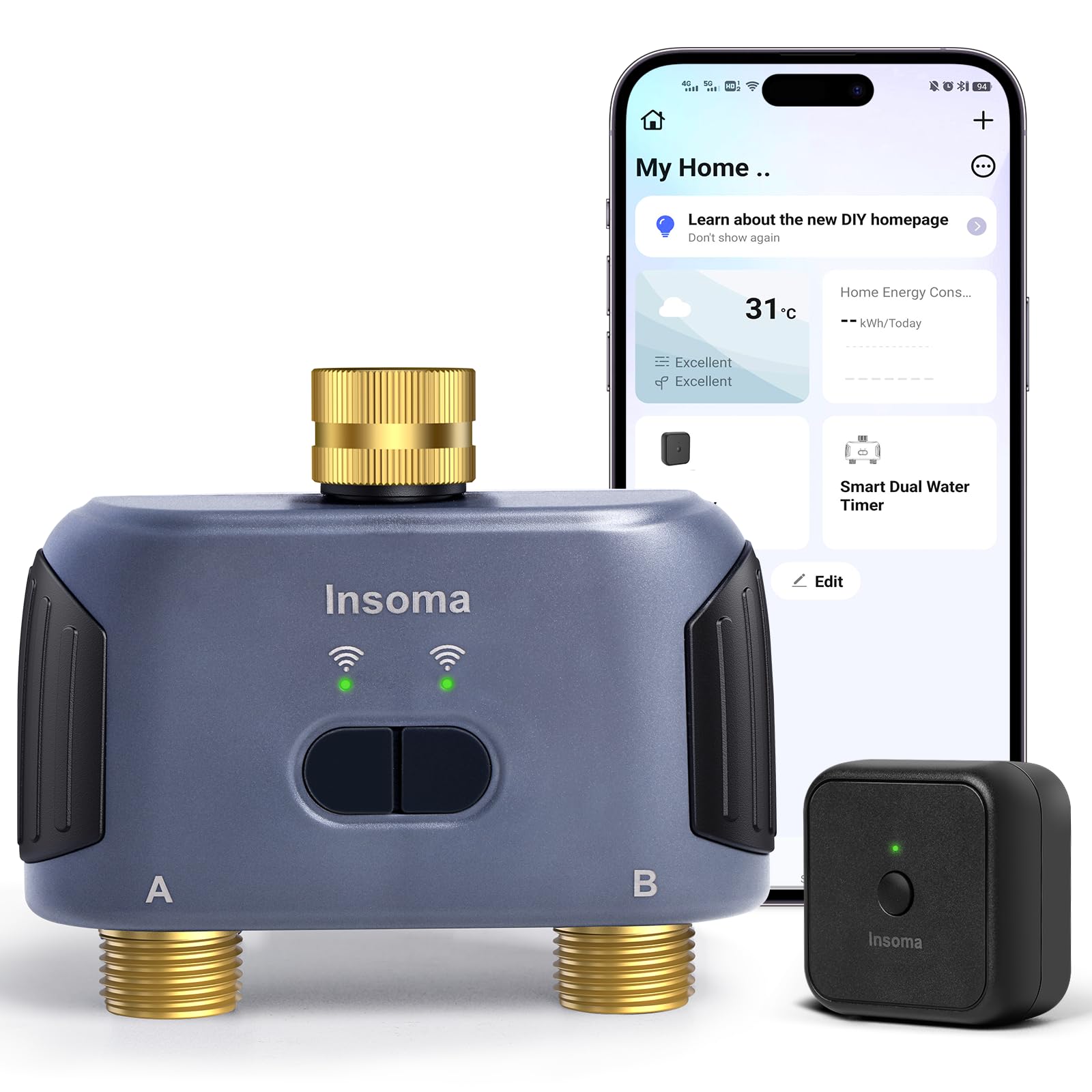
Image: The Insoma 2 Zones WiFi Water Timer, showing its brass inlet and outlet connections.
3. Uppsetningarleiðbeiningar
3.1 Líkamleg uppsetning
- Settu rafhlöður upp: Open the battery compartment on the water timer and insert the required batteries (typically AA or AAA, refer to device markings if not specified). Ensure correct polarity.
- Tengjast við krana: Screw the brass inlet of the water timer onto your outdoor faucet. Hand-tighten firmly to prevent leaks. The brass threads are designed for a secure, leak-proof connection.
- Tengja slöngur: Attach your garden hoses to the brass outlets (Zone A and Zone B) of the water timer. Ensure these connections are also tight.
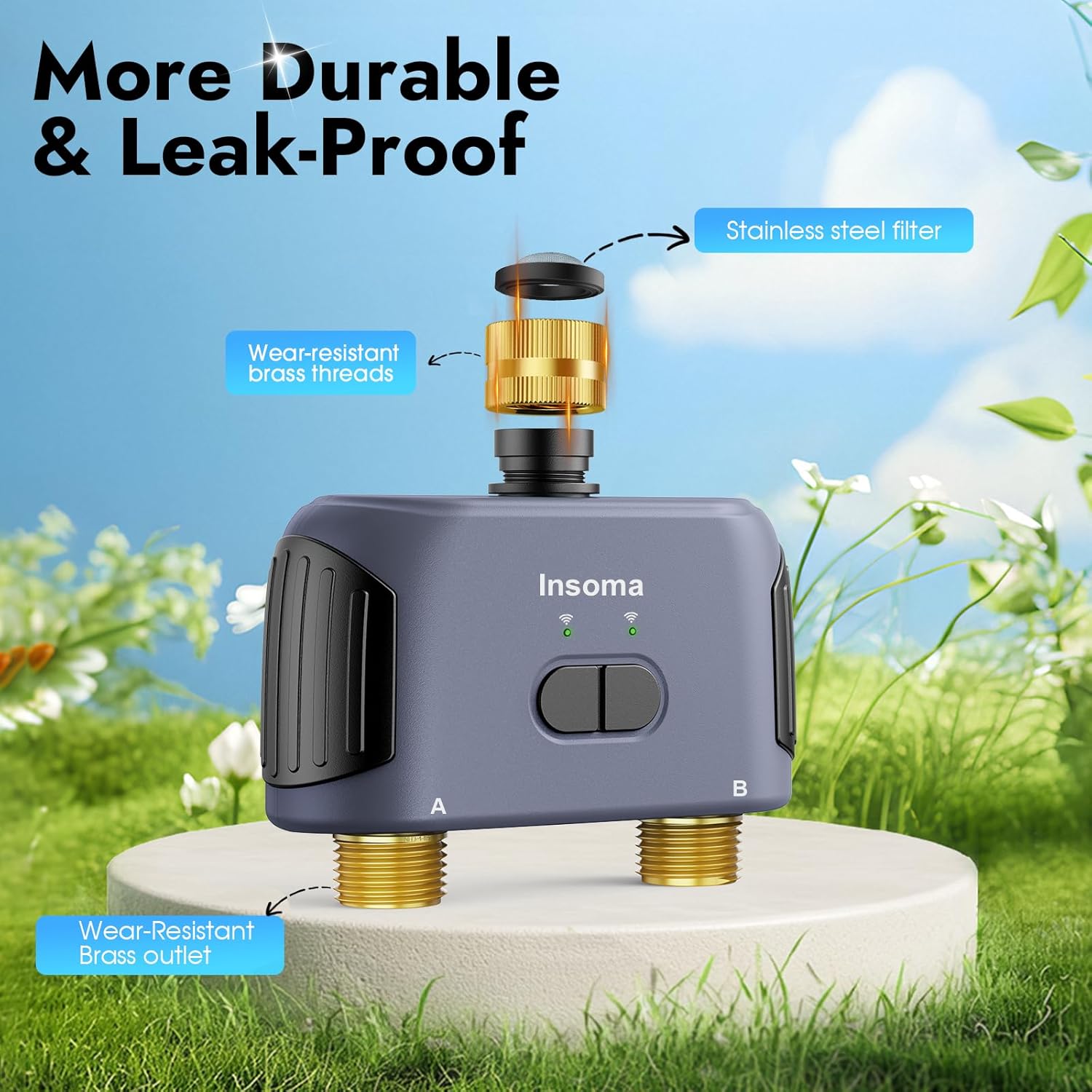
Mynd: Nærmynd view of the Insoma water timer's brass inlet, stainless steel filter, and brass outlets, highlighting its durable and leak-proof design.
3.2 Uppsetning og pörun appa
- Sækja Smart Life appið: Leitaðu að "Smart Life" in your mobile device's app store (iOS or Android) and download the application.
- Skráning/Innskráning: Open the Smart Life app and register for a new account or log in if you already have one.
- Connect WiFi Hub (Gateway):
- Plug in the WiFi Hub (Gateway) to a power source near your home's 2.4GHz WiFi router.
- In the Smart Life app, tap the "+" icon to add a new device.
- Select "Gateway" or "Hub" from the device list and follow the on-screen instructions to connect it to your 2.4GHz WiFi network. Note: The system only supports 2.4GHz WiFi. 5GHz networks are not compatible.
- Pair Water Timer:
- Once the WiFi Hub is successfully added, ensure the water timer is powered on.
- In the Smart Life app, within the Gateway's interface, select "Add Sub Device" or similar option.
- Follow the app's instructions to put the water timer into pairing mode (this usually involves pressing and holding a button on the timer).
- The app will detect and add the water timer. Assign a name to each zone (e.g., "Front Lawn," "Back Garden") for easy identification.
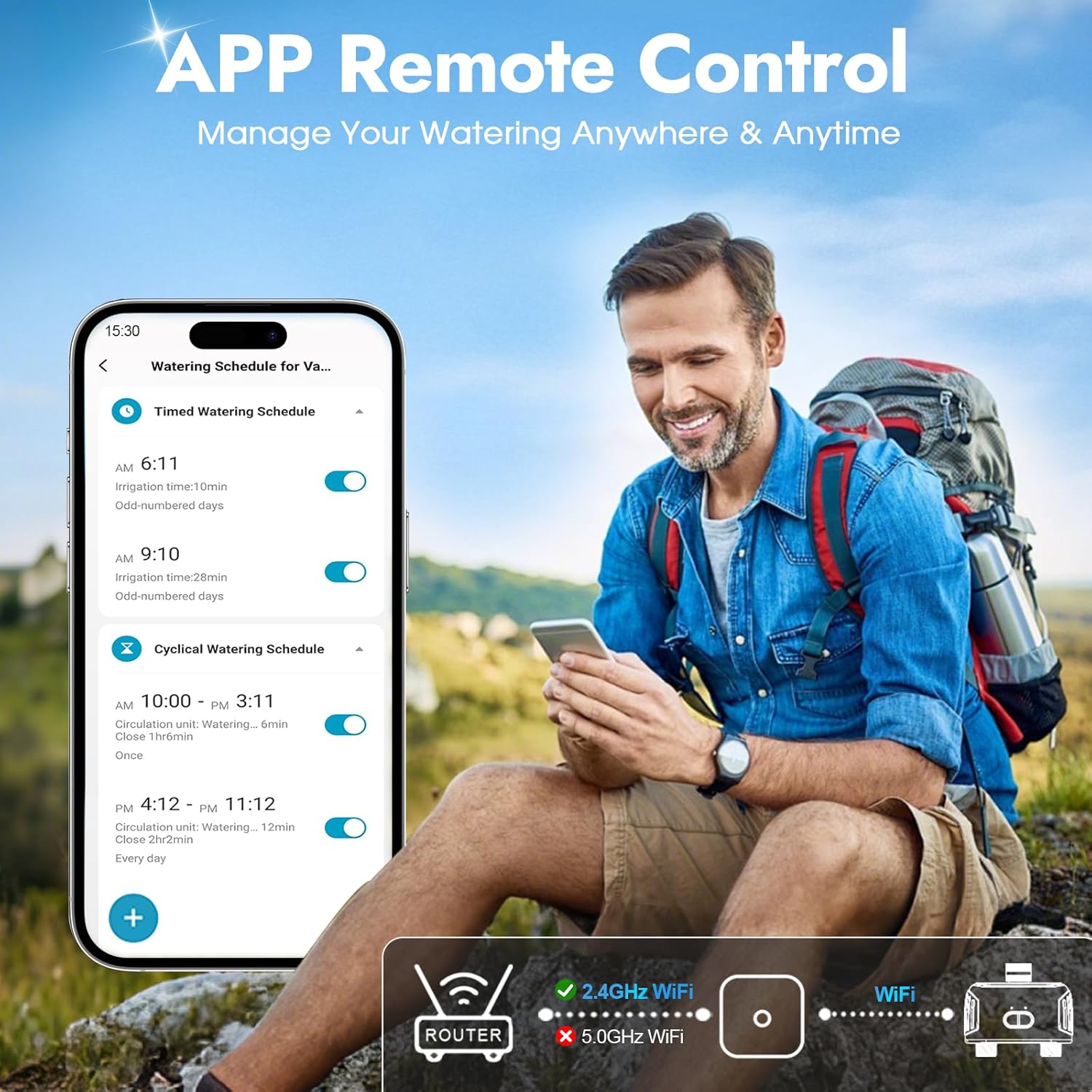
Image: A user remotely managing watering schedules via the Smart Life app, demonstrating the app's interface and the requirement for a 2.4GHz WiFi connection.
4. Rekstur
4.1 Fjarstýring með appi
After successful pairing, you can manage your watering schedules from anywhere using the Smart Life app. The app allows you to:
- Set and modify watering schedules for each zone.
- Initiate or stop manual watering.
- View watering logs and device status.
- Activate the rain delay function.
4.2 Raddstýring með Alexa
The Insoma water timer is compatible with Amazon Alexa. To enable voice control:
- Ensure your Alexa device is set up and connected to the same network as your WiFi Hub.
- Open the Alexa app, go to "Skills & Games," and search for "Smart Life."
- Enable the Smart Life skill and link your Smart Life account.
- Discover devices. Your water timer should appear.
- You can now use voice commands such as: "Alexa, turn on [Zone Name] water timer" or "Alexa, turn off [Zone Name] water timer."

Image: A user interacting with an Alexa device to control the smart water timer, illustrating the voice control feature.
4.3 Handvirk vökva
You can initiate manual watering without affecting your preset schedules. This is useful for immediate watering needs.
- Í gegnum app: In the Smart Life app, select the desired zone and choose the manual watering option. Set the duration (from 1 minute up to 23 hours 59 minutes).
- Í gegnum tæki: The timer may have a physical button for manual operation. Pressing it typically activates a default manual watering duration (e.g., 10 minutes). Refer to the device's specific button functions.

Image: The Insoma water timer connected to a faucet, with an overlay showing two ways to set manual watering: directly on the timer for 10 minutes or via the app for 1 minute to 24 hours.
4.4 Setting Watering Schedules (2 Independent Zones)
The timer supports two independent watering zones (A and B), each capable of holding up to 10 watering schedules. There are two types of schedules:
- Timed Watering Mode:
- Set a specific start time for watering.
- Define the irrigation duration (e.g., 1 minute to 24 hours).
- Choose the watering frequency: weekly cycle (specific days of the week), odd days, even days, or every few days.
- Cyclical Watering Mode:
- Set a start time and an end time for the entire watering cycle.
- Define the irrigation duration for each watering event within the cycle.
- Set an interval time between each watering event.
- The timer will automatically cycle watering within the preset start and end times.

Image: The Insoma water timer installed outdoors, illustrating its two independent zones (A and B) and the ability to set up to 10 watering programs per zone for different garden areas.
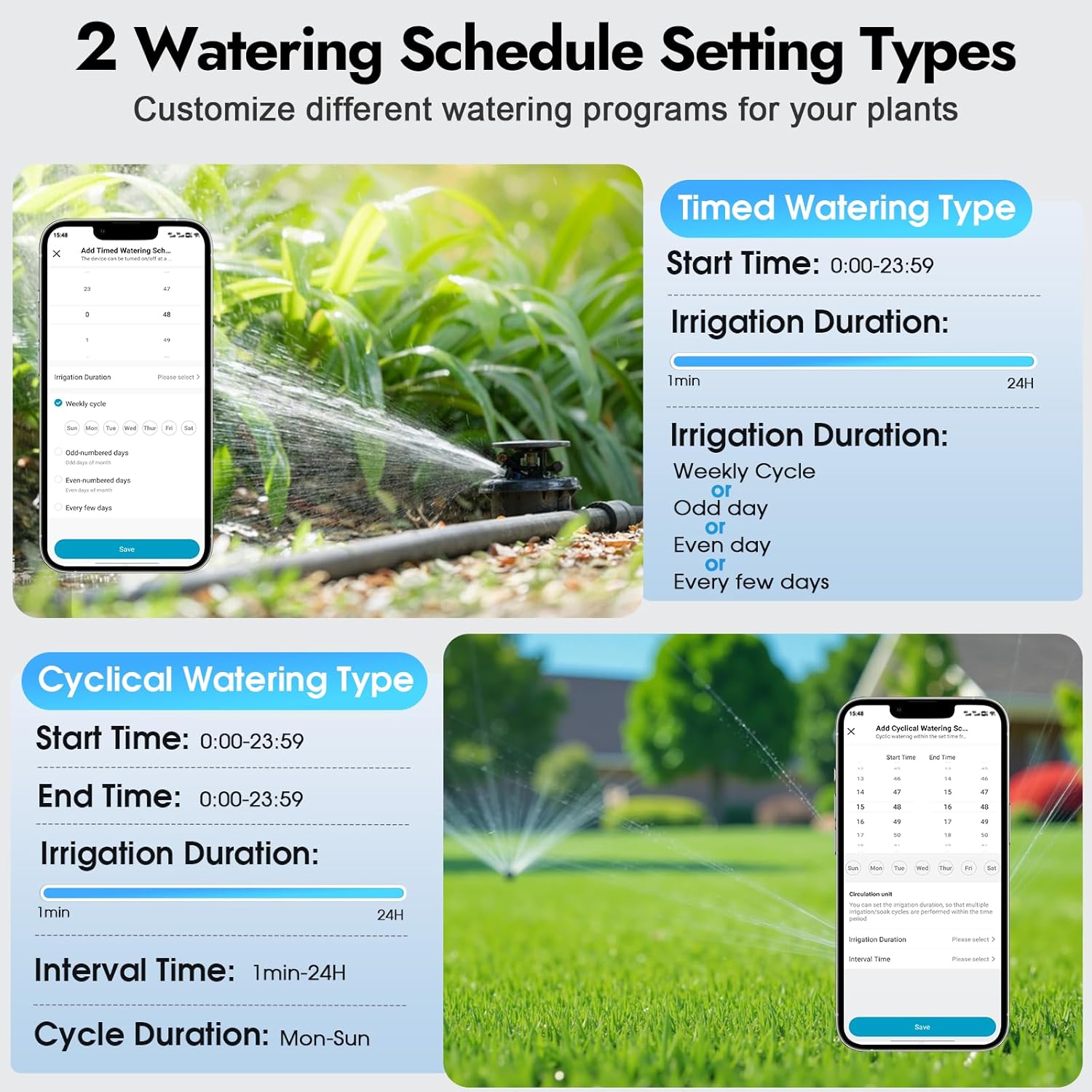
Image: Screenshots of the Smart Life app showing the interfaces for setting Timed Watering Type and Cyclical Watering Type schedules, including options for start time, duration, interval, and weekly cycles.
4.5 Seinkunaraðgerð fyrir rigningu
The rain delay feature allows you to temporarily pause scheduled watering to avoid overwatering during rainy periods and conserve water.
- Activate rain delay via the Smart Life app.
- You can set the delay duration from 1 to 7 days.
- After the set delay period, scheduled watering will automatically resume.

Image: The Insoma water timer installed on a faucet during rain, illustrating the rain delay function which can pause watering for 1 to 7 days to prevent overwatering.
4.6 Extendable Irrigation System
One WiFi Hub can support up to 32 Insoma WiFi water timers, allowing you to expand your smart irrigation system for larger gardens or multiple watering areas. Family members can also be invited to manage the system via the app.

Image: An illustration of a smart watering system where a single WiFi gateway controls multiple Insoma water timers across a large property, managed via a mobile app.
5. Viðhald
- Skipt um rafhlöðu: Replace batteries when the low battery indicator appears in the app or on the device. Use high-quality alkaline batteries for optimal performance.
- Þrif: Periodically check the stainless steel filter at the inlet for debris and clean it if necessary to ensure proper water flow. Wipe the exterior of the timer with a damp klút.
- Vetrarvæðing: Before the first frost, disconnect the water timer from the faucet and hoses. Remove batteries. Store the timer indoors in a dry, frost-free location to prevent damage from freezing water.
6. Bilanagreining
| Vandamál | Möguleg orsök | Lausn |
|---|---|---|
| Timer not connecting to WiFi / App |
|
|
| Water not flowing / Timer not activating |
|
|
| App shows incorrect status (e.g., valve open when closed) |
|
|
| Vatnslekur úr tengingum |
|
|
7. Tæknilýsing
| Eiginleiki | Smáatriði |
|---|---|
| Gerðarnúmer | SGW02W-TTA-03NH-L |
| Vörumerki | Insoma |
| Efni | Brass Inlet and Outlet |
| Vörumál (D x B x H) | 5.7" D x 5.9" B x 2.4" H |
| Þyngd hlutar | 0.62 kíló |
| Fjöldi svæða | 2 sjálfstæð svæði |
| Watering Schedules per Zone | Allt að 10 |
| Watering Schedule Types | Timed Watering, Cyclical Watering |
| Handvirk vökvunartími | 1 minute - 23 hours 59 minutes (via App) |
| Rain Delay Duration | 1-7 dagar |
| WiFi samhæfni | Aðeins 2.4GHz |
| Samhæfni við snjallheimili | Amazon Alexa, Smart Life App |
| Maximum Timers per Hub | Allt að 32 |
8. Ábyrgð og stuðningur
For warranty information and technical support, please refer to the documentation included with your purchase or contact Insoma customer service directly. Contact details can typically be found on the manufacturer's official webá síðunni eða í gegnum söluaðilann þar sem varan var keypt.
Vinsamlegast geymdu sönnunina þína fyrir kaupum fyrir ábyrgðarkröfur.