
1. Vöru lokiðview
This manual provides instructions for the assembly, operation, and maintenance of your DEVAISE AMGZ L-Shaped Gaming Desk. This desk is designed to provide a functional and ergonomic workspace for gaming or office use, featuring integrated power outlets, USB charging ports, LED lighting, and a monitor stand.

Image 1.1: The DEVAISE AMGZ L-Shaped Gaming Desk, showcasing its design and features with a monitor, keyboard, and other accessories.

Image 1.2: The DEVAISE AMGZ L-Shaped Gaming Desk integrated into a modern room setup, demonstrating its aesthetic and functional placement.
Helstu eiginleikar:
- Snjall LED ljós: Control 31 lighting modes and 60,000 colors via an app to reduce eye strain and enhance the environment.
- Vistvæn skjástandur: A raised stand promotes better posture by positioning the screen at eye level.
- Innbyggðar rafmagnsinnstungur: Features 2 AC outlets and 2 USB charging ports for convenient power access for up to 4 devices.
- Heavy-Duty smíði: Engineered for strength, supporting up to 110 lbs on the desktop.
- Geymsluhilla: An integrated storage shelf provides additional space for organization.
2. Samsetningarleiðbeiningar
Before beginning assembly, ensure all components are present and undamaged. It is recommended to assemble the desk in the room where it will be used.
2.1. Innihald pakka
Verify that your package contains all the parts listed in the included visual guide. If any parts are missing or damaged, please contact customer support.
2.2. Nauðsynleg verkfæri
- Screwdriver (usually included or standard Phillips head)
- Allen Wrench (usually included)
2.3. Samsetningarskref
- Taka upp íhluti: Takið alla hluta varlega úr umbúðunum og leggið þá á hreint, mjúkt yfirborð (t.d. teppi eða gólfmottu) til að koma í veg fyrir rispur.
- Þekkja hluta: Refer to the numbered parts and the visual guide provided in your package to identify each component.
- Settu saman ramma: Begin by assembling the metal frame components according to the visual instructions. Ensure all screws are tightened securely but do not overtighten until the entire frame is assembled.
- Festa skjáborðsspjöld: Secure the desktop panels to the assembled frame. Pay attention to the orientation for the L-shape configuration.
- Setja upp skjástand: Attach the elevated monitor stand to the designated area on the desktop.
- Setja upp geymsluhillu: Secure the lower storage shelf components.
- Setja upp rafmagnsinnstungur: Integrate the recessed power strip into its designated slot on the desktop. Ensure the power cord is routed safely.
- Settu upp LED ljós: Attach the LED light strips as indicated in the visual guide. Connect them to the smart controller.
- Lokaspenning: Once all components are in place, go back and securely tighten all screws.
- Staðsetningarborð: Færið samansetta borðið varlega á þann stað sem það á að vera.
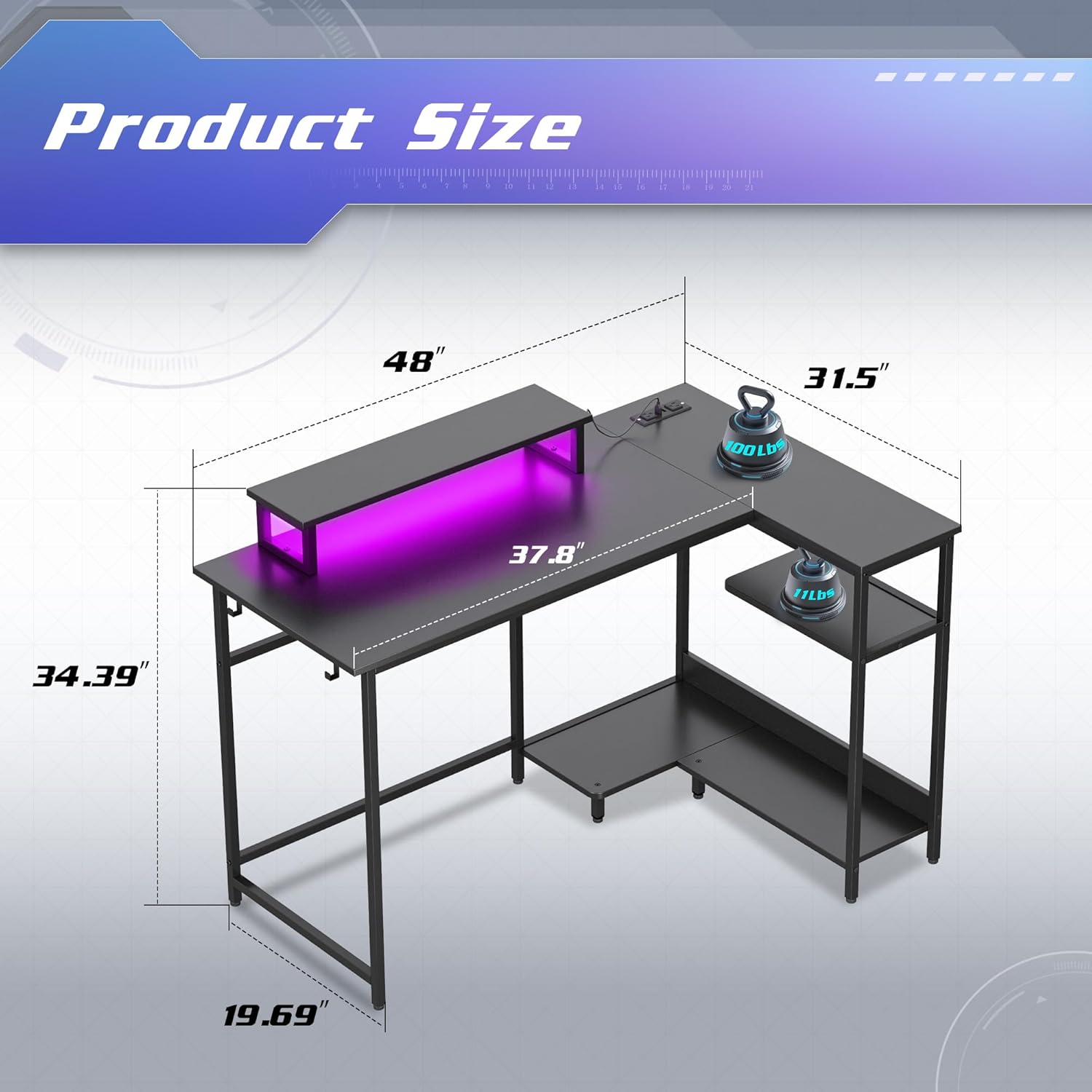
Image 2.1: Dimensions of the DEVAISE AMGZ L-Shaped Gaming Desk, showing measurements for length, width, and height of various sections.
3. Notkunarleiðbeiningar
3.1. Using the Smart LED Lights
The integrated LED lights can be controlled via a dedicated mobile application.
- Sækja forrit: Scan the QR code provided in the LED light instruction manual (or search for the specified app name) on your smartphone.
- Tengjast: Follow the in-app instructions to connect your smartphone to the desk's LED smart controller via Bluetooth or Wi-Fi.
- Stjórnunaraðgerðir:
- Select from 31 lighting modes.
- Choose from 60,000 colors using the palette switch.
- Activate music rhythm mode for dynamic lighting.
- Set timers for automatic light control.
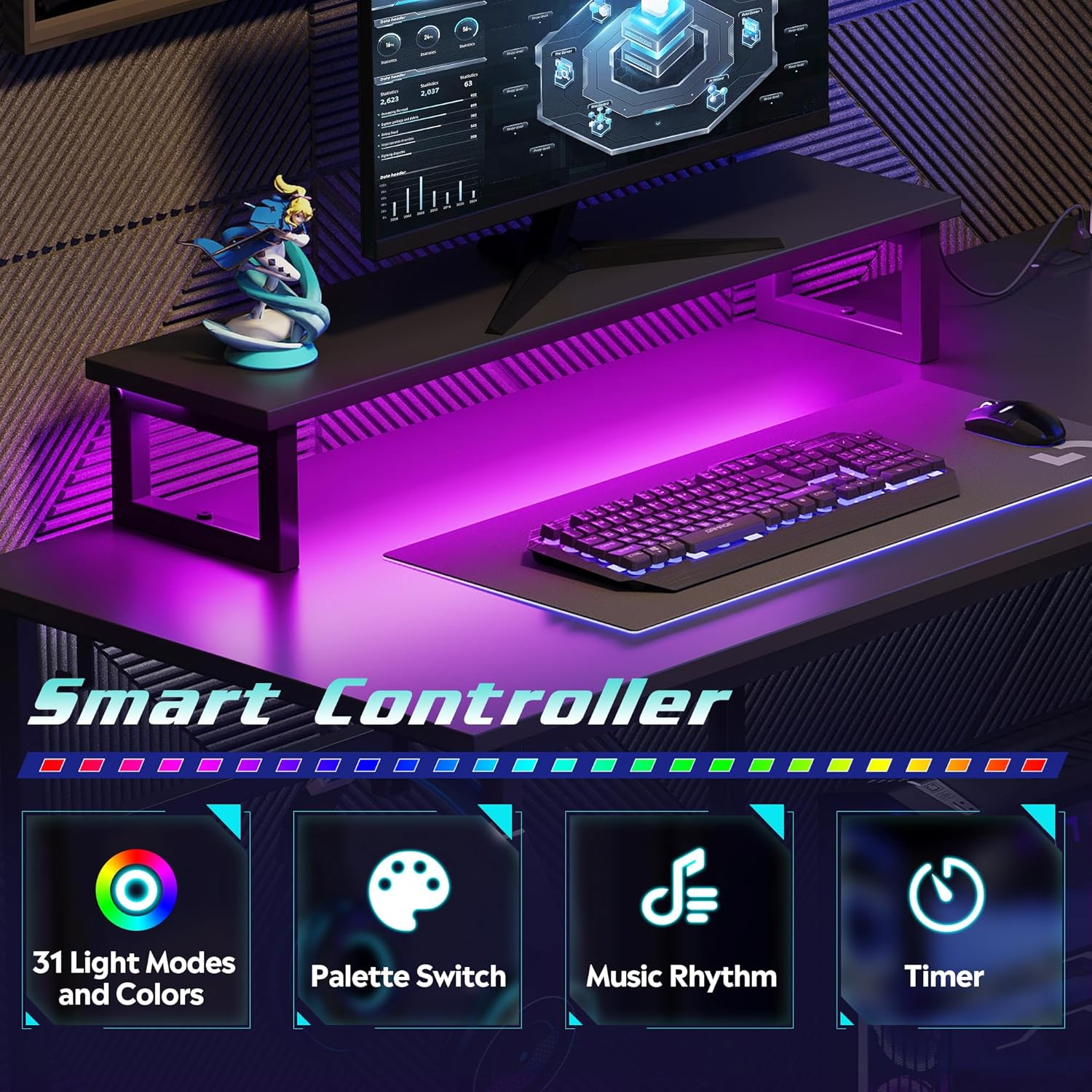
Image 3.1: Visual representation of the smart controller features, including 31 light modes and colors, palette switch, music rhythm, and timer functions.
3.2. Using the Integrated Power Outlets and USB Ports
The desk includes a recessed power strip with 2 AC outlets and 2 USB charging ports.
- Tengjast við innstungu: Plug the desk's main power cord (4.9-foot) into a standard wall electrical outlet.
- Innstungur fyrir rafmagn: Use the 125V/12A AC outlets for devices such as monitors, computers, or lamps.
- USB tengi: Notaðu 5V/2.1A USB tengin til að hlaða snjallsíma, spjaldtölvur eða önnur USB tæki.
Varúð: Do not overload the power strip. Ensure the total power consumption of connected devices does not exceed the rated capacity.

Mynd 3.2: Nærmynd view of the recessed power strip, highlighting the two AC outlets and two USB charging ports, along with the 4.9-foot power cord.
3.3. Notkun á vinnuvistfræðilegum skjástandi
The elevated monitor stand is designed to raise your screen to an optimal eye level, promoting better posture and reducing neck and back strain.
- Place your monitor directly on the stand.
- Adjust your seating position to ensure your eyes are level with the top third of your monitor screen.
- The space beneath the monitor stand can be used for storing a keyboard, mouse, or other small accessories when not in use.

Image 3.3: Comparison illustrating the benefits of an elevated monitor stand for maintaining proper ergonomic posture versus a monitor placed directly on the desk.
4. Viðhald
4.1. Þrif
- Yfirborð skrifborðs: Wipe the desktop with a soft, damp cloth. For stubborn marks, use a mild, non-abrasive cleaner. Avoid harsh chemicals that may damage the laminated finish.
- Málmrammi: Hreinsið málmgrindina með auglýsinguamp klút. Þurrkið strax til að koma í veg fyrir ryð.
- LED ljós: Gently wipe the LED strips with a dry, soft cloth to remove dust. Do not use liquids directly on the lights.
- Rafmagnsúttak: Ensure the power strip is unplugged from the wall before cleaning. Use a dry cloth to wipe the surface. Do not spray liquids directly into the outlets or USB ports.
4.2. Almenn umönnun
- Athugið reglulega allar skrúfur og festingar til að tryggja að þær séu vel fastar. Herðið eftir þörfum til að viðhalda stöðugleika.
- Avoid placing excessively hot or cold items directly on the desktop without protective coasters.
- Do not exceed the maximum weight capacity of 110 lbs on the desktop.
- Keep the desk away from direct sunlight and excessive moisture to prolong its lifespan.
5. Bilanagreining
5.1. LED ljós virka ekki
- Athugaðu kraft: Gakktu úr skugga um að aðalrafmagnssnúra skrifborðsins sé örugglega tengd við virkandi innstungu.
- Athugaðu tengingar: Verify that the LED light strips are properly connected to the smart controller and that the controller is receiving power.
- App tenging: Confirm that your smartphone app is correctly paired with the smart controller. Try restarting the app or re-pairing the device.
- Virkni stjórnanda: If the lights still do not work, the smart controller may be faulty. Contact customer support.
5.2. Power Outlets/USB Ports Not Functioning
- Check Main Power: Ensure the desk's main power cord is firmly plugged into a live wall outlet. Test the wall outlet with another device.
- Ofhleðsla: Disconnect all devices from the power strip. If it starts working, you may have overloaded it. Reduce the number of connected devices.
- Internal Connection: Verify that the recessed power strip is securely seated in its slot and its internal connection to the main power cord is intact.
- Faulty Unit: If the issue persists, the power strip may be faulty. Contact customer support.
5.3. Desk Instability
- Herðið skrúfur: Re-check and tighten all assembly screws.
- Stig yfirborð: Ensure the desk is placed on a flat, level surface. Adjust any leveling feet if present.
- Even Load: Dreifðu þyngdinni jafnt yfir borðplötuna.
6. Tæknilýsing
| Eiginleiki | Smáatriði |
|---|---|
| Vörumerki | DEVAISE |
| Gerðarnúmer | AMGZ |
| Litur | Svartur |
| Vörumál | 118.11 x 149.86 x 74.68 cm (46.5 x 59 x 29.4 tommur) |
| Skrifborðshönnun | L-laga tölvuborð |
| Efni | Verkfræðilegt tré, málmur |
| Efsta gerð efnis | Hannaður viður |
| Gerð klára | Lagskipt |
| Þyngd hlutar | 21.98 kg (48.46 lbs) |
| Sérstakir eiginleikar | Monitor Stand, Smart LED Lights, Recessed Power Outlets (2 AC, 2 USB) |
| AC innstungur | 2 (125V/12A) |
| USB tengi | 2 (5V/2.1A) |
| Lengd rafmagnssnúru | 4.9 fet |
| Þyngdargeta skrifborðs | 110 pund |
7. Ábyrgð og stuðningur
DEVAISE is committed to providing quality products and customer satisfaction.
7.1. Vöruábyrgð
Specific warranty details are typically provided with your purchase documentation. Please refer to the warranty card or contact DEVAISE customer support for information regarding warranty coverage and terms.
7.2. Þjónustudeild
If you encounter any problems with missing or damaged pieces during assembly, or if you experience any issues with the product's functionality, please do not hesitate to contact DEVAISE customer support. Our team is available to assist you.
For support, please visit the official DEVAISE websíðuna eða vísaðu til tengiliðaupplýsinganna sem fylgja með í umbúðum vörunnar.