
Inngangur
This manual provides essential instructions for the setup, operation, maintenance, and troubleshooting of your Insignia 32-inch 1080p HD HDR LCD Fire TV Smart TV, model NS-32F401CA26. Please read this manual thoroughly before using your television to ensure proper and safe operation.
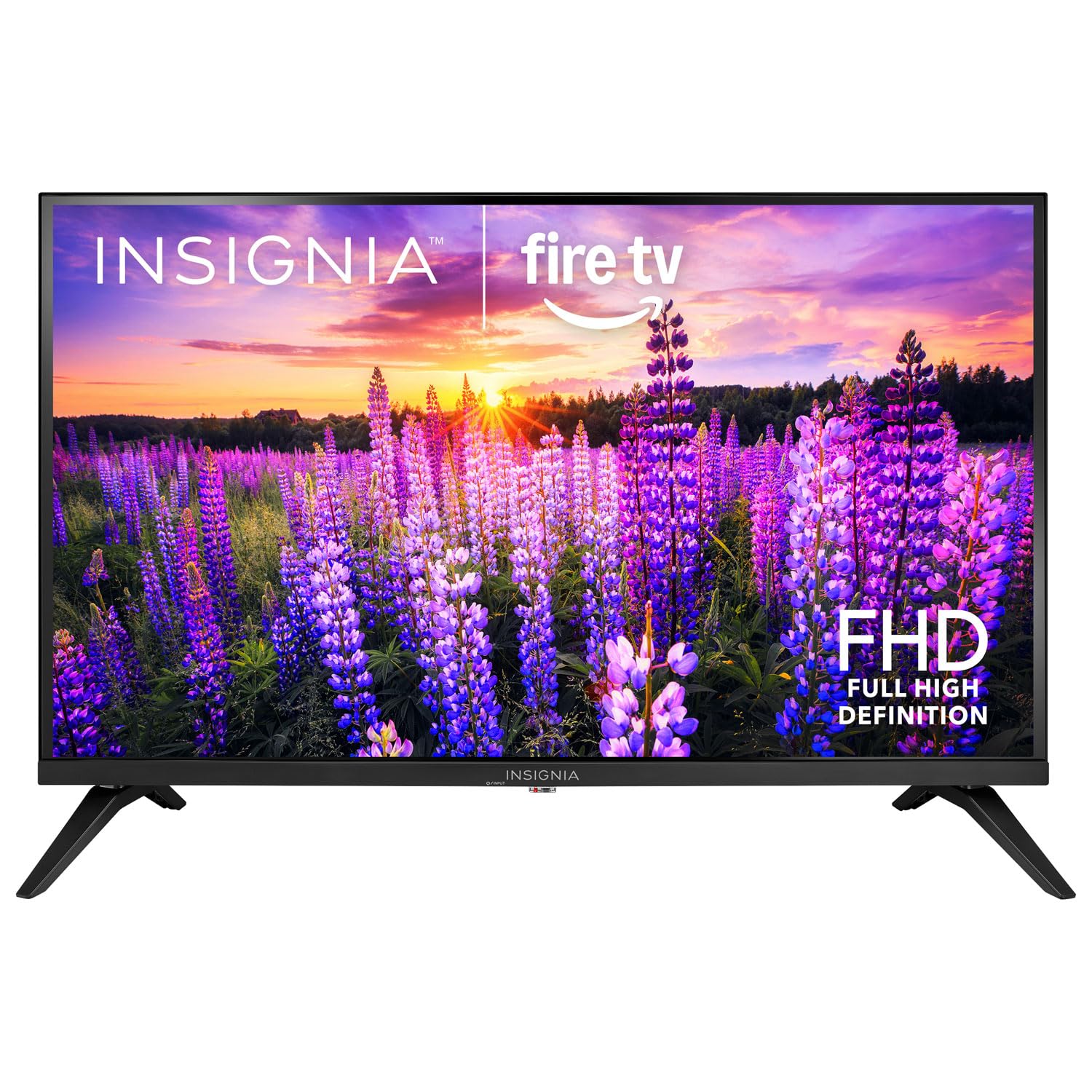
Mynd: Framan view of the Insignia 32-inch Fire TV Smart TV, showing the screen and a remote control.
1. Uppsetning
1.1 Upptaka
Takið sjónvarpið og allan fylgihluti varlega úr umbúðunum. Geymið umbúðaefnið til síðari flutnings eða geymslu.
1.2 Festing standarins eða veggfestingarinnar
Fyrir uppsetningu stands:
- Leggið sjónvarpið með framhliðina niður á mjúkan, hreinan flöt til að koma í veg fyrir að skjárinn skemmist.
- Stilltu fætur standsins saman við skrúfugötin neðst á sjónvarpinu.
- Festið stöndurnar með meðfylgjandi skrúfum.
Fyrir veggfestingu:
- This TV supports a VESA Mount Standard of 200 x 200 mm.
- Use a compatible wall mount kit (sold separately) and follow its installation instructions.
- Gakktu úr skugga um að veggurinn geti borið þyngd sjónvarpsins og festingarinnar.
1.3 Rafmagnstenging
Plug the power cord into the TV's power input, then plug the other end into a working electrical outlet.
1.4 Tenging við utanaðkomandi tæki
Your TV includes multiple ports for external devices:
- HDMI Ports (Total 2): Tengdu Blu-ray spilara, leikjatölvur og kapal-/gervihnattaboxa.
- USB 3.0 Port (Total 1): Tengdu USB-geymslutæki til að spila margmiðlunarefni.
- Loftnet/kapalinntak: Tengdu loftnet fyrir útsendingar í lofti eða kapaltengingu.
1.5 Initial Setup (Fire TV OS)
Upon first power-on, the TV will guide you through the Fire TV setup process:
- Pörun fjarstýringar: Insert the included 2 AAA batteries into the remote. Follow on-screen instructions to pair the remote.
- Nettenging: Veldu Wi-Fi netið þitt og sláðu inn lykilorðið.
- Amazon reikningur: Log in with your Amazon account or create a new one.
- Rásaskönnun: Ef loftnet er notað mun sjónvarpið leita að tiltækum stöðvum.
- Hugbúnaðaruppfærslur: The TV may download and install the latest software updates.
2. Að stjórna sjónvarpinu
2.1 Kveikt/slökkt
Ýttu á Kraftur hnappinn á fjarstýringunni til að kveikja eða slökkva á sjónvarpinu.
2.2 Að sigla í gegnum Fire TV viðmótið
Notaðu stefnupúðann og Veldu button on your remote to browse the Fire TV home screen, access apps, and navigate menus.
2.3 Notkun Alexa raddfjarstýringarinnar
Ýttu á og haltu inni Alexa button on your remote and speak into the microphone to:
- Leitaðu að kvikmyndir og sjónvarpsþætti.
- Launch applications (e.g., "Open Netflix").
- Stjórna spilun (t.d. „Hlé“, „Spóla áfram“).
- Spyrðu spurninga eða fáðu upplýsingar.
2.4 Aðgangur að forritum
Popular streaming services like Amazon Prime Video, Netflix, and YouTube are pre-installed. You can download additional apps from the Amazon Appstore.
2.5 Að stilla mynd og hljóð
Aðgangur að Stillingar menu on the Fire TV home screen to adjust:
- Mynd: Brightness, contrast, color, aspect ratio (16:9).
- Hljóð: Volume, sound mode, DTS Virtual-X settings.
- Skjár: Resolution (1080p), refresh rate (120 Hz).
2.6 Foreldraeftirlit
The TV includes parental control features. Navigate to the Stillingar valmynd, veldu síðan Óskir, og svo Foreldraeftirlit to set restrictions on content, purchases, and app usage. A PIN is required to enable or disable these controls.
3. Viðhald
3.1 Þrif á sjónvarpinu
- Skjár: Þurrkaðu skjáinn varlega með mjúkum, lólausum klút. Fyrir þrjósk bletti skaltu þurrka hann örlítið.ampÞurrkið klútinn með vatni eða skjáhreinsiefni sem er sérstaklega hannað fyrir sjónvörp. Ekki úða vökva beint á skjáinn.
- Líkami: Þurrkið sjónvarpsrammann og standinn með mjúkum, þurrum klút.
- Taktu alltaf sjónvarpið úr sambandi áður en það er þrifið.
3.2 Hugbúnaðaruppfærslur
Your Fire TV Smart TV automatically checks for and installs software updates when connected to the internet. You can manually check for updates in the Stillingar matseðill undir Eldsjónvarpið mitt > Um > Leitaðu að uppfærslum.
3.3 Skipti um rafhlöðu í fjarstýringu
When the remote control's performance degrades, replace the two AAA batteries. Ensure correct polarity when inserting new batteries.
4. Bilanagreining
| Vandamál | Möguleg orsök | Lausn |
|---|---|---|
| Enginn kraftur | Rafmagnssnúra ekki tengd; innstungan virkar ekki. | Ensure power cord is securely plugged into TV and a live outlet. Test outlet with another device. |
| Engin mynd eða hljóð | Incorrect input source; external device off or disconnected. | Ýttu á Inntak button on the remote to select the correct source. Check connections of external devices. Ensure devices are powered on. |
| Fjarstýring virkar ekki | Rafhlöður tæmdar; fjarstýring ekki tengd. | Replace batteries (2 AAA). Re-pair remote by holding the Heim button for 10 seconds near the TV. |
| Vandamál með Wi-Fi tengingu | Rangt lykilorð; vandamál með beini; sjónvarpið er of langt frá beininum. | Verify Wi-Fi password. Restart your router and modem. Move TV closer to router or use a Wi-Fi extender. |
| Forrit hlaðast ekki eða hrynja | Temporary software glitch; insufficient memory. | Restart the TV. Clear app cache (Settings > Applications > Manage Installed Applications). Ensure sufficient storage. |
5. Tæknilýsing
| Gerðarnúmer | NS-32F401CA26 |
| Skjástærð | 32 tommur |
| Skjátækni | LCD |
| Upplausn | 1080p (Full HD) |
| Endurnýjunartíðni | 120 Hz |
| HDR snið stutt | HDR10 |
| Hlutfall | 16:9 |
| Tengitækni | Wi-Fi |
| HDMI tengi | 2 |
| USB 3.0 tengi | 1 |
| Stydd internetþjónusta | Amazon Prime Video, Netflix, YouTube, Alexa |
| Lýsing hátalara | DTS Virtual-X virtual surround sound |
| Integrated Surround Sound Format | DTS Virtual-X |
| Eftirlitsaðferð | Remote (with Alexa Voice) |
| Rafhlöður nauðsynlegar | 2 AAA (innifalið) |
| Vörumál (D x B x H) | 47.3D x 17.1B x 71.9H sentímetrar |
| VESA festingarstaðall | 200 x 200 mm |
| Viðbótar eiginleikar | Foreldraeftirlit |
6. Ábyrgð og stuðningur
For warranty information, please refer to the warranty card included with your product or visit the official Insignia support website. For technical assistance, product registration, or service inquiries, please contact Insignia customer support through their official channels.
Athugið: Sérstakir ábyrgðarskilmálar og upplýsingar um þjónustuaðila geta verið mismunandi eftir svæðum og geta breyst.