
1. Inngangur
Þakka þér fyrir kaupinasing the Nillkin Foldable Bluetooth Keyboard. This compact and versatile keyboard is designed to enhance your productivity across multiple devices, offering a comfortable typing experience with an integrated touchpad and numeric keypad. Please read this manual carefully to ensure proper use and maintenance of your device.
2. Vöru lokiðview
Helstu eiginleikar:
- Samanbrjótanleg og flytjanleg hönnun: Weighing approximately 238g, this keyboard folds to a compact size (18.2 x 10.8 x 1.6cm when folded) for easy portability.
- Integrated Touchpad & Numeric Keypad: Features a large, responsive touchpad (59mm x 64mm) for smooth cursor control and multi-gesture operations. The touchpad can be switched to a numeric keypad using Fn + Right Command key.
- Þægileg vélritunarupplifun: Utilizes a pantograph key structure with a 19mm key pitch and 1.2mm key travel for quiet and efficient typing, similar to a laptop keyboard.
- Long Battery Life & Energy Saving: Built-in large capacity battery provides over 1 week of continuous use and 150 days of standby time on a single charge. Features automatic sleep mode after 10 minutes of inactivity and auto power on/off upon folding/unfolding.
- Tengimöguleikar með mörgum tækjum: Supports simultaneous connection to up to 3 devices via Bluetooth 5.0, compatible with Android, Windows, iPad OS, macOS, and iOS. Easily switch between devices with a single touch.
- Durable Silicone Material: Made with organic silicone material that is skin-friendly, durable, and resistant to extreme temperatures (-40℃ to 200℃).
- Þægilegir vísar: Five LED lamps on the top indicate battery level and connection status.
Innihald pakka:
- Nillkin Foldable Bluetooth Keyboard x 1
- USB-C hleðslusnúra x 1
- Notendahandbók x 1
- Geymslupoki x 1
Vörumál:
- Unfolded Size: 34.2 cm (L) x 10.8 cm (W) x 0.95 cm (H)
- Folded Size: 18.2 cm (L) x 10.8 cm (W) x 1.6 cm (H)
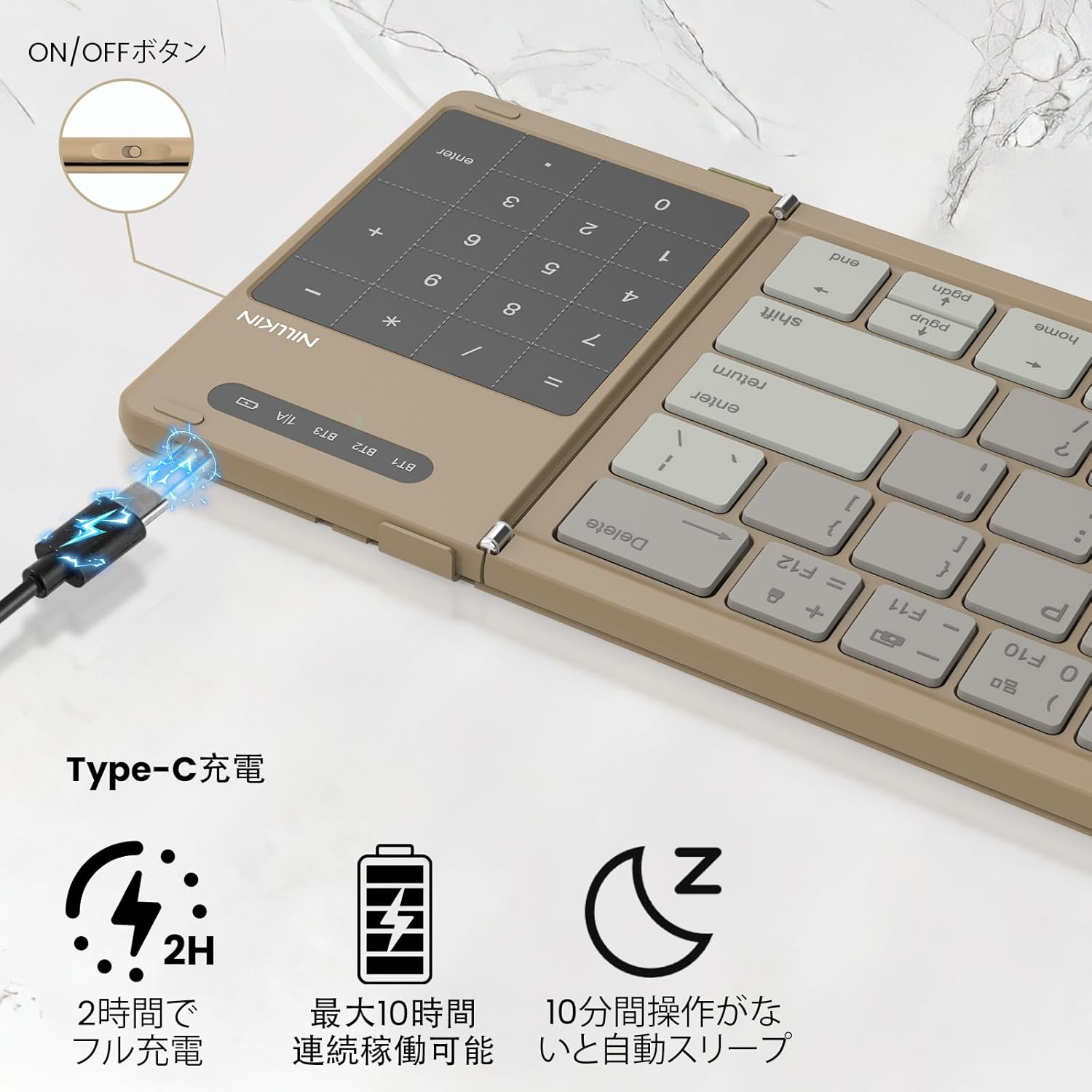
Image: Nillkin Foldable Bluetooth Keyboard showing its unfolded and folded dimensions.

Image: The Nillkin keyboard in its compact, folded state.
3. Uppsetning
3.1. Hleðsla lyklaborðsins
- Connect the provided USB-C charging cable to the keyboard's charging port and a power source.
- The red indicator light will stay on during charging.
- The indicator light will turn off when charging is complete. A full charge takes approximately 2 hours.

Image: The keyboard connected via USB-C for charging, showing the charging indicator.
3.2. Pörun Bluetooth
- Opnaðu lyklaborðið til að kveikja sjálfkrafa á því.
- Turn on Bluetooth on your device (e.g., iPad, smartphone, computer).
- Ýttu á Fn+Q (fyrir BT1), Fn + W (fyrir BT2), eða Fn+E (for BT3) to select a Bluetooth channel.
- Ýttu á Fn + C to enter pairing mode. The blue indicator light will flash.
- On your device, search for "Cube Pocket Keyboard" in the Bluetooth settings and tap to connect.
- Once connected, the blue indicator light on the keyboard will turn off.
Video: This video demonstrates the Bluetooth pairing process for the Nillkin Foldable Bluetooth Keyboard, including how to select a channel and enter pairing mode.
4. Notkunarleiðbeiningar
4.1. Skipti milli margra tækja
After successfully pairing with up to three devices (BT1, BT2, BT3), you can quickly switch between them by pressing Fn+Q, Fn + W, eða Fn+E í sömu röð.

Image: The keyboard demonstrating multi-device connectivity and switching between a smartphone, laptop, and tablet.
4.2. Numeric Keypad / Touchpad Toggle
The integrated touchpad can function as a numeric keypad. To switch between touchpad mode and numeric keypad mode, press Fn + Right Command key. This allows for convenient numerical input without needing a separate mouse.

Image: Illustration of the touchpad and numeric keypad functionality, highlighting the toggle feature.
4.3. Margmiðlun og flýtilyklar
The keyboard features various multimedia and shortcut keys for enhanced productivity:
- Pressing a multifunction key alone will activate numeric input mode.
- Þrýsta Shift + Multifunction Key allows for symbol input.
- Þrýsta Fn + Multifunction Key activates multimedia functions (e.g., brightness, volume, media control).
- For Windows users, Fn + Shift + Multifunction Key can be used for specific shortcut functions.

Image: A visual guide to the Fn key shortcuts for various functions like brightness, volume, and media control.
4.4. Tungumálaskipti
- iOS / Mac: Ýttu á Ctrl + Spacebar.
- Android: Ýttu á Ctrl + Spacebar or Shift + Spacebar.
- Windows: Ýttu á Alt + Shift.
4.5. Athugun á rafhlöðustigi
Til að athuga rafhlöðustöðuna skaltu ýta á Fn + Command:
- Green light flashes 3 times: 70% - 100% battery.
- Blue light flashes 3 times: 30% - 70% battery.
- Red light flashes 3 times: 0% - 30% battery.
5. Viðhald
- Haltu lyklaborðinu hreinu með því að þurrka það með mjúkum, þurrum klút.
- Avoid exposing the keyboard to extreme temperatures, direct sunlight, or liquids.
- Store the keyboard in its provided pouch when not in use to protect it from dust and scratches.
6. Bilanagreining
- Lyklaborð tengist ekki: Ensure Bluetooth is enabled on your device and the keyboard is in pairing mode. Try restarting both the keyboard and your device.
- Lyklar svara ekki: Check the battery level and charge the keyboard if necessary. Ensure the keyboard is properly connected via Bluetooth.
- Vandamál með snertiborð: For iPad users, ensure "Settings → General → Trackpad" is turned on. Some gestures may not be supported depending on the OS or application.
- Unexpected input: Ensure the keyboard is placed on a stable surface. If keys are registering multiple presses or not at all, try cleaning around the keys.
7. Tæknilýsing
| Eiginleiki | Lýsing |
|---|---|
| Vörumerki | Nillkin |
| Fyrirmynd | B0FDKPY2P2 |
| Tengitækni | Bluetooth 5.0 |
| Samhæf tæki | iPad OS, Windows 10+, Mac OS X 10.10+, Android 4.3+, Smartphones, Tablets, Laptops, PCs |
| Lyklaborðsuppsetning | QWERTY |
| Skiptategund | Mechanical (Pantograph) |
| Aflgjafi | Rafhlöðuknúið |
| Efni | ABS, kísill, pólýkarbónat |
| Litur | Kakí |
8. Ábyrgð og stuðningur
Nillkin products come with a 2-year manufacturer's warranty from the date of purchase. In case of any issues, please contact customer service. We offer a 30-day quality guarantee (return/exchange for defective products) and 2-year after-sales service.
To contact support, navigate to "Account Service" → "Order History" → "Contact Seller". We aim to respond within 24 hours.