
1. Inngangur
The Elitech DIT-220 is a high-precision, non-contact infrared thermometer designed for safe and accurate temperature measurement across various applications. This device utilizes laser targeting for precise aim and features adjustable emissivity to ensure accurate readings on different surface types. It is suitable for use by professionals, DIY enthusiasts, and in household settings for monitoring temperatures in industrial, commercial, and domestic environments.
2. Öryggisupplýsingar
Please read all safety warnings and instructions carefully before using this product. Failure to follow these instructions may result in injury or damage to the device.
- Laser öryggi: Do not look directly into the laser beam or point it at people or animals. The laser is used for targeting only and should be used with caution.
- Mæling án snertingar: This thermometer measures surface temperature. It is not intended for measuring body temperature.
- Rafmagnsöryggi: Do not use the device near strong electromagnetic fields. Keep the device dry and avoid exposure to moisture or extreme temperatures.
- Öryggi rafhlöðu: Use only the specified battery type (2x AAA). Ensure correct polarity when installing batteries. Remove batteries if the device will not be used for an extended period. Do not mix old and new batteries or different types of batteries.
- Viðhald: Ekki reyna að taka tækið í sundur eða breyta því. Látið hæft starfsfólk sjá um alla þjónustu.
3. Innihald pakka
Gakktu úr skugga um að allir hlutir séu til staðar í pakkanum:
- Elitech DIT-220 Infrared Thermometer
- 2 x AAA rafhlöður
- Notendahandbók (þetta skjal)
4. Vörueiginleikar
- Breitt hitastig: Mælir frá -50°C til 530°C (-58°F til 986°F).
- Fljótur viðbragðstími: Gefur mælingar á um það bil 0.5 sekúndum.
- Mikil nákvæmni: ±1.5°C (±2.7°F) or ±1.5% for temperatures between -50°C and 50°C.
- Laser miðun: Integrated laser pointer for precise aiming at the target surface.
- Stillanleg losun: User-adjustable emissivity from 0.10 to 1.00 for accurate readings on various materials.
- Distance-to-Spot Ratio (D:S): 12:1, ensuring accurate measurement from a safe distance.
- MAX/MIN/AVG Mode: Automatically tracks maximum, minimum, and average temperatures during a measurement session.
- Baklýsing LCD skjár: Gefur skýra yfirsýn yfir mælingar við mismunandi birtuskilyrði.
- Sjálfvirk lokun: Sparar endingu rafhlöðunnar með því að slökkva sjálfkrafa á sér eftir óvirkni.
- Áminning um lága rafhlöðu: Gefur til kynna þegar skipta þarf um rafhlöður.
- °C/°F Rofi: Easily switch between Celsius and Fahrenheit units.

Mynd 1: Elitech DIT-220 Infrared Thermometer highlighting its main features.
5. Uppsetning
5.1 Uppsetning rafhlöðu
- Finndu lokið á rafhlöðuhólfinu á handfangi hitamælisins.
- Opnaðu hlífina á rafhlöðuhólfinu.
- Settu tvær AAA rafhlöður í og gætið þess að pólunin (+ og -) snúi rétt eins og gefið er til kynna inni í hólfinu.
- Lokaðu rafhlöðuhólfinu tryggilega.

Mynd 2: Elitech DIT-220 components and battery compartment location.
5.2 Kveikt/slökkt
To power on the device, simply press the measurement trigger. The device will automatically power off after a period of inactivity to conserve battery life.
6. Notkunarleiðbeiningar
6.1 Að taka mælingu
- Point the thermometer at the target surface. Ensure the laser pointer (if activated) is aimed at the center of the area you wish to measure.
- Press and hold the measurement trigger. The laser will activate, and the current temperature will be displayed on the LCD screen.
- Release the trigger to hold the measurement on the display. The 'HOLD' icon will appear.
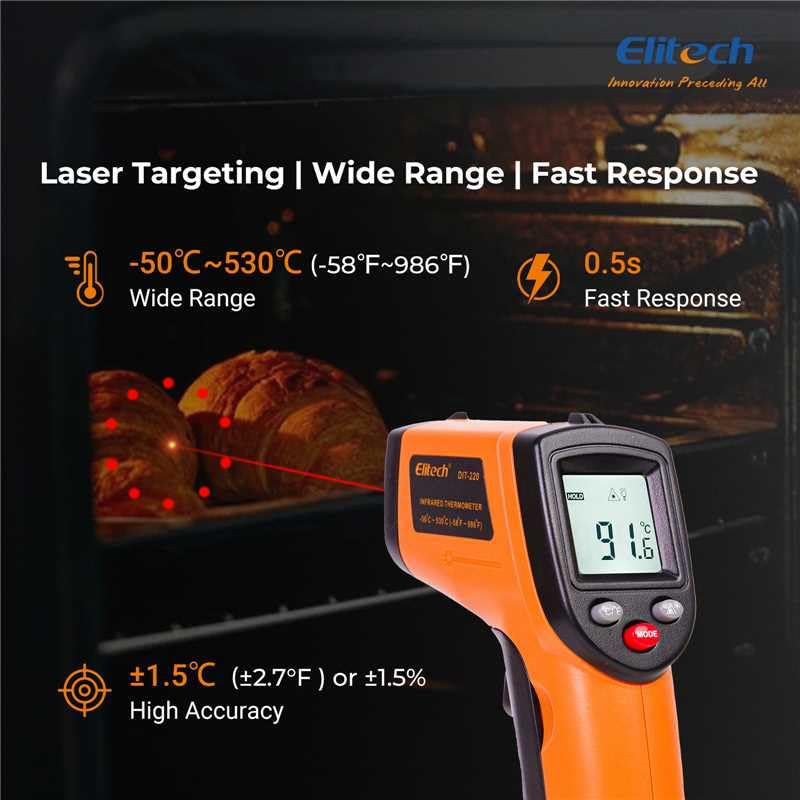
Mynd 3: Using the DIT-220 for non-contact temperature measurement with laser targeting.
6.2 Understanding Distance-to-Spot Ratio (D:S)
The DIT-220 has a Distance-to-Spot ratio of 12:1. This means that as you move further from the target, the area being measured (spot size) increases. For accurate readings, ensure the target area is larger than the spot size. For example, at a distance of 12 inches, the measurement spot will be 1 inch in diameter.

Mynd 4: Illustration of the 12:1 Distance-to-Spot ratio.

Mynd 5: Visual guide for maintaining correct measurement distance.
6.3 Aðlögun losunargetu
Different materials emit infrared energy differently. The DIT-220 allows you to adjust the emissivity (ε) from 0.10 to 1.00 to compensate for this and achieve more accurate readings. Refer to a standard emissivity table for common materials or adjust empirically.
- Ýttu á MODE button to cycle through settings until 'EMS' (Emissivity) is displayed.
- Use the Up/Down arrow buttons to adjust the emissivity value.
- Ýttu á MODE hnappinn aftur til að staðfesta og hætta.
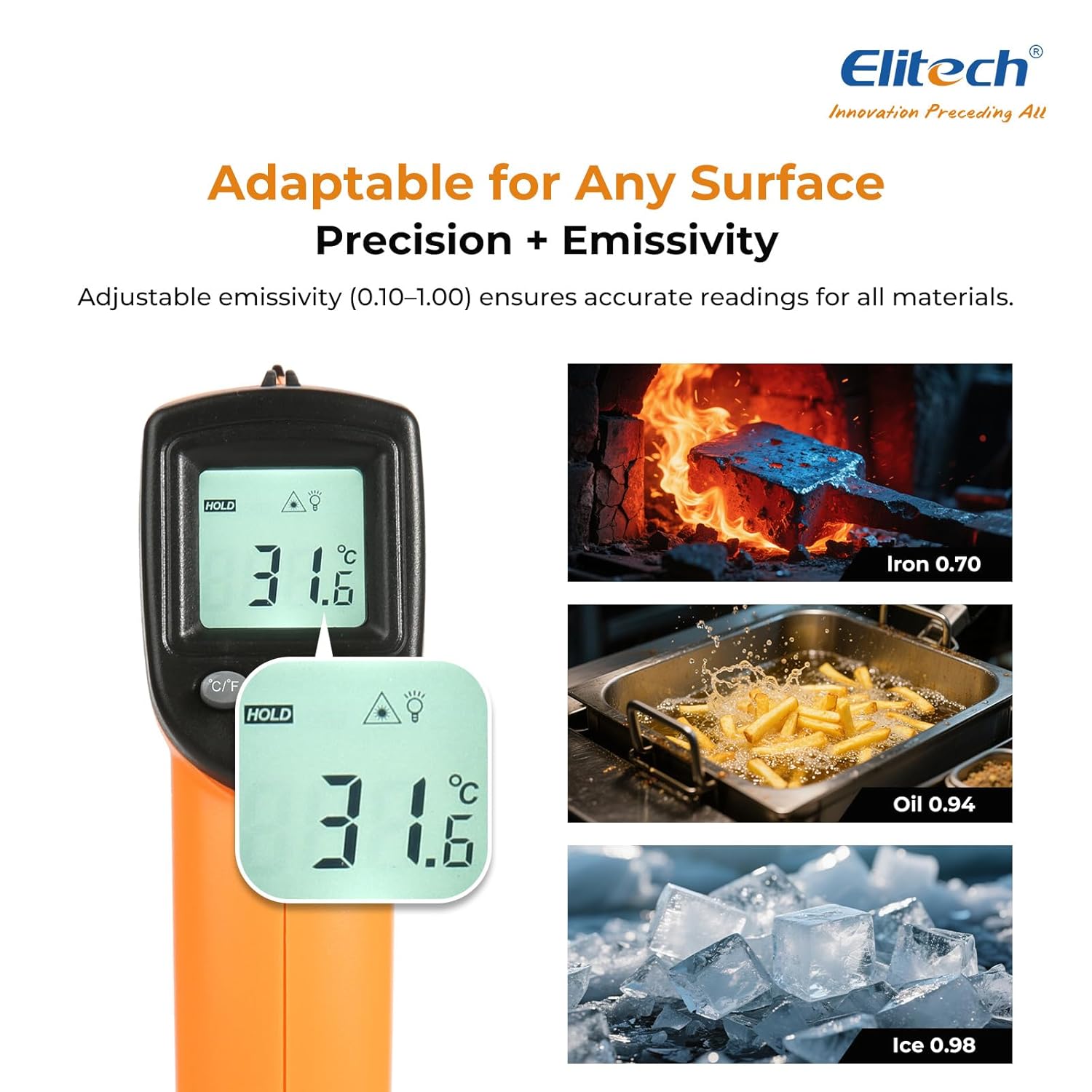
Mynd 6: Adjustable emissivity feature and examples for different materials.
6.4 Using MAX/MIN/AVG Modes
These modes are useful for monitoring temperature fluctuations over time.
- While holding the measurement trigger, press the MODE button repeatedly to cycle through MAX (Maximum), MIN (Minimum), and AVG (Average) display modes.
- The corresponding icon will appear on the screen, showing the respective temperature value recorded during the current measurement session.
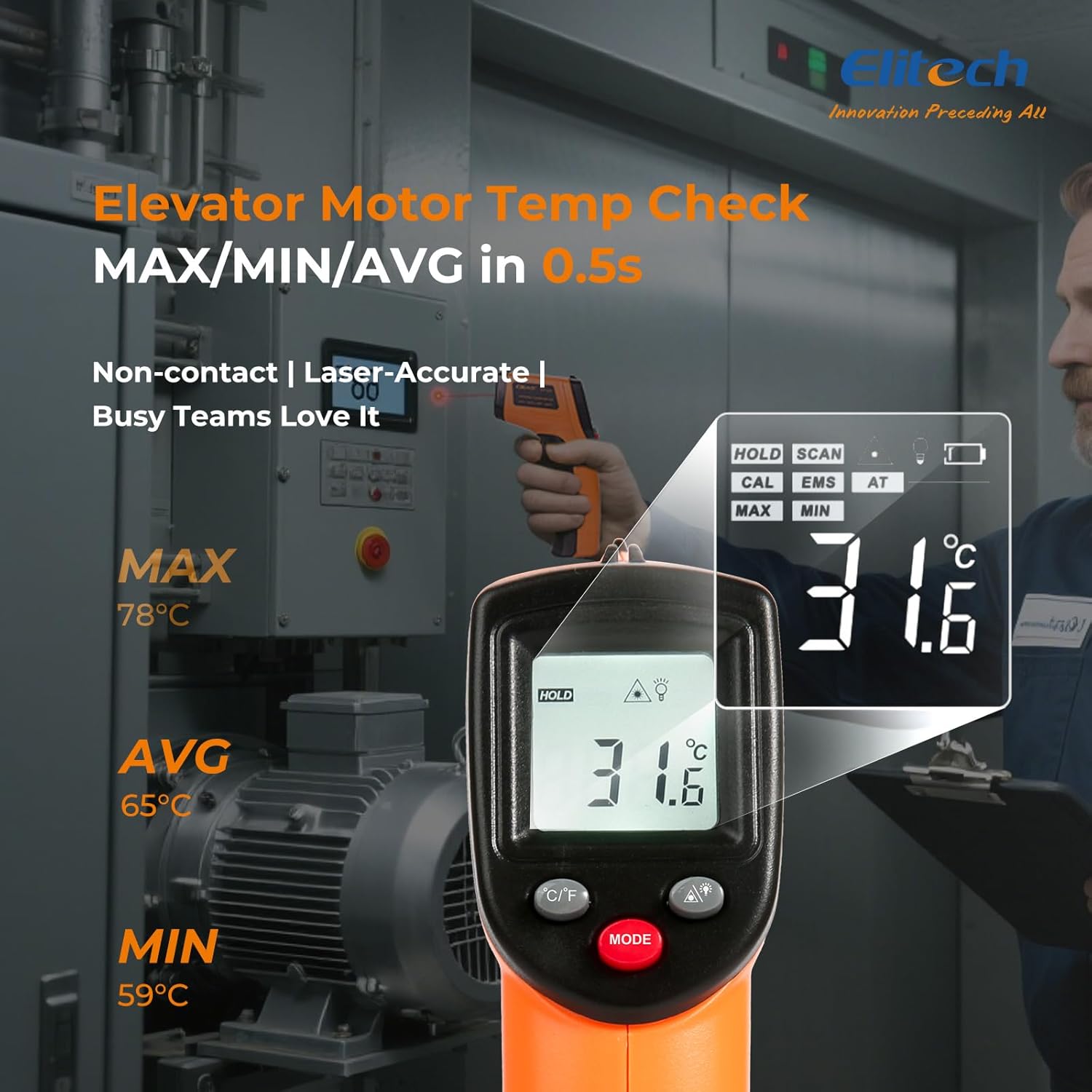
Mynd 7: Displaying MAX, MIN, and AVG temperature readings.
6.5 Skiptieiningar fyrir hitastig (°C/°F)
To switch between Celsius and Fahrenheit, press the °C/°F button located on the device.
7. Viðhald
7.1 Þrif
- Hreinsaðu linsuna með mjúku, damp cloth or cotton swab. Do not use abrasive cleaners or solvents.
- Þurrkaðu tækið casing með mjúkum, þurrum klút.
7.2 Skipt um rafhlöðu
When the low battery indicator appears on the display, replace the two AAA batteries as described in the Setup section (5.1 Battery Installation).
7.3 Geymsla
Store the thermometer in a cool, dry place, away from direct sunlight and extreme temperatures. Remove batteries if storing for extended periods.
8. Bilanagreining
| Vandamál | Möguleg orsök | Lausn |
|---|---|---|
| Display shows 'Lo' or 'Hi' | Temperature is outside the measurement range. | Ensure the target temperature is within -50°C to 530°C (-58°F to 986°F). |
| Ónákvæm lesning | Incorrect emissivity setting; measurement distance too far/close; lens dirty. | Adjust emissivity for the target material. Maintain appropriate D:S ratio. Clean the lens. |
| Ekki kveikir á tækinu | Rafhlöður eru tómar eða rangt settar í. | Skiptu um rafhlöður með nýjum AAA rafhlöðum. Athugið hvort þær séu í réttri pólun. |
| Laser virkar ekki | Laser may be disabled or faulty. | Check if the laser function is enabled via the MODE button. If not, contact support. |
9. Tæknilýsing
| Eiginleiki | Forskrift |
|---|---|
| Fyrirmynd | DIT-220 (EU-DIT-220) |
| Hitastig | -50°C til 530°C (-58°F til 986°F) |
| Nákvæmni | ±1.5°C (±2.7°F) or ±1.5% (for -50°C to 50°C) |
| Svartími | 500 millisekúndur (0.5 sekúndur) |
| Fjarlægðar-til-punktshlutfall (D:S) | 12:1 |
| Tilfinningasemi | Adjustable 0.10 - 1.00 |
| Aflgjafi | 2 x AAA rafhlöður (innifalið) |
| Skjár Tegund | Stafrænn, baklýstur LCD |
| Sérstakir eiginleikar | Non-contact, Laser Target, MAX/MIN Mode, Auto Calibration |
| Efni | Plast |
| Þyngd hlutar | 30 grömm |
| Stærðir pakka | 18.7 x 9.7 x 3.6 cm |
10. Ábyrgð og stuðningur
Elitech products are designed for reliability and performance. For warranty information, technical support, or service inquiries, please contact Elitech customer support through their official website or the retailer where the product was purchased. Please have your model number (DIT-220) and purchase date available when contacting support.