
1. Inngangur
The AWANFI GL-528 Walkie Talkies are designed for reliable and clear communication, suitable for various activities such as camping, hiking, and general outdoor use. Featuring a built-in rechargeable battery, multiple channels, and user-friendly controls, these two-way radios ensure you stay connected.
2. Innihald pakka
- AWANFI GL-528 Walkie Talkies (4 units)
- 1000mAh Li-ion Batteries (4 units, built-in)
- USB-C hleðslusnúra (2 einingar)
- Lanyards (4 units)
- Beltisklemmur (4 einingar)
- Notendahandbók (1 eining)
3. Vöru lokiðview
Familiarize yourself with the components of your AWANFI GL-528 Walkie Talkie:

- Loftnet: Til að senda og taka á móti merkjum.
- LCD skjár: Sýnir rás, stöðu rafhlöðu og aðra vísa.
- PTT (PTT) hnappur: Ýttu á og haltu inni til að senda rödd þína.
- Volume/Menu Up/Down Buttons: Adjust volume or navigate menu options.
- Call Tone/Lock Button: Send a call tone or lock/unlock the keypad.
- Hljóðnemi: For speaking into the device.
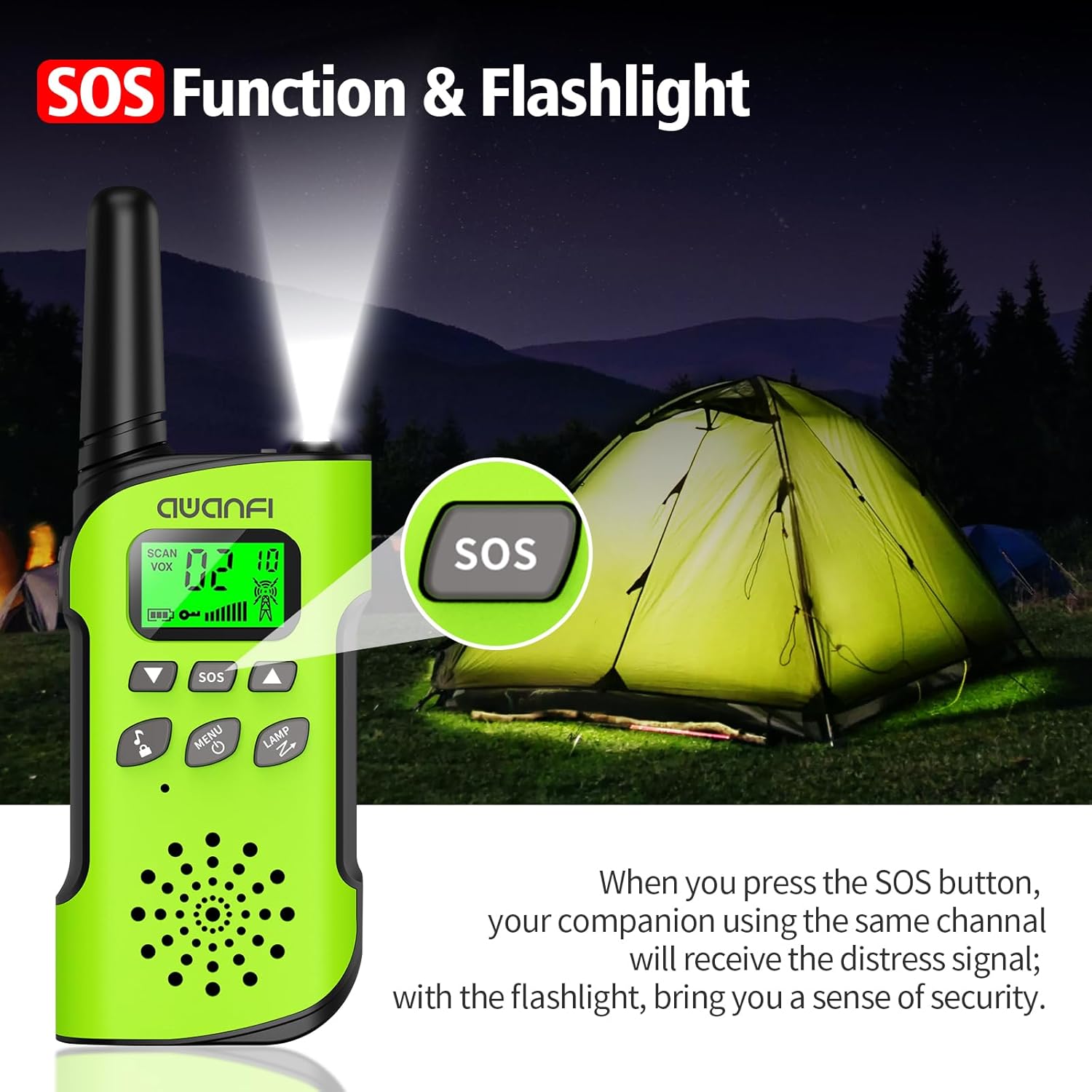
- SOS hnappur: Activates the SOS alert function.
- Flashlight/Scan Button: Turns on the flashlight or initiates channel scanning.
- Afl/valmyndarhnappur: Long press to power on/off, short press to access menu.
- Ræðumaður: For hearing incoming transmissions.
- Tegund C hleðslutengi: Til að endurhlaða innbyggðu rafhlöðuna.
- Vasaljós: Innbyggt LED ljós fyrir lýsingu.
4. Uppsetning
4.1 Uppsetning og hleðsla rafhlöðu
The AWANFI GL-528 Walkie Talkies come with built-in 1000mAh Li-ion rechargeable batteries. Before first use, ensure the batteries are fully charged.


To charge the walkie talkie:
- Connect the provided USB-C charging cable to the Type-C charging port on the walkie talkie.
- Stingdu hinum enda USB-C snúrunnar í samhæfan USB-straumbreyti (fylgir ekki með) eða USB-tengi tölvu.
- The battery indicator on the LCD display will show charging status. A full charge typically provides 24 hours of talk time and 2 days of standby.
4.2 Festing beltisklemma og bands
The walkie talkies come with belt clips and lanyards for convenient carrying.
- For Lanyard: Insert the thin loop of the lanyard through the small hole at the top of the walkie talkie, near the antenna. Thread the rest of the lanyard through the loop and pull to secure.
- For Belt Clip: Align the belt clip with the grooves on the back of the walkie talkie and push it down firmly until it clicks into place.
5. Notkunarleiðbeiningar
5.1 Kveikt/slökkt
- Til að kveikja á: Ýttu lengi á Power/Valmynd button (usually labeled with a power icon) until the LCD screen illuminates.
- Til að slökkva á: Ýttu lengi á Power/Valmynd button again until the LCD screen turns off.
5.2 Rásarval
The AWANFI GL-528 features 22 main channels and 121 sub-channels (CTCSS/DCS codes) for secure communication. All walkie talkies must be set to the same main channel and sub-code to communicate.
- Select Main Channel: Stutt stutt á Matseðill button. The channel number on the LCD will flash. Use the Up or Niður arrow buttons to select your desired main channel (1-22). Short press Matseðill aftur til staðfestingar.
- Select Sub-Channel (CTCSS/DCS): After confirming the main channel, the walkie talkie will move to the sub-channel setting. Use the Up or Niður arrow buttons to select your desired sub-channel (0-121). Press the PTT hnappinn til að staðfesta og hætta í valmyndinni.
5.3 Talkerfi (PTT)
To communicate, press and hold the PTT button on the side of the walkie talkie. Speak clearly into the microphone. Release the PTT hnappinn til að hlusta eftir svari.
5.4 Hljóðstyrksstilling
Notaðu Hljóðstyrkur upp (▲) og Hljóðstyrkur niður (▼) buttons to adjust the listening volume. These are typically the same buttons used for menu navigation when not in menu mode.
5.5 VOX-virkni (raddstýrð sending)
The VOX function allows for hands-free communication. When activated, the walkie talkie will automatically transmit when it detects your voice.
To activate/adjust VOX:
- Stutt stutt á Matseðill button repeatedly until the VOX setting appears on the LCD.
- Notaðu Up or Niður arrow buttons to select the desired sensitivity level (1-3, or OFF to disable).
- Ýttu á PTT til að staðfesta og hætta.
5.6 Vasaljós
The walkie talkie includes an integrated LED flashlight.
To turn the flashlight on/off, short press the LAMP button (often combined with the Scan button).
5.7 SOS virka
In case of emergency, the SOS function can be activated to alert other users on the same channel.
To activate the SOS function, press the dedicated SOS button. This will send out a distress signal to other walkie talkies on the same channel.
5.8 takkalás
The key lock feature prevents accidental changes to settings.
- Að læsa: Ýttu lengi á Call Tone/Lock button (usually labeled with a lock icon). A lock icon will appear on the LCD.
- Til að opna: Ýttu lengi á Call Tone/Lock button again. The lock icon will disappear.
6. Viðhald
To ensure the longevity and optimal performance of your AWANFI GL-528 Walkie Talkies, follow these maintenance guidelines:
- Haldið tækinu þurru. Forðist að það verði fyrir rigningu, raka eða vökvum.
- Hreinsaðu tækið með mjúku, damp klút. Ekki nota sterk efni eða slípiefni.
- Forðist mikinn hita. Geymið ekki í mjög heitu eða köldu umhverfi.
- Do not attempt to disassemble the walkie talkie. This will void the warranty and may cause damage.
7. Leiðbeiningar um bilanaleit
If you encounter any issues with your walkie talkie, refer to the following troubleshooting guide:
| Fyrirbæri | Greining | Lausn |
|---|---|---|
| Þú getur ekki kveikt á útvarpinu. | Rafhlaðan gæti verið sett upp á rangan hátt. Rafhlaða máttur gæti runnið út. Rafhlaðan gæti orðið fyrir lélegri snertingu sem stafar af óhreinum eða skemmdum rafhlöðusnertum. | Fjarlægðu rafhlöðuna og settu hana aftur á. Endurhlaða eða skiptu um rafhlöðu. Hreinsið rafhlöðutengiliðina eða skiptið um rafhlöðuna. |
| Við móttöku er röddin veik eða með hléum. | Rafhlaðan voltage getur verið lágt. Hljóðstyrkurinn gæti verið lágur. Loftnetið er kannski laust eða sett upp vitlaust. | Endurhlaða eða skiptu um rafhlöðu. Auktu hljóðstyrkinn. Slökktu á útvarpinu og fjarlægðu síðan loftnetið og settu það aftur í. |
| Þú getur ekki átt samskipti við aðra meðlimi hópsins. | Hátalarinn læst kannski. Tíðni eða merkjategund gæti verið í ósamræmi við aðra meðlimi. Þú gætir verið truflun af útvarpstækjum sem nota sömu tíðni. | Hreinsaðu yfirborð hátalarans. Staðfestu að TX / RX tíðni þín og merkjategund sé rétt. Fara í átt að öðrum meðlimum. |
| Þú heyrir óþekktar raddir eða hávaða. | Útvarpið í hliðrænni stillingu gæti verið stillt án merkja. Þú gætir verið of langt í burtu frá öðrum meðlimum. | Biddu söluaðila þinn um að stilla merkjagjöf fyrir núverandi rás til að forðast truflun. Fara í átt að öðrum meðlimum. |
| Þú heyrir ekki í neinum vegna of mikils hávaða og hvæss. | Þú gætir verið í óhagstæðri stöðu. Til dæmisampLe, samskipti þín gætu verið læst af háum byggingum eða læst á neðanjarðar svæði. Það getur verið afleiðing af utanaðkomandi truflun (svo sem rafsegultruflunum). | Farðu á opið og flatt svæði, endurræstu útvarpið og reyndu aftur. Haltu þig frá búnaði sem getur valdið truflunum. |
| Útvarpið heldur áfram að senda. | VOX kann að vera kveikt eða höfuðtólið er ekki sett upp á sínum stað. | Slökktu á VOX aðgerðinni. Athugaðu hvort heyrnartólin séu á sínum stað. |
Athugið: Ef ofangreindar lausnir geta ekki lagað vandamálin þín, eða þú gætir haft einhverjar aðrar fyrirspurnir, vinsamlegast hafðu samband við söluaðilann þinn til að fá frekari tæknilega aðstoð.
8. Tæknilýsing
- Vörumerki: AWANFI
- Gerð: GL-528
- Tuner tækni: UHF
- Fjöldi hluta: 4
- Meðallíf rafhlöðu: 24 Hours (talk time)
- Tegund rafhlöðu: 1000mAh Li-ion (built-in)
- Fjöldi rása: 22
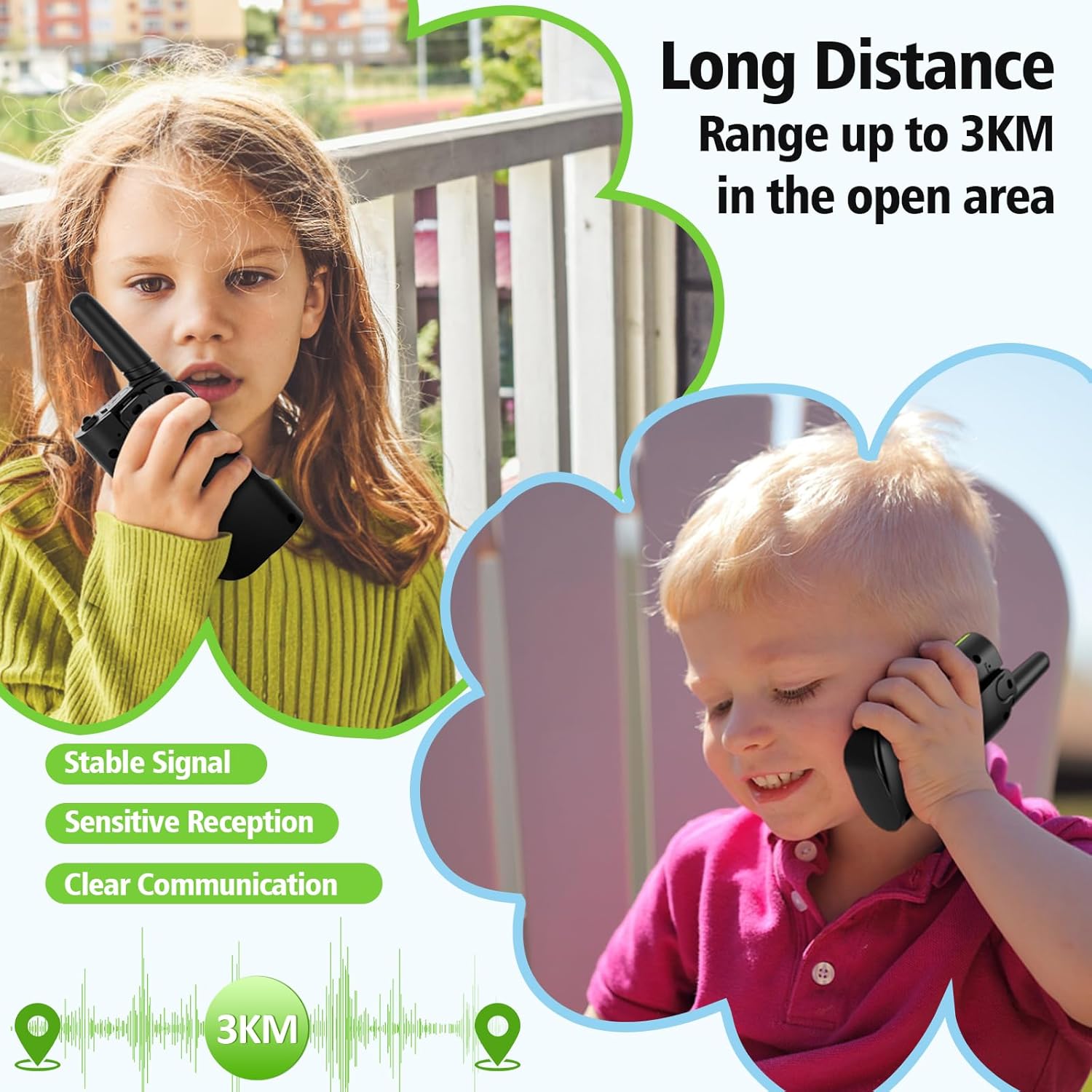
- Talsvið hámark: Up to 3 Kilometers (in open areas)
- Vatnsþol: Ekki vatnsheldur
- Sérstakir eiginleikar: 4 Pack, Integrated Flashlight, Keypad Lock, Long Range, Rechargeable
- Framleiðandi: Shenzhen Geling Technology Co., Ltd.
9. Ábyrgð og stuðningur
For warranty information or technical support, please contact the manufacturer, Shenzhen Geling Technology Co., Ltd., or your product retailer. Keep your purchase receipt for any warranty claims.