
1. Inngangur
Thank you for choosing the Statik State 5000mAh MagSafe Compatible Power Bank. This portable charger is designed to provide reliable and efficient power for your devices on the go, featuring advanced safety technology and versatile charging options. Please read this manual carefully to ensure proper use and maintenance of your device.
2. Öryggisupplýsingar
The Statik State Power Bank incorporates revolutionary semi-solid electrolyte technology, utilizing 95% less liquid than traditional batteries. This design enhances safety, making it more secure and TSA-approved for air travel.
- Ekki láta rafmagnsbankann verða fyrir miklum hita (yfir 60°C/140°F eða undir 0°C/32°F).
- Forðist að missa, stinga gat á eða taka tækið í sundur.
- Geymið fjarri vatni og öðrum vökva.
- Notið aðeins vottaðar hleðslusnúrur og millistykki.
- Geymið þar sem börn ná ekki til.
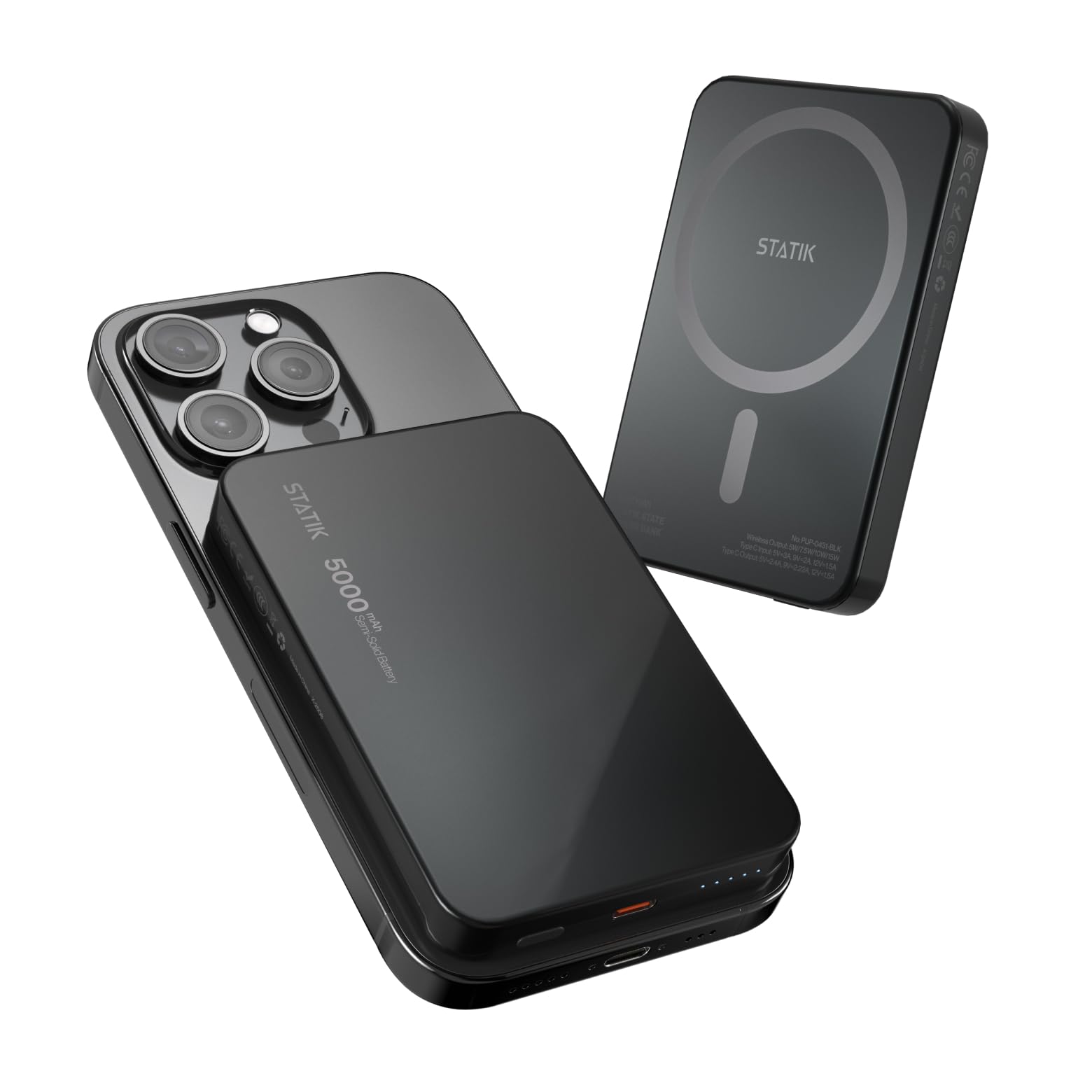
Image: The Statik State Power Bank is designed with advanced safety features, including resistance to damage from punctures.
3. Vörueiginleikar
- 5000mAh afkastageta: Provides more than one full charge for most smartphones.
- MagSafe samhæft: Perfect magnetic alignment for iPhone 12 and newer models for wireless charging.
- 20W USB-C hraðhleðsla: Supports Power Delivery for rapid wired charging.
- Lengdur líftími: Designed for over 1,000 charge cycles, twice the standard.
- Leiðandi LED Vísar: Clearly displays remaining battery level.
- Low-Power Mode: Optimized for charging smaller devices like AirPods or smartwatches.
- Varanlegur hönnun: Crafted with an aluminum frame and impact-resistant shell.
- TSA-samþykkt: Safe for travel on flights.

Image: The semi-solid technology ensures a longer battery lifespan with minimal degradation.

Image: Advanced temperature control system prevents overheating during use.
4. Vöru lokiðview

Image: Key components of the Statik State Power Bank.
- Kveikja/slökkva rofi: Press to activate the power bank or check battery status.
- USB-C tengi: Notað bæði til að hlaða powerbankann og hlaða ytri tæki.
- Ljósavísar: Displays the current battery level of the power bank.
- MagSafe Charging Area: Segulmagnað yfirborð fyrir tæki sem eru samhæf þráðlausri hleðslu.
5. Uppsetning
5.1 Upphafsgjald
Before first use, fully charge your Statik State Power Bank. Connect the included USB-C cable to the power bank's USB-C port and the other end to a compatible USB power adapter (not included). The LED indicators will illuminate to show charging progress and turn solid when fully charged.
6. Notkunarleiðbeiningar
6.1 Hleðsla rafmagnsbankans
- Connect a USB-C cable to the power bank's USB-C port.
- Connect the other end of the cable to a USB wall charger or power source.
- The LED indicators will flash to show charging status. All LEDs will be solid when fully charged.
6.2 Þráðlaus hleðsla á tækjum (MagSafe)
This feature is compatible with iPhone 12 and newer models, or other MagSafe-enabled devices/cases.
- Gakktu úr skugga um að rafmagnsbankinn sé nægilega hlaðinn.
- Align your MagSafe-compatible device with the MagSafe charging area on the power bank. The magnets will snap into place.
- The power bank will automatically begin wireless charging. If not, press the On/Off switch once.
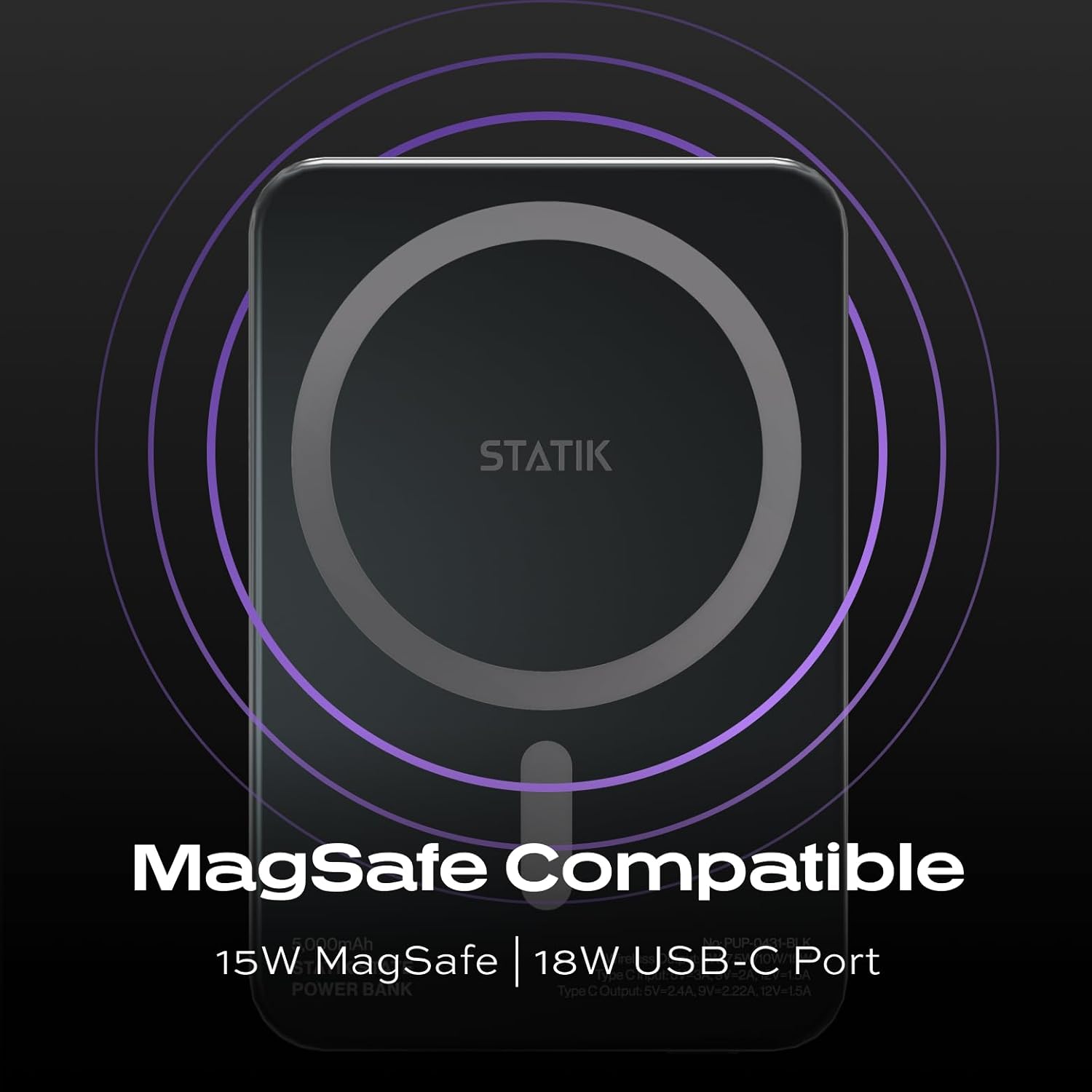
Image: MagSafe compatibility ensures secure and efficient wireless charging.
6.3 Hleðsla tækja með USB-C
The USB-C port supports 20W Power Delivery for fast charging compatible devices.
- Connect a USB-C to USB-C cable (or appropriate USB-C to device cable) to the power bank's USB-C port.
- Tengdu hinn endann á kaplinum við tækið.
- The power bank will automatically begin charging. If not, press the On/Off switch once.
6.4 Low-Power Mode
For smaller devices that require less power, such as AirPods or smartwatches, the power bank features a low-power mode. To activate, double-press the On/Off switch. The LEDs will indicate low-power mode is active. Double-press again to return to standard charging mode.
7. Viðhald
- Þrífið rafmagnsbankann með mjúkum, þurrum klút. Notið ekki sterk efni eða slípiefni.
- Geymið á köldum, þurrum stað fjarri beinu sólarljósi.
- If storing for an extended period, charge the power bank to approximately 50% every 3 months to preserve battery health.
8. Bilanagreining
- Rafbankinn hleðst ekki: Ensure the USB-C cable and power adapter are functioning correctly and properly connected.
- Tækið hleðst ekki: Verify that your device is compatible with MagSafe or USB-C charging. Ensure the power bank has sufficient charge and is activated (press the On/Off switch). For wireless charging, ensure proper alignment.
- Ofhitnun: While the Statik State Power Bank has advanced temperature control, prolonged use in hot environments or with demanding applications can cause warmth. If the device becomes excessively hot, disconnect it immediately and allow it to cool down before resuming use. If overheating persists, contact customer support.
- LED-ljós virka ekki: The power bank may be fully depleted or damaged. Try charging it. If the issue persists, contact customer support.
9. Tæknilýsing
| Eiginleiki | Smáatriði |
|---|---|
| Nafn líkans | PUP-0431-BLK |
| Rafhlöðugeta | 5000 milljóniramp Klukkutímar (mAh) |
| Tegund tengis | USB gerð C |
| Þráðlaus útgangur | 5W/7.5W/10W/15W |
| Tegund C inntak | 5V=3A, 9V=2A |
| Tegund C úttak | 5V=2.4A, 9V=2.22A, 12V=1.5A |
| Tegund rafhlöðuklefa | Lithium Ion (Semi-Solid State) |
| Mál hlutar (L x B x Þykkt) | 3.93" L x 2.75" B x 0.45" Þ |
| Þyngd rafhlöðu | 80 grömm |
10. Ábyrgð og stuðningur
For warranty information or technical support, please refer to the product packaging or contact Statik customer service through their official websíðuna eða söluaðilann þar sem varan var keypt. Geymið kaupkvittunina sem sönnun fyrir kaupunum.