
Inngangur
The Apple Pencil (1st Generation) is a versatile digital stylus designed for use with compatible iPad models. It offers precise input for drawing, note-taking, sketching, and document annotation. This manual provides essential information for setting up, operating, and maintaining your Apple Pencil.
Hvað er í kassanum
- Apple Pencil (1st Generation)
- Leiftur millistykki
- USB-C to Apple Pencil Adapter (for iPad 10th generation compatibility)
- Auka ráð
Uppsetning
Pörun við iPad
- Ensure your iPad is updated to the latest iOS version.
- Remove the cap from the Apple Pencil to reveal the Lightning connector.
- Plug the Apple Pencil's Lightning connector into the Lightning port on your iPad.
- A "Pair" button will appear on your iPad screen. Tap it to complete the pairing process.
- For iPad (10th generation) users: Connect the Apple Pencil to the USB-C to Apple Pencil Adapter, then connect the adapter to your iPad's USB-C port. Tap "Pair" when prompted.

Image: Apple Pencil (1st Generation) showing the Lightning connector for direct iPad connection.
Operating the Apple Pencil
The Apple Pencil is designed to feel natural and responsive, similar to a traditional writing instrument. It features advanced technology for precise control.
Helstu eiginleikar:
- Pixel-Perfect Precision: Enjoy accurate input for detailed work.
- Halla næmi: Tilt the Apple Pencil to create shading effects, just like a graphite pencil.
- Þrýstingsnæmi: Apply more pressure to draw thicker lines or less pressure for finer strokes.
- Pálmahöfnun: Rest your hand on the iPad screen while using the Apple Pencil without interference.

Image: An Apple Pencil (1st Generation) in use on an iPad, demonstrating its precision for drawing and note-taking.
Hleðsla
The Apple Pencil (1st Generation) charges directly from your iPad.
- Remove the magnetic cap from the Apple Pencil.
- Plug the exposed Lightning connector into the Lightning port on your iPad.
- The Apple Pencil will begin charging. You can check the battery level in the Widgets view á iPad þínum.
- For iPad (10th generation) users: Use the included USB-C to Apple Pencil Adapter. Connect the Apple Pencil to one end of the adapter and a USB-C charging cable to the other end. Then, connect the USB-C charging cable to your iPad or a power adapter.
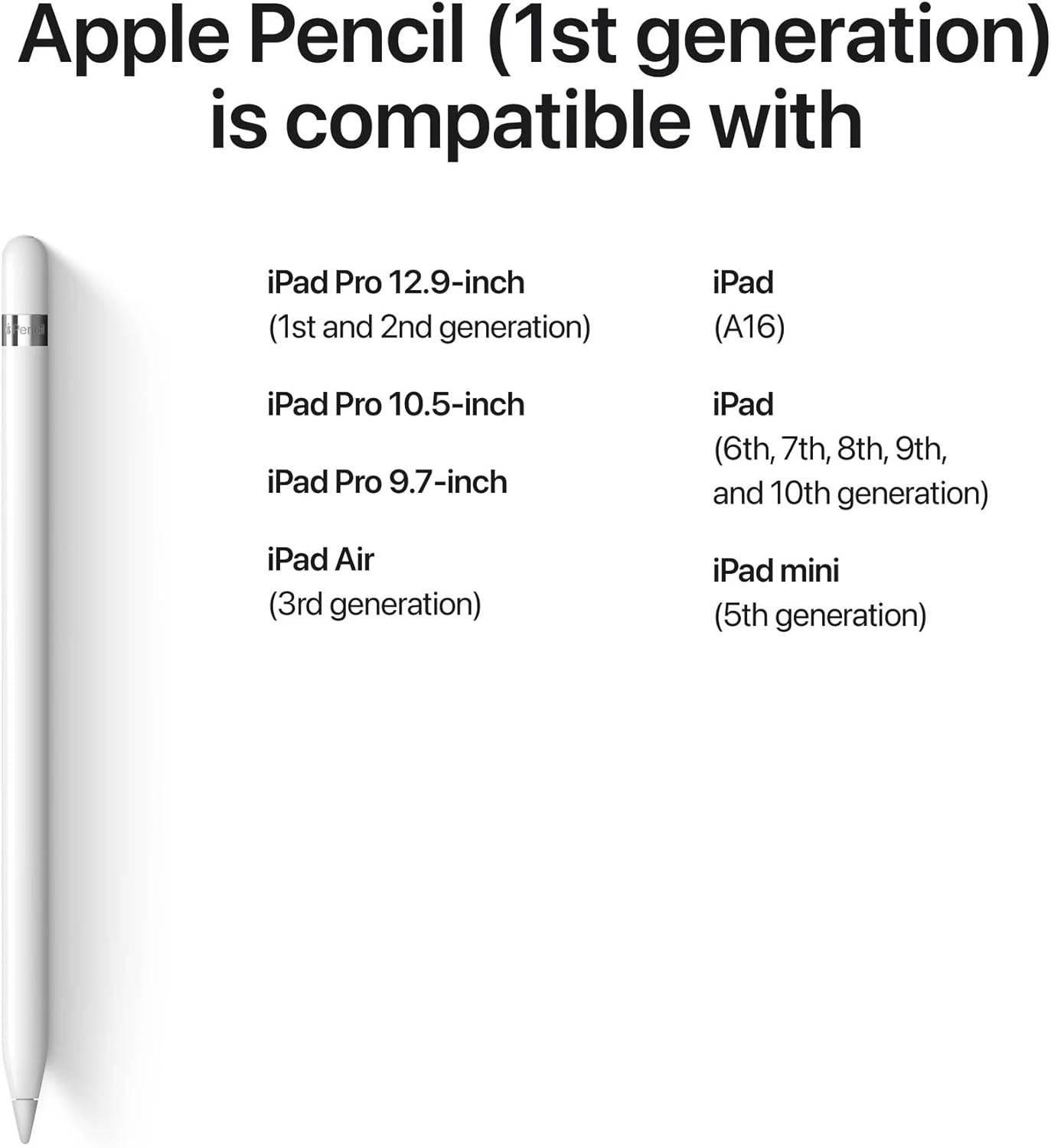
Image: Apple Pencil (1st Generation) with the USB-C to Apple Pencil Adapter, illustrating the charging method for compatible iPads.
Ábendingar og fylgihlutir
The Apple Pencil comes with an extra tip for replacement. To replace the tip:
- Gently unscrew the current tip from the Apple Pencil.
- Screw on the new tip until it is secure. Do not overtighten.
The included USB-C to Apple Pencil Adapter is specifically for iPad (10th generation) to enable pairing and charging.
Samhæfni
The Apple Pencil (1st Generation) is compatible with the following iPad models:
- iPad (6th, 7th, 8th, 9th, and 10th generation)
- iPad Air (3. kynslóð)
- iPad mini (5. kynslóð)
- iPad Pro 12.9-inch (1st & 2nd generation)
- iPad Pro 10.5 tommu
- iPad Pro 9.7 tommu
Note: iPad (10th generation) requires the included USB-C to Apple Pencil Adapter for pairing and charging.

Image: Visual representation of iPad models compatible with the Apple Pencil (1st Generation).
Viðhald
- Keep the Apple Pencil clean by wiping it with a soft, lint-free cloth.
- Avoid exposing the Apple Pencil to extreme temperatures or liquids.
- Store the Apple Pencil safely to prevent damage to the tip or connector.
- Skiptu um oddinn ef hann verður slitinn eða skemmdur til að viðhalda bestu frammistöðu.
Úrræðaleit
Pencil Not Pairing:
- Gakktu úr skugga um að Bluetooth sé virkt á iPad-inu þínu.
- Plug the Apple Pencil firmly into your iPad's Lightning port (or via adapter for iPad 10th Gen).
- Endurræstu iPad-ið þitt og reyndu að para það aftur.
- Check if the Apple Pencil has sufficient charge.
Pencil Not Responding:
- Verify the Apple Pencil is charged.
- Ensure the tip is securely screwed on.
- Check if the Apple Pencil is still paired with your iPad in Bluetooth settings.
- Try using the Apple Pencil in a different compatible app.
Tæknilýsing
| Vörumerki: | Epli |
| Gerð: | MQLY3AM/A |
| Litur: | Hvítur |
| Efni: | Plast |
| Mál (L x B x H): | 0.07 x 0.35 x 0.07 tommur |
| Tengingar: | Bluetooth, Lightning Connector |
| UPC: | 724129403572 |
Ábyrgð og stuðningur
This renewed Apple Pencil comes with a 90 daga takmörkuð ábyrgð. For warranty claims or technical support, please refer to the seller's contact information or the Apple support webvefsíða fyrir almennar upplýsingar um vörur.