
1. Inngangur
Welcome to the COLORROOM Kids Tablet A30L1 EVA user manual. This guide provides essential information to help you set up, operate, and maintain your new tablet. Designed for children aged 3-12, this tablet offers a safe and engaging digital environment for learning and entertainment, featuring robust parental controls and a durable design.
2. Öryggisupplýsingar
- Eftirlit: Always supervise children during tablet use.
- Hleðsla: Use only the provided charger and cable. Do not use the tablet while charging.
- Vatnsútsetning: Keep the tablet away from water and moisture.
- Hitastig: Forðastu mikinn hita.
- Þrif: Clean the tablet with a soft, dry cloth. Do not use liquid cleaners.
- Skjártími: Utilize parental controls to manage screen time and prevent excessive use.
3. Innihald pakka
Gakktu úr skugga um að allir hlutir séu til staðar í pakkanum þínum:
- COLORROOM Kids Tablet A30L1 EVA (with EVA Protective Case)
- USB-C kapall
- Rafmagns millistykki
- Notendahandbók (þetta skjal)
Lýsing myndbands: This video demonstrates the unboxing process of the COLORROOM Kids Tablet, showcasing the tablet, its protective EVA case, and included accessories like the charging cable and adapter.
4. Uppsetning
4.1 Byrjunarkveikt
- Press and hold the power button (located on the side) until the screen lights up.
- Fylgdu leiðbeiningunum á skjánum til að velja tungumál og svæði.
4.2 Tengist við Wi-Fi
- From the home screen, tap the 'Settings' icon.
- Select 'Network & internet' then 'Wi-Fi'.
- Veldu Wi-Fi netið þitt af listanum og sláðu inn lykilorðið.
- Tap 'Connect'.
4.3 Setting up Google Kids Space and Parental Controls
The tablet comes with Google Kids Space pre-installed, offering a curated selection of apps, books, and videos for children. Parental controls are managed through Google Family Link.
- Open the 'Google Kids Space' app.
- Follow the instructions to set up a child profile and link it to your Google Family Link account on your smartphone.
- On your smartphone, download and install the Google Family Link app.
- Use the Family Link app to manage your child's device, including app usage, screen time limits, and content restrictions.

Myndlýsing: A close-up of the COLORROOM Kids Tablet screen displaying the Google Kids Space interface with various child-friendly app icons for playing, reading, watching, and creating.
Lýsing myndbands: This video demonstrates how to use Google Family Link on a parent's smartphone to manage app restrictions and usage time for the child's tablet, ensuring a safe digital experience.
5. Notkun spjaldtölvunnar
5.1 Grunnleiðsögn
- Snertiskjár: Ýttu til að velja, strjúktu til að fletta, klíptu til að stækka.
- Heimaskjár: Access all installed apps and widgets.
- Tilkynningar: Strjúktu niður frá efst á skjánum til view tilkynningar og flýtistillingar.
5.2 Using Educational Apps and Content
The tablet provides access to thousands of high-quality educational content, including picture books, educational comics, children's books, early learning apps for alphabet and numbers, programming tools, and interactive games.

Myndlýsing: The COLORROOM Kids Tablet in its purple EVA case, displaying a vibrant home screen with various educational and entertainment app icons, including STEM, ABC, and drawing applications.
Lýsing myndbands: This video highlights the diverse range of educational apps available on the tablet, covering subjects like English, Kanji, and arithmetic, along with learning manga, children's books, games, and videos.
5.3 Accessing YouTube Kids
YouTube Kids is designed for children, offering a safe and easy way to enjoy videos. Filters can be flexibly adjusted according to your child's growth.
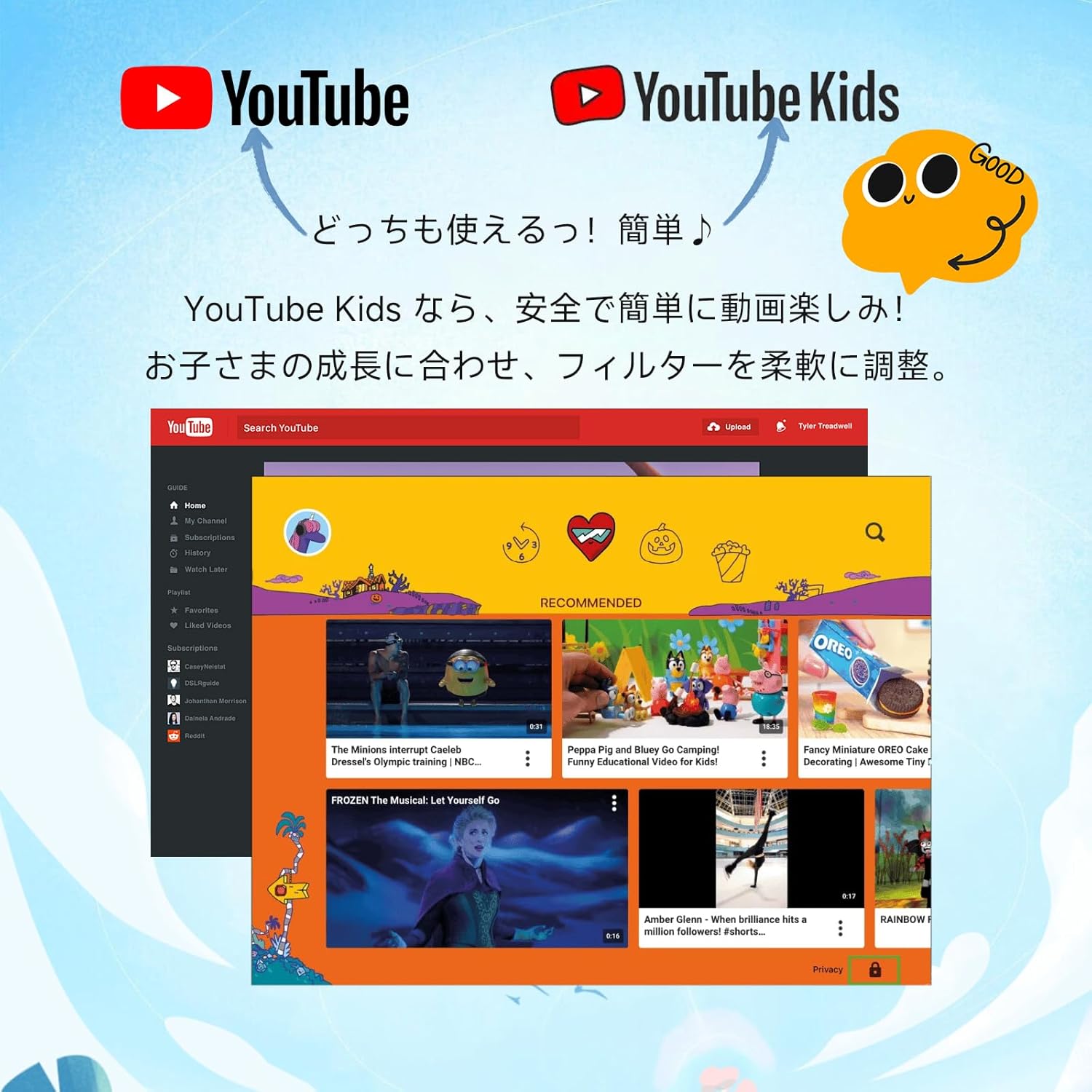
Myndlýsing: An image comparing the interfaces of standard YouTube and YouTube Kids, emphasizing the child-friendly design and content filtering of YouTube Kids.
5.4 Notkun myndavélarinnar
The tablet features a 5MP front camera and an 8MP rear camera for capturing photos and videos.

Myndlýsing: An illustration highlighting the 5MP front camera and 8MP rear camera of the COLORROOM Kids Tablet, with example photos of children.
5.5 AR Zoo Application
Explore augmented reality with the pre-installed AR Zoo app. Scan animal pictures to bring them to life on your tablet screen.
Lýsing myndbands: This video demonstrates the AR Zoo game, where users can scan animal cards with the tablet's camera to see 3D augmented reality animals appear on the screen.
6. Foreldraeftirlit
The tablet is equipped with comprehensive parental controls to ensure a safe and educational experience for your child. These features are primarily managed through the Google Family Link app on your smartphone.
- Custom Child Profiles: Búðu til einstaka atvinnumennfiles fyrir hvert barn.
- Tímamörk: Set precise daily usage limits in 15-minute increments to prevent overuse.
- App Approval: Individually approve safe apps and websíður.
- Content Monitoring: Easily check your child's device usage and content viewútg.
- Námsmarkmið: Set learning objectives, and restrict entertainment content until goals are met.
- GPS virkni: Monitor the tablet's location through the Family Link app.

Myndlýsing: A visual representation of the parental control dashboard, showing options for setting shutdown times, app restrictions, and educational goals for child profiles.
7. Eiginleikar yfirview
7.1 Skjár
- Stærð: 10.1 tommur
- Upplausn: 1280x800 HD IPS
- Stuðningur við Widevine L1: Ensures high-quality streaming for services like Netflix and YouTube.

Myndlýsing: The tablet screen showing a comparison between L1 (1080P) and L3 (720P) Widevine levels, indicating support for high-definition content streaming.
Lýsing myndbands: This video showcases the 10.1-inch large screen of the tablet, highlighting its visual quality for children's content.
7.2 Frammistaða
- Stýrikerfi: Android 16 (personalized, secure, user-friendly)
- Örgjörvi: 2.0GHz Octa-Core
- vinnsluminni: 24GB (4GB líkamlegt minni + 20GB sýndarútvíkkun)
- Innri geymsla: 64GB ROM
- Stækkanlegt geymsla: Supports microSD cards up to 1TB

Myndlýsing: The tablet screen displaying the Android 16 operating system, emphasizing enhanced privacy, improved operability, and AI features for a smart daily experience.
7.3 Rafhlaða
- Stærð: 6000mAh
- Rafhlöðuending: Allt að 8 tíma samfelld notkun
- Supports fast charging and features low power consumption.

Myndlýsing: The tablet screen showing a charging battery icon, alongside images of children using the tablet for studying, playing games, and watching videos, illustrating its long battery life.
7.4 Verndun
- EVA Protective Case: Lightweight and shock-absorbing, providing excellent protection against drops.
- 360-degree Rotating Handle/Stand: Allows for vertical or horizontal viewing and easy portability.
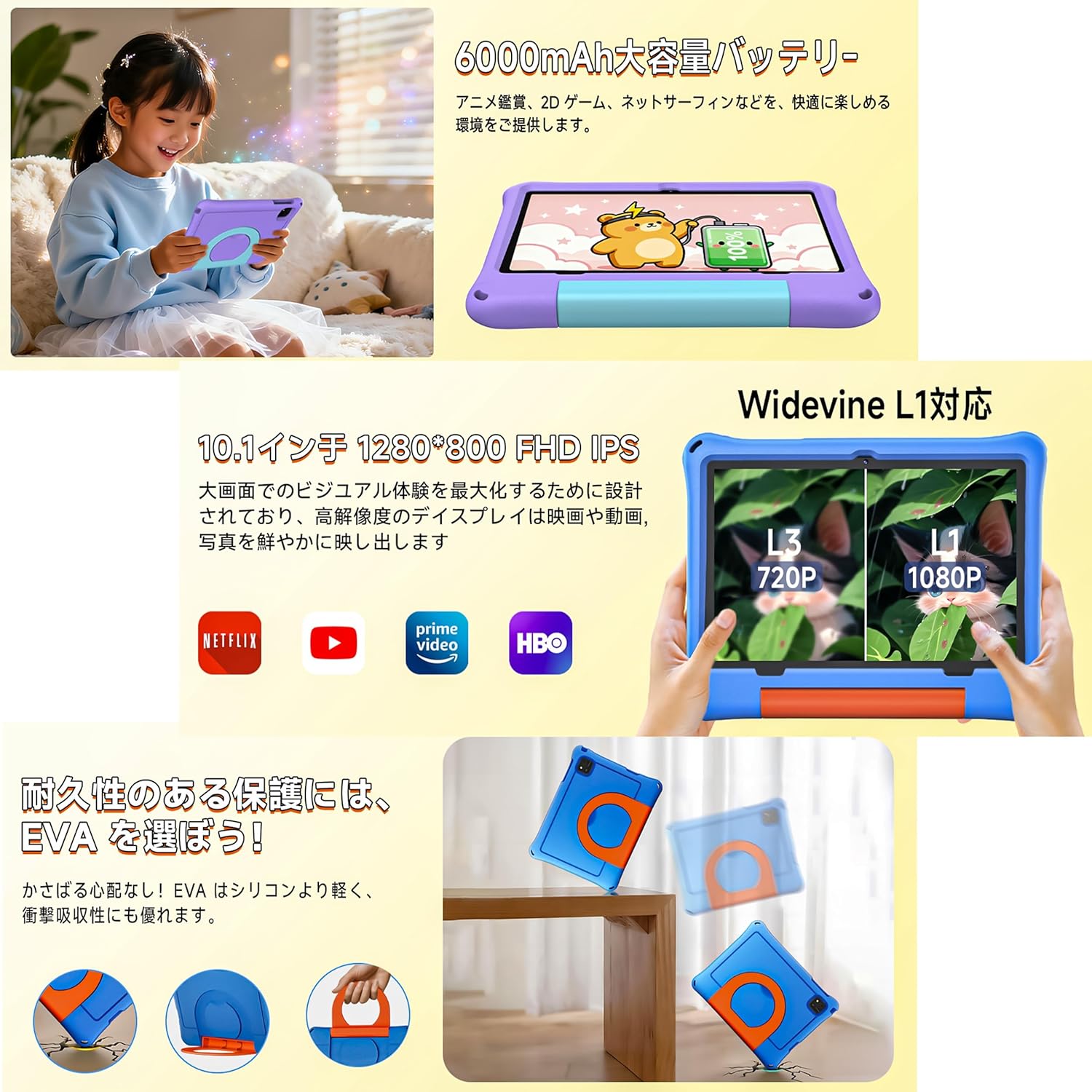
Myndlýsing: The tablet in its EVA case, highlighting its shock-absorbing properties with illustrations of drops and the versatile 360-degree rotating handle that doubles as a stand.
Lýsing myndbands: This video demonstrates the 360-degree rotating handle/stand and the durable, shock-resistant case of a 7-inch kids tablet. Note: This product is a 10.1-inch tablet, but features similar case design.
8. Viðhald
8.1 Þrif á spjaldtölvunni
To clean the tablet screen and body, use a soft, lint-free cloth. For stubborn smudges, slightly dampÞvoið klútinn með vatni. Forðist að nota sterk efni eða slípiefni.
8.2 Umhirða rafhlöðu
- Forðastu að tæma rafhlöðuna alveg oft.
- Do not leave the tablet connected to the charger for extended periods after it's fully charged.
- Geymið töfluna á köldum, þurrum stað þegar hún er ekki í notkun í langan tíma.
8.3 Hugbúnaðaruppfærslur
Periodically check for system updates to ensure optimal performance and security. Go to 'Settings' > 'System' > 'System update' to check for and install available updates.
9. Bilanagreining
- Spjaldtölvan kveikir ekki á sér: Gakktu úr skugga um að rafhlaðan sé hlaðin. Tengdu hleðslutækið og reyndu aftur.
- Skjár frystur: Ýttu á rofann og haltu honum inni í um 10 sekúndur til að þvinga fram endurræsingu.
- Vandamál með Wi-Fi tengingu: Check if your Wi-Fi router is working correctly. Restart the tablet and try reconnecting.
- Forrit sem hrynja: Clear the app's cache in 'Settings' > 'Apps' > [App Name] > 'Storage' > 'Clear cache'. If the issue persists, reinstall the app.
- Hæg frammistaða: Lokaðu óþarfa bakgrunnsforritum. Hreinsaðu skyndiminnið og tímabundin forrit. files. Consider a factory reset if problems continue (back up data first).
10. Tæknilýsing
| Eiginleiki | Forskrift |
|---|---|
| Vörumerki | LITAHÚS |
| Nafn líkans | A30L1 EVA |
| Stýrikerfi | Android 16 |
| CPU | 2.0 GHz Octa-Core (Unisoc) |
| vinnsluminni | 24 GB (4 GB + 20 GB sýndarminni) |
| Geymsla | 64 GB (hægt að stækka upp í 1 TB með microSD) |
| Skjástærð | 10.1 tommur |
| Skjáupplausn | 1280x800 pixels HD IPS |
| Myndavél að framan | 5 MP |
| Myndavél að aftan | 8 MP |
| Rafhlöðugeta | 6000 mAh |
| Rafhlöðuending | Allt að 8 klst |
| Tengingar | Þráðlaust net (802.11ac), Bluetooth |
| Mál | 32 x 22.4 x 3.6 cm |
| Þyngd | 500 g |
11. Ábyrgð og stuðningur
The COLORROOM Kids Tablet A30L1 EVA comes with a 1 ára gæðatryggingarþjónusta. If you encounter any issues with the product, please contact our specialized after-sales service team promptly. We are committed to providing efficient support to resolve your concerns and exceed your expectations.
For support, please refer to the contact information provided with your purchase or visit the COLORROOM brand store on Amazon.