
1. Inngangur
This manual provides comprehensive instructions for the installation, operation, and maintenance of your Ossuret 7-inch Android 13 Carplay Autoradio. Please read this manual thoroughly before using the device to ensure proper functionality and safety. This unit is designed to enhance your driving experience with advanced multimedia and navigation features.
2. Innihald pakka
Gakktu úr skugga um að allir hlutir sem taldir eru upp hér að neðan séu innifaldir í pakkanum þínum. Ef einhverjir hlutir vantar eða eru skemmdir skaltu hafa samband við þjónustuver.
- Aðalútvarpseining bílsins
- Rafmagnssnúra
- USB snúra (4 pinna)
- USB snúra (6 pinna)
- GPS loftnet
- RCA Cable
- Ytri hljóðnemi
- Rear Camera Input RCA Cable
- Canbus Decoder (if applicable)
- Útvarpsloftnet millistykki

3. Samhæfðar ökutækjagerðir
This Ossuret Autoradio is compatible with the following Opel/Vauxhall/Holden models:
- Opel/Vauxhall/Holden Antara (from 2005)
- Opel/Vauxhall/Holden Astra H (from 2004)
- Opel/Vauxhall/Holden Corsa C (2004-2006)
- Opel/Vauxhall/Holden Corsa D (from 2006)
- Opel/Vauxhall/Holden Meriva (from 2004)
- Opel/Vauxhall/Holden Signum (from 2003)
- Opel/Vauxhall/Holden Tigra Twintop (from 2004)
- Opel/Vauxhall/Holden Vectra C (from 2004)
- Opel/Vauxhall/Holden Vivaro 6
- Opel/Vauxhall/Holden Zafira (from 2005)
4. Uppsetning og uppsetning
Installation of this autoradio requires technical knowledge and experience with car electronics. It is highly recommended to seek professional installation to avoid damage to the unit or your vehicle.
4.1 Athugun fyrir uppsetningu
- Gakktu úr skugga um að kveikjan sé slökkt á bílnum og rafgeyminn sé aftengdur áður en uppsetning hefst.
- Confirm compatibility with your vehicle model and year.
- Identify the existing wiring harness and dashboard opening.
4.2 Raflagnatengingar
- Rafmagnssnúra: Connect the provided power cable to the vehicle's power supply, ensuring correct polarity (ACC, B+, GND).
- USB snúrur: Connect the 4-pin and 6-pin USB cables to the corresponding ports on the autoradio. These can be routed to a convenient location for external USB devices.
- GPS loftnet: Setjið GPS-loftnetið á stað þar sem er gott útsýni view of the sky, typically on the dashboard or under the windshield, and connect it to the unit.
- RCA snúrur: Tengdu RCA snúrur fyrir hljóðútgang (t.d. við ytri amplifiers) or video input/output as needed.
- Ytri hljóðnemi: Connect the external microphone for improved call quality and route it to a suitable position (e.g., near the sun visor).
- Inntak aftari myndavélar: Ef sett er upp aftan á view camera, connect its video output to the dedicated RCA input on the autoradio.
- Canbus afkóðari: If your vehicle requires a Canbus decoder for steering wheel controls or other vehicle data integration, connect it according to the vehicle-specific wiring diagram.
- Útvarpsloftnet: Connect the vehicle's radio antenna using the provided adapter cable if necessary.
4.3 Einingin sett upp
Carefully insert the autoradio into the dashboard opening, securing it with the appropriate mounting brackets. Ensure all cables are properly routed and not pinched.

5. Notkunarleiðbeiningar
5.1 Kveikt/slökkt
The unit will typically power on automatically with the vehicle's ignition. To manually power off, press and hold the power button (if available) or turn off the vehicle's ignition.
5.2 Wireless Carplay / Android Auto
This autoradio supports wireless Apple Carplay and Android Auto via the pre-installed Zlink application. This allows seamless integration with your smartphone for navigation, music, calls, and other apps.
- Gakktu úr skugga um að Wi-Fi og Bluetooth séu virk í snjallsímanum þínum.
- On the autoradio, open the Zlink application.
- Follow the on-screen prompts to connect your phone via Bluetooth first, then confirm the Wi-Fi connection.
- Once connected, your phone's Carplay or Android Auto interface will appear on the autoradio screen.

5.3 Bluetooth-virkni
The unit features Bluetooth for hands-free calling and audio streaming.
- Pörun: Go to the Bluetooth settings on the autoradio and your smartphone. Leitaðu að available devices on your phone and select the autoradio (e.g., "Ossuret Car"). Confirm the pairing code if prompted.
- Handfrjáls símtöl: Once paired, you can make and receive calls directly from the autoradio screen. The built-in microphone captures your voice.
- Bluetooth Music (A2DP): Stream audio from your phone to the autoradio wirelessly.
- Phonebook Download: The unit supports downloading your phone's contacts for easy access.

5.4 USB tenging
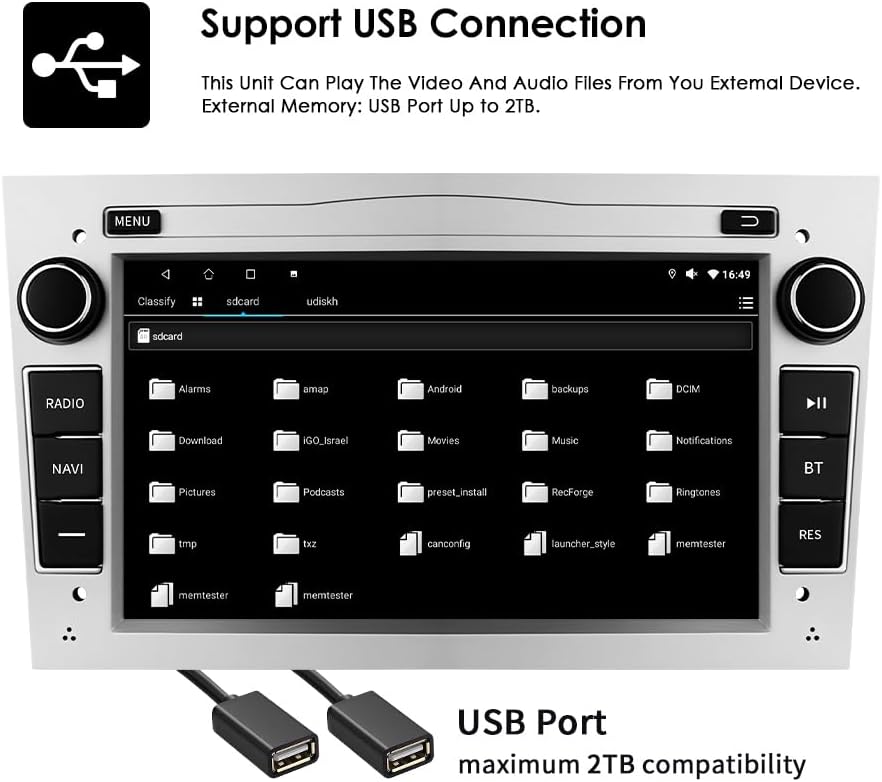
Connect external USB devices to play audio and video files or access other data. The unit supports USB storage up to 2TB.
- Insert your USB drive into one of the provided USB ports.
- Farðu í file explorer or media player application on the autoradio.
- Select the USB device to browse and play your media files.
5.5 Margmiðlunarspilun
The autoradio supports various audio and video formats for local playback.
- Tónlistarsnið: MP3, WMA, AAC, RM, FLAC, etc.
- Myndbandssnið: MPEG-1/2/4, H.264, H.263, VC1, RV, RMVB, DivX, Sorenson Spark, VP8, AVS Stream, etc.

5.6 GPS leiðsögn
The unit comes with preloaded European maps and supports both online and offline navigation.
- Opnaðu leiðsöguforritið úr aðalvalmyndinni.
- Enter your destination to receive turn-by-turn voice guidance.
- Connect to Wi-Fi for online map updates and real-time traffic information.
5.7 Stýrisstýring
The autoradio is compatible with your vehicle's factory steering wheel controls, allowing you to manage volume, change tracks, and answer calls without taking your hands off the wheel. Configuration may be required in the unit's settings menu.
5.8 Aftan View Inntak myndavélar
Þegar samhæft aftursæti view camera is connected, the display will automatically switch to the camera feed when the vehicle is put into reverse gear, providing a clear view af hindrunum fyrir aftan ökutækið.
6. Viðhald
To ensure the longevity and optimal performance of your Ossuret Autoradio, follow these maintenance guidelines:
- Skjárhreinsun: Notið mjúkan, lólausan klút til að þurrka snertiskjáinn varlega. Fyrir þrjósk bletti, strjúkið örlítiðampÞurrkið klútinn með vatni eða skjáþolnu hreinsiefni. Forðist sterk efni eða slípiefni.
- Almenn þrif: Haldið tækinu lausu við ryk og rusl. Notið mjúkan bursta eða þrýstiloft til að þrífa loftræstiop og rifur á hnöppum.
- Hugbúnaðaruppfærslur: Periodically check for software updates from the manufacturer to ensure you have the latest features and bug fixes.
- Forðastu mikla hitastig: Ekki láta tækið verða fyrir miklum hita eða kulda, þar sem það getur haft áhrif á afköst og líftíma.
7. Bilanagreining
Ef þú lendir í vandræðum með útvarpstækið þitt skaltu skoða eftirfarandi algeng vandamál og lausnir:
| Vandamál | Möguleg orsök | Lausn |
|---|---|---|
| Enginn kraftur | Röng raflögn, sprungið öryggi, vandamál með rafgeymi bílsins | Check power connections, inspect fuses, ensure vehicle battery is charged. |
| Ekkert hljóð | Volume too low, incorrect audio settings, speaker wiring issue | Hækkaðu hljóðstyrkinn, athugaðu stillingar hljóðútgangs og staðfestu tengingar hátalara. |
| GPS signal lost/weak | Loftnetstífla, röng staðsetning loftnets | Gakktu úr skugga um að GPS-loftnetið sé óljóst view of the sky, reposition if necessary. |
| Bluetooth tengist ekki | Bluetooth off, incorrect pairing, interference | Ensure Bluetooth is enabled on both devices, re-pair, move away from other wireless devices. |
| Snertiskjár svarar ekki | Hugbúnaðarvilla, skjáskemmdir | Endurræstu tækið. Ef vandamálið heldur áfram skaltu hafa samband við þjónustuver. |
If the problem persists after attempting these solutions, please contact Ossuret customer support for further assistance.
8. Tæknilýsing
Below are the technical specifications for the Ossuret Autoradio Model B0FPLCMTNZ:
| Eiginleiki | Forskrift |
|---|---|
| Vörumerki | Ossuret |
| Gerðarnúmer | B0FPLCMTNZ |
| Stýrikerfi | Android 13 |
| vinnsluminni | 2 GB |
| ROM | 32 GB |
| CPU | 4Core*A53 1.5Ghz |
| Skjástærð | 7 tommur |
| Skjáupplausn | 1024 x 600 |
| Gerð snertiskjás | Rafrýmd |
| Tengitækni | Bluetooth, USB, Wi-Fi |
| Sérstakir eiginleikar | Wireless Carplay/Android Auto, GPS Navigation, DSP Support |
| Samhæf tæki | Snjallsími |
| Samtals HDMI tengi | 1 |
| Hljóðútgangsstilling | Stereo |
| Vídeókóðun | H.264, H.265/HEVC, MPEG-4 |
| Fjöldi rása | 4 |
| Eftirlitsaðferð | Snerta, rödd |
| Uppruni | Kína |
9. Ábyrgð og stuðningur
9.1 Upplýsingar um ábyrgð
This Ossuret Autoradio comes with a 1 ára framleiðsluábyrgð from the date of purchase. This warranty covers defects in materials and workmanship under normal use. It does not cover damage caused by improper installation, accident, misuse, abuse, neglect, unauthorized modification, or normal wear and tear.
9.2 Þjónustuver
For technical assistance, warranty claims, or any questions regarding your Ossuret Autoradio, please contact your retailer or the Ossuret customer support team. Have your model number (B0FPLCMTNZ) and proof of purchase ready when contacting support.