
TAMPROAD Q66
TAMPROAD Q66 Bluetooth Speaker Instruction Manual
Gerð: Q66
Inngangur
This manual provides essential information for the safe and efficient operation of your TAMPROAD Q66 Bluetooth Speaker. Please read it thoroughly before using the product and retain it for future reference.
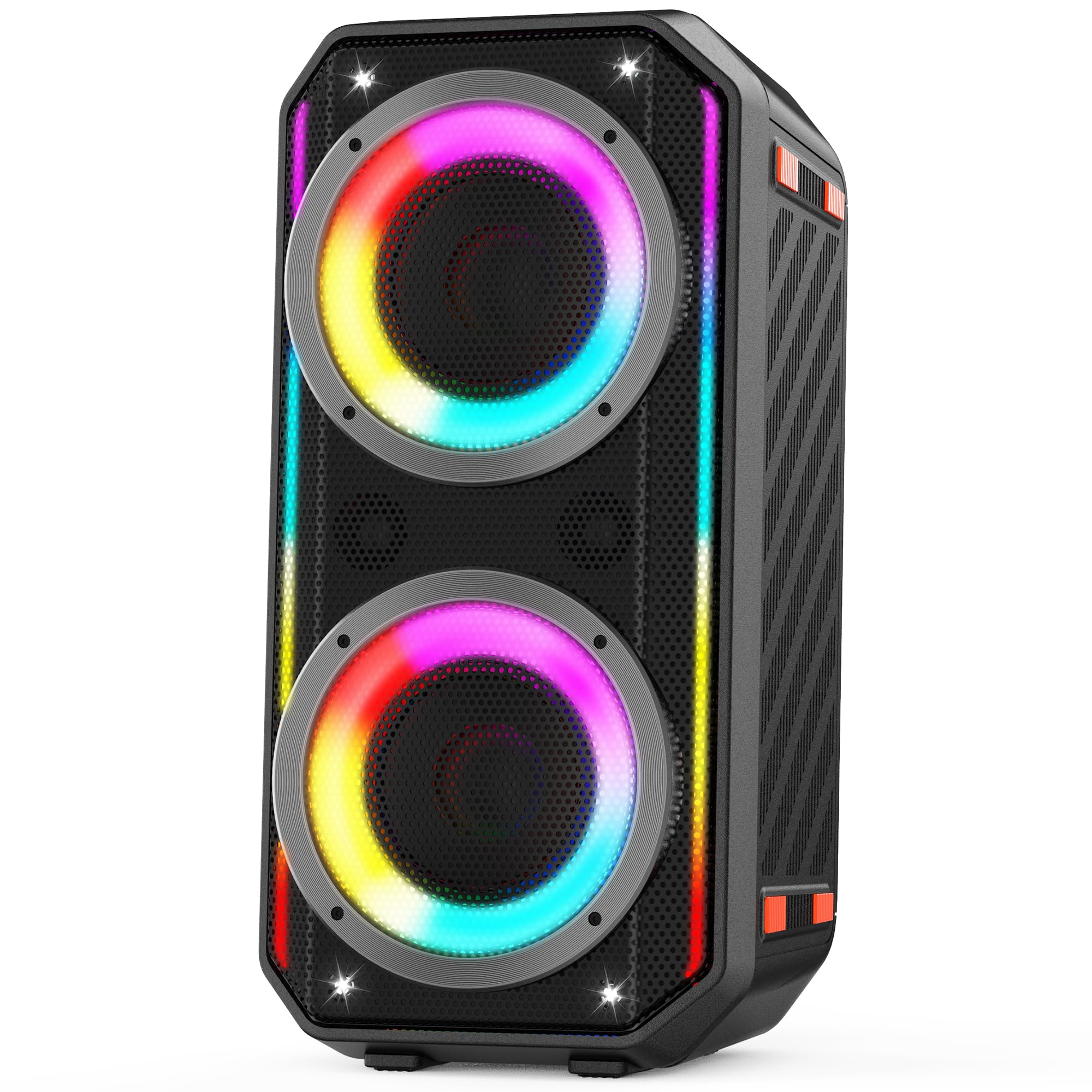
Image: The TAMPROAD Q66 Bluetooth Speaker, a portable unit with integrated LED lights.
Öryggisupplýsingar
- Ekki láta hátalarann verða fyrir vatni eða miklum raka.
- Forðastu mikinn hita.
- Do not disassemble or attempt to repair the speaker yourself. Refer to qualified service personnel.
- Geymið fjarri börnum og gæludýrum.
- Notið aðeins meðfylgjandi rafmagnssnúruna til hleðslu.
- Tryggið góða loftræstingu við notkun.
Hvað er í kassanum
Gakktu úr skugga um að allir hlutir séu til staðar við upppakkningu:
- 1 x TAMPROAD Q66 Bluetooth Speaker
- 1 x US standard AC Power Cable
- 1 x AUX kapall
- 1 x Notendahandbók (þetta skjal)

Image: The TAMPROAD Q66 speaker, AC power cable, AUX cable, and user manual as packaged.
Vara lokiðviewStýringar og tengi
Familiarize yourself with the speaker's control panel and connection ports.

Mynd: Ítarleg view af T-inuAMPROAD Q66 control panel, showing buttons for volume, mode, TWS, EQ, LED lights, and various input ports.
Aðgerðir stjórnborðs:
- Aflhnappur: Press and hold to power on/off. Short press to display remaining battery power.
- BT / AUX Mode: Switches between Bluetooth and AUX input modes.
- TWS hnappur: Hefjar True Wireless Stereo pörun.
- Spila/hlé hnappur: Spilar eða gerir hlé á hljóðspilun.
- Hnappar fyrir fyrri/næsta: Hoppa yfir í fyrra eða næsta lag.
- Tónlistarflokkur: Stillir aðalhljóðstyrk tónlistarinnar.
- LED ljósahnappur: Cycles through LED light modes or turns lights off.
- Forstillt EQ: Fer í gegnum forstillingar tónjafnara.
- MIC Vocal: Adjusts microphone vocal effects.
- Tónn +/-: Adjusts tone for microphone input.
- MIC PRI: Forgangsvirkni hljóðnema.
- REC Stop & Play: Controls recording to USB.
- Bergmál/Endurómur: Adjusts echo/reverb for microphone/guitar.
- MIC/Guitar Vol: Adjusts volume for microphone and guitar inputs.
Inntakshöfn:
- AUX inntak: Til að tengja utanaðkomandi hljóðtæki með 3.5 mm hljóðsnúru.
- USB inntak: For playing music from a USB drive (supports Micro SD cards with adapter).
- MIC inntak: Til að tengja hljóðnema.
- Gítarinntak: Til að tengja gítar.
Uppsetning
1. Hleðsla hátalarans
Before first use, fully charge the speaker. Connect the provided AC power cable to the speaker's power input and then to a standard wall outlet (110-240V). The charging indicator will show the charging status. A full charge provides up to 10 hours of playback.

Image: The TAMPROAD Q66 speaker being powered by an AC plug, illustrating continuous power supply.
2. Kveikja / slökkva á
Ýttu á og haltu inni Aflhnappur on the control panel for approximately 3 seconds to turn the speaker on or off.
3. Pörun Bluetooth
- Kveiktu á hátalaranum. Hann fer sjálfkrafa í Bluetooth-pörunarstillingu, sem blikkar með Bluetooth-vísirljósi.
- Virkjaðu Bluetooth í tækinu þínu (snjallsíma, spjaldtölvu o.s.frv.) og leitaðu að tiltækum tækjum.
- Select "TAMPROAD Q66" from the list of devices.
- Once connected, the Bluetooth indicator light will stop flashing and remain solid.
4. Þráðlaus stereótenging (TWS)
To achieve a stereo sound experience, you can pair two TAMPROAD Q66 speakers together.
- Ensure both Q66 speakers are powered on and in Bluetooth mode, but not connected to any other device.
- On one of the speakers, short press the TWS hnappur. The speaker will emit a sound indicating it's searching for another speaker.
- Hátalararnir tveir munu tengjast sjálfkrafa. Staðfestingarhljóð mun gefa til kynna að TWS-pörunin hafi tekist.
- Once paired, connect your device to one of the speakers via Bluetooth as described in step 3. Both speakers will now play audio in stereo.

Image: Two TAMPROAD Q66 speakers positioned on either side of a television, demonstrating a TWS setup for enhanced audio.
5. Connecting via AUX Input
Use the provided 3.5mm AUX cable to connect an external audio device (e.g., MP3 player, computer) to the speaker's AUX inntak port. The speaker will automatically switch to AUX mode, or you can manually select it using the BT / AUX Mode hnappinn.
6. Spilun á USB-drifi
Settu inn USB-lykil sem inniheldur hljóð files inn í USB inntak port. The speaker will automatically detect the USB drive and begin playback. (Note: Supports Micro SD cards with an appropriate adapter).

Image: The side panel of the TAMPROAD Q66 speaker highlighting its multiple connectivity options: Bluetooth 5.0, USB Drive, Microphone Input, Guitar Input, and AUX Input.
7. Microphone and Guitar Input
Tengdu hljóðnema við MIC inntak or a guitar to the Gítarinntak. Adjust their respective volumes using the MIC/Guitar Vol knob. You can also fine-tune the sound with Tone +/-, MIC Vocal, og Echo/Reverb stýringar.
Notkunarleiðbeiningar
1. Hljóðspilun
- Hljóðstyrkur: Snúðu Tónlist Vol knob to increase or decrease the main audio volume.
- Spila / gera hlé: Ýttu á Spila/hlé hnappur til að hefja eða stöðva spilun.
- Lagaleiðsögn: Notaðu Fyrri og Næst hnappar til að sleppa lögum.
2. LED ljósastillingar
The speaker features dynamic LED lights. Press the LED ljósahnappur to cycle through various lighting effects. Press and hold the button to turn the lights off.

Image: The TAMPROAD Q66 speaker showcasing different vibrant LED light modes, which pulse and flash with music.
Video: A demonstration of the TAMPROAD Q66 speaker's dynamic LED light show and sound quality, titled "Big, Bold Sound Anywhere You Want."
Myndband: Notandi endurskoðarview sýningasing the TAMPROAD Q66 speaker's features and sound, titled "Worth the money!"
3. EQ Forstillingar
Ýttu á Forstillt EQ button to cycle through different equalizer settings, optimizing the sound for various music genres or listening preferences.
Viðhald
- Þrif: Notið mjúkan, þurran klút til að þrífa ytra byrði hátalarans. Notið ekki slípiefni eða leysiefni.
- Geymsla: Geymið hátalarann á köldum, þurrum stað fjarri beinu sólarljósi og miklum hita þegar hann er ekki í notkun.
- Umhirða rafhlöðu: Til að hámarka endingu rafhlöðunnar skaltu forðast að tæma hana alveg oft. Hladdu hátalarann reglulega, jafnvel þótt hann sé ekki í stöðugri notkun.
Úrræðaleit
| Vandamál | Möguleg orsök | Lausn |
|---|---|---|
| Hátalarinn kviknar ekki. | Lítil rafhlaða eða rafmagnssnúra ekki tengd. | Charge the speaker using the provided AC power cable. Ensure the power button is pressed and held for 3 seconds. |
| Ekki er hægt að para í gegnum Bluetooth. | Speaker is not in pairing mode, or device Bluetooth is off. | Ensure the speaker is in Bluetooth mode (flashing indicator). Turn off and on your device's Bluetooth. Move device closer to speaker. |
| Ekkert hljóð. | Volume too low, incorrect input mode, or faulty cable. | Increase speaker and device volume. Check if the correct input mode (Bluetooth, AUX, USB) is selected. Ensure cables are securely connected. |
| TWS-tenging mistekst. | Speakers are too far apart or already connected to another device. | Ensure both speakers are within close proximity and not connected to any other Bluetooth device before initiating TWS pairing. |
Tæknilýsing
| Eiginleiki | Smáatriði |
|---|---|
| Nafn líkans | Q66 |
| Tegund hátalara | Flytjanlegur hátalari |
| Hámarksúttaksstyrkur hátalara | 300 vött (hámark) |
| Þvermál woofer | 2 x 5.25 tommur |
| Tvístærð | 2 x 2.0 tommur |
| Tíðni svörun | 45 Hz (low frequency extension) |
| Tengitækni | Bluetooth 5.0, AUX, USB |
| Inntak Voltage | 110-240V (AC) |
| Aflgjafi | Rafmagn með snúru, rafhlöðuknúið |
| Rafhlöðugeta | 11.1V, 83Wh (up to 10 hours playback) |
| Vörumál | 10" D x 10" B x 22" H |
| Þyngd hlutar | 15 pund |
| Eftirlitsaðferð | Þrýstihnappur |
| Inni/úti notkun | Inni, úti |
Ábyrgð og stuðningur
The TAMPROAD Q66 Bluetooth Speaker comes with a 12 mánaða ábyrgðarþjónusta. For any product-related inquiries, technical assistance, or warranty claims, please contact TAMPROAD customer service. Refer to the contact information provided on the product packaging or the official TAMPVEGUR websíðu til að fá upplýsingar um aðstoð.
Ask a question about this manual
Ask about setup, troubleshooting, compatibility, parts, safety, or missing instructions. Manuals+ will review the question and use this page’s manual context to help answer it.