
Inngangur
This manual provides detailed instructions for the proper use and maintenance of your Samvix UCamera X8400 Digital Camera. Please read this manual thoroughly before operating the camera to ensure optimal performance and longevity.
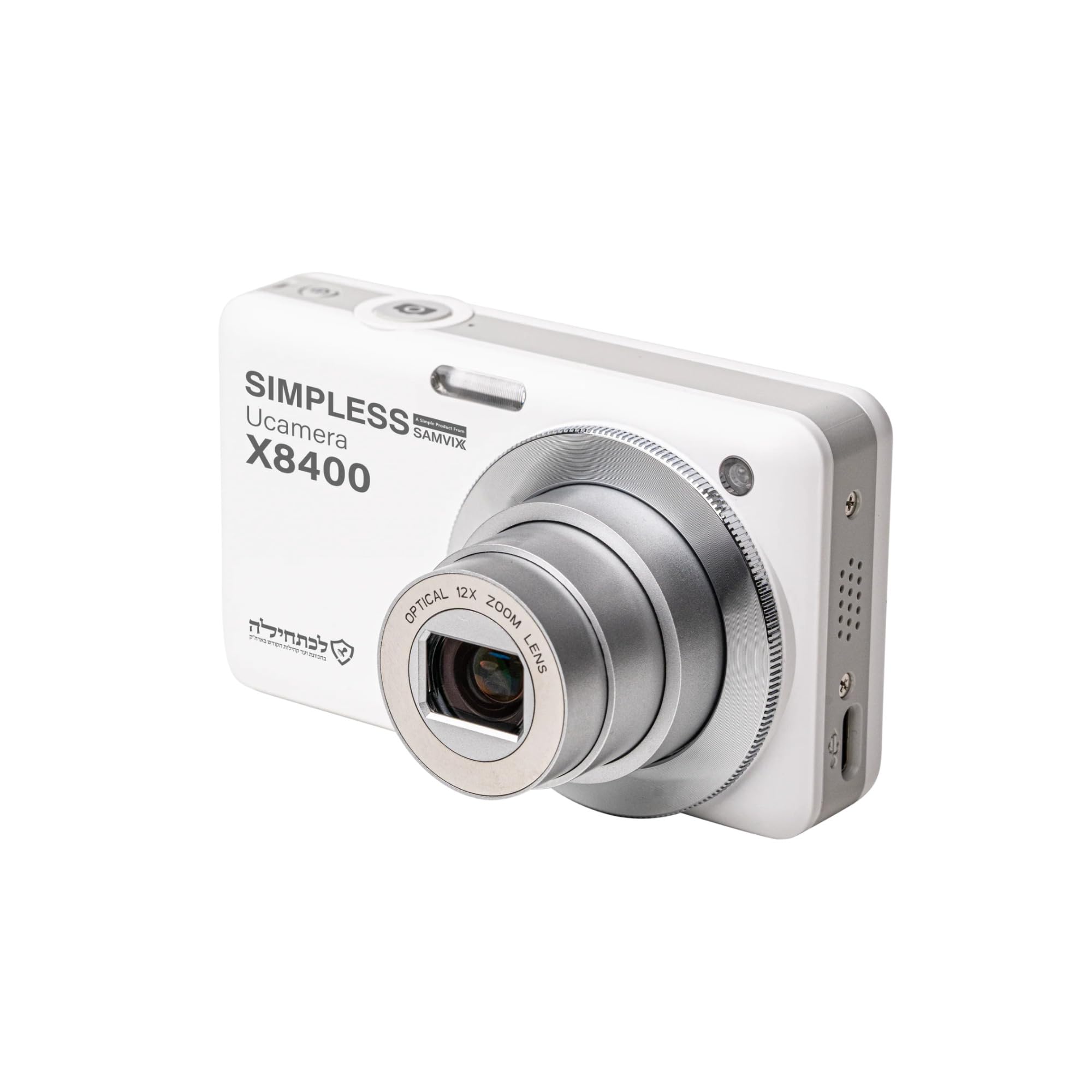
Mynd 1: Framan view of the Samvix UCamera X8400 Digital Camera. This image shows the camera's lens, flash, and overall compact design.
Innihald pakka
Gakktu úr skugga um að allir hlutir séu til staðar í pakkanum þínum:
- Samvix UCamera X8400 Digital Camera
- USB-C kapall
- Rechargeable Lithium-Ion Battery (if included, check packaging)
- Notendahandbók (þetta skjal)
- Note: Micro SD card is not included and must be purchased separately.
Uppsetning
1. Hleðsla rafhlöðunnar
- Insert the Lithium-Ion battery into the battery compartment located at the bottom of the camera. Ensure it clicks into place.
- Connect the USB-C cable to the camera's USB-C port and the other end to a compatible USB power adapter (not included) or a computer.
- The charging indicator light will illuminate. Once fully charged, the light will change color or turn off.
2. Að setja inn Micro SD-kort
- Locate the Micro SD card slot, typically near the battery compartment or on the side of the camera.
- Insert the Micro SD card with the metal contacts facing the correct direction (refer to the diagram on the camera body). Push until it clicks into place.
- Til að fjarlægja, ýttu kortinu varlega aftur inn þar til það flýgur út.

Mynd 2: Hlið view of the Samvix UCamera X8400, showing the USB-C port and potentially the Micro SD card slot cover. This illustrates connectivity options.
Að stjórna myndavélinni
1. Kveikt/slökkt
Press and hold the power button (usually located on the top of the camera) to turn the camera on or off.
2. Að taka myndir
- Kveiktu á myndavélinni.
- Frame your shot using the LCD display or electronic viewfinnandi.
- Notaðu aðdráttarstöngina (venjulega í kringum lokarahnappinn) til að stilla 12x ljósleiðaraðdráttinn.
- Press the shutter button halfway down to activate autofocus. The focus indicator will confirm when focus is achieved.
- Press the shutter button fully to capture the photo.
3. Upptaka myndbönd
- Switch the camera to video mode (if applicable, usually via a mode dial or menu setting).
- Press the dedicated video record button (often marked with a red dot) to start recording 4K Ultra HD video.
- Ýttu aftur á hnappinn til að stöðva upptöku.
4. Spilun og endurspilunview
Press the playback button (usually marked with a play icon) to review your photos and videos. Use the directional pad to navigate through your media.
5. Flutningur Files
Connect the camera to a computer using the supplied USB-C cable. The camera will appear as a removable drive, allowing you to copy files beint.
Viðhald
- Þrif á linsunni: Notið mjúkan, lólausan klút sem er sérstaklega hannaður fyrir myndavélalinsur. Forðist að snerta linsuna með fingrunum.
- Hreinsun líkamans: Wipe the camera body with a dry, soft cloth. Do not use harsh chemicals or solvents.
- Umhirða rafhlöðu: Store the battery in a cool, dry place when not in use. Avoid fully discharging the battery frequently.
- Geymsla: When storing the camera for extended periods, remove the battery and Micro SD card. Store in a dry environment away from extreme temperatures.
Úrræðaleit
| Vandamál | Lausn |
|---|---|
| Myndavélin kviknar ekki. | Gakktu úr skugga um að rafhlaðan sé fullhlaðin og rétt sett í. Reyndu að hlaða rafhlöðuna í að minnsta kosti 2 klukkustundir. |
| Get ekki tekið myndir/myndbönd. | Check if a Micro SD card is inserted and has sufficient free space. Ensure the camera is in the correct mode (photo/video). |
| Myndir eru óskýrar. | Ensure autofocus is engaged by pressing the shutter button halfway. Check for smudges on the lens. Use image stabilization for steady shots. |
| Files not transferring to computer. | Verify the USB-C cable connection. Try a different USB port on your computer. Ensure the camera is powered on and in transfer mode (if prompted). |
Tæknilýsing
| Eiginleiki | Smáatriði |
|---|---|
| Fyrirmynd | UCamera X8400 |
| Myndskynjari | CMOS Sensor, 48 MP Effective Still Resolution |
| Myndbandsupplausn | 4K Ultra HD |
| Optískur aðdráttur | 12x |
| Myndstöðugleiki | Optískur |
| Sjálfvirkur fókus | Contrast Detection, Automatic AF (AF-A) |
| Skjár | Liðskiptanlegur LCD skjár |
| Geymslumiðlar | Micro SD (up to expanded capacity) |
| Tengingar | USB-C |
| Tegund rafhlöðu | Litíum jón |
| Stuðningur File Snið | JPEG (photos), MP4 (videos) |
| Lágmarks lokarahraði | 1/60 sekúndur |
| Stækkað ISO-svið | 100-6400 |
| Brennivídd linsu | 24-288mm (equivalent) |
| Ljósopssvið | F2.8-F5.6 |
| Þyngd hlutar | 680 Pounds (Note: This value from source data seems incorrect for a camera, likely a data entry error. Actual weight is typically much lower.) |
Upplýsingar um ábyrgð
The Samvix UCamera X8400 Digital Camera comes with a Limited Manufacturer's Warranty. Please refer to the warranty card included in your product packaging or visit the official Samvix webvefsíðu fyrir ítarlegar skilmála varðandi þjónustu, gildistíma og kröfur.
Geymið kaupkvittunina vegna ábyrgðarkröfu.
Stuðningur
For technical assistance, product inquiries, or support, please contact Samvix customer service. Contact information can typically be found on the official Samvix websíðunni eða á umbúðum vörunnar.
Framleiðandi: Samvix
Gerðarnúmer: X8400
UPC: 766162175856