
Inngangur
This manual provides comprehensive instructions for the URAO 10.1" Android Tablet, Model X109. It covers initial setup, operation, maintenance, and troubleshooting to ensure optimal performance and user experience. Please read this manual thoroughly before using your tablet and retain it for future reference.
Innihald pakka
Upon unpacking, verify that all items listed below are present and in good condition:
- URAO 10.1" Android Tablet (Model X109)
- USB Type-C hleðslusnúra
- Rafmagns millistykki
- Notendahandbók (þessi handbók)
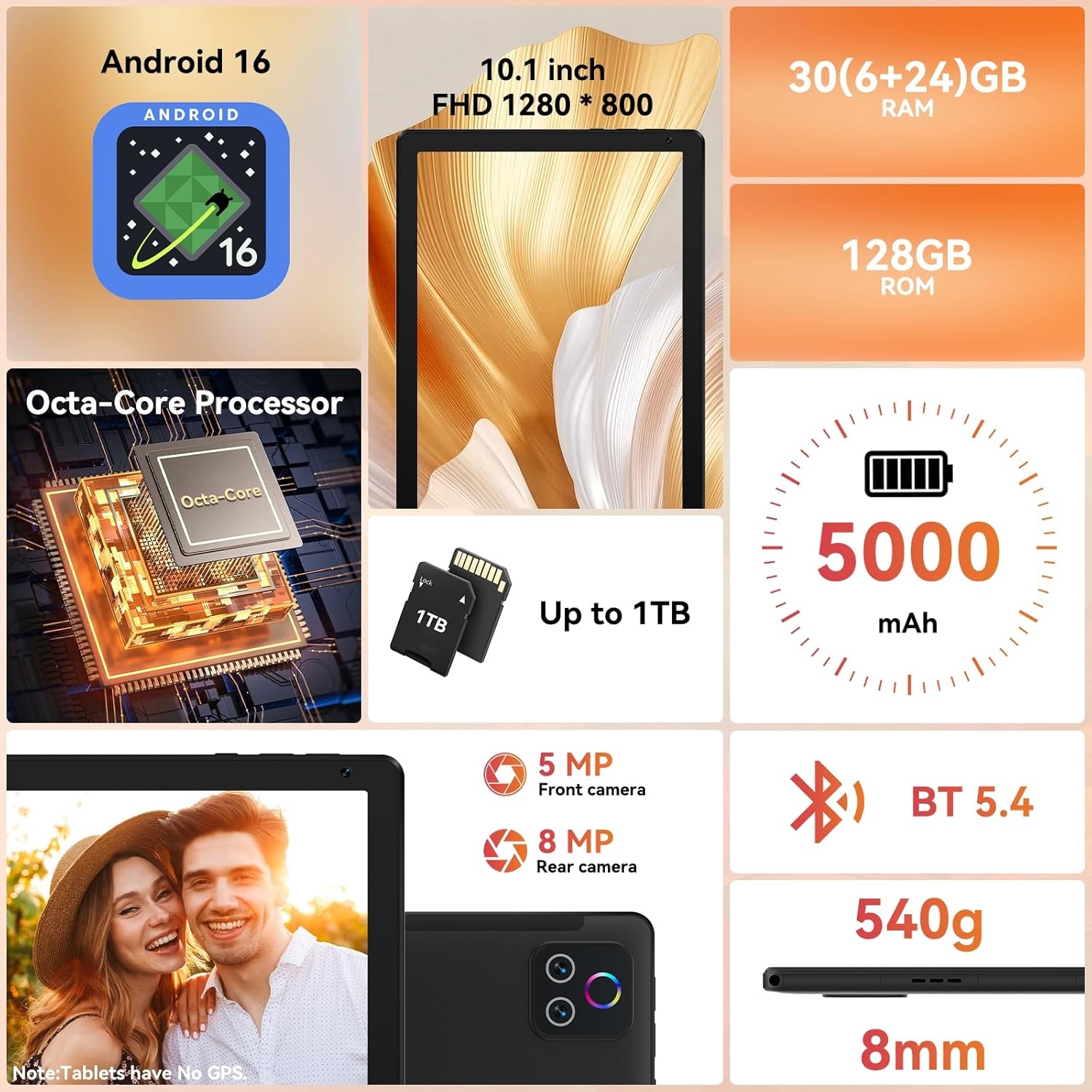
Image: The URAO 10.1" Android Tablet, USB Type-C cable, and power adapter neatly arranged in its packaging.
Uppsetning
1. Upphafleg hleðsla
Before first use, fully charge the tablet. Connect the USB Type-C cable to the tablet's charging port and the power adapter. Plug the adapter into a wall outlet. The charging indicator will illuminate. A full charge typically takes approximately 1.5 hours.

Image: The URAO tablet connected to a charger via its USB Type-C port, displaying a charging icon on the screen.
2. Kveikt/slökkt
- Til að kveikja á: Press and hold the Power button located on the side of the tablet until the URAO logo appears.
- Til að slökkva á: Press and hold the Power button until a power menu appears on the screen. Select "Power off".
- Til að endurræsa: Í aflgjafavalmyndinni skaltu velja „Endurræsa“.

Mynd: Nákvæm hlið view of the URAO tablet, highlighting the power button, volume controls, USB-C port, and Micro SD slot.
3. Uppsetningarhjálp
Þegar spjaldtölvan er fyrst ræst mun hún leiða þig í gegnum upphafsuppsetningarferlið. Fylgdu leiðbeiningunum á skjánum til að:
- Veldu tungumálið þitt.
- Tengstu við Wi-Fi net.
- Settu upp Google reikninginn þinn (eða búðu til nýjan).
- Stilltu dagsetningu, tíma og aðrar grunnstillingar.
Notkunarleiðbeiningar
1. Að sigla í gegnum Android 16 viðmótið
The URAO tablet runs on Android 16, offering an intuitive and secure user experience. Key navigation gestures include:
- Bankaðu á: Veldu hlut eða opnaðu forrit.
- Strjúktu: Fletta í gegnum skjái, lista eða efni.
- Klípaðu til aðdráttar: Stækka eða minnka efni á skjánum.
- Langt ýtt: Opnaðu samhengisvalmyndir eða færðu tákn.
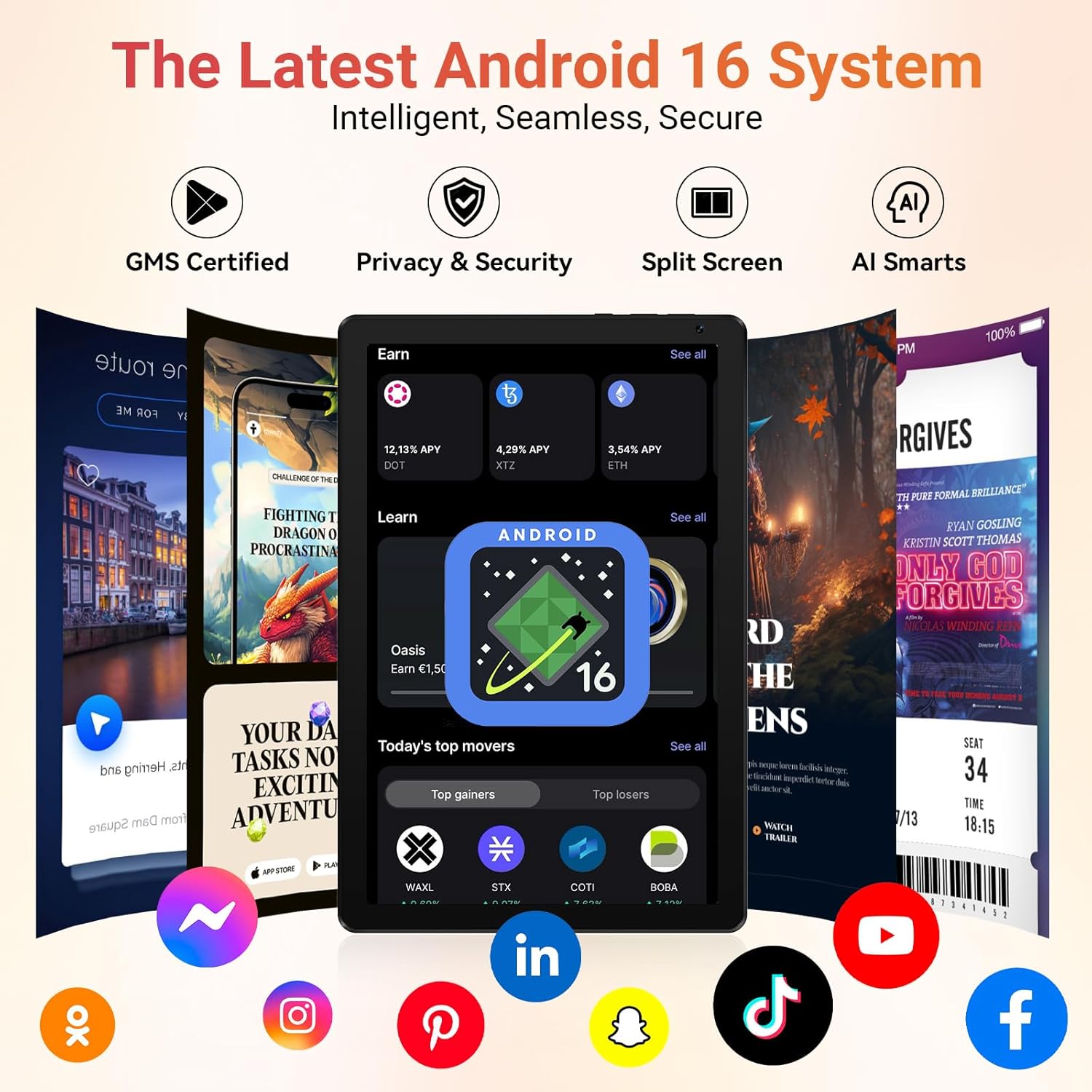
Image: The URAO tablet displaying the Android 16 home screen with various application icons, demonstrating the user interface.
2. Wi-Fi og Bluetooth tengingar
Your tablet supports Wi-Fi 6 and Bluetooth 5.4 for fast and stable connections.
- Wi-Fi: Farðu til Stillingar > Net og internet > Wi-FiKveiktu á Wi-Fi og veldu netið sem þú vilt nota. Sláðu inn lykilorðið ef þú ert beðinn um það.
- Bluetooth: Farðu til Stillingar > Tengd tæki > BluetoothKveiktu á Bluetooth og paraðu við samhæf tæki.

Image: A URAO tablet screen displaying a video call, with icons for dual-band Wi-Fi and Bluetooth 5.4, indicating seamless connectivity.
3. Notkun myndavélar
Spjaldtölvan er með 5MP myndavél að framan og 8MP myndavél að aftan.
- Opnaðu Myndavél app.
- Ýttu á lokarahnappinn til að taka myndir.
- Skiptu á milli fram- og aftari myndavélar með því að nota myndavélartáknið.
- Use the LED flash for low-light conditions (rear camera only).

Image: The URAO tablet highlighting its 8MP rear camera and 5MP front camera, suitable for video calls and photography.
4. Geymslustjórnun
The tablet comes with 128GB of internal storage, expandable up to 1TB via a Micro SD card (not included).
- To insert a Micro SD card, locate the Micro SD slot on the side of the tablet and gently push the card in until it clicks.
- Manage storage by going to Stillingar > Geymsla.

Image: The URAO tablet showcasing its 128GB ROM and support for up to 1TB Micro SD card expansion, with various app icons.
5. Andlitsopnun
The tablet supports facial recognition for convenient unlocking.
- To set up Face Unlock, go to Stillingar > Öryggi og friðhelgi > Andlitsopnun.
- Follow the on-screen instructions to register your facial data.

Image: A woman demonstrating the face unlock feature on the URAO tablet, with a facial recognition graphic overlay.
6. Split Screen Multitasking
Notaðu split-screen eiginleikann til að keyra tvö forrit samtímis.
- Open an app, then swipe up from the bottom of the screen and hold to access recent apps.
- Tap the app icon at the top of the app's card and select "Split screen".
- Choose a second app from the recent apps list or app drawer to fill the other half of the screen.

Image: The URAO tablet displaying multiple applications in split-screen mode, illustrating its multitasking capabilities.
Viðhald
1. Umhirða rafhlöðu
- Forðist mikinn hita því hann getur dregið úr endingu rafhlöðunnar.
- Til að hámarka endingu rafhlöðunnar skal forðast að tæma hana alveg oft.
- Notið aðeins meðfylgjandi hleðslutæki eða vottað samhæft hleðslutæki.
2. Þrif á spjaldtölvunni
- Notið mjúkan, lólausan klút til að þrífa skjáinn og spjaldtölvuna.
- Fyrir þrjósk óhreinindi, örlítið dýftampÞurrkið klútinn með vatni eða skjáhreinsiefni.
- Forðist hörð efni, slípiefni eða mikinn raka.
3. Hugbúnaðaruppfærslur
Athugaðu reglulega hvort hugbúnaðaruppfærslur séu til staðar og settu upp þær til að tryggja að spjaldtölvan þín hafi nýjustu eiginleikana, öryggisuppfærslur og úrbætur á afköstum. Farðu á Stillingar > Kerfi > Kerfisuppfærsla.
Úrræðaleit
| Vandamál | Lausn |
|---|---|
| Spjaldtölvan kviknar ekki á. | Ensure the battery is charged. Connect to the charger for at least 30 minutes, then try powering on again. If unresponsive, press and hold the power button for 10-15 seconds to force a restart. |
| Vandamál með Wi-Fi tengingu. | Check if Wi-Fi is enabled in settings. Restart your router and the tablet. Ensure you are within range of the Wi-Fi signal. Verify the Wi-Fi password. |
| Forrit eru hæg eða hrynja. | Close unused background apps. Clear app cache (Stillingar > Forrit > [Nafn forrits] > Geymsla og skyndiminni > Hreinsa skyndiminni). Restart the tablet. Ensure sufficient storage space is available. |
| Rafhlaða tæmist fljótt. | Reduce screen brightness. Close background apps. Disable Wi-Fi/Bluetooth when not in use. Check battery usage in settings to identify power-hungry apps. |
Tæknilýsing
| Eiginleiki | Smáatriði |
|---|---|
| Fyrirmynd | X109 |
| Stýrikerfi | Android 16 |
| Örgjörvi | 2.0 GHz áttkjarna |
| vinnsluminni | 30GB (6GB + 24GB útvíkkun) |
| Innri geymsla (ROM) | 128GB |
| Stækkanlegt geymsla | Up to 1TB Micro SD Card (not included) |
| Skjár | 10.1-inch HD IPS Touchscreen (1280x800) |
| Myndavél að aftan | 8MP |
| Myndavél að framan | 5MP |
| Wi-Fi | Wi-Fi 6 (Dual-band 2.4G+5G) |
| Bluetooth | Bluetooth 5.4 |
| Rafhlöðugeta | 5000mAh |
| Hleðsluport | USB Type-C |
| Mál | 8mm thin, 540g weight |
| Litur | Kol |

Image: The URAO 10.1" Android Tablet displaying its key features and specifications, including Android 16, 10.1-inch display, Octa-core processor, 30GB RAM, 128GB ROM, 5000mAh battery, and dual cameras.
Ábyrgð og stuðningur
The URAO tablet comes with a 2 árs framleiðandaábyrgð. For warranty claims or technical support, please contact URAO customer service through their official website or the retailer where the product was purchased. Please have your purchase receipt and product model number (X109) ready when contacting support.
Fyrir frekari upplýsingar og algengar spurningar, heimsækið URAO Store on Amazon.
Vörumyndband lokiðview
Horfðu á þetta myndband til að fá fljóta yfirferðview of the URAO 10.1" Android Tablet's features and unboxing experience.
Myndband: Upppakkning og grein lokiðview of the URAO 10.1" Android Tablet, demonstrating its physical appearance and key functionalities.