
1. Vöru lokiðview
The Samsung 65-inch Class Q6F Series QLED 4K UHD Smart Tizen TV (Model QN65Q6FDAF) offers an immersive viewing experience with advanced picture and sound technologies. Featuring a Q4 Lite Processor, Quantum HDR, Motion Xcelerator, and Object Tracking Sound Lite, this television is designed to deliver vibrant colors, sharp detail, and dynamic audio. Its Tizen operating system provides a smart and intuitive interface for accessing a wide range of streaming content and smart features.

Mynd: Framan view of the Samsung 65-inch QLED TV on its stands, showcasing its slim bezels and a colorful display.
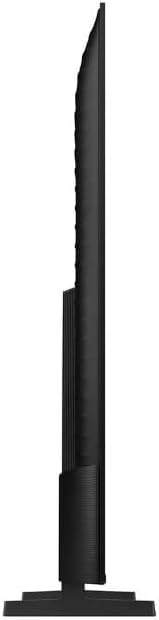
Mynd: Hliðarprófarifile of the Samsung 65-inch QLED TV, demonstrating its sleek and thin form factor.
2. Uppsetning
2.1 Unbox
Carefully open the TV packaging. It is recommended to have two people for safe unboxing and installation due to the size and weight of the television. The box is designed to open from the top, allowing you to lift the box upwards to reveal the TV without needing to lift the TV itself out of the box.

Image: A diagram illustrating the dimensions of the 65-inch QLED TV and the contents of its packaging, including the remote control.
2.2 Uppsetning standar
The TV comes with two stand legs. These can be installed in two positions: wide (outer) or narrow (inner), depending on the width of your TV console. Ensure the TV is placed face down on a soft, clean surface before attaching the stands. Securely fasten the stand legs into the designated slots on the back of the TV. The TV will not stand securely without the legs properly attached or if it is not wall-mounted.
2.3 Initial Power-on and Setup
Once the stands are securely attached or the TV is wall-mounted, connect the power cable to the TV and a power outlet. Press the power button on the remote control. Follow the on-screen instructions to complete the initial setup, including connecting to your Wi-Fi network, signing into your Samsung account, and configuring smart features.
3. Að stjórna sjónvarpinu
3.1 Eiginleikar snjallsjónvarps (Tizen stýrikerfi)
The Samsung Q6F Series TV runs on the Tizen operating system, providing a user-friendly interface for accessing various applications and services. The home screen allows quick access to your favorite streaming apps, live TV, and connected devices. Navigate using the included Smart Remote.
3.2 Notkun fjarstýringar
The included Smart Remote is designed for intuitive control. It features dedicated buttons for popular streaming services like Netflix, Disney+, and Prime Video, as well as a button for Samsung TV Plus. Use the directional pad to navigate menus and select options. The remote also includes volume and channel controls.
3.3 Myndgæðaeiginleikar
- Skammta HDR: Experience a wide range of contrast and brightness, revealing hidden details in both dark and bright scenes.
- 100% litamagn með skammtapunkti: Enjoy a billion shades of accurate and vibrant colors, even in bright scenes.
- 4K uppskalun: The Q4 Lite Processor optimizes audio and upscales content to near 4K resolution for enhanced clarity.
- Color Booster AI: This technology analyzes each scene to enhance color expression for more vivid and dynamic visuals.
3.4 Hljóðeiginleikar
- Hljóðléttur fyrir mælingar á hlutum: Sound follows the action on screen, creating a more immersive audio experience.
- Q-Sinfónía: When paired with a compatible Samsung soundbar, the TV and soundbar speakers work together to create a richer, more nuanced soundstage.
3.5 Leikjaeiginleikar
For gamers, the TV includes Motion Xcelerator for fast motion clarity, reducing blur and enhancing the gaming experience. The HDMI 2.1 ports support advanced gaming features, though specific refresh rates for gaming consoles may vary.
4. Tengingar
The Samsung Q6F Series TV offers a variety of connectivity options to integrate with your home entertainment system.

Mynd: Ítarleg view of the TV's back panel, highlighting the various input and output ports including HDMI, USB, and LAN connections.
4.1 hafnir
- HDMI tengi: Multiple HDMI ports (including HDMI 2.1) for connecting gaming consoles, Blu-ray players, and other high-definition devices.
- USB tengi: Til að tengja USB geymslutæki til að spila margmiðlunarefni files.
- LAN tengi: Fyrir snúrubundið internettengingu.
- Loftnetsinntak: Til að tengja loftnet fyrir útsendingar í lofti.
4.2 Þráðlaus tenging
- Wi-Fi: Built-in Wi-Fi for seamless internet access and streaming.
- Bluetooth: For connecting wireless headphones, soundbars, and other Bluetooth-enabled devices.
5. Viðhald
Til að tryggja endingu og bestu mögulegu afköst Samsung QLED sjónvarpsins skaltu fylgja þessum viðhaldsleiðbeiningum:
- Að þrífa skjáinn: Þurrkaðu skjáinn varlega með mjúkum, þurrum örfíberklút. Fyrir þrjósk óhreinindi, þurrkaðu léttampÞurrkið klútinn með vatni eða sérstakri hreinsilausn fyrir skjái (aldrei úða beint á skjáinn).
- Að þrífa rammann: Notið mjúkan, þurran klút til að þrífa sjónvarpsrammann.
- Loftræsting: Tryggið næga loftræstingu í kringum sjónvarpið til að koma í veg fyrir ofhitnun. Ekki loka fyrir loftræstiop.
- Rafmagnsstjórnun: Taktu sjónvarpið úr sambandi við rafmagn í þrumuveðri eða þegar það verður skilið eftir án eftirlits í langan tíma.
6. Bilanagreining
Ef þú lendir í vandræðum með sjónvarpið þitt skaltu prófa eftirfarandi grunn skref í úrræðaleit:
- Enginn kraftur: Gakktu úr skugga um að rafmagnssnúran sé vel tengd bæði við sjónvarpið og innstunguna. Gakktu úr skugga um að innstungan virki.
- Engin mynd/hljóð: Gakktu úr skugga um að rétt inntaksgjafi sé valinn. Athugaðu hvort allar kapaltengingar (HDMI, loftnet o.s.frv.) séu lausar.
- Fjarstýring virkar ekki: Skiptu um rafhlöður í fjarstýringunni. Gakktu úr skugga um að engar hindranir séu á milli fjarstýringarinnar og sjónvarpsins.
- Vandamál með nettengingu: Restart your router and modem. Reconnect the TV to your Wi-Fi network through the TV's settings menu.
- Vandamál með myndgæði: Stilltu myndstillingar (birtustig, andstæða, lit) í valmynd sjónvarpsins. Gakktu úr skugga um að efnisgjafinn sé hágæða.
Fyrir ítarlegri úrræðaleit, vísið til notendahandbókarinnar í heild sinni eða hafið samband við þjónustuver Samsung.
7. Tæknilýsing
| Eiginleiki | Smáatriði |
|---|---|
| Vörumerki | Samsung |
| Nafn líkans | QN65Q6FDAF |
| Skjástærð | 65 tommur |
| Skjátækni | QLED |
| Upplausn | 4K |
| Endurnýjunartíðni | 60 Hz |
| Sérstakir eiginleikar | 100% Color Volume with Quantum Dot, Color Booster / 4K Upscaling / Object Tracking Sound Lite / Q-Symphony, Motion Xcelerator, Q4 Lite Processor, Quantum HDR |
| Tengitækni | Bluetooth, WiFi |
| Hlutfall | 16:9 |
| Litur | Svartur |
| Þyngd hlutar | 33 pund |
| Vörumál | 3 x 56.9 x 32.7 tommur |
| Voltage | 120 volt (AC) |
8. Hvað er í kassanum
Upon opening your Samsung 65-inch Q6F Series QLED TV package, you should find the following items:
- Samsung 65” Class Q6F Series QLED Smart Tizen TV
- Fjarstýring
- Rafmagnssnúra
- Notendahandbók (þetta skjal)
9. Ábyrgð og stuðningur
Your Samsung Q6F Series QLED TV comes with a manufacturer's warranty. Please refer to the warranty card included in your package for specific terms and conditions. For technical support, service, or additional information, please visit the official Samsung support website or contact their customer service hotline. Keep your proof of purchase handy for any warranty claims.


