
1. Yfirview
This manual provides essential information for setting up, operating, maintaining, and troubleshooting your INSIGNIA 85-inch Class QF Series QLED 4K UHD Smart Fire TV. This television offers a high-quality viewing experience with 4K UltraHD resolution, Quantum Dot Technology for enhanced color, and Direct LED Backlight for uniform brightness. It integrates the Fire TV Smart OS, providing access to various streaming services and features like the Voice Remote with Alexa. The design features a metal bezel-less display for a modern aesthetic.
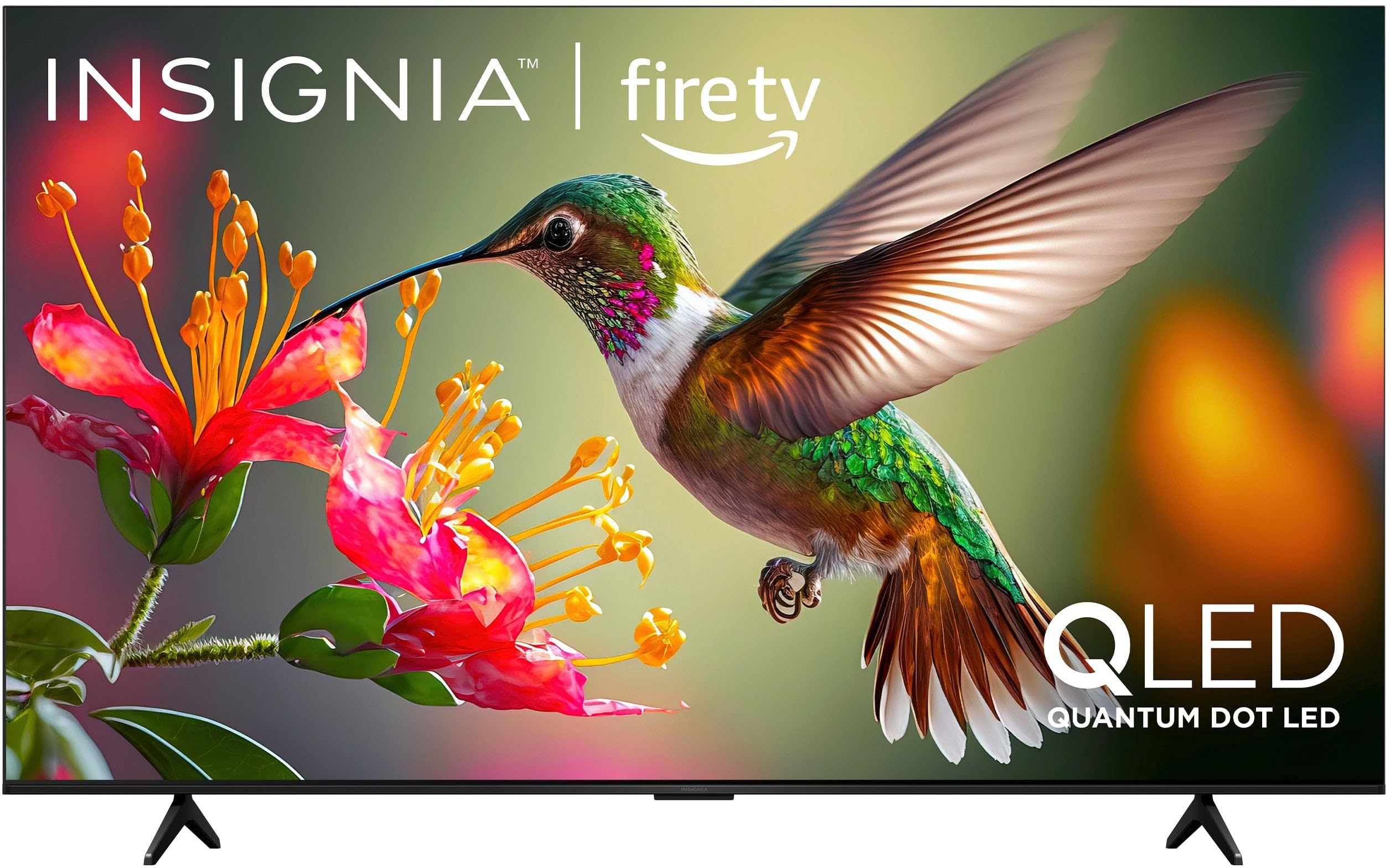
Mynd 1.1: Framan view of the INSIGNIA 85-inch QF Series QLED 4K UHD Smart Fire TV.
2. Hvað er í kassanum
Gakktu úr skugga um að allir íhlutir séu til staðar áður en haldið er áfram með uppsetningu:
- INSIGNIA 85-inch QF Series QLED 4K UHD Smart Fire TV
- Raddfjarstýring með Alexa
- Rafhlöður fyrir fjarstýringu (2 AAA)
- Sjónvarpsstöð
- Skrúfur fyrir uppsetningu stands
- Flýtiuppsetningarleiðbeiningar (þetta skjal)
3. Uppsetning
3.1. Uppsetning sjónvarpsstandsins
If you are not wall-mounting your TV, attach the included stand:
- Leggið sjónvarpið varlega með framhliðina niður á mjúkan, hreinan flöt til að koma í veg fyrir að skjárinn skemmist.
- Stilltu fætur standsins saman við skrúfugötin neðst á sjónvarpinu.
- Festið fætur standsins með meðfylgjandi skrúfum. Gangið úr skugga um að þær séu vel hertar.
3.2. Fyrsta ræsing og nettenging
- Tengdu rafmagnssnúruna við sjónvarpið og síðan í rafmagnsinnstungu.
- Ýttu á rofann á sjónvarpinu eða fjarstýringunni til að kveikja á sjónvarpinu.
- Fylgdu leiðbeiningunum á skjánum til að velja tungumál, tengjast Wi-Fi netinu þínu og skráðu þig inn á Amazon reikninginn þinn.
3.3. Fjartengd pörun
Your Voice Remote with Alexa should pair automatically. If it does not, press and hold the Heim button on the remote for 10 seconds until the LED indicator flashes blue, then release. The remote will attempt to pair.

Image 3.1: The Voice Remote with Alexa, used for controlling the TV and accessing smart features.
4. Notkunarleiðbeiningar
4.1. Fire TV Smart OS Navigation
The Fire TV Smart OS provides a centralized hub for all your entertainment. Use the navigation buttons on your remote to browse:
- Heimaskjár: Access recommended content, recently used apps, and various streaming services.
- Forrit: Download and manage your favorite streaming applications.
- Sjónvarp í beinni: Integrate live TV channels from supported services or an antenna.
- Stillingar: Stilltu mynd, hljóð, net og tækjastillingar.

Image 4.1: The Fire TV interface displaying a selection of streaming services and content.
4.2. Voice Remote with Alexa
Utilize the built-in Alexa voice assistant for hands-free control:
- Ýttu á og haltu inni hljóðnemahnappur á fjarstýringunni þinni.
- Speak commands such as "Find action movies," "Launch Netflix," "Switch to HDMI 2," or "Show me the weather."
- Alexa can also control compatible smart home devices.
4.3. Að tengja ytri tæki
Your TV is equipped with four HDMI inputs for connecting external devices:
- Connect gaming consoles, Blu-ray players, soundbars, or cable/satellite boxes to the HDMI ports.
- One HDMI port supports eARC for enhanced audio return channel functionality with compatible sound systems.
- Til að skipta um inntak, ýttu á Inntak button on your remote and select the desired source.

Image 4.2: Illustration of the TV's connectivity options, including HDMI ports.
4.4. Mynd- og hljóðbætur
This TV features advanced technologies for an immersive experience:
- QLED (Quantum Dot LED): Delivers vibrant, lifelike colors and improved brightness.
- 4K UltraHD upplausn: Provides four times the detail of Full HD TVs.
- Dolby Vision og Dolby Atmos: Supports advanced HDR for enhanced contrast and accurate colors, along with immersive spatial audio.

Image 4.3: Visual representation of Dolby Vision and Dolby Atmos features, highlighting cinematic picture and immersive sound.
5. Viðhald
5.1. Þrif á sjónvarpinu
Til að viðhalda útliti og afköstum sjónvarpsins:
- Taktu alltaf sjónvarpið úr sambandi áður en það er þrifið.
- Notið mjúkan, þurran og lólausan klút til að þurrka varlega af skjánum og skápnum.
- Fyrir þrjósk merki á skjánum, þurrkaðu léttampÞurrkið klútinn með vatni eða sérstöku skjáhreinsiefni. Sprautið aldrei vökva beint á skjáinn.
- Forðastu að nota slípiefni, vax eða leysiefni.
5.2. Hugbúnaðaruppfærslur
Your Fire TV automatically receives software updates to improve performance and add new features. Ensure your TV is connected to the internet to receive these updates. You can manually check for updates in the Settings menu.
6. Bilanagreining
Ef þú lendir í vandræðum með sjónvarpið þitt skaltu skoða eftirfarandi algengar lausnir:
| Vandamál | Lausn |
|---|---|
| Enginn kraftur | Gakktu úr skugga um að rafmagnssnúran sé vel tengd bæði við sjónvarpið og virkan rafmagnsinnstungu. Prófaðu aðra innstungu. |
| Engin mynd, en hljóð er til staðar | Athugaðu inntaksuppsprettu. Ýttu á Inntak button on the remote to cycle through inputs. Verify external devices are powered on and connected correctly. |
| Fjarstýring svarar ekki | Replace the AAA batteries in the remote. If the issue persists, re-pair the remote by holding the Heim hnappinn í 10 sekúndur. |
| Get ekki tengst Wi-Fi | Ensure your Wi-Fi router is on and within range. Restart your router and TV. Check Wi-Fi settings in the TV's menu to ensure the correct network and password are entered. |
| Léleg myndgæði | Adjust picture settings (brightness, contrast, color) in the TV's menu. Ensure the content source is high-quality (e.g., 4K content for 4K resolution). |
| Ekkert hljóð | Check the volume level and ensure the TV is not muted. Verify external audio devices (soundbar, receiver) are connected and configured correctly. |
7. Tæknilýsing
| Eiginleiki | Smáatriði |
|---|---|
| Nafn líkans | NS85-UQFL27 |
| Skjástærð | 84.6 tommur (85 tommu flokkur) |
| Skjátækni | QLED (Quantum Dot LED) |
| Upplausn | 4K Ultra HD (3840 x 2160) |
| Endurnýjunartíðni | 60 Hz |
| Stýrikerfi | FireOS |
| HDR stuðningur | Dolby Vision |
| Hljóðtækni | Dolby Atmos |
| Tengingar | Wi-Fi |
| HDMI inntak | 4 (þar á meðal 1 eARC) |
| Sérstakir eiginleikar | Voice Remote with Alexa, Apple Airplay |
| Vörumál (D x B x H) | 2.5" D x 74.4" B x 42.8" H |
| Item Weight Without Stand | 64.6 pund |
| Innifalið íhlutir | Remote Control, Remote Control Battery, Screws, Stand |
| UPC | 600603325472 |
8. Ábyrgð og stuðningur
8.1. Upplýsingar um ábyrgð
This INSIGNIA TV comes with a 1 ára ábyrgð. For specific terms and conditions, please refer to the warranty card included with your product or visit the official INSIGNIA support websíða.
8.2. Þjónustudeild
If you require further assistance or encounter issues not covered in this manual, please contact INSIGNIA customer support. Contact information can typically be found on the manufacturer's websíðuna eða í umbúðum vörunnar.