Window Intercom System Manuals & User Guides

User manuals, setup guides, troubleshooting help, and repair information for Window Intercom System products.

Tip: include the full model number printed on your Window Intercom System label for the best match.

Window Intercom System manuals

Nýjustu færslur, handbækur í aðalhlutverki og handbækur tengdar söluaðilum fyrir þetta vörumerki tag.

Contacta STS-K001L Glugga kallkerfi Notendahandbók

9. október 2023
Contacta STS-K001L Window Intercom System Product Information The Window Intercom System Bridge Bar Kit - STS-K001L is designed to provide clear communication in situations where normal speech is impaired by glass, security screens, or other barriers. It includes a hearing…

Notendahandbók fyrir TOA NF-2S glugga kallkerfi

9. desember 2022
TOA NF-2S Glugga-dyrasímakerfi Tengdu tæki Fylgdu skrefum 1-3 til að setja upp glugga-dyrasímakerfið. Nánari upplýsingar um öryggisráðstafanir er að finna í leiðbeiningabókinni. Athugið: Þegar heyrnartól eru notuð skal stilla heyrnartólarofa grunneiningarinnar á ON.…

contacta STS-K020 Notendahandbók fyrir gluggakallkerfi

10. september 2022
contacta STS-K020 Glugga kallkerfi User Guide Product Overview Contacta’s STS-K020 is designed for retrofitting into screens where there are existing openings between 2-4” in diameter. This product is designed for installation at locations such as banks, post offices, and…

Notendahandbók TOA NF-2S gluggakallkerfi

7. maí 2022
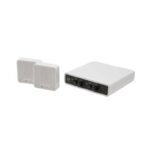
TOA NF-2S Window Intercom System Instruction Manual DESCRIPTION The NF-2S Window Intercom System is designed to relieve problems in understanding face—to—face conversations through a partition or face masks. It is consisting one Base Unit and two Sub—Units. The Sub—Unit is…

Notendahandbók TAO NF-2S gluggakallkerfi

7. maí 2022
TAO NF-2S Window Intercom System User Guide Follow step - to install Window Intercom System. For information on Safety precautions, please refer to the instruction manual. Connect devices Note When using a headset, set the Base Unit’s headset switch to…