Inngangur
The Gator Cases GK-88SLIM Lightweight Keyboard Case is engineered for musicians on the move, offering robust protection for slim 88-note keyboards. Its design combines durability with ease of transport, featuring a rugged nylon exterior, a reinforced polyethylene interior frame, and a soft foam-lined interior. This manual provides essential information for the proper use and care of your keyboard case.
Helstu eiginleikar
- Designed for Slim 88-Note Keyboards: Constructed to fit most slim 88-key models with rugged nylon and a reinforced polyethylene interior frame.
- Padded Interior Protection: Lined with tricot and soft foam, featuring fully adjustable padded straps to secure your keyboard during transport.
- Built-in Mobility Features: Includes integrated wheels, skid bars, and a convenient tow handle for smooth and effortless transport.
- Exterior Storage Space: Equipped with large outer accessory compartments for pedals, cables, sheet music, and other essentials.
- Varanlegur smíði: Features heavy-duty zippers and robust materials for long-lasting performance.
Uppsetning og notkun
1. Inserting Your Keyboard
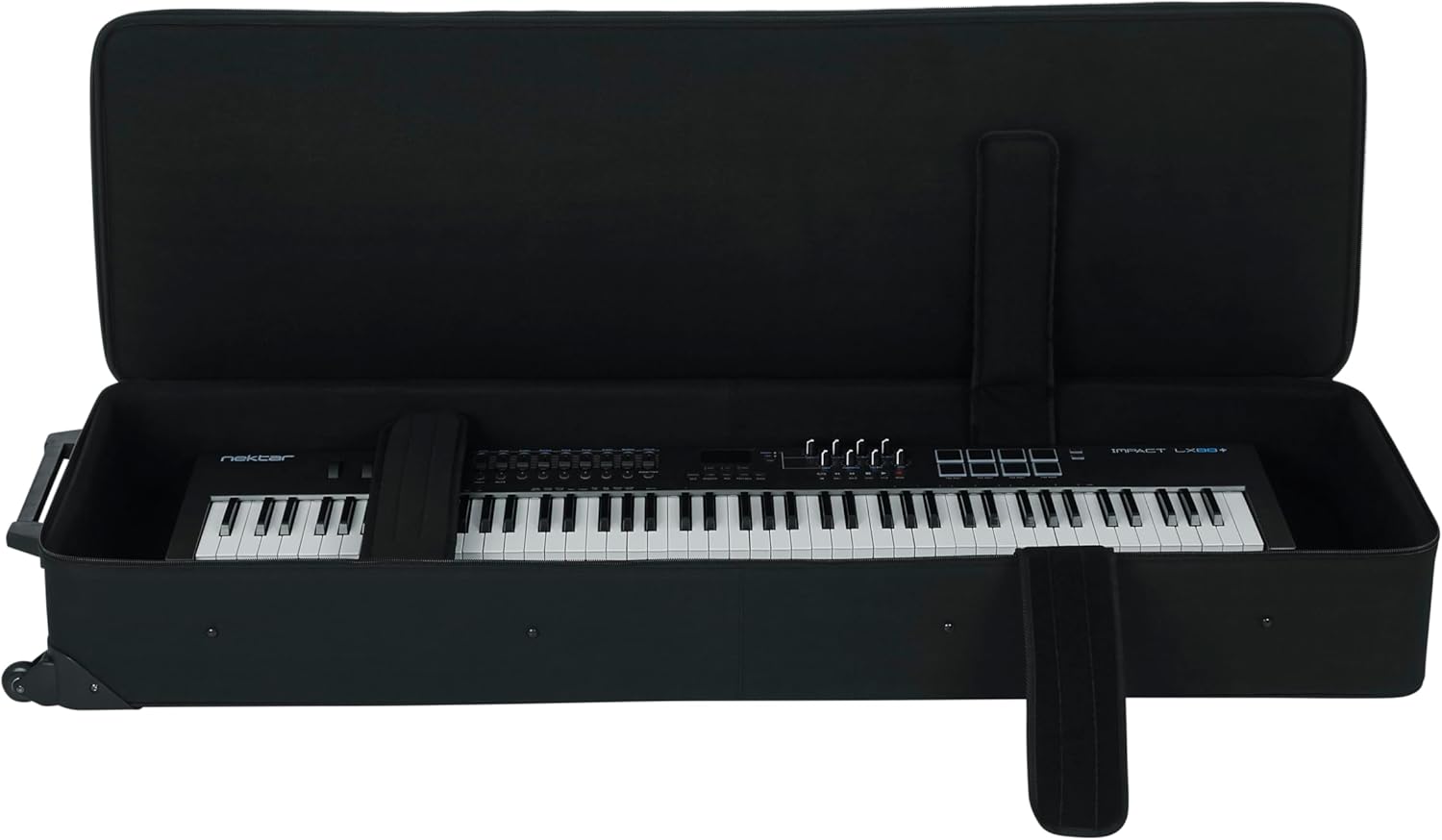
Unzip the main compartment of the case completely. Carefully place your slim 88-note keyboard into the case. Ensure it sits centered and flat within the padded interior.
2. Securing the Keyboard
Utilize the adjustable padded straps located inside the case. Position these straps over your keyboard to hold it firmly in place, preventing movement during transit. Fasten the Velcro closures securely.

3. Utilizing Accessory Compartments
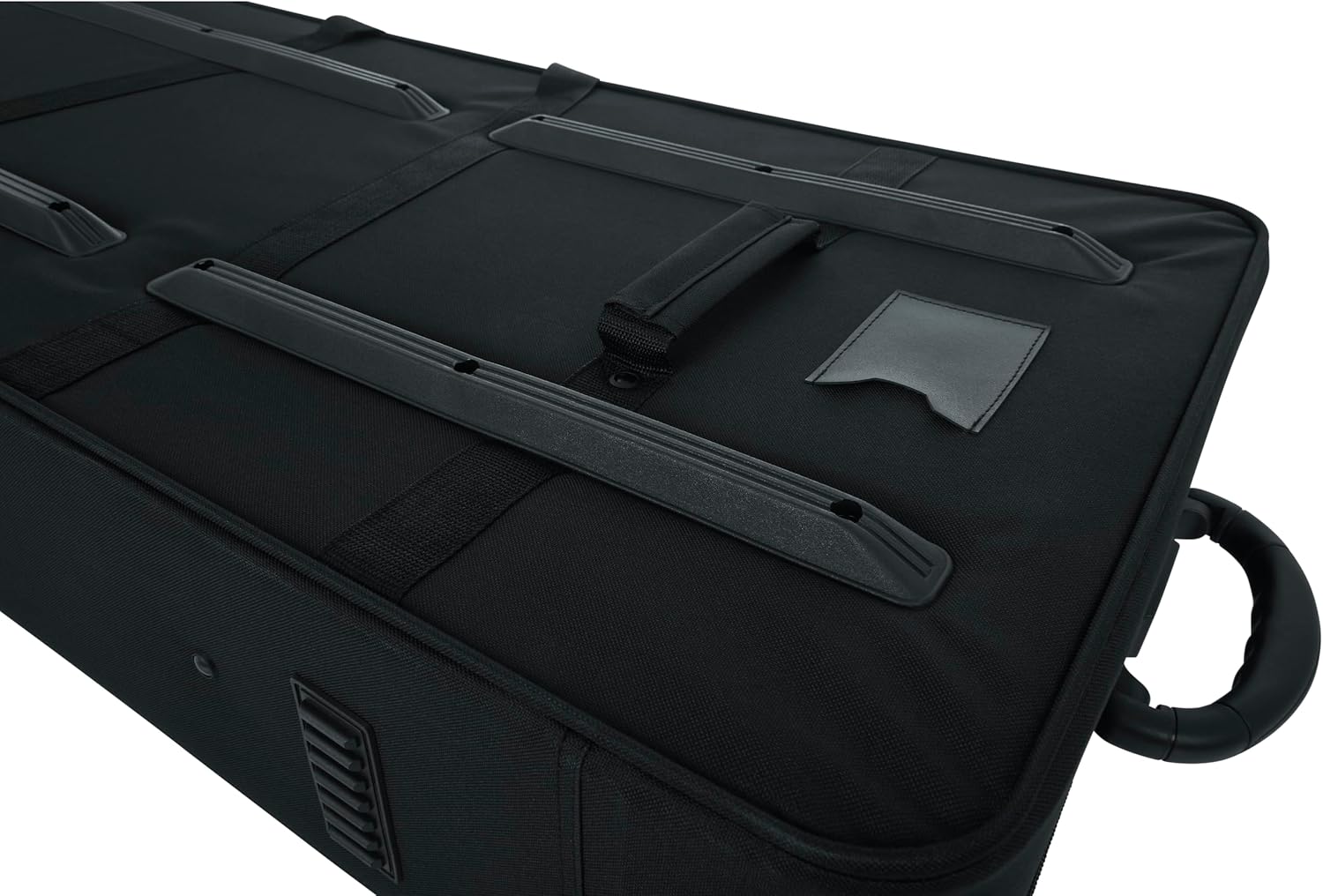
The case features large exterior zippered pockets. Use these compartments to store accessories such as power adapters, sustain pedals, cables, headphones, and sheet music. Organize items to prevent damage.

Operating and Transport
1. Using the Wheels and Pull Handle
For easy mobility, tilt the case onto its built-in wheels and extend the tow handle. Pull the case smoothly behind you. The wheels are designed for stable and effortless transport over various surfaces.


2. Carrying the Case
For lifting or carrying over short distances, use the reinforced carry handles located on the top and sides of the case. Ensure a firm grip, especially when lifting a loaded case.

3. Skid Bars for Protection
The case is equipped with rubber skid bars on the bottom. These provide an additional layer of protection against wear and tear when the case is placed on rough surfaces and help prevent slipping.
Viðhald
- Þrif: Wipe the exterior nylon with a damp cloth and mild soap as needed. For the interior, a soft brush or vacuum can remove dust and debris. Ensure the case is completely dry before storing.
- Umhirða rennilás: Periodically check zippers for smooth operation. If they become stiff, apply a small amount of zipper lubricant or wax.
- Geymsla: Store the case in a cool, dry place away from direct sunlight and extreme temperatures to preserve material integrity.
Úrræðaleit
- Keyboard Not Fitting Snugly: Ensure all internal padded straps are adjusted and tightened correctly. If there is still excessive space, additional foam padding (not included) can be used to fill gaps.
- Stífir rennilásar: Apply a silicone-based lubricant or beeswax to the zipper teeth. Open and close the zipper several times to distribute the lubricant.
- Hjól rúlla ekki vel: Check for any debris or hair caught in the wheel axles. Clean as necessary. If wheels are damaged, contact customer support for replacement options.
Tæknilýsing
| Gerðarnúmer | GK88SLIM |
| Þyngd hlutar | 7 pund |
| Vörumál (L x B x H) | 54 x 15 x 6 tommur |
| Tegund efnis | Nylon |
| Litur | Svartur |
| Fjöldi lyklaborðslykla | 88 (Slim) |
Ábyrgð og stuðningur
Gator Cases products are designed for durability and performance. For information regarding warranty coverage, product support, or to inquire about replacement parts, please refer to the official Gator Cases webvefsíðu eða hafðu samband við þjónustuver þeirra beint. Geymdu kaupkvittunina vegna ábyrgðarkröfu.
Viðbótarauðlindir
Vara lokiðview Myndbönd
88 Key Keyboard Case With Wheels
Þetta myndband veitir almenna yfirsýnview of an 88-key keyboard case with wheels, demonstrating its features and portability. It showcases the ease of transport and protection offered by similar products.
Piano keyboard Case Compatible with Yamaha P71
Stutt forkview video demonstrating the insertion of a Yamaha P71 keyboard into a case, highlighting the internal straps and pocket usage. Useful for visualizing the packing process.
Piano Keyboard Case Series
This video showcases various keyboard cases within a series, providing a broader perspective on design and functionality that may apply to the GK-88SLIM model.


