1. Vöru lokiðview
The Verbatim Acclaim 1TB USB 2.0 Portable External Hard Drive (Model 97393) is a compact and high-capacity storage solution designed for convenient data backup and transfer. This device offers 1 terabyte of storage and connects via a standard USB 2.0 interface, ensuring broad compatibility with various computer systems.
Helstu eiginleikar:
- 1 TB storage capacity.
- USB 2.0 High-Speed connectivity (up to 480 Mb/s), backward compatible with USB 1.1.
- Fyrirferðarlítil og flytjanleg hönnun.
- Compatible with Windows and Mac operating systems.
- Includes Nero BackItUp & Burn Essentials software for backup and restore functions.
- Includes a bonus Norton Online Backup (5GB) offer.
- Með 7 ára takmarkaðri ábyrgð.

Mynd 1.1: Efst view of the Verbatim Acclaim 1TB portable hard drive. This image displays the device's sleek piano black finish and the prominent Verbatim logo, highlighting its compact and minimalist design.
2. Uppsetning og uppsetning
2.1. Tenging harða disksins
- Locate an available USB port on your computer. The Verbatim Acclaim drive is compatible with both USB 2.0 and USB 1.1 ports. For optimal performance, use a USB 2.0 port.
- Connect the small end of the provided USB cable to the USB port on the Verbatim Acclaim hard drive.
- Tengdu stærri enda USB snúrunnar við tiltækt USB tengi á tölvunni þinni.
- The drive will automatically power on and be detected by your operating system. For Windows, drivers will typically install automatically. For Mac, the drive should appear on your desktop or in Finder.

Mynd 2.1: Hlið view of the Verbatim Acclaim hard drive. This image highlights the USB port located on the side of the device, indicating where the USB cable should be connected for power and data transfer.
2.2. Initial Formatting (Optional)
The drive comes pre-formatted, typically in FAT32, which is compatible with both Windows and Mac. However, FAT32 has a limitation on individual file size (maximum 4GB). If you plan to store files larger than 4GB (e.g., high-definition video files), it is recommended to reformat the drive to NTFS (for Windows) or HFS+ (for Mac).
Viðvörun: Reformatting the drive will erase all existing data. Ensure you back up any important files áður en haldið er áfram.
Fyrir Windows:
- Open "Disk Management" (Right-click "My Computer" or "This PC" > "Manage" > "Disk Management").
- Locate the Verbatim Acclaim drive (it will be listed as a removable disk).
- Right-click on the drive's partition and select "Format".
- Choose "NTFS" as the file system and click "OK".
Fyrir Mac:
- Opnaðu „Diskagagnsemi“ (Forrit > Gagnsemi > Diskagagnsemi).
- Select the Verbatim Acclaim drive from the sidebar.
- Click the "Erase" tab.
- Choose "Mac OS Extended (Journaled)" (HFS+) as the format and click "Erase".
2.3. Uppsetning hugbúnaðar
The Verbatim Acclaim drive includes Nero BackItUp & Burn Essentials software and a bonus offer for Norton Online Backup. These software packages are typically located on the drive itself or can be downloaded from the Verbatim support websíða.
- Access the drive's contents via "My Computer" / "This PC" (Windows) or Finder (Mac).
- Locate the installer files for Nero BackItUp & Burn Essentials. Follow the on-screen instructions to complete the installation.
- Refer to the included documentation or the Verbatim website for details on activating the Norton Online Backup offer.
3. Notkun harða disksins
3.1. Flutningur Files
Once connected, the Verbatim Acclaim drive functions like any other external storage device.
- Dragðu og slepptu: Dragðu einfaldlega files or folders from your computer to the drive's icon or an open folder on the drive.
- Afrita og líma: Hægrismelltu á files/folders on your computer, select "Copy," then navigate to the external drive, right-click in an empty area, and select "Paste."
- Hugbúnaður fyrir afritun: Utilize the included Nero BackItUp & Burn Essentials software for automated backups and system recovery.
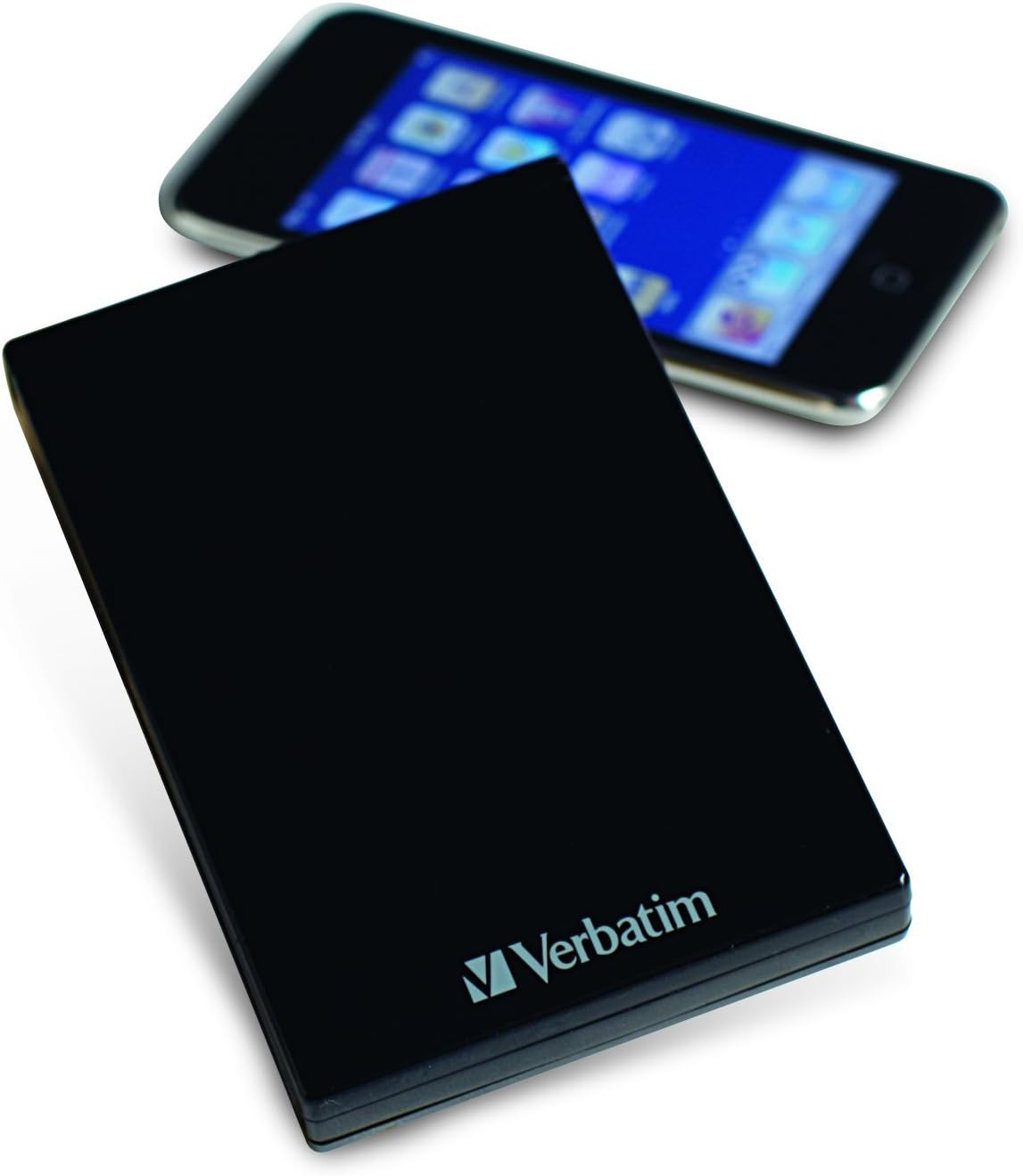
Mynd 3.1: The Verbatim Acclaim hard drive shown next to a smartphone. This image provides a visual reference for the drive's compact and portable dimensions, making it easy to carry.
3.2. Safely Removing the Drive
To prevent data corruption, always safely eject the hard drive before disconnecting it from your computer.
Fyrir Windows:
- Click the "Safely Remove Hardware and Eject Media" icon in the system tray (bottom-right corner).
- Select the Verbatim Acclaim drive from the list.
- Wait for the "Safe to Remove Hardware" notification before disconnecting the USB cable.
Fyrir Mac:
- Drag the drive's icon from your desktop to the Trash icon in the Dock (the Trash icon will change to an Eject icon).
- Alternatively, right-click (or Control-click) the drive icon on the desktop and select "Eject [Drive Name]".
- Wait for the drive icon to disappear from your desktop before disconnecting the USB cable.
4. Viðhald
Proper maintenance ensures the longevity and reliable performance of your Verbatim Acclaim hard drive.
- Líkamleg umönnun: Handle the drive with care. Avoid dropping it or exposing it to excessive shock, as this can damage the internal components.
- Þrif: Use a soft, dry, lint-free cloth to clean the exterior of the drive. Avoid using liquid cleaners or abrasive materials.
- Hitastig og umhverfi: Store and operate the drive in a cool, dry environment, away from direct sunlight, extreme temperatures, and high humidity.
- Venjulegur öryggisafrit: While the Acclaim drive is excellent for storing data, it is crucial to maintain multiple copies of important files. No single storage device is infallible.
- Örugg útkastun: Always follow the safe removal procedures outlined in Section 3.2 to prevent data corruption.
5. Bilanagreining
If you encounter issues with your Verbatim Acclaim hard drive, try the following troubleshooting steps:
- Drif ekki greint:
- Gakktu úr skugga um að USB-snúran sé vel tengd bæði við drifið og tölvuna.
- Prófaðu að tengja drifið við aðra USB tengi á tölvunni þinni.
- Prófaðu drifið með annarri USB snúru, ef hún er til staðar.
- Endurræstu tölvuna þína og reyndu að tengja drifið aftur.
- Hæg gagnaflutningur:
- Ensure you are connected to a USB 2.0 port for optimal speed. USB 1.1 ports will result in significantly slower transfers.
- Lokaðu öllum óþarfa forritum sem keyra í bakgrunni og gætu verið að nota kerfisauðlindir.
- Check your computer's disk for errors or fragmentation.
- File System Errors / Drive Unresponsive:
- Always safely eject the drive before disconnecting. Abrupt disconnection can lead to file kerfisspillingu.
- Run a disk check utility (e.g., "Error Checking" in Windows or "First Aid" in Disk Utility on Mac) to scan and repair minor file kerfisvillur.
- If errors persist and data is backed up, consider reformatting the drive as described in Section 2.2.
- Drifið hitnar:
It is normal for the drive to generate some heat during operation, especially during prolonged data transfers. Ensure adequate airflow around the device.
6. Tæknilýsing
| Eiginleiki | Smáatriði |
|---|---|
| Gerðarnúmer | 97393 |
| Stafræn geymslugeta | 1 TB |
| Harða diskviðmót | USB 2.0 (High-Speed), USB 1.1 (Full Speed) |
| Tengitækni | USB |
| Vörumerki | Orðrétt |
| Formþáttur harða disksins | 2.5 tommur |
| Harður diskur Lýsing | Færanlegt |
| Samhæf tæki | Desktop (Windows & Mac) |
| Gerð uppsetningar | Ytri harður diskur |
| Litur | Píanó svart |
| Vörumál | 5.51 x 1.89 x 7.09 tommur |
| Þyngd hlutar | 10.8 aura |
| Framleiðandi | Orðrétt |
| Dagsetning fyrst í boði | 25. júlí 2010 |
7. Ábyrgð og stuðningur
7.1. Takmörkuð ábyrgð
The Verbatim Acclaim 1TB USB 2.0 Portable External Hard Drive is backed by a 7 ára takmörkuð ábyrgð. This warranty covers defects in materials and workmanship under normal use. Please retain your proof of purchase for warranty claims. For full terms and conditions of the warranty, please refer to the documentation included with your product or visit the official Verbatim websíða.
7.2. Tæknileg aðstoð
For technical assistance, troubleshooting beyond the scope of this manual, or warranty inquiries, please contact Verbatim customer support.
- Visit the official Verbatim webvefsíða fyrir stuðningsúrræði, algengar spurningar og upplýsingar um tengiliði.
- Have your product model number (97393) and proof of purchase ready when contacting support.


