Inngangur
This manual provides comprehensive instructions for the Verbatim 2.4G Wireless Mini Travel Optical Mouse, Model 97471. It covers setup, operation, maintenance, and troubleshooting to ensure optimal performance and longevity of your device. This ultra-compact wireless mouse is designed for portability and ease of use with notebooks and netbooks.

Image: The Verbatim 2.4G Wireless Mini Travel Optical Mouse in blue, shown with its compact Nano receiver.
Innihald pakka
Gakktu úr skugga um að allir hlutir séu til staðar í pakkanum:
- Verbatim 2.4G Wireless Mini Travel Optical Mouse
- Nano USB móttakari
- 1x AAA rafhlaða
- Flýtileiðarvísir
Kerfiskröfur
The Verbatim 2.4G Wireless Mini Travel Optical Mouse is compatible with the following operating systems:
- Windows XP, Vista, Windows 7, and higher
- Mac OS X 10.1 og nýrri
- Linux kernel 2.6 and higher
A free USB 1.1 or 2.0 port is required for the Nano USB Receiver.
Uppsetningarleiðbeiningar
1. Settu rafhlöðuna í
- Finndu rafhlöðulokið neðst á músinni.
- Renndu eða lyftu lokið varlega til að opna hólfið.
- Settu inn meðfylgjandi AAA rafhlöðu og vertu viss um að plús (+) og neikvæðu (-) tengipunktarnir passi rétt við merkingarnar inni í hólfinu.
- Settu lokið á rafhlöðuhólfið aftur þar til það smellpassar.

Image: The underside of the mouse with the battery compartment open, showing the AAA battery and the Nano receiver stored inside.
2. Connect the Nano USB Receiver
- Remove the Nano USB receiver from its storage slot within the mouse's battery compartment (if stored there).
- Stingdu Nano USB móttakaranum í lausan USB tengi á tölvunni þinni.
- Tölvan þín ætti sjálfkrafa að greina og setja upp nauðsynlega rekla. Þetta ferli gæti tekið nokkrar stundir.
Notkunarleiðbeiningar
Kveikt/slökkt
The mouse typically powers on automatically when the receiver is connected and the mouse is moved. To conserve battery life, ensure the mouse is turned off when not in use. A power switch is usually located on the underside of the mouse.
Grunn notkun
- Vinstri hnappur: Aðalsmellvirkni, notuð til að velja hluti, opna tengla o.s.frv.
- Hægri hnappur: Secondary click function, typically opens context menus.
- Skrunahjól: Rúllaðu upp eða niður til að fletta í gegnum skjöl og web pages. The scroll wheel may also function as a middle button when pressed.
Viðhald
Skipt um rafhlöðu
When the mouse performance degrades or stops responding, it is likely time to replace the AAA battery. Follow the battery installation steps outlined in the Setup section.
Þrif
Til að þrífa músina skaltu nota mjúkan, þurran og lólausan klút. Fyrir þrjósk óhreinindi skaltu þurrka örlítiðampen the cloth with water. Avoid using harsh chemicals, solvents, or abrasive cleaners, as these can damage the mouse's surface or internal components.
Úrræðaleit
| Vandamál | Lausn |
|---|---|
| Mús svarar ekki |
|
| Hreyfing bendilsins er óregluleg eða hoppandi |
|
| Receiver not detected by computer |
|
Tæknilýsing
| Eiginleiki | Smáatriði |
|---|---|
| Gerðarnúmer | 97471 |
| Vörumál | 3 x 2 x 1.25 tommur (L x B x H) |
| Þyngd hlutar | 2.4 aura |
| Tengitækni | 2.4 GHz þráðlaust |
| Hreyfingarskynjunartækni | Optískur |
| Tegund rafhlöðu | 1x AAA (innifalið) |
| Viðmót | USB 2.0 (samhæft við USB 1.1) |

Mynd: Ofan frá og niður view of the Verbatim Mini Travel Mouse showing its approximate dimensions of 3 inches length and 2 inches width.
Upplýsingar um ábyrgð
This Verbatim product is covered by a 1 ára takmörkuð ábyrgð from the date of purchase. This warranty covers defects in materials and workmanship under normal use. For full terms and conditions, please refer to the official Verbatim warranty documentation or contact customer support.
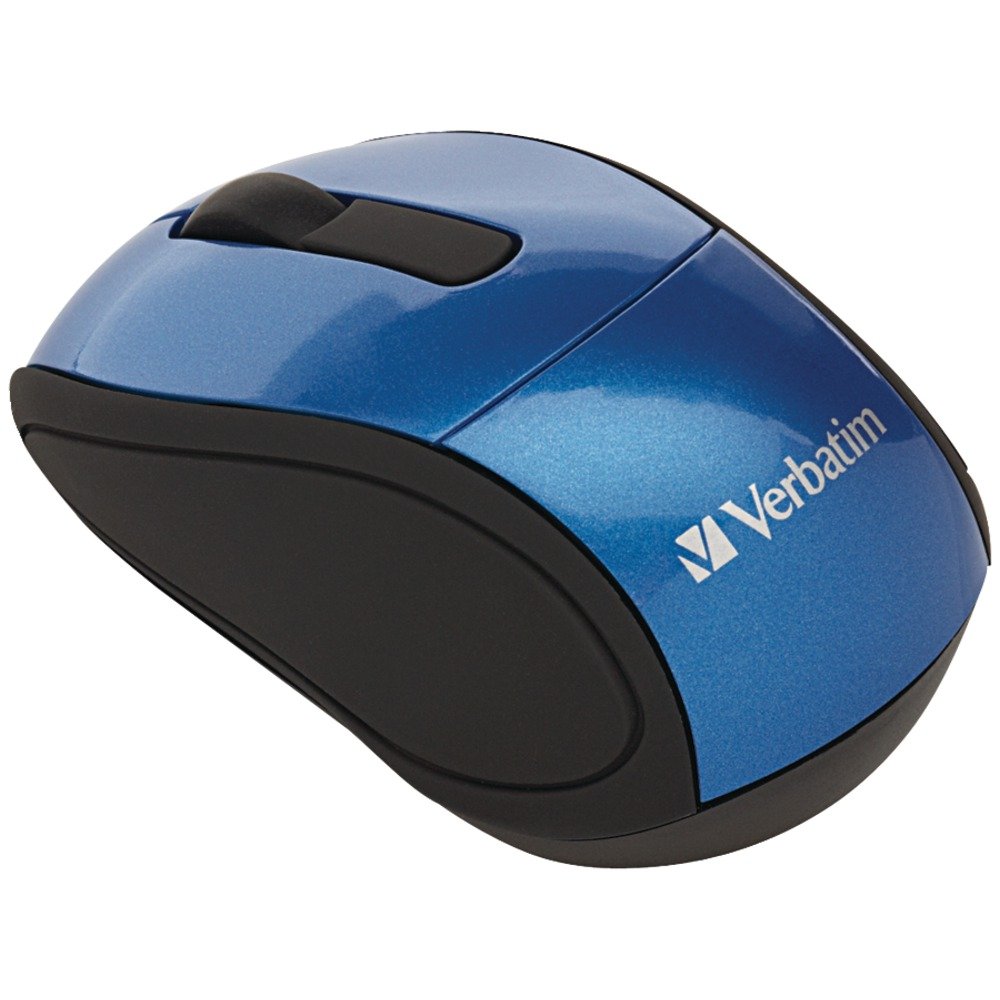
Image: A blue circular badge indicating a "1-Year Limited Warranty".
Stuðningur
For further assistance, technical support, or warranty claims, please visit the official Verbatim website or contact their customer service department. Contact information can typically be found on the Verbatim webvefsíðunni eða í fljótlegu leiðbeiningunum sem fylgja vörunni þinni.


