1. Inngangur
This manual provides comprehensive instructions for the setup, operation, and maintenance of your InFocus IN124 DLP Projector. Please read this manual thoroughly before using the projector to ensure proper functionality and to maximize its lifespan.
The InFocus IN124 is designed to deliver clear and bright projections, suitable for various environments including home cinema and business presentations. Its compact design and robust features make it a versatile display solution.
2. Vöruhlutir
Upon unboxing your InFocus IN124 DLP Projector, please verify that all the following components are included:
- InFocus IN124 DLP Projector Unit
- Fjarstýring
- Rafmagnssnúra
- VGA Cable (may vary by region/package)
- User Manual (this document, typically on CD or downloadable)
If any items are missing or damaged, please contact InFocus customer support immediately.
3. Uppsetning
3.1 Staðsetning
Position the projector on a stable, flat surface or mount it securely to a ceiling. Ensure adequate ventilation around the unit to prevent overheating. Maintain a clear path between the projector lens and the projection surface (screen or wall).
3.2 Tæki tengd
The InFocus IN124 supports various input sources. Connect your source device (e.g., laptop, DVD player, gaming console) to the projector using the appropriate cable.
- HDMI: For high-definition digital video and audio. Connect an HDMI cable from your source device to the HDMI port on the projector.
- VGA: For analog video input, commonly used with computers. Connect a VGA cable from your computer's VGA output to the VGA input on the projector.
- Samsett myndband: For standard definition video. Connect a composite video cable (yellow RCA) to the corresponding port.
- Hljóð inn/út: Tengdu utanaðkomandi hljóðtæki ef þörf krefur.
3.3 Kveikt á
Eftir að allar nauðsynlegar snúrur hafa verið tengdar:
- Tengdu rafmagnssnúruna við skjávarpann og síðan í rafmagnsinnstungu.
- Press the power button on the projector's control panel or the remote control. The power indicator light will change, and the projector lamp mun lýsa.
- Gefðu skjávarpanum smá stund til að hitna upp og birta myndina.
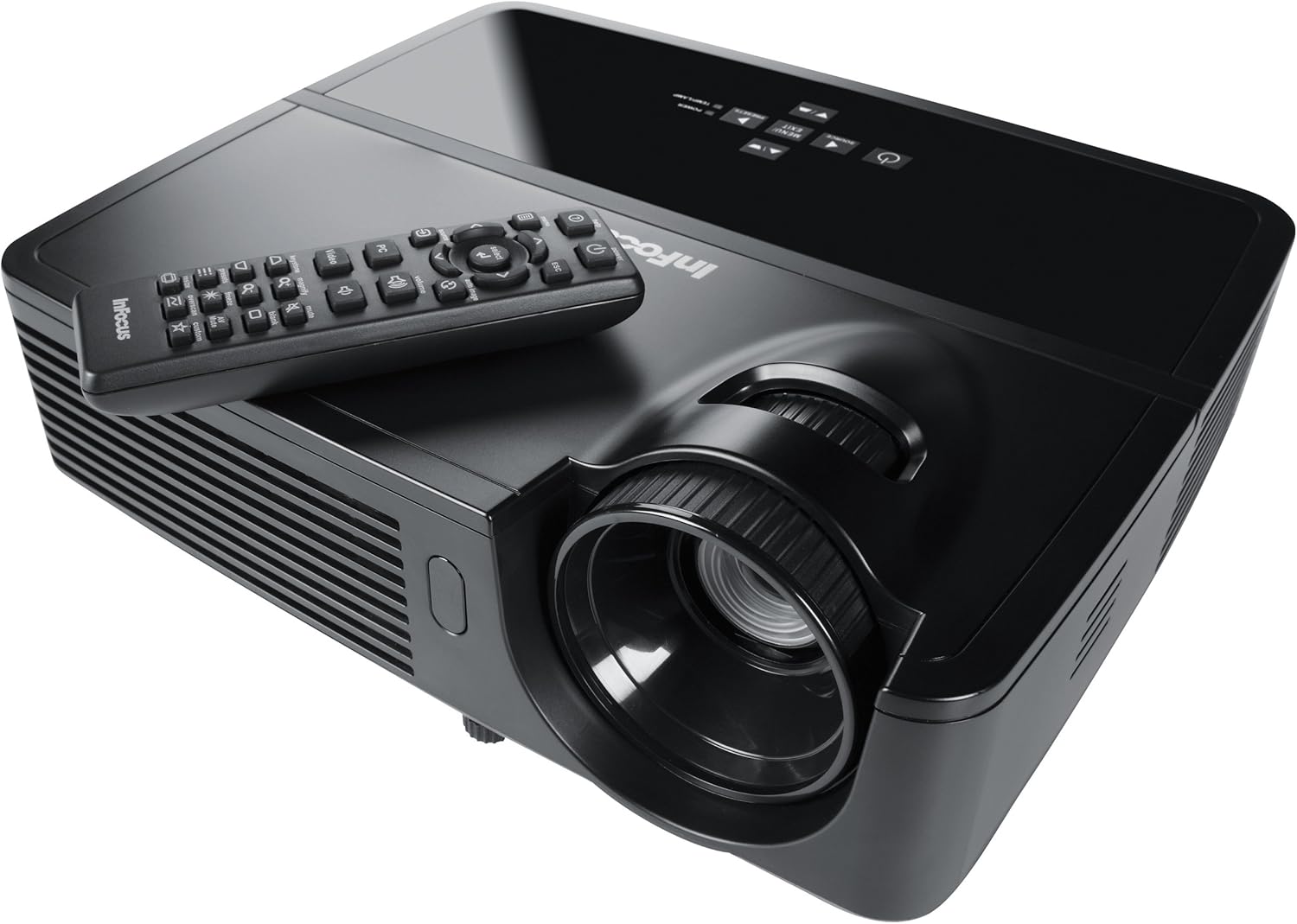
Figure 1: InFocus IN124 DLP Projector with its remote control. The image shows the top-down view of the black projector unit, highlighting the lens, ventilation grilles, and the control panel. The remote control is placed on top of the projector.
4. Notkun skjávarpans
4.1 Grunnstýringar
The projector can be operated using the control panel on the unit or the included remote control.
- Aflhnappur: Kveikir eða slekkur á skjávarpanum.
- Uppruni hnappur: Cycles through available input sources (HDMI, VGA, Video).
- Valmyndarhnappur: Opnar skjávalmyndina (OSD) til að breyta stillingum.
- Örvahnappar: Fletta í gegnum valmyndarvalkosti og stilla gildi.
- Hnappur fyrir innsetningu/val: Staðfestir val í valmyndinni.
- Hljóðstyrkshnappar: Stillir hljóðúttaksstigið.
- Keystone leiðrétting: Adjusts the image shape to correct trapezoidal distortion.
- Fókushringur: Manually adjust the lens to sharpen the image.
4.2 Valmyndarleiðsögn og stillingar
Press the "Menu" button to open the On-Screen Display (OSD). Use the arrow keys to navigate through categories such as "Picture," "Display," "Setup," and "Advanced." Press "Enter" to select a category or option. Adjust settings like brightness, contrast, color temperature, aspect ratio, and resolution to optimize your viewupplifun.
4.3 3D virkni
The InFocus IN124 is 3D-ready. To experience 3D content, you will need compatible 3D source material, a 3D-capable player, and active DLP Link 3D glasses (sold separately). Refer to your 3D source device's manual for specific setup instructions.
5. Viðhald
Reglulegt viðhald tryggir bestu mögulegu afköst og lengir líftíma skjávarpans.
5.1 Þrif á linsunni
Notið mjúkan, lólausan klút sem er sérstaklega hannaður fyrir sjónlinsur. Þurrkið varlega yfirborð linsunnar til að fjarlægja ryk eða bletti. Forðist að nota slípandi hreinsiefni eða of mikið afl, sem getur rispað linsuna.
5.2 Þrif á loftsíum
The projector has air filters to prevent dust from entering the internal components. Locate the filter cover (refer to the diagram in the full manual if available) and remove it. Clean the filter using a small brush or a vacuum cleaner with a brush attachment. Replace the filter securely.
5.3 Lamp Skipti
Myndvarpi lamp hefur takmarkaðan líftíma. Þegar lamp indicator light illuminates or the image becomes dim, it's time to replace the lampLeyfðu skjávarpanum alltaf að kólna alveg áður en þú reynir að ...amp replacement. Consult the full service manual or a qualified technician for detailed lamp replacement procedures specific to the IN124 model.
6. Bilanagreining
Þessi kafli fjallar um algeng vandamál sem þú gætir rekist á með skjávarpanum þínum.
| Vandamál | Möguleg orsök | Lausn |
|---|---|---|
| Engin mynd sýnd | Incorrect input source selected; Loose cable connection; Projector not powered on. | Press the "Source" button to cycle inputs; Check all cable connections; Ensure projector is powered on and lamp er kveikt. |
| Myndin er óskýr | Out of focus; Incorrect resolution setting. | Adjust the focus ring on the lens; Adjust the resolution setting in the OSD menu or on your source device. |
| Myndin er trapisulaga | Skjávarpinn er ekki hornréttur á skjáinn. | Use the keystone correction feature (digital or manual) to square the image. Reposition the projector if possible. |
| Ekkert hljóð | Volume too low; Incorrect audio input selected; Muted. | Increase volume; Check audio cable connections; Ensure projector or source device is not muted. |
| Skjávarpinn ofhitnar og slokknar á sér | Loftræsting stífluð; Óhrein loftsía. | Ensure clear space around vents; Clean air filter as per maintenance section. |
For issues not listed here, please refer to the comprehensive online support resources or contact InFocus customer service.
7. Tæknilýsing
Below are the key technical specifications for the InFocus IN124 DLP Projector:
| Eiginleiki | Smáatriði |
|---|---|
| Gerðarnúmer | IN124 |
| Skjátækni | DLP |
| Innfæddur upplausn | 1280x720 (HD) |
| Birtustig | Allt að 3200 Lumens |
| Andstæðuhlutfall | 3000:1 |
| Tengingar | HDMI, VGA, Composite Video |
| Sérstakir eiginleikar | 3D tilbúinn |
| Vörumál (L x B x H) | 12.99 x 12.99 x 5.9 tommur |
| Þyngd hlutar | 4.78 pund (2.17 kg) |
| Aflgjafi | 100-240 Volts at 50-60 Hz |
| Ráðlagður notkun | Heimabíó |
8. Ábyrgð og stuðningur
InFocus provides a limited warranty for the IN124 DLP Projector. For detailed warranty terms and conditions, please refer to the warranty card included with your product or visit the official InFocus webGeymið kaupkvittunina sem sönnun fyrir kaup vegna ábyrgðarkröfu.
For technical support, troubleshooting assistance beyond this manual, or service requests, please contact InFocus customer support through their official website or the contact information provided in your product documentation. Online resources, including FAQs and driver downloads, may also be available.


