1. Inngangur
This manual provides instructions for the installation, operation, and maintenance of your DIGITUS DN-70542 Wireless LAN USB 2.0 Adapter. This device allows your computer to connect to a wireless network using the 802.11n standard, offering data transfer rates of up to 300 Mbps.
The adapter is backward compatible with IEEE 802.11g and 802.11b standards and operates within the 2.4-2.4835GHz frequency range. It also features a Wireless Protected Setup (WPS) function for easy and secure network connection.

Mynd 1.1: Efst view of the DIGITUS DN-70542 Wireless LAN USB 2.0 Adapter.

Mynd 1.2: Hornlaga view of the DIGITUS DN-70542 adapter, highlighting its compact design.

Mynd 1.3: Ítarleg view of the USB 2.0 connector of the DIGITUS DN-70542 adapter.
2. Innihald pakka
Vinsamlegast staðfestið að allir hlutir séu í pakkanum:
- 1 x DIGITUS DN-70542 Mini USB WiFi Adapter
- 1 x Product Support CD-ROM (containing drivers and utilities)
- 1 x Notendahandbók (þetta skjal)
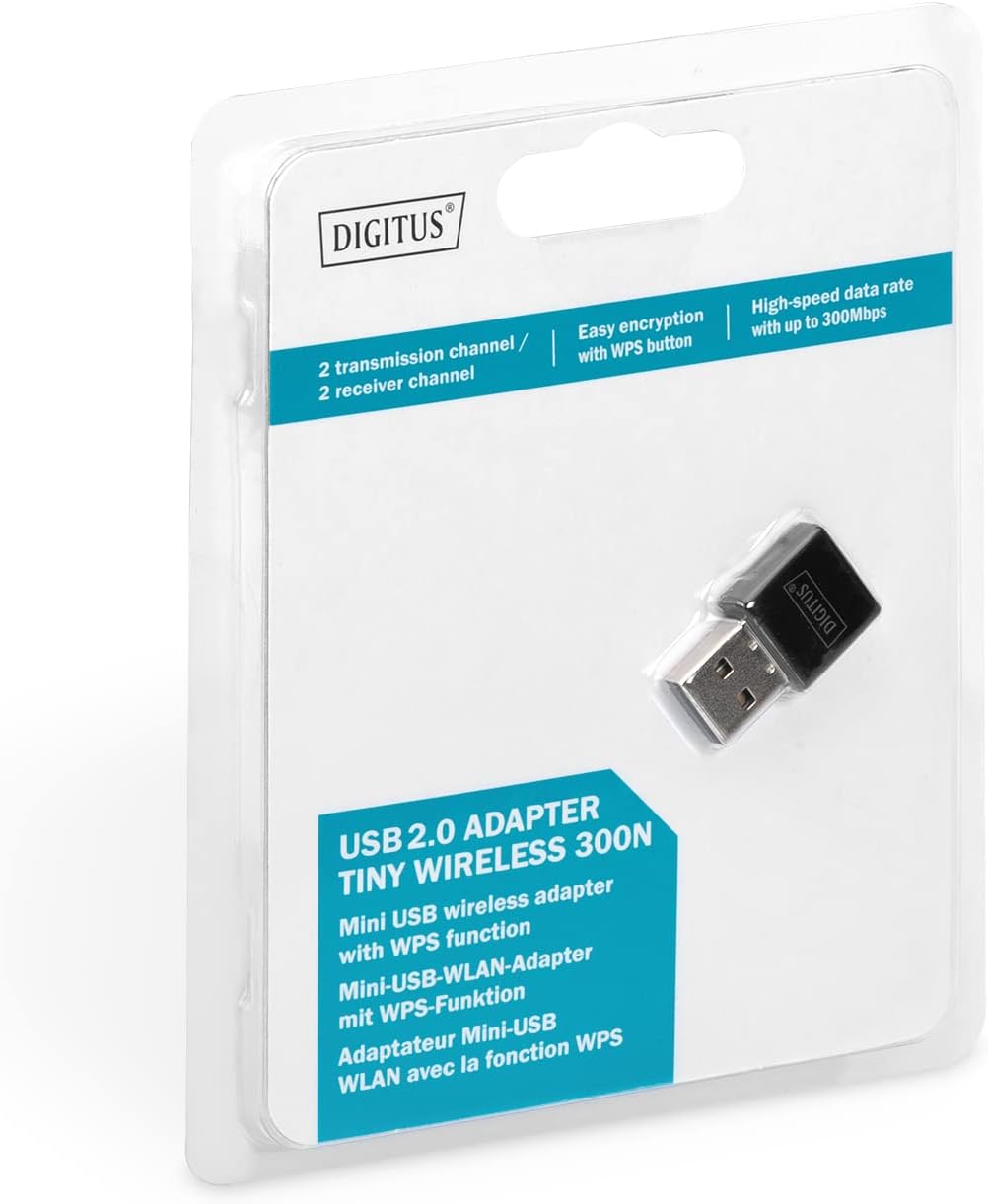
Figure 2.1: Retail packaging of the DIGITUS DN-70542 adapter, showing the adapter and its key features.
3. Uppsetningarleiðbeiningar
Follow these steps to install your Wireless LAN USB Adapter:
- Settu upp rekla: Before connecting the adapter, insert the included Product Support CD-ROM into your computer's optical drive. Follow the on-screen instructions to install the necessary drivers. If your computer does not have an optical drive, or if you encounter issues, please visit the official DIGITUS website to download the latest drivers for your operating system (Windows).
Note: Some operating systems, particularly older versions of Windows, may require driver installation prior to connecting the device. Refer to the Troubleshooting section if you encounter issues during this step.
- Tengdu millistykkið: Locate an available USB 2.0 port on your computer. Carefully insert the DIGITUS DN-70542 Wireless LAN USB 2.0 Adapter into the USB port.
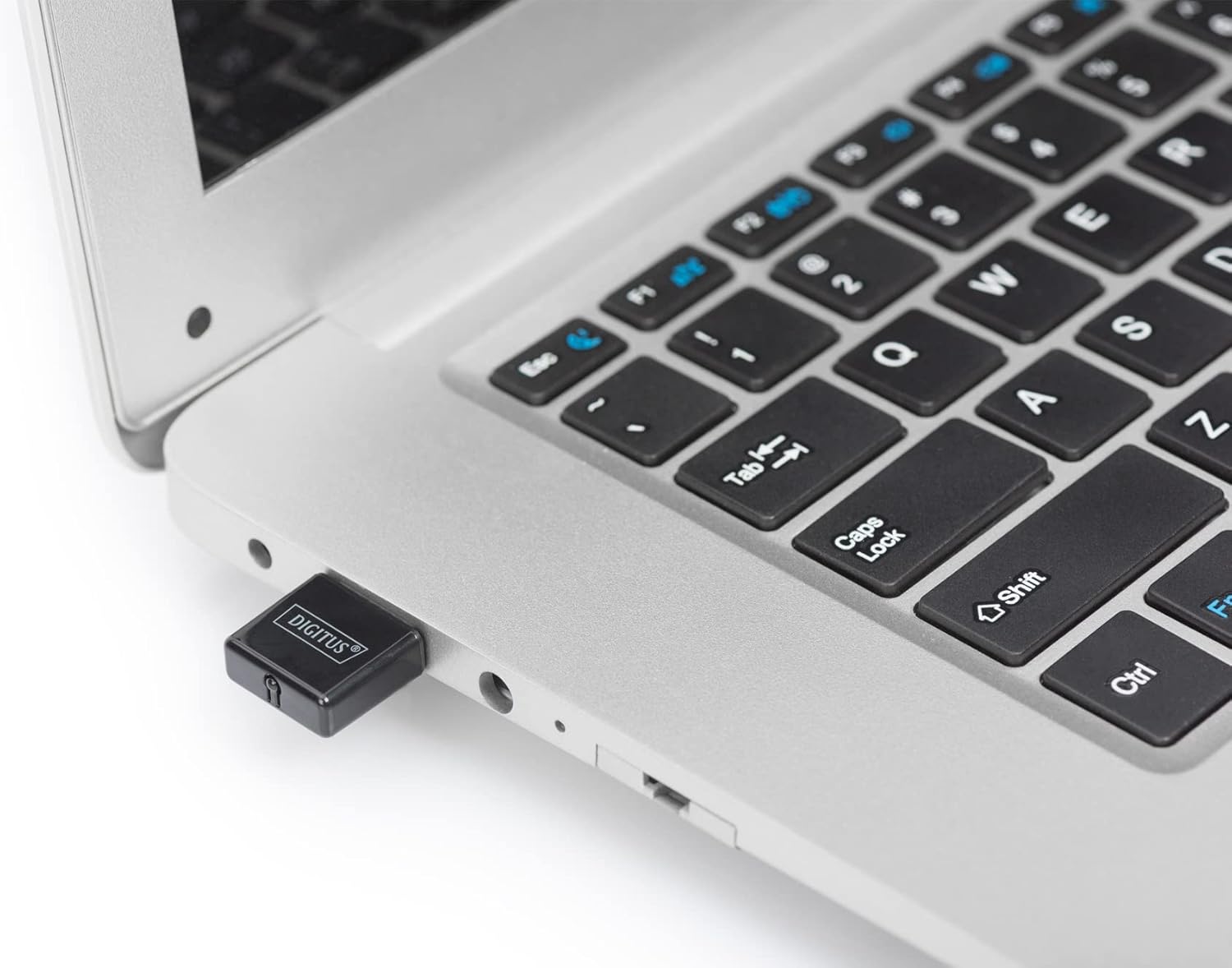
Figure 3.1: The DIGITUS DN-70542 adapter inserted into a laptop's USB port.

Mynd 3.2: Lokari view of the adapter connected to a laptop, showing its compact size.
- Staðfestu uppsetningu: After connecting, your operating system should detect the new hardware and complete the installation. You can verify the installation by checking your computer's Device Manager (for Windows) to ensure the wireless adapter is listed and functioning correctly.
4. Notkunarleiðbeiningar
Once the adapter is successfully installed, you can connect to a wireless network.
- Tenging við þráðlaust net:
- Open your computer's wireless network settings.
- Skannaðu að tiltækum þráðlausum netum.
- Veldu netið sem þú vilt (SSID) af listanum.
- Sláðu inn öryggislykilinn fyrir netið (lykilorð) ef beðið er um það.
- Smelltu á „Tengjast“ til að koma á þráðlausri tengingu.
- Using WPS (Wi-Fi Protected Setup):
The adapter supports WPS for a simplified and secure connection to compatible routers.
- Ýttu á WPS hnappinn á þráðlausa beininum þínum.
- Within two minutes, press the WPS button on the DIGITUS DN-70542 adapter. The WPS button is a small, recessed button on the side of the adapter.
- Millistykkið og leiðin munu sjálfkrafa koma á öruggri tengingu.

Figure 4.1: The WPS button located on the side of the adapter.
5. Viðhald
To ensure optimal performance and longevity of your DIGITUS DN-70542 adapter, follow these guidelines:
- Haldið millistykkinu hreinu og ryklausu. Notið mjúkan, þurran klút til að þrífa.
- Forðist að láta millistykkið verða fyrir miklum hita, raka eða beinu sólarljósi.
- Ekki reyna að taka í sundur eða gera við millistykkið sjálfur. Það fellur úr gildi ábyrgðin.
- Geymið millistykkið á öruggum stað þegar það er ekki í notkun til að koma í veg fyrir líkamlegt tjón.
6. Bilanagreining
If you encounter issues with your DIGITUS DN-70542 Wireless LAN USB 2.0 Adapter, refer to the following common problems and solutions:
- Adapter Not Detected / Driver Installation Issues:
- Ensure the adapter is fully inserted into a functional USB port.
- Prófaðu annað USB tengi.
- Reinstall the drivers from the provided CD-ROM.
- Download the latest drivers from the official DIGITUS websíða.
- If using Windows 8.1 or newer and encountering issues like "Bluescreen" or "infected file" warnings during driver installation, temporarily disable antivirus software (like Windows Defender) during driver installation, then re-enable it immediately after. Ensure you are downloading drivers from a trusted source (DIGITUS official websíða).
- Check Device Manager to see if the adapter is listed with any error symbols.
- Get ekki tengst þráðlausu neti:
- Gakktu úr skugga um að þráðlausi leiðin þín sé kveikt á og sendi frá sér merki.
- Ensure you are entering the correct network security key (password).
- Færðu þig nær þráðlausa leiðinni til að bæta merkisstyrkinn.
- Endurræstu tölvuna þína og þráðlausa leiðina.
- Check if other devices can connect to the same wireless network.
- Hægur tengingarhraði:
- Ensure your router supports 802.11n for optimal speeds.
- Lágmarka truflanir frá öðrum rafeindatækjum (t.d. örbylgjuofnum, þráðlausum símum).
- Uppfærðu vélbúnaðarstillingar leiðarans þíns.
- Athugaðu hvort önnur tæki noti bandvídd á netinu þínu.
7. Tæknilýsing
| Eiginleiki | Lýsing |
|---|---|
| Fyrirmynd | DN-70542 |
| Vélbúnaðarviðmót | USB 2.0 |
| Þráðlausir staðlar | IEEE 802.11n, IEEE 802.11g, IEEE 802.11b |
| Gagnaflutningshraði | Allt að 300 Mbps |
| Tíðnisvið | 2.4 - 2.4835 GHz |
| Öryggiseiginleikar | WPS (Wireless Protected Setup) function |
| Stuðningur við stýrikerfi | Windows |
| Vörumál | 24 x 15 x 2 mm (approximate); 15 g |
| Framleiðandi | ASSMANN Electronic GmbH PES - BO DE |
8. Ábyrgð og stuðningur
For warranty information and technical support, please refer to the documentation included with your product or visit the official DIGITUS website. Contact details for customer support can typically be found on the manufacturer's websíða.
Vinsamlegast geymið kaupkvittunina vegna hugsanlegra ábyrgðarkrafna.


