Inngangur
This user manual provides essential information for setting up, operating, maintaining, and troubleshooting your Vibox Standard 3XL Gaming PC. Please read this manual thoroughly before using your computer to ensure proper function and longevity of the product. Keep this manual for future reference.
Öryggisupplýsingar
- Ensure the PC is placed on a stable, flat surface with adequate ventilation.
- Do not block ventilation openings. Overheating can damage components.
- Keep the PC away from direct sunlight, heat sources, and liquids.
- Use only the power supply unit provided with the PC.
- Aftengdu rafmagnssnúruna áður en þú þrífur eða framkvæmir viðhald.
- Do not open the PC casing unless instructed by a qualified technician.
- Avoid placing heavy objects on the PC or its cables.
Innihald pakka
Gakktu úr skugga um að allir hlutir sem taldir eru upp hér að neðan séu til staðar í pakkanum þínum:
- Vibox Standard 3XL Gaming PC Tower
- 21.5-inch LED HD Monitor
- UK QWERTY Gamer Keyboard
- Gamer Mouse
- Rafmagnssnúrur
- HDMI snúru
- Windows 10 Operating System Disk/License Key
- Notendahandbók (þetta skjal)
Uppsetningarleiðbeiningar
1. Upptaka og staðsetning
Carefully remove all components from their packaging. Place the PC tower on a flat, stable surface, ensuring sufficient space around it for airflow. Avoid placing it in enclosed cabinets.

Mynd 1: Framan view of the Vibox Standard 3XL Gaming PC tower, showcasinhönnun þess og bláum LED-ljósum.
2. Tengja jaðartæki
- Skjár: Connect the HDMI cable from your monitor to the HDMI port on the back of the PC.
- Lyklaborð og mús: Connect the USB cables from your keyboard and mouse to any available USB ports on the back or front of the PC.
- Kraftur: Connect the power cable to the power supply unit on the back of the PC, then plug the other end into a wall outlet. Connect the monitor's power cable to an outlet as well.
- Net (valfrjálst): For a wired internet connection, connect an Ethernet cable from your router to the Ethernet port on the back of the PC. For Wi-Fi, ensure the Wi-Fi antenna (if provided) is connected.

Mynd 2: Ofan frá og niður view of the PC, illustrating the location of top-mounted USB ports and ventilation.
3. Fyrsta ræsing og uppsetning Windows
- Ýttu á rofann framan á turninum í tölvunni.
- Kveiktu á skjánum þínum.
- Follow the on-screen instructions to complete the Windows 10 setup process. This typically involves selecting your region, language, creating a user account, and accepting terms.
- Once Windows 10 is set up, you may need to install drivers for any additional peripherals or update existing drivers.
Notkunarleiðbeiningar
Kveikt/slökkt
- Að kveikja á: Ýttu á rofann á framhlið tölvunnar.
- Til að leggja niður: Click the Start button in Windows 10, then select Power > Shut down. Do not force shut down by holding the power button unless absolutely necessary to prevent data loss.
- Til að endurræsa: Smelltu á Start hnappinn og veldu síðan Power > Restart.
Að tengja USB tæki
Your PC is equipped with multiple USB 2.0 and USB 3.0 ports. USB 3.0 ports are typically blue and offer faster data transfer speeds. Simply plug your USB device into an available port.
Að nota kortalesarann
The integrated card reader supports various memory card formats. Insert your memory card into the appropriate slot on the PC. The card will appear as a removable drive in 'This PC' (or 'My Computer').
Viðhald
Þrif
- Að utan: Notaðu mjúkan, damp klút til að þurrka ytra byrði tölvunnar. Forðist slípandi hreinsiefni eða leysiefni.
- Loftræsting: Periodically use compressed air to clear dust from the ventilation grilles to ensure optimal airflow and prevent overheating. Ensure the PC is powered off and unplugged before doing so.
- Skjár: Use a specialized screen cleaner and a microfiber cloth for the monitor display.
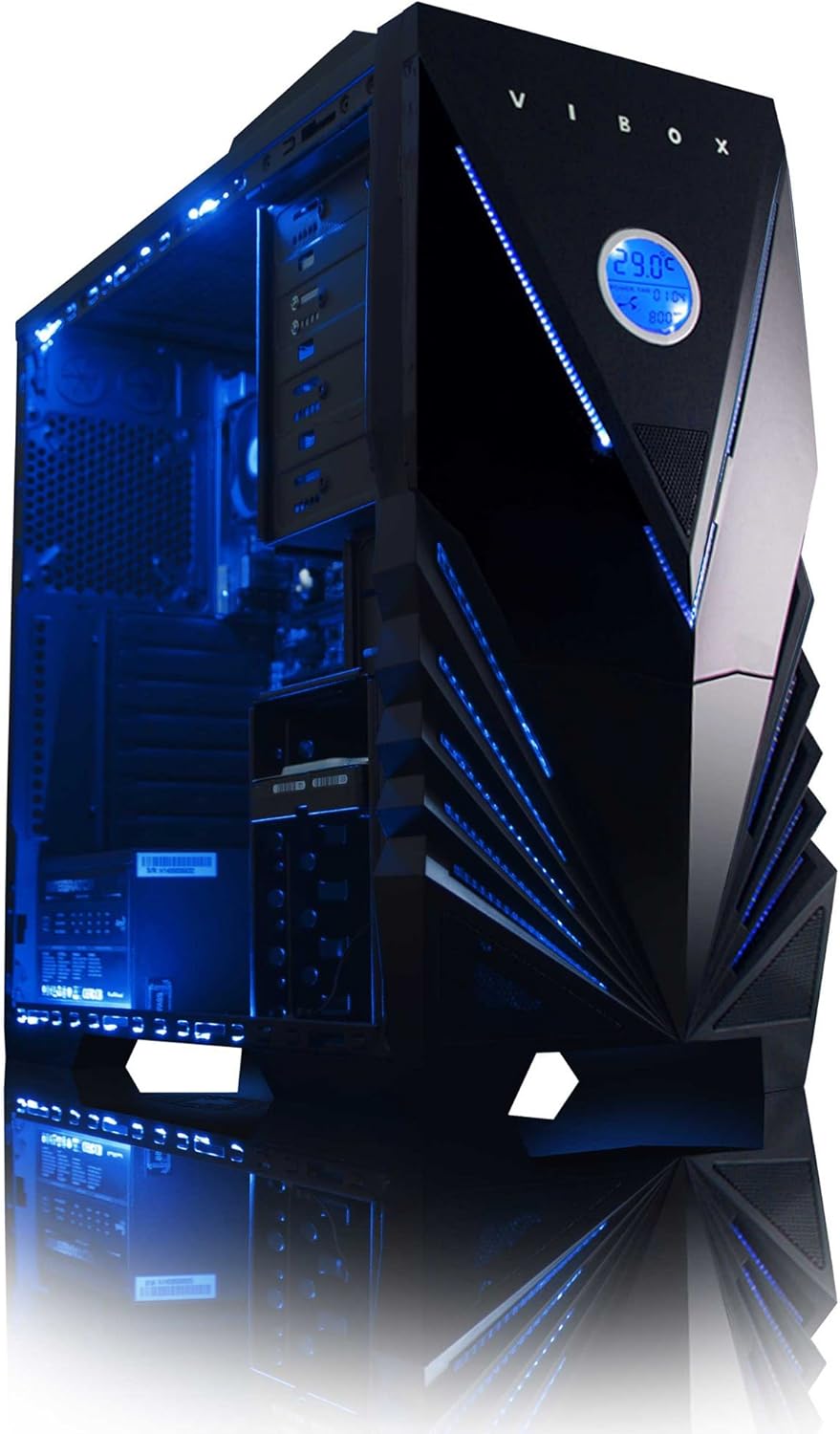
Mynd 3: Innri view of the Vibox Standard 3XL Gaming PC, highlighting the arrangement of components and cooling system.
Hugbúnaðaruppfærslur
Regularly update your Windows operating system, drivers, and antivirus software to ensure system stability, security, and optimal performance.
Öryggisafritun gagna
Mælt er með að taka reglulega öryggisafrit af mikilvægum gögnum á utanaðkomandi disk eða skýgeymslu til að koma í veg fyrir gagnatap ef kerfisbilun verður.
Úrræðaleit
| Vandamál | Möguleg orsök | Lausn |
|---|---|---|
| Tölvan kveikir ekki á sér. | Power cable loose, power supply issue, power button malfunction. | Check all power connections. Ensure the wall outlet is functional. Try a different power cable if available. |
| Engin birting á skjánum. | Monitor not powered, video cable loose, incorrect input selected on monitor. | Ensure monitor is powered on and connected. Check video cable connections. Select correct input source on monitor (e.g., HDMI). |
| PC is running slow. | Too many programs running, insufficient RAM, hard drive full, malware. | Close unnecessary applications. Check disk space. Run antivirus scans. Consider upgrading RAM if consistently slow. |
| Peripherals (keyboard/mouse) not responding. | Loose USB connection, driver issue. | Reconnect the peripheral to a different USB port. Restart the PC. Check device manager for driver issues. |
If you encounter issues not covered here or require further assistance, please refer to the Support section.
Tæknilýsing
| Eiginleiki | Smáatriði |
|---|---|
| Vörumerki | Vibox |
| Gerðarnúmer | VBX-PC-6450 |
| Röð | VIBOX Standard |
| Stýrikerfi | Windows 10 |
| Vörumerki örgjörva | AMD |
| Gerð örgjörva | Athlon 64 FX (AMD A8 Quad-Core) |
| Hraði örgjörva | 3.1 GHz (3.8 GHz Turbo) |
| Fjöldi kjarna | 4 |
| vinnsluminni | 32 GB DDR3 1600MHz |
| Styður hámarksminni | 32 GB |
| Stærð harða disksins | 2000 GB (2 TB) |
| Tækni á harða diskinum | HDD (7200 RPM, Serial ATA 600) |
| Vörumerki grafískra flísa | Radeon |
| Lýsing á skjákorti | AMD Radeon R7 (innbyggt) |
| Skjátækni | Snertilaus |
| Screen Size (Included Monitor) | 21.5 tommur |
| Screen Resolution (Included Monitor) | 1920 x 1080 (1080p Full HD) |
| Hlutfall | 16:9 |
| Tengingargerð | Wi-Fi (802.11bgn) |
| Bluetooth samhæft | Nei |
| HDMI tengi | 1 |
| USB 2.0 tengi | 6 |
| USB 3.0 tengi | 3 |
| Ethernet tengi | 1 |
| Sérstakir eiginleikar | Kortalesari |
| Mál (L x B x H) | 51.5 x 19 x 44 cm |
| Vöruþyngd | 16 Grams (PC Tower only) |
Upplýsingar um ábyrgð
Your Vibox Standard 3XL Gaming PC comes with a Lífstíma ábyrgð. This warranty covers manufacturing defects and hardware failures under normal use conditions. For specific terms and conditions, please refer to the warranty documentation included with your purchase or contact Vibox customer support.
To claim warranty service, you will typically need your proof of purchase and the product's serial number. Do not attempt to repair the product yourself, as this may void your warranty.
Þjónustudeild
For technical assistance, troubleshooting beyond this manual, or warranty inquiries, please contact Vibox customer support. You can usually find contact information (phone number, email, or support webvefsíðu) á opinberu vefsíðu framleiðandans websíðunni eða á umbúðaefninu.
When contacting support, please have your product model number (VBX-PC-6450) and serial number ready to expedite the service process.


