Inngangur
The Superior Electronics Freedom 2in1 is a universal programmable remote control designed to operate up to two different audio/video devices. This manual provides comprehensive instructions for setup, operation, maintenance, and troubleshooting to ensure optimal performance and longevity of your device.
Öryggisupplýsingar
- Do not expose the remote control to direct sunlight, heat sources, or extreme temperatures.
- Forðist að missa fjarstýringuna eða láta hana verða fyrir hörðum höggum.
- Do not immerse the remote control in water or any other liquid.
- Geymið rafhlöður þar sem börn ná ekki til. Ef það er gleypt, leitaðu tafarlaust læknishjálpar.
- Fargaðu notuðum rafhlöðum í samræmi við staðbundnar reglur.
Innihald pakka
Vinsamlegast staðfestið að allir hlutir séu í pakkanum:
- Superior Electronics Freedom 2in1 Universal Remote Control
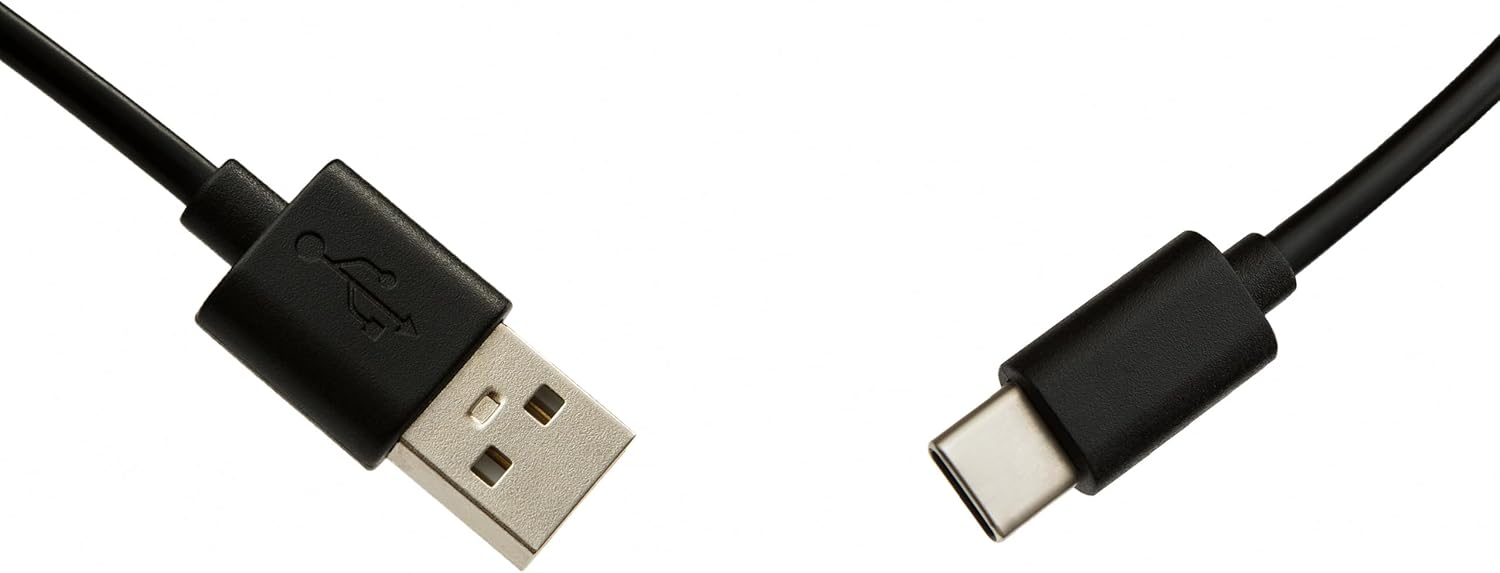
- USB-C Cable for programming
- Notendahandbók (þetta skjal)
Uppsetning
1. Uppsetning rafhlöðu
Fjarstýringin þarf tvær AAA rafhlöður (ekki innifaldar). Til uppsetningar:
- Opnaðu rafhlöðulokið á bakhlið fjarstýringarinnar.
- Settu tvær AAA rafhlöður í og gætið þess að pólunin (+ og -) sé rétt.
- Lokaðu rafhlöðuhólfinu tryggilega.
2. Forritun fjarstýringarinnar
The Superior Electronics Freedom 2in1 remote control is programmable via a computer using the included USB-C cable and Superior's dedicated software. This allows for quick and accurate setup for a wide range of devices.
- Sækja hugbúnaður: Visit the official Superior Electronics website to download the latest programming software for your Freedom 2in1 remote.
- Tengja fjarstýringu: Connect the remote control to your computer using the provided USB-C cable.
- Ræstu hugbúnað: Open the Superior programming software on your computer.
- Veldu tæki: Follow the on-screen instructions to select the brand and model of the device you wish to control (e.g., TV, SAT, DVD, Soundbar). The software utilizes a leading European database with over 260,000 compatible devices.
- Dagskrá: Initiate the programming process. Programming is typically completed in less than one minute by double-clicking the desired brand and model within the software.
- MAP Function: The dedicated MAP function allows you to recover the original remote control functions on the Superior Freedom keypad, ensuring all original functionalities are available.

Notkunarleiðbeiningar
Once programmed, your Superior Electronics Freedom 2in1 remote control is ready for use. It can control up to two devices, such as TVs, Smart TVs, decoders, DVD players, projectors, and soundbars.

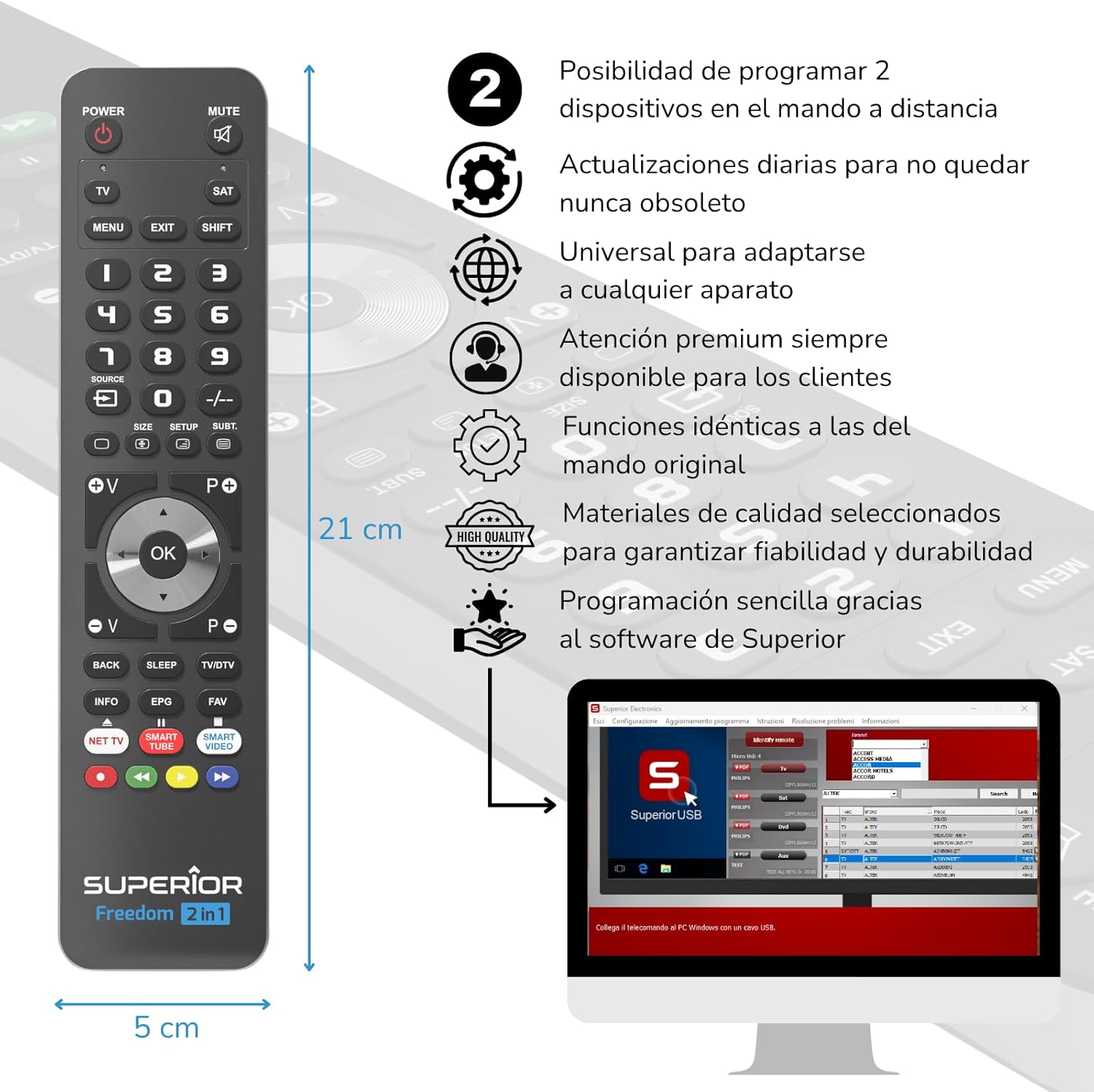
Hnappur aðgerðir lokiðview:
- POWER: Kveikir eða slekkur á völdu tæki.
- ÞAGGA: Þaggar eða slökktir á hljóðinu.
- TV / SAT: Selects the device to be controlled (e.g., TV or Satellite receiver).
- MENU / EXIT: Opnar eða lokar valmynd tækisins.
- SHIFT: Activates secondary functions of certain buttons.
- 0-9: Number buttons for direct channel input.
- HEIMILD: Breytir inntaksuppsprettu sjónvarpsins.
- , Adjusts channel up/down or navigates through menus.
- SIZE / SETUP / SUBT.: Specific functions depending on the device.
- Volume (V+/-) / Channel (P+/-): Stillir hljóðstyrk og skiptir um rás.
- Leiðsögn (upp, niður, vinstri, hægri, í lagi): Flettir í gegnum valmyndir og staðfestir val.
- BACK / SLEEP / TV/DTV: Returns to previous screen, sets sleep timer, or switches between TV/Digital TV modes.
- INFO / EPG / FAV: Displays information, Electronic Program Guide, or Favorite channels.
- NET TV / SMART TUBE / SMART VIDEO: Dedicated buttons for smart TV applications.
- Litahnappar (rauður, grænn, gulur, blár): Used for specific functions within menus or smart TV apps.
The maximum operating range of the remote control is 10 meters.
Viðhald
Þrif
To clean the remote control, use a soft, dry cloth. Do not use abrasive cleaners, solvents, or chemical agents, as these may damage the surface or internal components.
Skipt um rafhlöðu
When the remote control's performance diminishes or it stops responding, it is likely time to replace the batteries. Follow the battery installation steps outlined in the Setup section.
Úrræðaleit
- Fjarstýring svarar ekki: Gakktu úr skugga um að rafhlöðurnar séu rétt settar í og ekki tæmdar. Skiptu um rafhlöður ef þörf krefur.
- Device not controlling: Verify that the remote is pointed directly at the device's IR receiver. Ensure there are no obstructions between the remote and the device.
- Incorrect functions: The remote may not be programmed correctly for your specific device model. Re-program the remote using the Superior Electronics software and ensure you select the correct brand and model.
- Takmörkuð virkni: If some functions are missing, use the MAP function in the programming software to ensure all original remote functions are mapped to the Freedom 2in1.
If issues persist after following these steps, please contact Superior Electronics customer support.
Tæknilýsing
| Gerðarnúmer | SUPTUB002 |
| Vörumerki | Yfirburðar rafeindatækni |
| Mál | 23 x 5 x 1.5 cm |
| Þyngd | 80 g |
| Rafhlöður nauðsynlegar | 2 x AAA (fylgir ekki) |
| Tengingar | USB-C (for programming) |
| Hámarksfjöldi tækja sem studd er | 2 |
| Hámarkssvið | 10 metrar |
| Samhæf tæki | TVs, Smart TVs, Decoders, DVD players, Projectors, Soundbars, Hi-Fi systems |
Ábyrgð og stuðningur
Superior Electronics is committed to providing high-quality products and excellent customer service.
- Hugbúnaðaruppfærslur: Enjoy free and constant updates for your remote control's programming database, ensuring compatibility with new devices.
- Viðskiptavinaaðstoð: Premium customer assistance is available 7 days a week to address any questions or issues you may encounter.
For further assistance, please visit the official Superior Electronics websíðuna eða hafðu samband við þjónustuver þeirra beint.