Inngangur
Thank you for choosing the Altec Lansing iMW475 Mini Life Jacket Bluetooth Speaker. This speaker is designed for portability and durability, featuring a rugged, compact, waterproof, dustproof, and shockproof design. It also floats, making it ideal for outdoor and water-related activities. This manual provides essential information for setting up, operating, and maintaining your speaker.
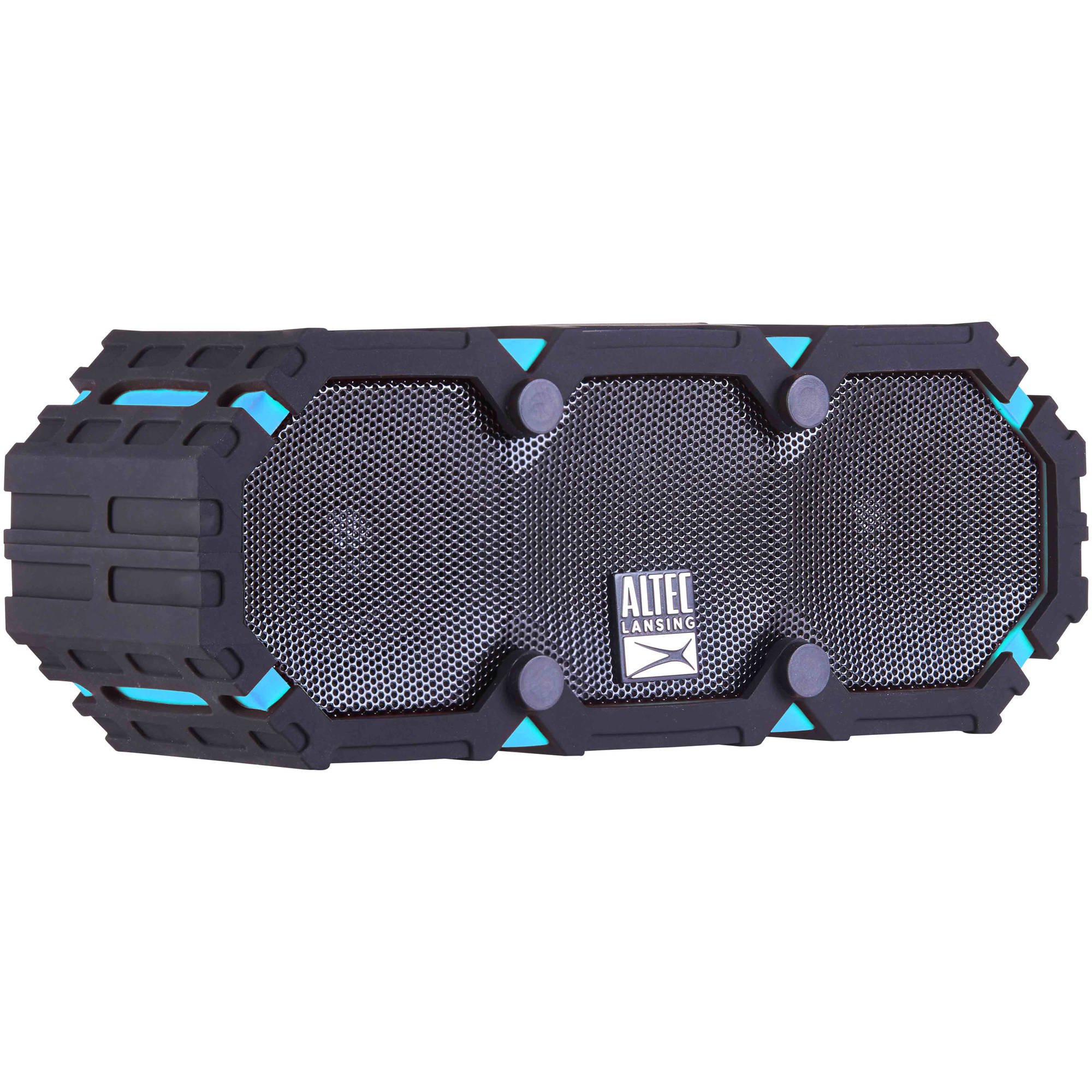
Image: The Altec Lansing iMW475 Mini Life Jacket Bluetooth Speaker, showcasing its compact, rugged design in black and blue.
Innihald pakka
- Altec Lansing iMW475 Mini Life Jacket Bluetooth Speaker
- Festingar Bracket
- USB hleðslusnúra (Note: Specific cable type not detailed in product data, typically Micro-USB or USB-C)
- Auxiliary Cable (Note: Not explicitly listed but common for such speakers)
- Flýtileiðarvísir (Not explicitly listed but common)
Vinsamlegast gætið þess að allir hlutir séu til staðar áður en haldið er áfram með uppsetninguna.
Stýringar og vísar
The speaker features intuitive controls for power, volume, and Bluetooth pairing. Specific button layouts may vary slightly, but common functions include:
- Aflhnappur: Ýttu á og haltu inni til að kveikja eða slökkva á hátalaranum.
- Hnappur til að hækka hljóðstyrk/næsta lag: Ýttu til að auka hljóðstyrkinn. Haltu inni til að fara í næsta lag.
- Hnappur til að lækka hljóðstyrk/fyrra lag: Ýttu til að lækka hljóðstyrkinn. Haltu inni til að fara í fyrra lag.
- Spila/Hlé/Símtalshnappur: Press to play or pause audio. Press to answer or end a phone call. Hold to activate voice assistant (if supported by your device).
- Bluetooth pörunarhnappur: Haltu inni til að fara í Bluetooth pörunarham.
- LED vísir: Sýnir stöðu rafmagns, hleðslu og Bluetooth-tengingar.
Refer to the quick start guide included with your product for a detailed diagram of button placement.
Uppsetning
1. Hleðsla hátalarans
Before first use, fully charge your Altec Lansing iMW475 speaker. A full charge provides approximately 10 hours of battery life.
- Locate the charging port, usually protected by a waterproof flap.
- Tengdu meðfylgjandi USB hleðslusnúruna við hleðslutengi hátalarans.
- Tengdu hinn endann á USB snúrunni við USB straumbreyti (fylgir ekki með) eða USB tengi tölvu.
- The LED indicator will show the charging status (e.g., solid red while charging, off or green when fully charged).
- Once fully charged, disconnect the cable and ensure the waterproof flap is securely closed.
2. Pörun Bluetooth
Til að tengja hátalarann við Bluetooth-tæki:
- Ensure the speaker is charged and turned off.
- Ýttu á og haltu inni aflrofanum til að kveikja á hátalaranum. LED-ljósið blikkar, sem gefur til kynna að hann sé í pörunarham.
- On your mobile device (smartphone, tablet, laptop), go to the Bluetooth settings.
- Leitaðu að available devices. You should see "iMW475" or a similar name in the list.
- Select "iMW475" to connect. The LED indicator will turn solid when successfully paired.
- A voice prompt may confirm "You are now connected."
- Once paired, the speaker will automatically connect to the last paired device when turned on, if the device is within range (up to 30 feet or 9.14 meters).
Notkunarleiðbeiningar
Spilar hljóð
- After successful Bluetooth pairing, open your preferred music application on your connected device.
- Start playing audio. The sound will be routed through your Altec Lansing iMW475 speaker.
- Use the Volume Up/Down buttons on the speaker or your connected device to adjust the audio level.
- Ýttu á Spila/Hlé hnappinn til að gera hlé á eða halda áfram spilun.
- Hold the Volume Up/Down buttons to skip tracks forward or backward.
Handfrjáls símtöl
The speaker features an onboard microphone for hands-free communication.
- When a call comes in, the music will pause, and you will hear a ringtone through the speaker.
- Press the Play/Pause/Call button once to answer the incoming call.
- Speak clearly into the speaker's microphone.
- To end the call, press the Play/Pause/Call button once again.
- To reject an incoming call, press and hold the Play/Pause/Call button.
Að nota aukainntakið
For devices without Bluetooth, you can connect via the auxiliary input.
- Locate the auxiliary input port, usually protected by a waterproof flap.
- Connect one end of a 3.5mm auxiliary cable (not included) to the speaker's AUX port.
- Tengdu hinn endann við heyrnartólstengi hljóðtækisins.
- The speaker will automatically switch to AUX mode, or you may need to press the Mode button (if available).
- Stjórnaðu spilun og hljóðstyrk úr tengdu hljóðtækinu þínu.
Viðhald
- Þrif: Þurrkaðu hátalarann með mjúkum, damp klút. Ekki nota slípiefni eða leysiefni.
- Vatnsheld umönnun: Ensure all port covers are securely closed before exposing the speaker to water to maintain its waterproof integrity. After exposure to saltwater or chlorinated water, rinse the speaker with fresh water and allow it to air dry completely.
- Geymsla: Geymið hátalarann á köldum, þurrum stað fjarri beinu sólarljósi og miklum hita.
- Umhirða rafhlöðu: Til að lengja endingu rafhlöðunnar skaltu forðast að tæma hana alveg oft. Hladdu hátalarann reglulega, jafnvel þótt hann sé ekki í notkun í langan tíma.
Úrræðaleit
| Vandamál | Lausn |
|---|---|
| Ekki kveikir á hátalara. | Gakktu úr skugga um að rafhlaðan sé hlaðin. Tengdu hátalarann við aflgjafa með USB hleðslusnúrunni. |
| Ekkert hljóð frá hátalaranum. |
|
| Bluetooth parun mistókst. |
|
| Poor audio quality or distortion. |
|
Tæknilýsing
- Fyrirmyndarheiti: iMW475 Mini Life Jacket
- Gerð hátalara: Útivist
- Sérstakir eiginleikar: Waterproof, Dustproof, Shockproof, Floats
- Tengingar: Bluetooth
- Bluetooth svið: Allt að 30 fet (9.14 metrar)
- Rafhlöðuending: Allt að 10 klst
- Aflgjafi: Battery and AC (via USB charging)
- Hljóðútgangsstilling: Stereo
- Hámarksúttaksstyrkur hátalara: 10 Watt
- Stjórnunaraðferð: Rödd, Hnappar
- Innifalið íhlutir: Festingar Bracket
- Vörumál: 7 x 3 x 4.5 tommur
- Þyngd hlutar: 1 pund (16 aura)
- Vatnsþol: Vatnsheldur
- UPC: 021331205841
Ábyrgð og stuðningur
Altec Lansing products are designed for reliability and performance. For specific warranty information regarding your iMW475 Mini Life Jacket Bluetooth Speaker, please refer to the warranty card included with your purchase or visit the official Altec Lansing websíða.
For technical support, frequently asked questions, or to register your product, please visit the Altec Lansing support page or contact their customer service directly. Contact details are typically available on the manufacturer's websíða.
Note: Warranty terms and conditions may vary by region and retailer. Keep your proof of purchase for warranty claims.