Inngangur
This manual provides detailed instructions for the Logitech M221 Wireless Mouse. Designed for quiet operation and reliable performance, the M221 offers a comfortable, ambidextrous design with an 18-month battery life. Please read this manual thoroughly to ensure proper setup and optimal use of your device.
Uppsetningarleiðbeiningar
Follow these steps to set up your Logitech M221 Wireless Mouse:
- Settu rafhlöðuna upp:
Locate the battery compartment on the underside of the mouse. Slide the battery cover off. Insert the included AA battery, ensuring correct polarity. Replace the battery cover.

Mynd: Undirhlið view of the Logitech M221 mouse, showing the battery compartment and the location of the USB receiver.
- Finndu USB móttakarann:
The tiny USB receiver is stored inside the battery compartment for convenience during transport. Carefully remove it from its slot.
- Connect the Receiver to Your Computer:
Plug the USB receiver into an available USB port on your computer (PC or Mac). The mouse will automatically connect to your computer.
- Kveiktu á músinni:
Ensure the power switch on the underside of the mouse is in the "ON" position. The mouse is now ready for use.
Notkunarleiðbeiningar
The Logitech M221 is designed for intuitive and comfortable use:
- Hljóðlát smelling: The M221 features 90% reduced click sound, providing a quiet working environment without sacrificing the familiar click feel.
- Ambidextrous hönnun: Its comfortable, contoured shape is suitable for both left and right-handed users.
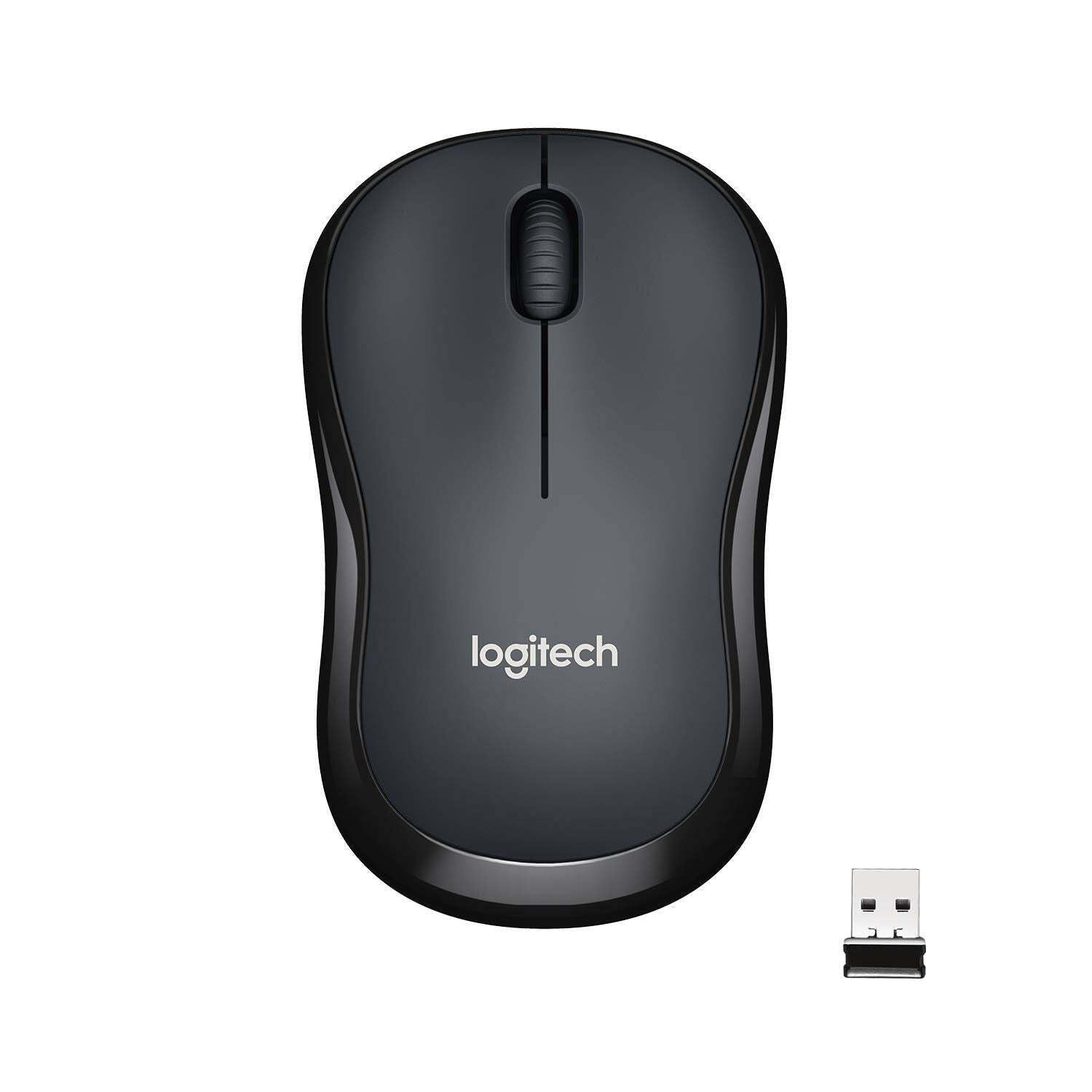
Mynd: Efst view of the Logitech M221 Wireless Mouse in charcoal, alongside its compact USB receiver.
- Sjónræn mæling: The mouse uses 1000 DPI optical tracking for smooth and precise cursor control.
- Þráðlaust svið: Enjoy reliable wireless connectivity up to 10 meters (33 feet) from your computer. Actual range may vary based on environmental conditions.
- Sjálfvirk svefnstilling: To conserve battery life, the mouse automatically enters a sleep mode when not in use. Move the mouse or click a button to wake it up.
Viðhald
Proper maintenance ensures the longevity and optimal performance of your M221 mouse.
- Skipt um rafhlöðu: The M221 mouse boasts an 18-month battery life. When the mouse performance degrades or the indicator light (if present) signals low battery, replace the AA battery. Refer to the "Install the Battery" step in the Setup Guide.
- Þrif: Use a soft, dry cloth to clean the mouse. Avoid abrasive cleaners or solvents.
- Geymsla: When not in use for extended periods, turn off the mouse using the power switch on the underside to further conserve battery life. Store the USB receiver inside the battery compartment to prevent loss.
Úrræðaleit
Ef þú lendir í vandræðum með Logitech M221 músina þína skaltu prófa eftirfarandi lausnir:
- Músin svarar ekki:
- Gakktu úr skugga um að kveikt sé á músinni.
- Athugaðu rafhlöðuna. Skiptu um hana ef þörf krefur.
- Gakktu úr skugga um að USB-móttakarinn sé vel tengdur við virkan USB-tengi á tölvunni þinni. Prófaðu aðra USB-tengi.
- Færðu músina nær USB-móttakaranum til að útiloka vandamál með drægni.
- Óregluleg hreyfing bendils:
- Hreinsið ljósnemann á neðri hlið músarinnar með mjúkum, þurrum klút.
- Gakktu úr skugga um að þú notir músina á viðeigandi yfirborði. Forðastu mjög endurskinsríka eða gegnsæja fleti.
- Athugaðu hvort truflanir séu frá öðrum þráðlausum tækjum.
- Hnappar eða skrunhjól virka ekki:
- Endurræstu tölvuna þína.
- Re-insert the USB receiver.
- If the issue persists, the mouse may require replacement.
Tæknilýsing
| Eiginleiki | Smáatriði |
|---|---|
| Vörumerki | Logitech |
| Fyrirmynd | M221 (Item model number: 910-004882) |
| Tengitækni | 2.4 GHz þráðlaust (USB móttakari) |
| Hreyfing uppgötvun | Sjónrænt (1000 DPI) |
| Silent Buttons | Yes (90% reduced click sound) |
| Tegund rafhlöðu | 1 x AA rafhlaða (fylgir með) |
| Meðal rafhlöðuending | 18 mánuðir |
| Tvíhliða hönnun | Já |
| Samhæft stýrikerfi | Windows 10 or later, Windows 8, Windows RT, Windows 7, Mac OS X 10.5 or later, Chrome OS, Linux Kernel 2.6+2 |
| Vörumál | 6 x 4 x 10 cm (L x B x H) |
| Þyngd hlutar | 77 g |
| Innifalið íhlutir | Mouse, Nano Receiver, 1 AA Battery, User Documentation |

Image: Diagram showing the dimensions of the Logitech M221 Wireless Mouse: 99mm length, 60mm width, 39mm height, and 75g weight.
Ábyrgð og stuðningur
Fyrir upplýsingar um ábyrgð og tæknilega aðstoð, vinsamlegast vísið til opinberu Logitech website or the documentation included with your product. Logitech provides customer support for product inquiries and assistance.
You can typically find support resources, FAQs, and contact information by visiting www.logitech.com/support.


