1. Vöru lokiðview
The ZOTAC GeForce GTX 1080 Mini is a high-performance graphics card designed for gaming and VR applications. It features NVIDIA Pascal architecture, 8GB GDDR5X memory, and a compact design suitable for smaller PC builds. This manual provides essential information for the installation, operation, and maintenance of your graphics card.
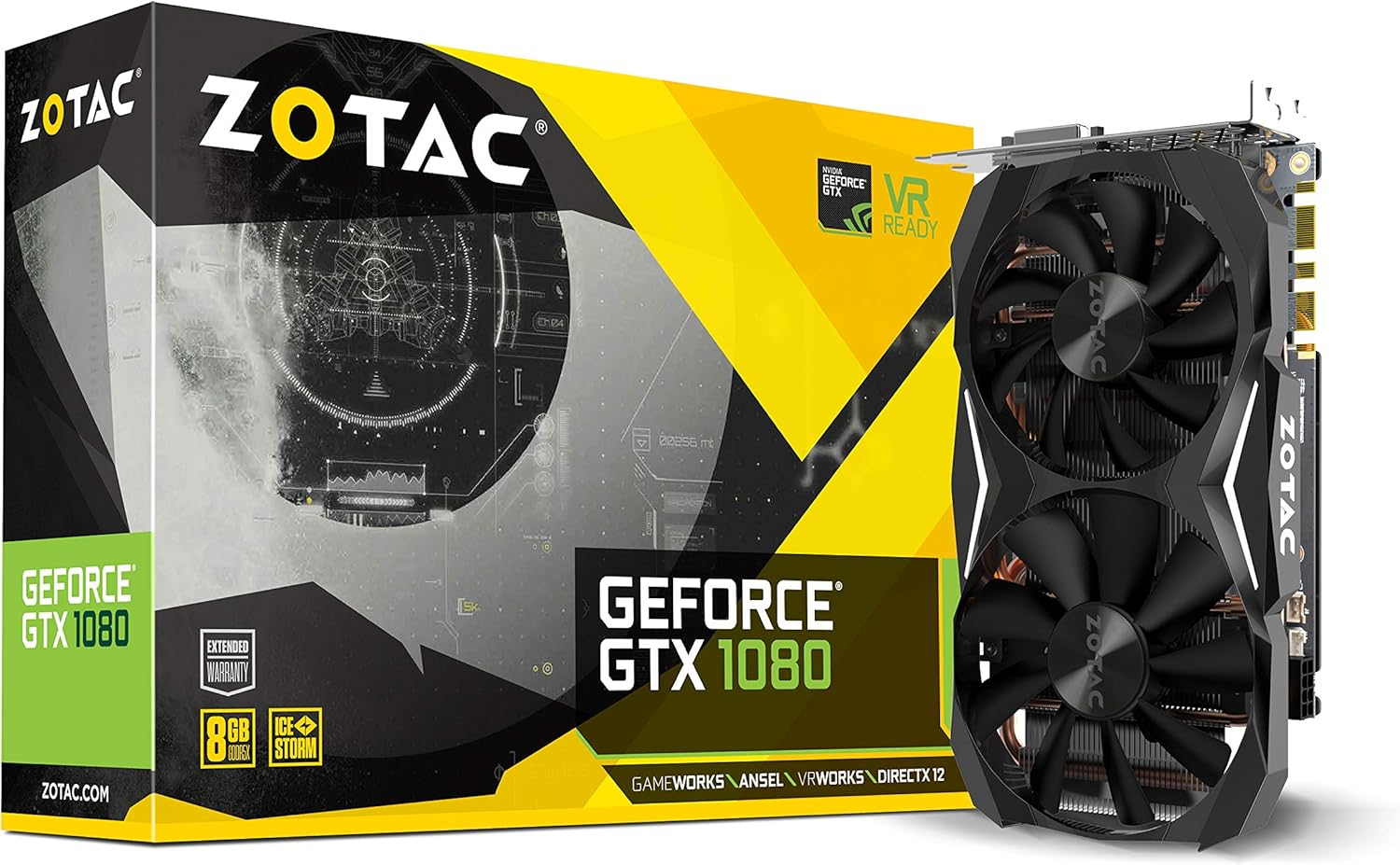
Figure 1: ZOTAC GeForce GTX 1080 Mini Graphics Card, front view with dual fans.
2. Hvað er í kassanum
Gakktu úr skugga um að allir íhlutir séu til staðar áður en uppsetningunni er haldið áfram:
- ZOTAC GeForce GTX 1080 Mini Graphics Card
- 2 x Dual 6-pin to 8-pin power cable
- Notendahandbók
- Bílstjóri diskur
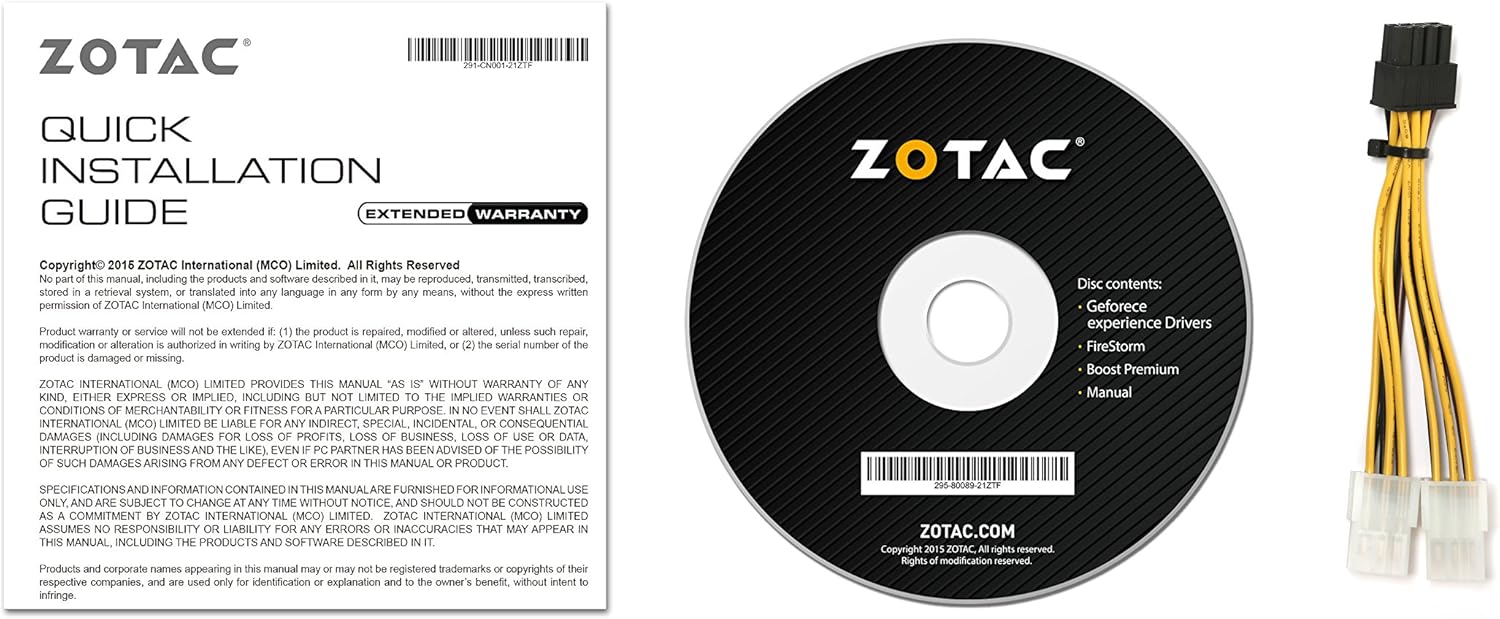
Figure 2: Included accessories and documentation.
3. Uppsetning og uppsetning
Before installing the graphics card, ensure your computer is powered off and unplugged from the wall outlet. It is recommended to wear an anti-static wrist strap to prevent damage from electrostatic discharge.
3.1 Kerfiskröfur
- PCI Express-samhæft móðurborð með einni tvíbreiða x16 grafík rauf.
- Minimum 500 watt power supply recommended.
- 180 watt minimum power consumption.
- 8-pin PCI Express power connectors (use included adapter if necessary).
- Microsoft Windows 10/8/7 x86/x64.
3.2 Líkamleg uppsetning
- Opnaðu tölvuhulstrið þitt.
- Finndu lausa PCI Express x16 rauf á móðurborðinu þínu.
- Remove any expansion slot covers that correspond to the graphics card's size.
- Carefully align the graphics card with the PCI Express slot and press firmly until it is securely seated.
- Secure the graphics card to the chassis with the appropriate screws.
- Connect the 8-pin PCI Express power connector(s) from your power supply to the graphics card. Use the provided dual 6-pin to 8-pin adapter if your power supply only has 6-pin connectors.
- Lokaðu tölvukassanum.

Figure 3: Graphics card display outputs (3x DisplayPort 1.4, 1x HDMI 2.0b, 1x Dual-Link DVI).
3.3 Bílstjóri uppsetning
- Connect your display to one of the graphics card's output ports.
- Kveiktu á tölvunni þinni.
- Insert the included driver disc into your optical drive and follow the on-screen instructions. Alternatively, download the latest drivers from the official ZOTAC website or NVIDIA websíða fyrir bestu frammistöðu og eindrægni.
- Endurræstu tölvuna eftir að uppsetningu bílstjórans er lokið.
4. Notkun skjákortsins
The ZOTAC GeForce GTX 1080 Mini is equipped with advanced NVIDIA technologies to enhance your gaming and visual experience.
4.1 Helstu eiginleikar
- NVIDIA Pascal Architecture: Delivers superior performance and power efficiency.
- 8GB GDDR5X Memory: Veitir ample memory for high-resolution gaming and demanding applications.
- VR tilbúið: Optimized for virtual reality experiences.
- NVIDIA GameWorks Technology: Delivers interactive and cinematic experiences.
- NVIDIA VRWorks Technology: Enables next-generation VR performance, low latency, and plug-and-play compatibility.
- NVIDIA G-Sync Ready: Synchronizes display refresh rates to the GPU for smooth, tear-free gaming.
- NVIDIA Ansel Technology: A revolutionary way to capture in-game screenshots.
- NVIDIA SLI Ready: Allows for multi-GPU configurations for increased performance (requires compatible motherboard and additional card).
- 4K Gaming Support: Capable of delivering high-resolution gaming experiences.
- Stuðningur við fjölskjá: Styður allt að 4 skjái samtímis.
4.2 Software Utility (FireStorm)
The ZOTAC FireStorm software utility provides an intuitive interface for monitoring and tuning your graphics card. It allows for fan speed control, clock speed adjustments, and LED lighting customization.
Video 1: Official ZOTAC overview of the GeForce GTX 1080 Mini, highlighting key features and the FireStorm software.
5. Viðhald
Rétt viðhald tryggir langlífi og bestu mögulegu afköst skjákortsins.
- Haltu ökumönnum uppfærðum: Athugaðu reglulega ZOTAC eða NVIDIA website for the latest graphics drivers to ensure compatibility and performance improvements.
- Hreinsaðu reglulega: Use compressed air to gently remove dust from the fans and heatsink fins. Ensure the computer is powered off and unplugged before cleaning.
- Fylgjast með hitastigi: Use monitoring software (like ZOTAC FireStorm) to keep an eye on the GPU temperature, especially during heavy loads, to prevent overheating.

Mynd 4: Efst view skjákortsins, sem sýnir tvöfalda viftukælikerfið.
6. Bilanagreining
Ef þú lendir í vandræðum með skjákortið þitt skaltu skoða eftirfarandi algengar úrræðaleitarskref:
- Engin skjáúttak:
- Gakktu úr skugga um að skjásnúran sé vel tengd við skjákortið og skjáinn.
- Verify the graphics card is properly seated in the PCI Express slot.
- Gakktu úr skugga um að allar nauðsynlegar rafmagnstengi séu tengdar við skjákortið.
- Prófaðu með annarri skjásnúru eða skjá ef mögulegt er.
- Óstöðugleiki eða hrun í kerfinu:
- Ensure graphics drivers are up-to-date.
- Fylgstu með hitastigi GPU-sins til að tryggja að það ofhitni ekki.
- Gakktu úr skugga um að aflgjafinn þinn uppfylli lágmarks wattkröfurtage krafa.
- Léleg frammistaða í leikjum:
- Ensure graphics drivers are up-to-date.
- Athugaðu grafíkstillingar í leiknum og lækkaðu þær ef þörf krefur.
- Lokaðu óþarfa bakgrunnsforritum.
- Monitor GPU and CPU usage to identify potential bottlenecks.
7. Tæknilýsing
| Eiginleiki | Smáatriði |
|---|---|
| Grafískur hjálpargjörvi | NVIDIA GeForce GTX 1080 |
| CUDA kjarna | 2560 |
| Myndbandsminni | 8GB GDDR5X |
| Minnisrúta | 256 bita |
| Engine Clock (Base) | 1620 MHz |
| Engine Clock (Boost) | 1759 MHz |
| Minni klukka | 10 GHz |
| PCI Express | 3.0 |
| Sýna úttak | 3 x DisplayPort 1.4, 1 x HDMI 2.0b, 1 x Dual-Link DVI |
| Hámarks skjáupplausn | 3840x2160 |
| Stuðningur við marga skjái | Quad samtímis skjár fær |
| Rafmagnstengi | 8-pin PCI Express |
| Mælt er með PSU | Lágmark 500W |
| Orkunotkun | 180W (minimum) |
| Mál (LxBxH) | 8.3 x 1.61 x 4.92 tommur |
| Þyngd hlutar | 1 pund |
8. Ábyrgð og stuðningur
An extended warranty is included with every ZOTAC graphics card purchase. User registration is required on the official ZOTAC website to activate the extended warranty.
For technical support, driver downloads, or further product information, please visit the official ZOTAC websíða: www.zotac.com


