Inngangur
This manual provides essential information for the installation, operation, and maintenance of your ZOTAC Gaming GeForce RTX 2080 Ti Blower graphics card. Please read this guide thoroughly before proceeding with installation to ensure proper setup and optimal performance.
Vara lokiðview
The ZOTAC Gaming GeForce RTX 2080 Ti Blower is a high-performance graphics card designed for demanding gaming and professional applications. It features NVIDIA's Turing architecture, 11GB of GDDR6 memory, and a blower-style cooling solution.
- New Turing architecture for advanced graphics processing.
- 11GB 352-bit GDDR6 memory for high-bandwidth performance.
- Virtual Reality Ready for immersive experiences.
- 4K ready for ultra-high-definition gaming.
- Boost Clock 1545 MHz for enhanced speed.

Mynd: Framan view of the ZOTAC Gaming GeForce RTX 2080 Ti Blower graphics card, showcasing its black shroud and single blower fan.

Image: Backplate view of the ZOTAC Gaming GeForce RTX 2080 Ti Blower graphics card, featuring a metal backplate for structural rigidity and heat dissipation.
Hvað er í kassanum
Gakktu úr skugga um að allir íhlutir séu til staðar í pakkanum:
- ZOTAC GAMING GeForce RTX 2080 Ti Blower Graphics Card
- 2 x Dual 6-pin to 8-pin power cables
- User Manual (Quick Installation Guide)
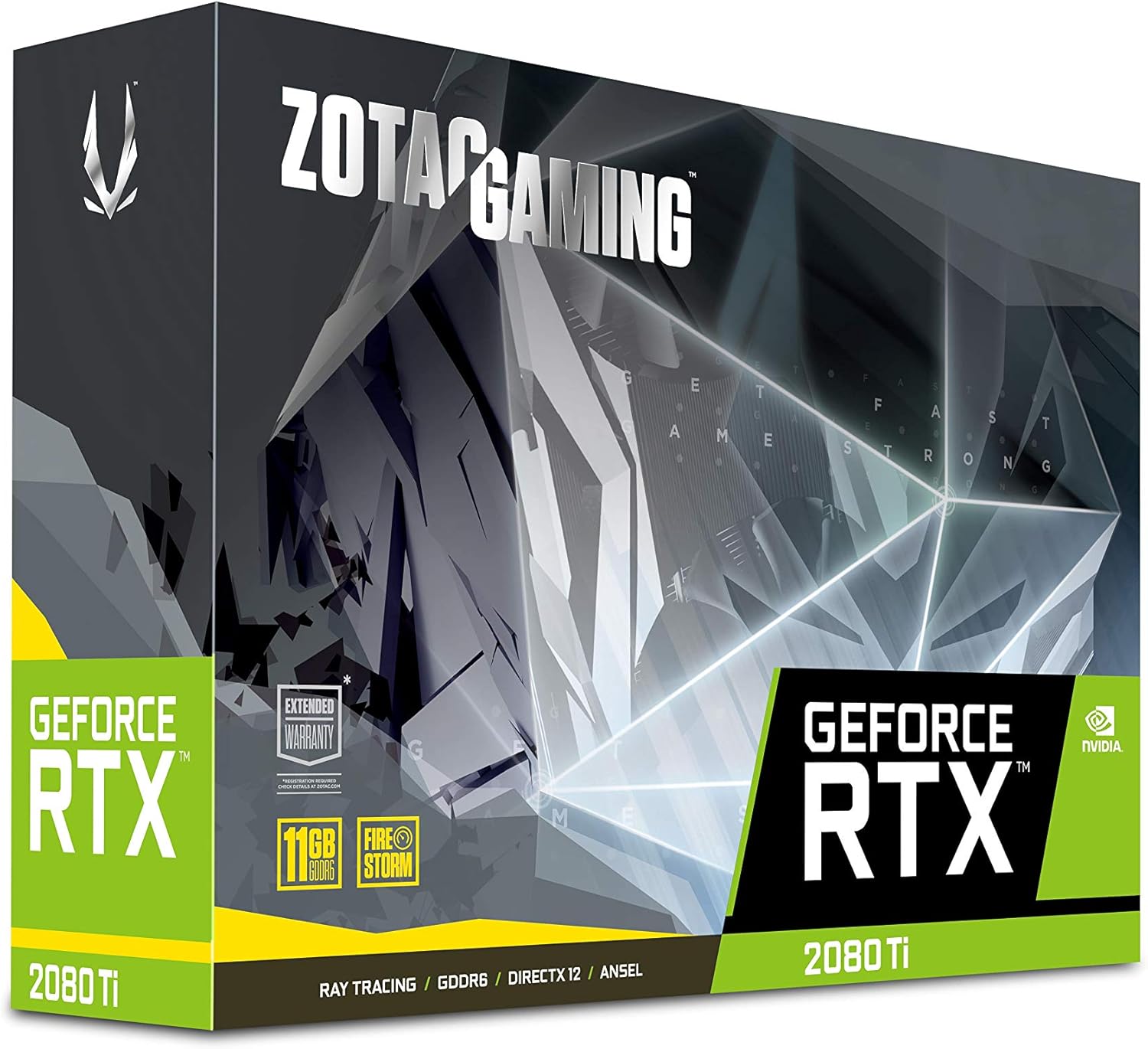
Image: The retail packaging for the ZOTAC Gaming GeForce RTX 2080 Ti Blower graphics card.

Image: The ZOTAC Quick Installation Guide, providing initial setup instructions.
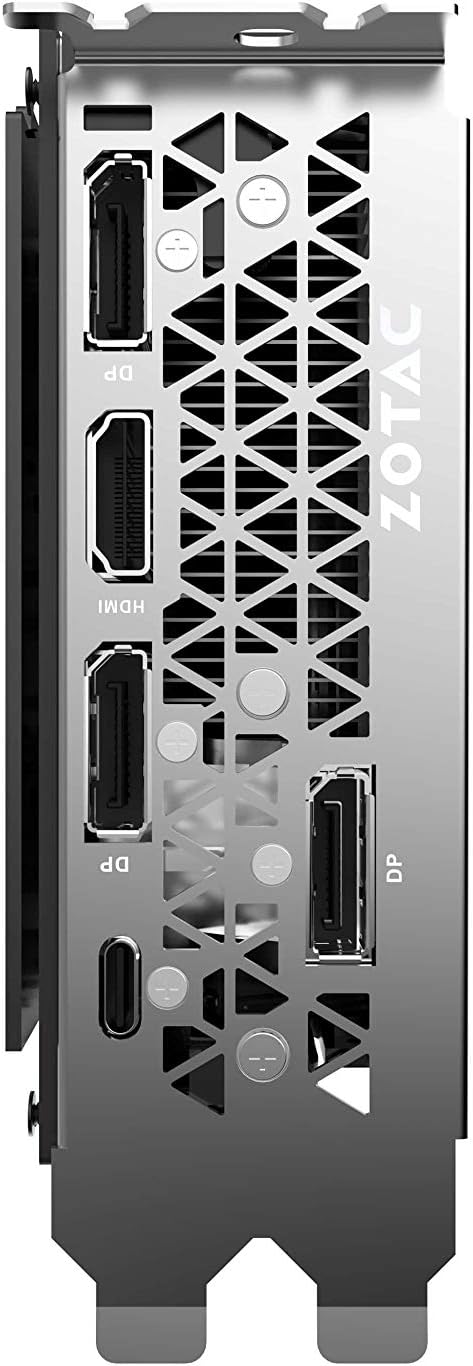
Image: The included 2 x Dual 6-pin to 8-pin power cables for connecting the graphics card to the power supply.
Uppsetning og uppsetning
Fylgdu þessum skrefum til að setja upp skjákortið þitt:
- Undirbúið kerfið ykkar: Slökktu á tölvunni og aftengdu rafmagnssnúruna. Opnaðu tölvukassann.
- Finndu PCIe raufina: Finndu lausa PCI Express 3.0 x16 rauf á móðurborðinu þínu.
- Setjið upp kortið: Carefully align the graphics card with the PCIe slot and press down firmly until it is securely seated. Secure the card with the case's retention mechanism or screws.
- Tengdu rafmagn: Connect the required 8-pin power connectors from your power supply to the graphics card. Use the provided 6-pin to 8-pin adapters if necessary.
- Loka kassanum og tengja skjáinn: Close your computer case, reconnect the power cable, and connect your display cable(s) to the graphics card's output ports.
- Settu upp rekla: Power on your computer. Once the operating system loads, install the latest NVIDIA drivers from the official NVIDIA websíða.

Mynd: Hornlaga view of the graphics card, illustrating its form factor for installation into a PCIe slot.
Aflþörf
To ensure stable operation, your system must meet the following power specifications:
- Mælt er með aflgjafa: 650-watt power supply or greater.
- Hámarks orkunotkun: 250 vött.
Note: Insufficient power supply can lead to system instability or damage.
Tengingar
The graphics card provides multiple display output options:
- 3 x DisplayPort 1.4
- 1 x HDMI 2.0B
- 1 x USB Type-C
The card is capable of supporting quad simultaneous displays.
Image: The rear I/O panel of the graphics card, showing the DisplayPort, HDMI, and USB Type-C outputs.
Hugbúnaðarsamhæfi
Ensure your system meets the following software requirements for optimal performance:
- Stýrikerfi: Microsoft Windows 10/7 x64
- Ökumenn: Game Ready Drivers (available from NVIDIA's official websíða)
- API: Microsoft DirectX 12 API, Vulkan API, OpenGL 4.5
Notkunarleiðbeiningar
After successful installation and driver setup, your ZOTAC Gaming GeForce RTX 2080 Ti Blower graphics card will automatically enhance your system's graphical capabilities. For best performance, ensure your drivers are always up-to-date. You can monitor card performance and temperatures using ZOTAC's FireStorm utility or other compatible third-party software.
Viðhald
Regular maintenance helps prolong the lifespan and performance of your graphics card:
- Rykhreinsun: Hreinsið reglulega ryk af viftu og kæli með þrýstilofti. Gangið úr skugga um að kerfið sé slökkt og aftengt áður en það er hreinsað.
- Loftflæði: Maintain good airflow within your PC case to prevent overheating. Ensure no cables or other components obstruct the graphics card's fan.
- Bílstjóri uppfærslur: Haltu grafíkdrifunum þínum uppfærðum til að njóta góðs af úrbótum á afköstum og villuleiðréttingum.
Úrræðaleit
Ef þú lendir í vandræðum skaltu íhuga eftirfarandi algengar lausnir:
- Enginn skjár: Ensure the display cable is securely connected to the graphics card and the monitor. Verify the monitor is set to the correct input.
- Óstöðugleiki/kerfishrun: Check power connections to the graphics card. Ensure your power supply meets the recommended wattage. Update or reinstall graphics drivers.
- Ofhitnun: Verify that the graphics card fan is spinning. Clean any dust buildup from the heatsink and fan. Ensure adequate case airflow.
- Vandamál ökumanns: Perform a clean installation of the latest graphics drivers from NVIDIA's websíða.
If problems persist, consult the ZOTAC support websíðuna eða hafðu samband við þjónustuver þeirra.
Tæknilýsing
| Eiginleiki | Forskrift |
|---|---|
| GPU | NVIDIA GeForce RTX 2080 Ti |
| CUDA kjarna | 4352 |
| Myndbandsminni | 11GB GDDR6 |
| Minnisrúta | 352 bita |
| Klukka fyrir vélarhækkun | 1545 MHz |
| Minni klukka | 14.0 Gbps |
| PCI Express | 3.0 |
| Sýna úttak | 3 x DisplayPort 1.4, 1 x HDMI 2.0B, 1 x USB Type-C |
| Stuðningur við fjölskjá | Quad Simultaneous Display Capable |
| Mælt er með aflgjafa | 650W |
| Orkunotkun | 250W |
| Mál (LxBxH) | 10.55 x 4.45 x 1.5 tommur |
| Stuðningur við stýrikerfi | Windows 10/7 x64 |
Ábyrgð og stuðningur
Your ZOTAC Gaming GeForce RTX 2080 Ti Blower graphics card may be eligible for an extended warranty. Registration is typically required to activate the full warranty period. Please refer to the official ZOTAC website for detailed warranty terms and conditions, and for information on how to register your product.
For technical support, driver downloads, and further assistance, visit the official ZOTAC support page:

Image: Information regarding ZOTAC's 5-year warranty, which typically requires product registration.


