1. Inngangur
Welcome to the user manual for your Genius Manticore Gaming Keyboard. This guide provides essential information for setting up, operating, maintaining, and troubleshooting your new gaming keyboard. Please read these instructions carefully to ensure optimal performance and longevity of your device.
2. Vöru lokiðview
The Genius Manticore Gaming Keyboard is designed for an enhanced gaming experience, featuring a durable build and responsive keys. It connects via USB and is compatible with a wide range of devices. The keyboard includes 104 keys with a standard QWERTY layout, complemented by additional gaming-specific features.
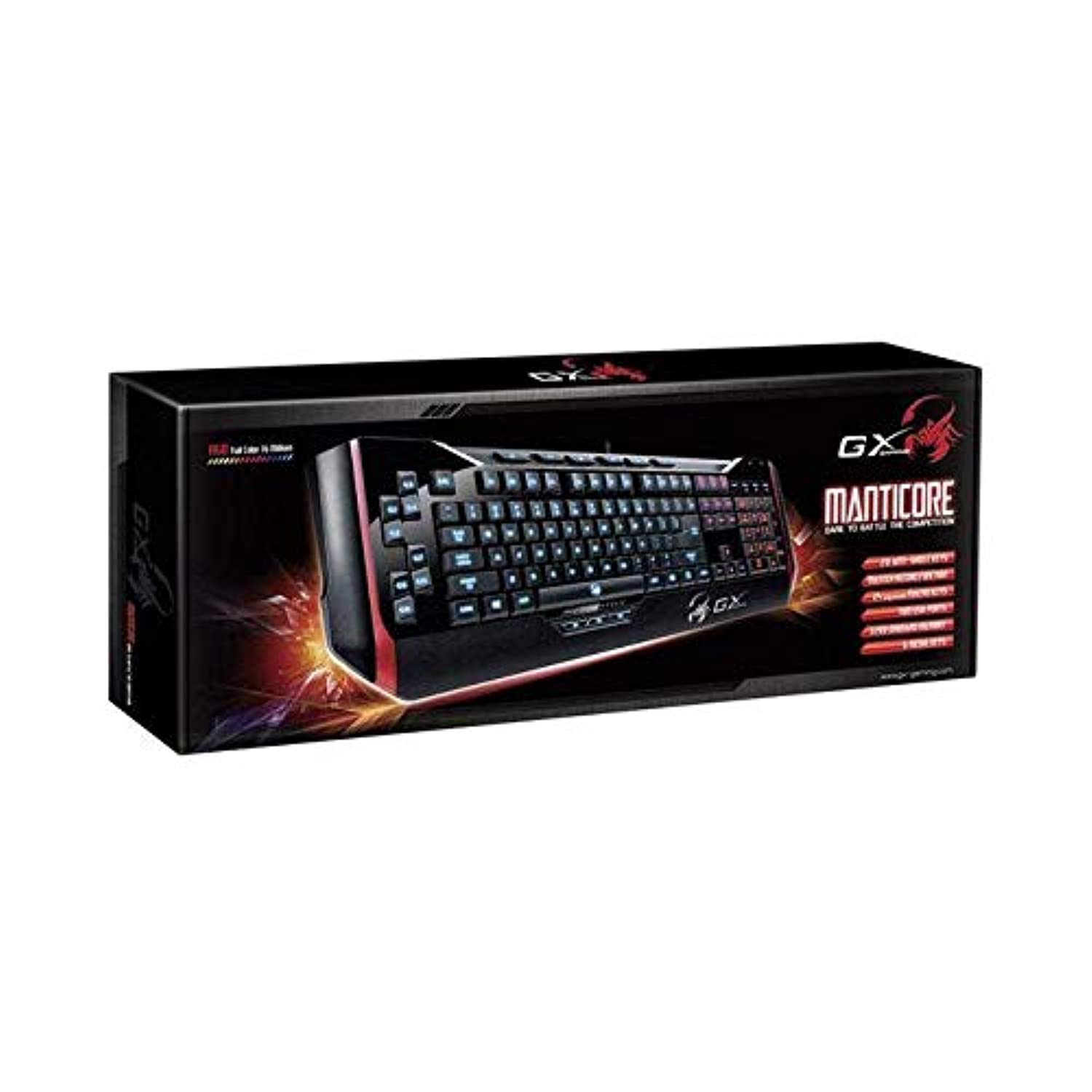
Mynd 1: Genius Manticore Gaming Keyboard. This image displays the Genius Manticore Gaming Keyboard, featuring a black body with red accents on the sides. The keys are illuminated, indicating its gaming functionality. The keyboard has a standard QWERTY layout with additional keys on the left side, likely for macros, and a numeric keypad on the right.
3. Uppsetning
- Taktu lyklaborðið upp: Carefully remove the Genius Manticore Gaming Keyboard from its packaging. Ensure all components are present.
- Tengstu við tækið þitt: Locate an available USB port on your computer or compatible device. Insert the USB connector of the keyboard firmly into the USB port.
- Uppsetning ökumanns (ef nauðsyn krefur): For most modern operating systems, the keyboard will be recognized automatically, and standard drivers will be installed. If prompted, follow the on-screen instructions to complete any driver installation.
- Prófvirkni: Open a text editor or a web browser and test the keys to ensure they are responding correctly.
4. Notkunarleiðbeiningar
The Genius Manticore Gaming Keyboard offers a standard QWERTY layout for general typing and dedicated features for gaming.
- Staðlaðar lyklaaðgerðir: All standard alphanumeric, symbol, and function keys operate as expected on a typical QWERTY keyboard.
- Leikjaeiginleikar: The keyboard is designed for gaming. Specific gaming features, such as customizable backlighting or programmable macro keys (if available on your model), can typically be configured through dedicated software provided by Genius or through specific key combinations. Refer to the Genius website for any available software downloads or advanced feature guides.
- Aflgjafi: The keyboard is powered directly via the USB connection to your device. No external power supply or batteries are required.
5. Viðhald
Rétt viðhald tryggir langlífi og virkni lyklaborðsins.
- Þrif: Notið mjúkan, þurran klút til að þurrka af lyklaborðinu. Notið þrýstiloft til að fjarlægja ryk og óhreinindi á milli takka. Forðist að nota sterk efni eða slípiefni.
- Vökvaútsetning: This keyboard is ekki vatnsheldur. Avoid spilling liquids on the keyboard, as this can cause permanent damage. If liquid exposure occurs, immediately disconnect the keyboard from your device and allow it to dry completely before attempting to use it again.
- Geymsla: Þegar lyklaborðið er ekki í notkun skal geyma það á hreinum, þurrum stað fjarri miklum hita og beinu sólarljósi.
6. Bilanagreining
If you encounter issues with your keyboard, try the following solutions:
- Lyklaborðið svarar ekki:
- Gakktu úr skugga um að USB-snúran sé vel tengd bæði við lyklaborðið og tölvuna.
- Prófaðu að tengja lyklaborðið við aðra USB tengi á tölvunni þinni.
- Prófaðu lyklaborðið á annarri tölvu til að ákvarða hvort vandamálið sé í lyklaborðinu eða upprunalegu tölvunni.
- Endurræstu tölvuna þína.
- Sérstakir lyklar virka ekki:
- Check for any physical obstructions under the non-functional keys.
- Þrífið lyklaborðið eins og lýst er í viðhaldskaflanum.
- Ensure no software conflicts are present (e.g., macro software interfering with standard key functions).
- Vandamál með baklýsingu:
- If your model features adjustable backlighting, ensure it is not turned off or set to the lowest brightness level. Consult the Genius website for specific key combinations to control backlighting.
If these steps do not resolve the issue, please contact Genius customer support for further assistance.
7. Tæknilýsing
| Eiginleiki | Smáatriði |
|---|---|
| Vörumerki | Snilld |
| Gerðarnúmer | GE31310058108 |
| Samhæf tæki | Allt |
| Tengitækni | USB |
| Lýsing á lyklaborði | Spilamennska |
| Sérstakir eiginleikar | Spilamennska |
| Litur | Multi-color (Black and Red) |
| Stíll | Nútímalegt |
| Efni | Margvísleg efni |
| Þema | Leikir |
| Aflgjafi | USB máttur |
| Fjöldi lykla | 104 |
| Lyklaborðsuppsetning | QWERTY lyklaborð |
| Handstilling | Tvíhliða |
| Magn hnappa | 104 |
| Vatnsþolsstig | Ekki vatnsheldur |
| Framleiðandi | Snilld |
| ASIN | B07MQMXJS9 |
8. Ábyrgð og stuðningur
Your Genius Manticore Gaming Keyboard is covered by a standard manufacturer's warranty. For detailed information regarding warranty terms, registration, or to access technical support, please visit the official Genius webvefsíðu eða hafið samband við þjónustuver þeirra. Geymið kaupkvittunina sem sönnun fyrir kaupunum.
Til að fá frekari aðstoð getur þú heimsótt Genius Official Websíða.