Inngangur
This manual provides instructions for the setup, operation, and maintenance of your LG 32QN600-B QHD 32-inch IPS monitor. Please read this manual thoroughly before operating your device to ensure safe and optimal performance. Keep this manual for future reference.
Mikilvægar öryggisupplýsingar
Fylgið alltaf grunnöryggisráðstöfunum þegar þessi vara er notuð til að draga úr hættu á eldsvoða, raflosti og meiðslum á fólki. Þetta felur í sér, en takmarkast ekki við:
- Ekki loka fyrir loftræstingarop.
- Ekki setja upp nálægt neinum hitagjöfum.
- Verndaðu rafmagnssnúruna gegn því að gengið sé á hana eða hún klemmi hana.
- Notaðu aðeins viðhengi/aukahluti sem framleiðandi tilgreinir.
- Látið alla þjónustu til hæfs þjónustufólks.
Uppsetning
1. Upptaka
Carefully remove all components from the packaging. Ensure all parts listed in the packing list are present and undamaged. Keep packaging materials for future transport or return.
2. Stand Assembly / Wall Mounting
The monitor can be set up using its adjustable Edge-ArcLine stand or mounted to a wall using a VESA compatible mount (100 x 100 mm). Follow the instructions provided with the stand or wall mount kit for proper assembly.

Mynd: Aftan view of the LG 32QN600-B monitor with its Edge-ArcLine stand attached. The stand provides stability and allows for tilt and height adjustments.
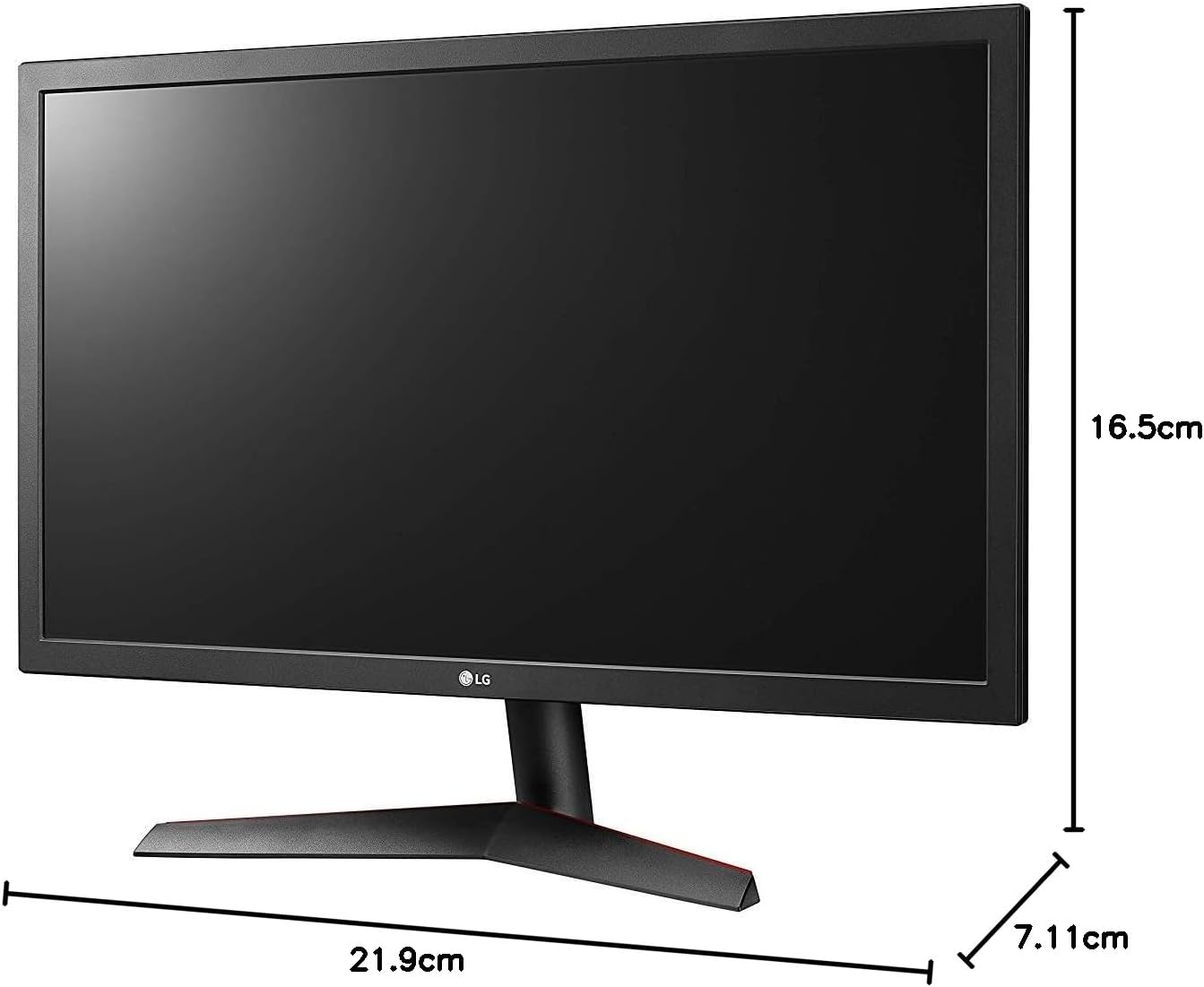
Image: Diagram illustrating the approximate dimensions of a similar LG monitor, showing width, height, and depth. Note: Specific dimensions for the 32QN600-B model are not provided in the available data.
3. Tengist við tölvu
Connect the monitor to your computer using one of the following cable types. Ensure the monitor and computer are powered off before making connections.
- HDMI tenging: Use an HDMI cable to connect the monitor's HDMI port to the HDMI port on your computer's graphics card. This monitor supports 2 HDMI inputs.
- DisplayPort tenging: Use a DisplayPort cable to connect the monitor's DisplayPort to the DisplayPort on your computer's graphics card. This monitor supports 1 DisplayPort input.

Image: Close-up of the rear panel of the LG 32QN600-B monitor, displaying the available input ports including HDMI and DisplayPort connections.
4. Rafmagnstenging
Tengdu straumbreytinn við aflgjafann á skjánum og stingdu síðan rafmagnssnúrunni í vegginnstungu.
Að stjórna skjánum
1. Kveikt/slökkt

Mynd: Framan view of the LG 32QN600-B QHD 32-inch IPS monitor, showing the display and stand.
Press the power button (usually a joystick-style button located on the bottom center of the monitor) to turn the monitor on or off.
2. Valmyndarvalmynd á skjá (OSD)
The OSD menu allows you to adjust various monitor settings. Use the joystick button to navigate the menu:
- Ýttu á stýripinnann til að opna aðalvalmyndina í skjáborðinu.
- Færðu stýripinnann upp/niður/vinstri/hægri til að fletta í gegnum valmyndarvalkosti.
- Ýttu á stýripinnann til að velja valkost eða staðfesta stillingu.
- Færðu stýripinnann til vinstri til að fara úr undirvalmynd eða skjámyndinni.
3. Myndastillingar
Stilltu skjástillingar til að ná sem bestum árangri viewreynsla:
- Birtustig: Stýrir heildarbirtu skjásins.
- Andstæða: Stillir muninn á ljósum og dökkum svæðum.
- Litahitastig: Changes the color warmth or coolness.
- Gamma: Adjusts the mid-tone luminance.
4. Sérstakir eiginleikar
The LG 32QN600-B monitor includes several features to enhance your viewupplifun af spilun og leik:
- HDR 10 samhæfni: Supports High Dynamic Range content for enhanced contrast and color detail.
- Lesarahamur: Reduces blue light emissions to minimize eye strain during long reading sessions.
- Flicker Safe: Virtually eliminates screen flicker to reduce eye fatigue.
- AMD FreeSync: Synchronizes the monitor's refresh rate with compatible AMD graphics cards to reduce screen tearing and stuttering for smoother gameplay.
- Samstilling á hreyfanlegum aðgerðum (DAS): Lágmarkar töf á inntaki, sem gerir kleift að bregðast hraðar við í hraðskreiðum leikjum.
- Svartur stöðugleiki: Automatically brightens dark areas in games, making it easier to spot objects or enemies hidden in shadows.
Viðhald
Hreinsun skjásins
To clean the monitor, ensure it is powered off and unplugged from the power outlet. Use a soft, lint-free cloth lightly dampened with water or a mild, non-abrasive screen cleaner. Do not spray cleaner directly onto the screen. Avoid using harsh chemicals, abrasives, or solvents.
Almenn umönnun
Avoid placing heavy objects on the monitor or its cables. Do not expose the monitor to direct sunlight, high humidity, or extreme temperatures. Ensure adequate ventilation around the monitor.
Úrræðaleit
Ef þú lendir í vandræðum með skjáinn þinn skaltu skoða eftirfarandi algeng vandamál og lausnir:
| Vandamál | Möguleg orsök/lausn |
|---|---|
| Enginn kraftur | Gakktu úr skugga um að rafmagnssnúran sé vel tengd við skjáinn og virkan rafmagnsinnstungu. Athugaðu hvort straumbreytirinn virki. |
| Ekkert merki / Tómur skjár | Verify that the video cable (HDMI or DisplayPort) is securely connected to both the monitor and the computer. Ensure the correct input source is selected in the OSD menu. Check if the computer is powered on and not in sleep mode. |
| Myndin er óskýr eða bjöguð | Adjust the resolution settings on your computer to match the monitor's native resolution (2560 x 1440). Check the video cable for damage. Perform an auto-adjustment or reset picture settings in the OSD menu. |
| Litir eru rangir | Adjust color settings (color temperature, gamma) in the OSD menu. Ensure your graphics card drivers are up to date. |
| Skjárif eða -stöt (í tölvuleikjum) | Ensure AMD FreeSync is enabled on both the monitor (via OSD) and your compatible AMD graphics card settings. |
Ef vandamálið er enn til staðar eftir að þessar lausnir hafa verið prófaðar skaltu hafa samband við þjónustuver LG.
Tæknilýsing
| Nafn líkans | LG 32QN600-B |
| Skjástærð | 32 tommur |
| Tegund pallborðs | IPS |
| Upplausn | QHD (2560 x 1440) |
| Hlutfall | 16:9 |
| HDR stuðningur | HDR 10 samhæft |
| Birtustig (venjulegt) | 350 nit |
| Litasvið | DCI-P3 90% (venjulegt) |
| Adaptive Sync tækni | AMD FreeSync |
| Tengingar | 2 x HDMI, 1 x DisplayPort |
| VESA veggfesting | 100 x 100 mm |
| Sérstakir eiginleikar | Reader Mode, Flicker Safe, Dynamic Action Sync, Black Stabilizer |
| Power Input | 100-240 volt |
| Mál (B x H x D) | Specific dimensions for the 32-inch model are not available in the provided data. |
| Þyngd | Specific weight for the 32-inch model is not available in the provided data. |
Upplýsingar um ábyrgð
LG monitors typically come with a limited manufacturer's warranty. For detailed information regarding your product's warranty period, coverage, and terms and conditions, please refer to the warranty card included with your product or visit the official LG webGeymið kaupkvittunina vegna ábyrgðarkröfu.
Þjónustudeild
For technical assistance, troubleshooting beyond this manual, or service inquiries, please contact LG Customer Support:
- Websíða: Heimsæktu opinberu LG websíða fyrir stuðningsúrræði, algengar spurningar og niðurhal á rekla.
- Sími: Vísað er til vöruskjölanna eða hjá LG. websíða fyrir svæðisbundin tengiliðanúmer.