Inngangur
This manual provides essential instructions for setting up, operating, maintaining, and troubleshooting your Microsoft Surface Pro 2017. The Surface Pro 2017 is a versatile 2-in-1 device designed to function as both a powerful laptop and a portable tablet, offering a seamless computing experience.
Vinsamlegast lesið þessa handbók vandlega til að tryggja rétta notkun og til að hámarka líftíma tækisins. Geymið þessa handbók til síðari viðmiðunar.
Hvað er í kassanum
Upon unboxing your Microsoft Surface Pro 2017, verify that all components are present:
- Microsoft Surface Pro 2017 device
- Rafmagns millistykki
Note: Additional accessories such as the Surface Pen, Type Cover, or Surface Dial are sold separately and may not be included with your device.
Uppsetning
1. Fyrsta ræsing og hleðsla
- Tengdu straumbreytinn: Plug the AC power adapter into a wall outlet and then connect the magnetic charging connector to the charging port on your Surface Pro. The LED indicator on the connector will illuminate when charging.
- Kveikt á: Press and hold the power button located on the top edge of the device for a few seconds until the Microsoft logo appears on the screen.
2. Windows Setup
Follow the on-screen prompts to complete the initial Windows setup. This process typically includes:
- Velja svæði og tungumál.
- Tengist við Wi-Fi net.
- Að samþykkja leyfissamninginn.
- Að stofna eða skrá sig inn með Microsoft-reikningi.
- Setting up security features like Windows Hello (facial recognition) or a PIN.
3. Tengist Wi-Fi
- During Windows setup, you will be prompted to connect to a network. Select your desired Wi-Fi network from the list and enter the password if required.
- If you need to connect later, go to Byrjaðu > Stillingar > Net og internet > Wi-Fi. Turn Wi-Fi on, select your network, and click Tengdu.
Notkunarleiðbeiningar
Basic Device Orientation and Controls
The Surface Pro 2017 features a 12.3-inch PixelSense display with multi-touch support. Key physical controls include:
- Aflhnappur: Located on the top edge, used to turn the device on/off, sleep, or wake.
- Hljóðstyrkshnappar: Located on the side, used to adjust audio volume.
- Sparkstandur: Integrated on the back, allows for multiple viewing horn.
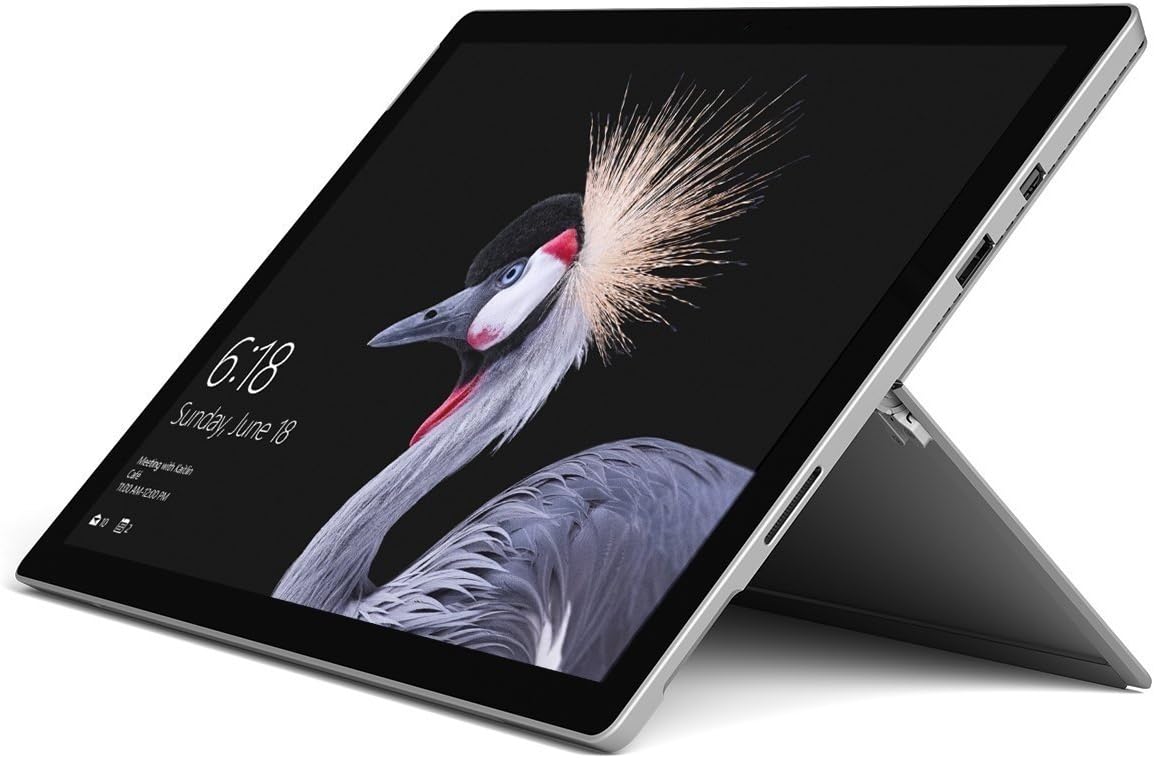
Image: Microsoft Surface Pro 2017 in laptop mode with its kickstand extended, showcasing the device's display.
Notkun Kickstand
The integrated kickstand allows you to position your Surface Pro at various angles for comfortable viewing, typing, or drawing. Gently pull the kickstand out from the back of the device until it reaches your desired angle.
Orkustjórnun
- Svefnhamur: Briefly press the power button to put the Surface Pro into sleep mode. Press it again to wake the device.
- Lokaðu: Farðu til Byrjaðu > Kraftur > Leggðu niður.
- Endurræsa: Farðu til Byrjaðu > Kraftur > Endurræstu.
Að tengja jaðartæki
The Surface Pro 2017 includes various ports for connecting external devices:
- USB 3.0 tengi: For connecting USB drives, keyboards, mice, and other compatible accessories.
- Mini DisplayPort: Til að tengja við ytri skjái eða skjávarpa.
- microSD kortalesari: Til að auka geymslupláss eða flytja files frá minniskortum.
- Surface Connect Port: For power and connecting to Surface Dock accessories.
- 3.5 mm heyrnartólstengi: Fyrir hljóðúttak.
Bluetooth: To connect Bluetooth devices (e.g., headphones, mice), go to Byrjaðu > Stillingar > Tæki > Bluetooth og önnur tæki. Ensure Bluetooth is turned on, then select "Add Bluetooth or other device" and follow the pairing instructions.

Mynd: Hliðarprófarifile of the Microsoft Surface Pro 2017, highlighting the various ports available for connectivity.
Viðhald
Cleaning Your Surface Pro
- Skjár: Notaðu mjúkan, lólausan klút örlítið dampened with water or an approved screen cleaner. Avoid harsh chemicals or abrasive materials.
- Líkami: Wipe the exterior with a soft, dry cloth. Do not allow liquids to enter openings.
- Hafnir: Keep ports free of dust and debris. Use compressed air carefully if needed, holding the can upright.
Umhirða rafhlöðu
- Forðist mikinn hita því hann getur dregið úr endingu rafhlöðunnar.
- Til að hámarka heilsu rafhlöðunnar skal forðast að tæma rafhlöðuna alveg stöðugt eða halda henni 100% hlaðinni í langan tíma.
- Use only the official Microsoft AC power adapter or a compatible charger.
Hugbúnaðaruppfærslur
Regularly update your Windows operating system and device drivers to ensure optimal performance, security, and compatibility. Go to Byrjaðu > Stillingar > Uppfærsla og öryggi > Windows Update til að athuga hvort uppfærslur séu til staðar og setja þær upp.
Úrræðaleit
This section addresses common issues you might encounter with your Surface Pro 2017.
Device Will Not Turn On
- Gakktu úr skugga um að tækið sé hlaðið. Tengdu straumbreytinn og bíddu í nokkrar mínútur áður en þú reynir að kveikja á því.
- Perform a two-button shutdown: Press and hold the volume-up button and the power button simultaneously for at least 15 seconds, then release both. Wait 10 seconds, then press the power button again to turn on the Surface.
Screen Not Responding to Touch
- Endurræstu tækið.
- Gakktu úr skugga um að skjárinn sé hreinn og laus við óhreinindi.
- Check for available Windows updates, as driver updates can resolve touch issues.
Vandamál með Wi-Fi tengingu
- Gakktu úr skugga um að Wi-Fi sé virkt í Stillingar > Net og internet > Wi-Fi.
- Restart your Surface Pro and your Wi-Fi router.
- Forget the network and reconnect: Go to Stillingar > Net og internet > Wi-Fi, click on your network, then Gleymdu. Reconnect and enter the password.
Tæknilýsing
| Eiginleiki | Forskrift |
|---|---|
| Nafn líkans | Surface Pro 2017 |
| Tegundarnúmer vöru | 7Y30 |
| Skjástærð | 12.3 tommur |
| Skjáupplausn | 2736 x 1824 dílar |
| Örgjörvi | Intel Core m3-7Y30 (1 GHz Intel_Mobile_CPU) |
| vinnsluminni | 4 GB DDR4 SDRAM |
| Geymsla | 128 GB SSD |
| Skjákort | Integrated (Intel) |
| Stýrikerfi | Windows |
| Þráðlaus gerð | 802.11abg |
| Þyngd hlutar | 1.89 pund |
| Vörumál | 11.5 x 7.9 x 0.3 tommur |
| Litur | Silfur |
Ábyrgð og stuðningur
For detailed warranty information, please refer to the warranty card included with your purchase or visit the official Microsoft support webÁbyrgðarskilmálar geta verið mismunandi eftir svæðum og söluaðilum.
For technical support, driver downloads, and additional resources, please visit the official Microsoft Support websíða: support.microsoft.com/surface