1. Inngangur
This manual provides detailed instructions for the setup, operation, and maintenance of your NEEWER 16MP 1080P HD Trail Game Camera, Model 10095110. Designed for wildlife monitoring, hunting, and security applications, this camera features high-resolution imaging, fast trigger speed, and robust weather resistance.
2. Vöruhlutir
Í pakkanum eru eftirfarandi hlutir:
- NEEWER Trail Game Camera
- Festingaról
- USB snúru
- Festingarfesting og skrúfur
- Leiðbeiningarhandbók
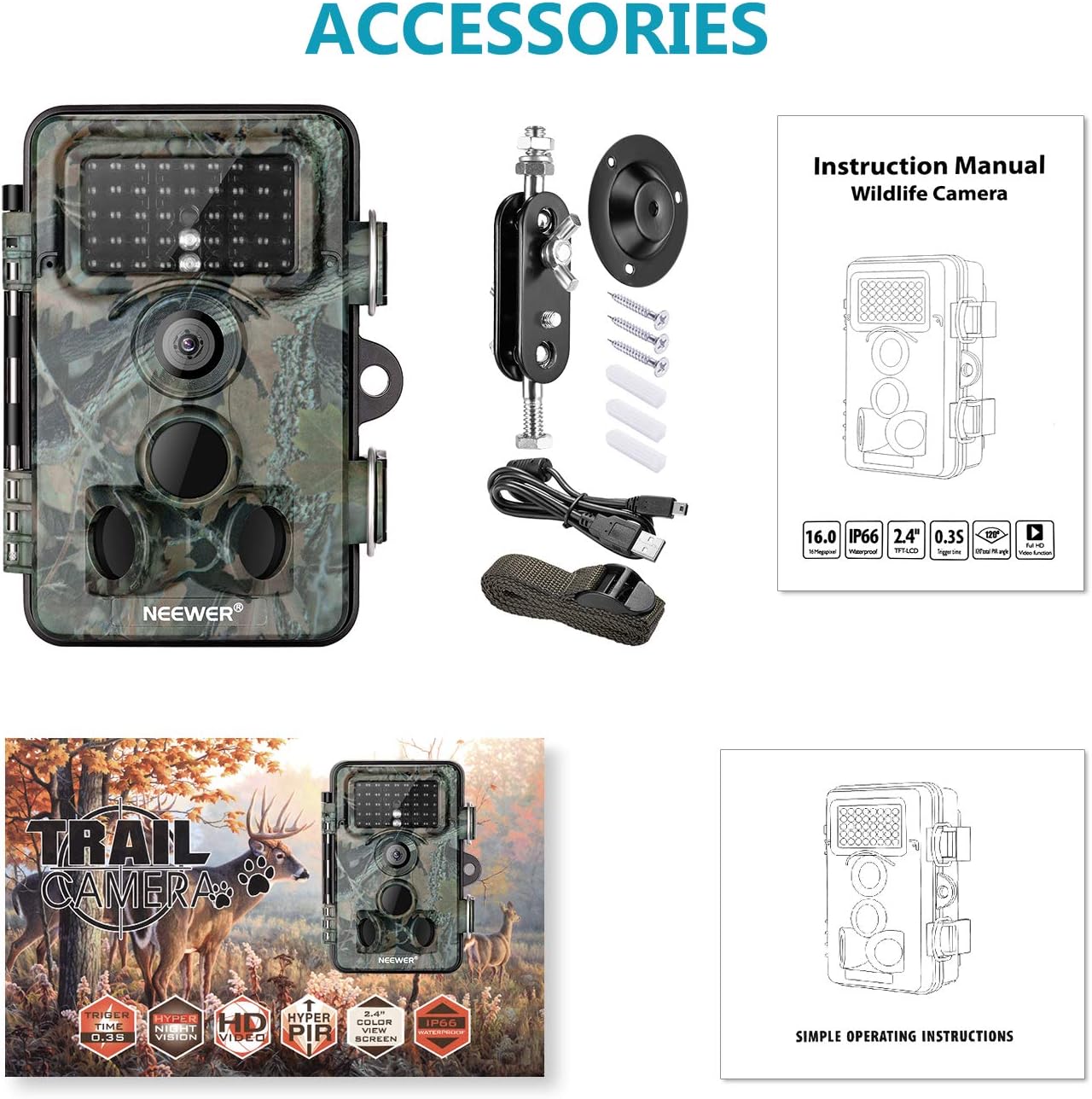
Figure 2.1: Included components of the NEEWER Trail Game Camera package.
3. Helstu eiginleikar
- 16 Megapixel Still Images: Capture high-resolution photos of wildlife.
- 1080P Full HD myndband: Taktu upp skýrt myndbandtage.
- 0.3s Trigger Speed: Rapidly capture motion-activated events.
- 120 gráðu breiðlinsa: Býður upp á breitt svið af view fyrir alhliða umfjöllun.
- Motion Activated Night Vision: Equipped with 42pcs infrared LEDs for clear night shots up to 20m (65ft).
- IP66 Waterproof and Dustproof Design: Ensures durability in various outdoor conditions.
- 2.4-inch TFT-LCD Screen: For easy menu navigation and playback.

Figure 3.1: High Trigger Speed
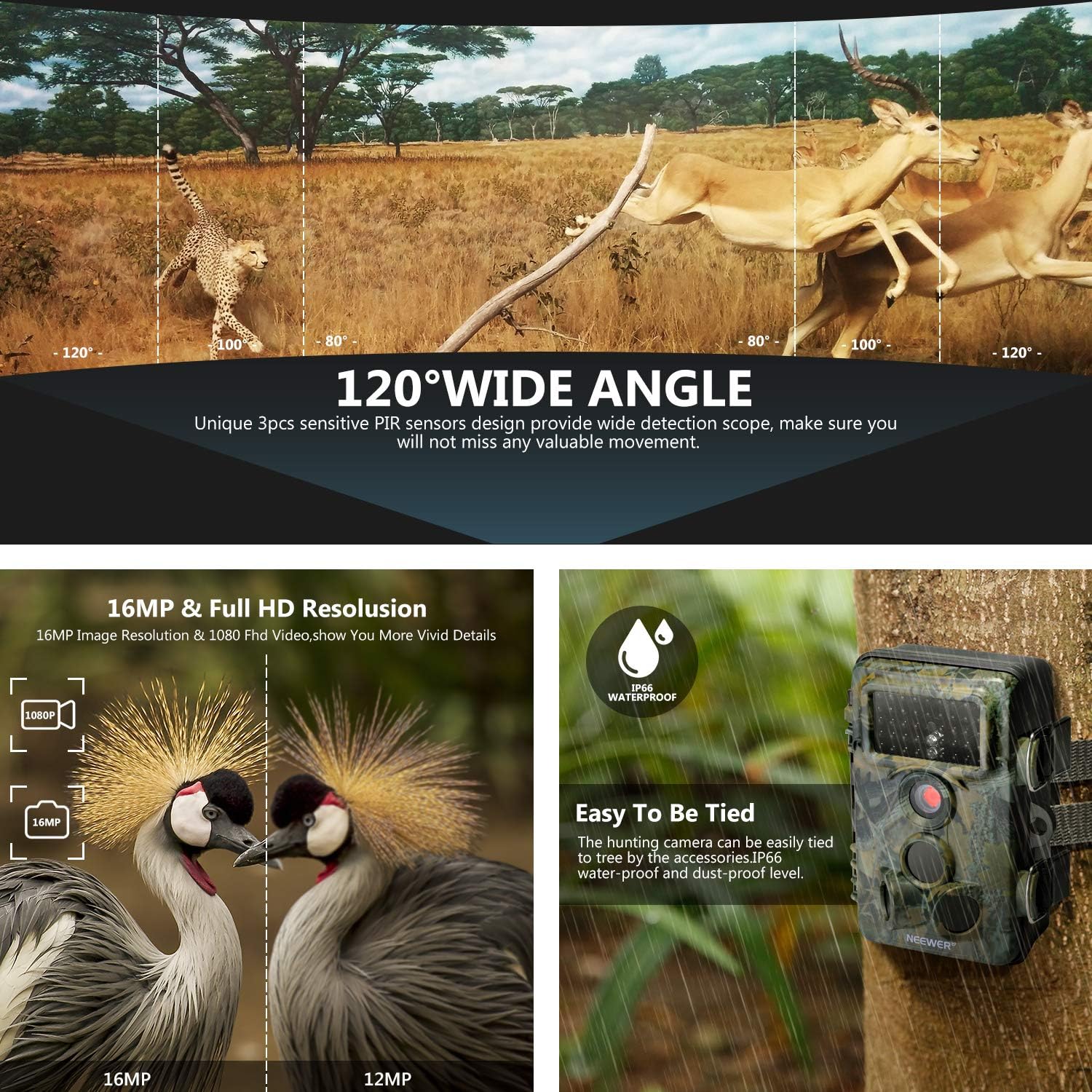
Figure 3.2: 120 Degree Wide Angle Lens

Mynd 3.3: Ofurnætursjón
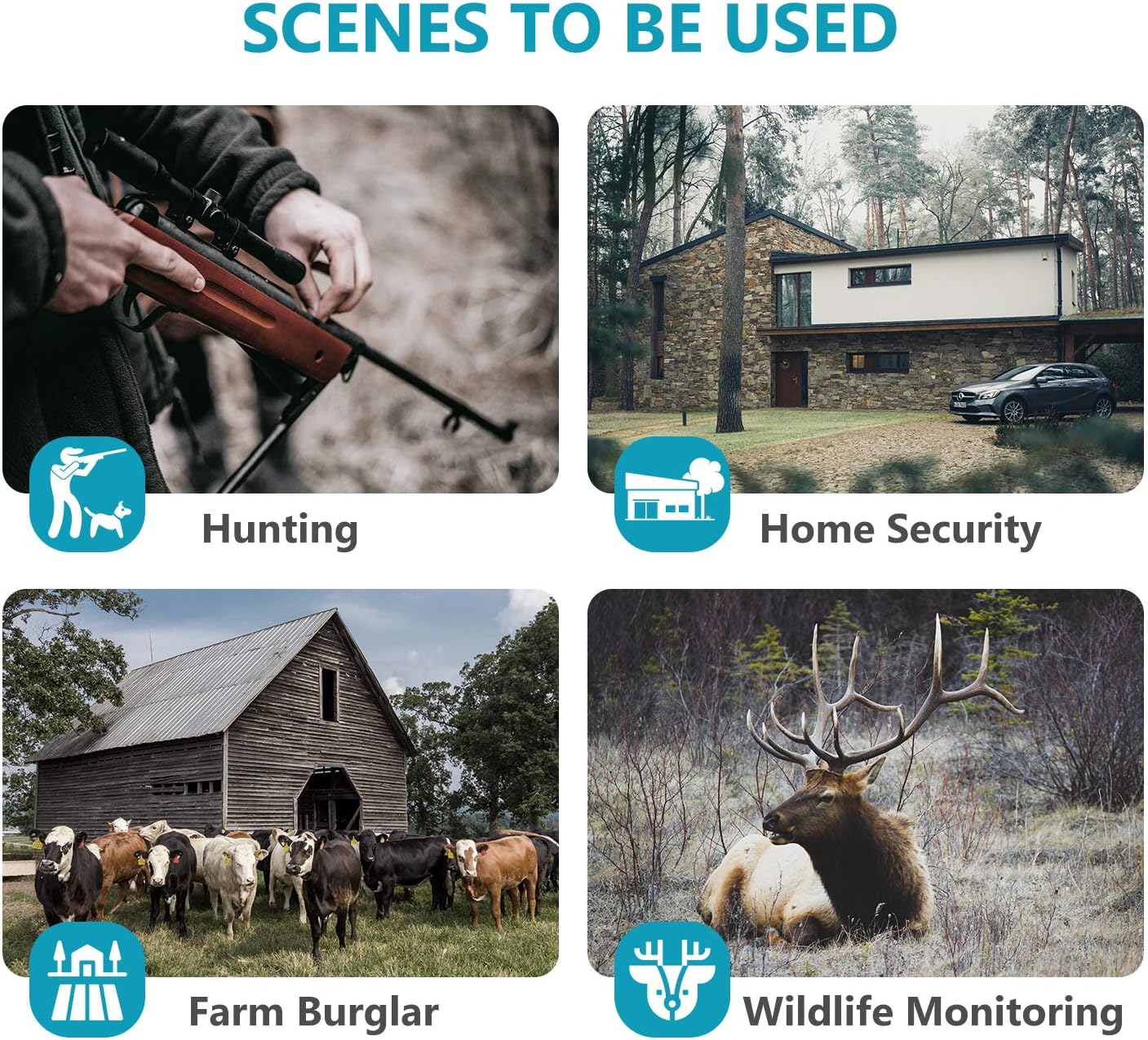
Mynd 3.4: Fjölbreytt notkunarsviðsmynd
4. Uppsetning
4.1 Battery and Power Installation
The camera operates on AA batteries (not included) and can be supplemented or powered by an external 6V/9V/12V DC power source, such as a compatible solar panel. Rechargeable batteries are recommended for sustained use.
- Open the camera's housing by unlatching the side clips.
- Locate the battery compartment. Insert 4 or 8 AA batteries, ensuring correct polarity.
- If using an external solar panel (e.g., TKKOK X58 model), connect its output cable to the DC IN port on the camera. The solar panel can also have its own internal battery system.

Figure 4.1: Internal layout and connections of the camera.
4.2 Uppsetning minniskorts
The camera supports SD/SDHC memory cards up to 64GB. A memory card is required for storing photos and videos.
- Með myndavélarhúsið opið skaltu finna SD-kortaraufina.
- Settu SD-kortið í með málmtengjunum að bakhlið myndavélarinnar þar til það smellpassar.
- Before first use, it is recommended to format the SD card via the camera's menu to ensure compatibility and optimal performance.
4.3 Uppsetning myndavélarinnar
The camera can be mounted using the included strap or the mounting bracket.
- Festing á ól: Þræddu meðfylgjandi ól í gegnum raufarnar á bakhlið myndavélarinnar og festu hana utan um tré eða staur.
- Festing á festingu: Attach the mounting bracket to a surface using the screws. Then, attach the camera to the bracket using its 1/4-inch tripod thread.
- Position the camera to cover the desired area, ensuring the PIR sensors have an unobstructed view.
5. Notkunarleiðbeiningar
5.1 Power On/Off and Mode Switch
The camera has a 3-position mode switch: OFF, SETUP, and ON.
- SLÖKKT: Powers off the camera.
- Uppsetning: Allows access to the menu, settings, and image/video playback.
- Kveikt: Activates the camera for motion-triggered recording. The screen will turn off after a few seconds to conserve power.
5.2 Valmyndarleiðsögn
Use the control buttons (MENU, OK, Up/Down/Left/Right arrows, REPLAY) to navigate the camera's settings.
- Ýttu á MENU hnappinn til að fara í stillingavalmyndina.
- Notaðu Upp/niður arrows to scroll through options.
- Ýttu á OK til að velja valkost eða staðfesta stillingu.
- Notaðu Vinstri/hægri arrows to change values or navigate sub-menus.
- Ýttu á ENDURSPIÐUR til view teknar myndir og myndbönd.
5.3 Photo/Video Modes and Settings
In SETUP mode, you can configure various parameters:
- Stilling: Select between Photo, Video, or Photo+Video.
- Myndastærð: Set image resolution (e.g., 16MP, 12MP).
- Stærð myndbands: Set video resolution (e.g., 1080P, 720P).
- Lengd myndbands: Define the duration of video recordings.
- PIR næmi: Adjust the sensitivity of the motion sensors.
- Tímabilun: Enable time-lapse photography.
- Dagsetning/tími: Stilltu núverandi dagsetningu og tíma.
5.4 Nætursjón
The camera automatically switches to night vision mode in low-light conditions, utilizing its infrared LEDs to capture clear black and white images/videos without disturbing wildlife.
Myndband 5.1: Opinberri vöru lokiðview highlighting key features like trigger speed, wide angle, and night vision.
6. Viðhald
6.1 Veðurþol
The camera features an IP66 waterproof and dustproof rating. Ensure the housing is securely latched and all port covers are tightly sealed to maintain its weather resistance.
6.2 Umhirða rafhlöðu
Regularly check battery levels, especially if not using a solar panel. Replace or recharge batteries as needed. For optimal performance, use high-quality rechargeable AA batteries.
6.3 Stjórnun minniskorta
Periodically format the SD card to prevent data corruption and ensure sufficient storage space. Back up important footage to a computer before formatting.
6.4 Þrif
Gently clean the camera lens and PIR sensors with a soft, dry cloth to ensure clear images and proper motion detection. Avoid using abrasive cleaners.
7. Bilanagreining
- Kveikt ekki á myndavélinni: Check battery installation and ensure batteries are charged. Verify external power source connection if used.
- Léleg mynd-/myndgæði: Ensure the lens is clean and free from obstructions. Check resolution settings in the menu.
- No recordings: Verify that the SD card is inserted correctly and has sufficient free space. Format the SD card if necessary. Check PIR sensitivity settings and ensure the camera is in 'ON' mode.
- Of mikil rafhlöðutap: This can occur with frequent triggers or in very cold weather. Consider using a solar panel for continuous power or higher capacity rechargeable batteries.
- Water inside the camera: Ensure all latches are securely closed and rubber seals are properly seated. If water ingress occurs, dry the camera thoroughly and check for any damage to seals.
- Short video recordings: If videos are shorter than set, check battery levels. Low battery can sometimes cause truncated recordings. Reformat the SD card.
8. Tæknilýsing
| Árangursrík kyrrupplausn | 16 MP |
| Myndbandsupplausn | 1080p |
| Kveikjuhraði | 0.3s |
| Field Of View | 120 gráður |
| Nætursjónarsvið | Up to 20m (65ft) with 42pcs Infrared LEDs |
| International Protection Rating | IP66 (vatns- og rykheldur) |
| Skjástærð | 2.4 tommu TFT-LCD skjár |
| Tegund Flash-minni | SD, SDHC (allt að 64GB) |
| Aflgjafi | AA Batteries (4 or 8), External DC 6V/9V/12V |
| Stærðir hlutar (L x B x H) | 7.76 x 4.84 x 3.35 tommur |
| Þyngd hlutar | 295 grömm |
9. Ábyrgð og stuðningur
For warranty information and technical support, please refer to the NEEWER official websíðuna eða hafðu samband við þjónustuver þeirra beint. Geymdu kaupkvittunina sem sönnun fyrir kaupunum.