Inngangur
The iStorage datAshur PRO2 is a PIN authenticated, hardware encrypted USB flash drive designed to protect your digital assets. It features AES-XTS 256-bit hardware encryption and is FIPS 140-2 Level 3 certified, ensuring robust data security. This manual provides essential information for setting up, operating, and maintaining your datAshur PRO2.

Figure 1: The iStorage datAshur PRO2 8GB Secure Flash Drive.
Helstu eiginleikar:
- PIN Authenticated: Easy to use with a 7-15 digit PIN for authentication.
- Hardware Encrypted: All data is encrypted in real-time using AES-XTS 256-bit hardware encryption.
- FIPS 140-2 Level 3 Certified: Government certified for high-level security.
- Vatns- og rykþolið: IP68 certified, protecting against water and dust.
- Samhæfni milli palla: Works on any device with a USB port (MS Windows, macOS, Linux, Chrome, Android, Thin Clients, Zero Clients, Embedded Systems, Citrix, VMware).
- Superfast USB 3.2: High-speed data transfer up to 168MB/s Read and 116MB/s Write speeds.
Setup: Unlocking and Initial Use
To begin using your datAshur PRO2, follow these steps to unlock the drive and prepare it for data storage. The drive requires a PIN to be entered before it can be recognized by a computer.
- Awaken the Drive: Press and hold the 'SHIFT' key (up arrow button) on the keypad. The red light will appear.
- Enter PIN Mode: While the red light is on, press the 'KEY' button (key icon button) once. The green and blue lights should flash together.
- Enter Your PIN: Enter your 7-15 digit PIN using the keypad.
- Confirm PIN: Press the 'KEY' button again.
- Tengjast tæki: Once the green light begins to flash, you have approximately 30 seconds to insert the datAshur PRO2 drive into a USB port on your computer or device.
- Aðgangur að drifinu: The drive will now be recognized by your operating system and can be accessed like any standard USB drive.
Video 1: Demonstrates how to unlock and encrypt data using the datAshur PRO2. This video shows the process of entering the PIN and connecting the drive to a laptop.
Notkunarleiðbeiningar
Once unlocked and connected, the datAshur PRO2 functions like a standard USB flash drive. All data transferred to the drive is automatically encrypted in real-time.
- Flytur Files: Open the datAshur PRO2 drive folder on your computer. You can then copy, paste, or drag and drop files into this folder as you would with any other storage device.
- Sjálfvirk dulkóðun: Allt files moved to the drive are instantly encrypted by the hardware.
- Örugg útkastun: Before disconnecting the drive, always safely eject it from your operating system. This ensures all data operations are completed and the drive is properly locked.
- Sjálfvirk læsing: Upon safe ejection, the drive will automatically lock, securing your data. You can then physically remove the drive from the USB port.
Video 2: Illustrates the process of copying files to the datAshur PRO2 drive and safely ejecting it from the computer, demonstrating the automatic encryption and locking features.
Ítarlegir öryggiseiginleikar
The datAshur PRO2 is built with multiple layers of security to protect your sensitive information.
- FIPS 140-2 Level 3 Certified: This certification validates the device's cryptographic module and its ability to protect sensitive data.
- Common Criteria EAL5+ Secure Microprocessor: Incorporates a dedicated secure microprocessor that enhances security through true random number generation and built-in cryptography. This processor is designed to resist brute-force attacks.
- AES-XTS 256-bit Hardware Encryption: All data is encrypted at rest and in transit using this robust encryption standard, making it virtually impossible for unauthorized access.
- Tamper-Evident Design: Critical components within the drive are covered by a super-tough epoxy resin. Any attempt to physically tamper with the drive will result in permanent damage to these components, providing visible evidence of a breach and rendering the data inaccessible.
- Fylgni: The datAshur PRO2 helps organizations comply with various data protection regulations and directives, including GDPR, CCPA, HIPAA, and SOX.
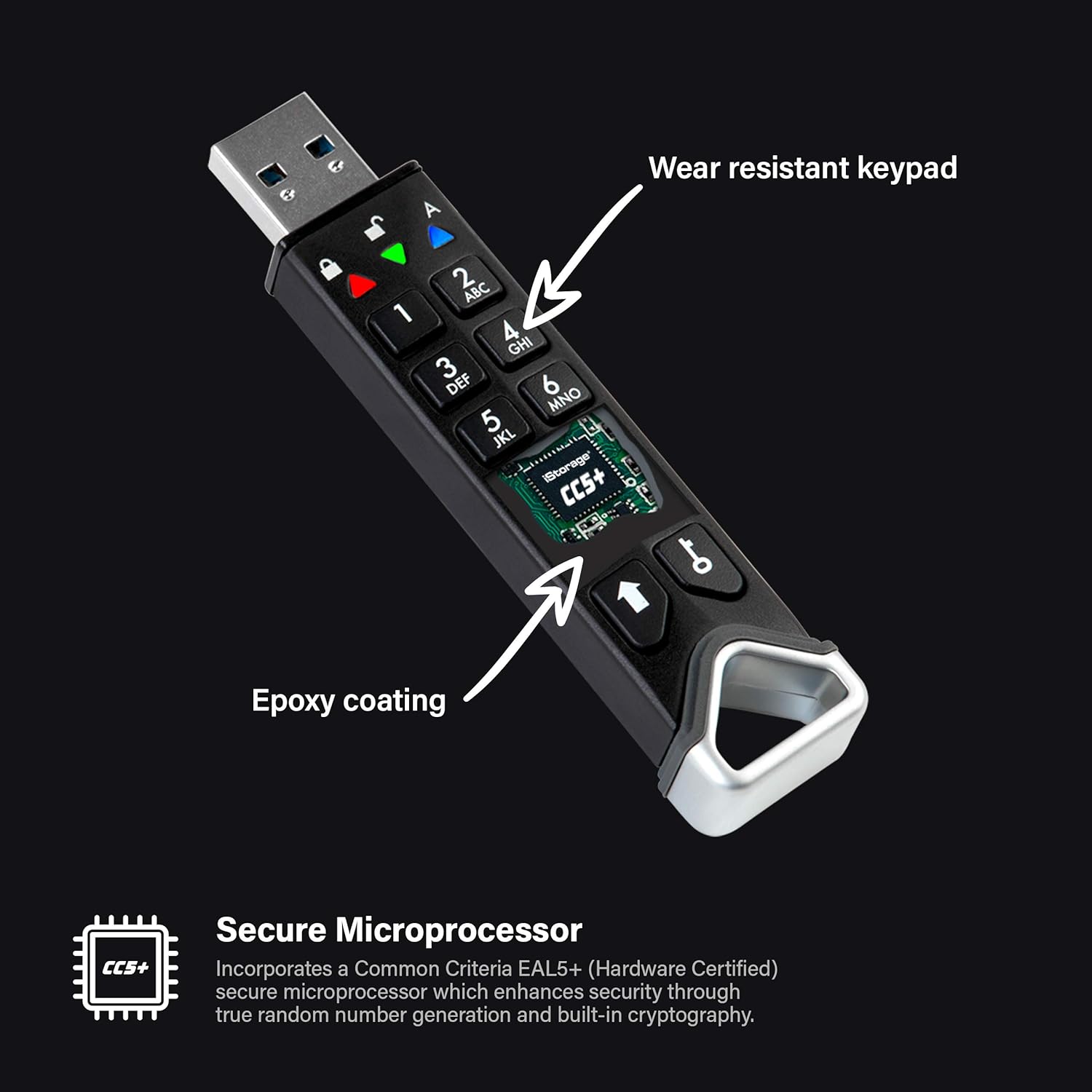
Mynd 2: Nærmynd view of the datAshur PRO2 keypad and the epoxy coating protecting internal components.
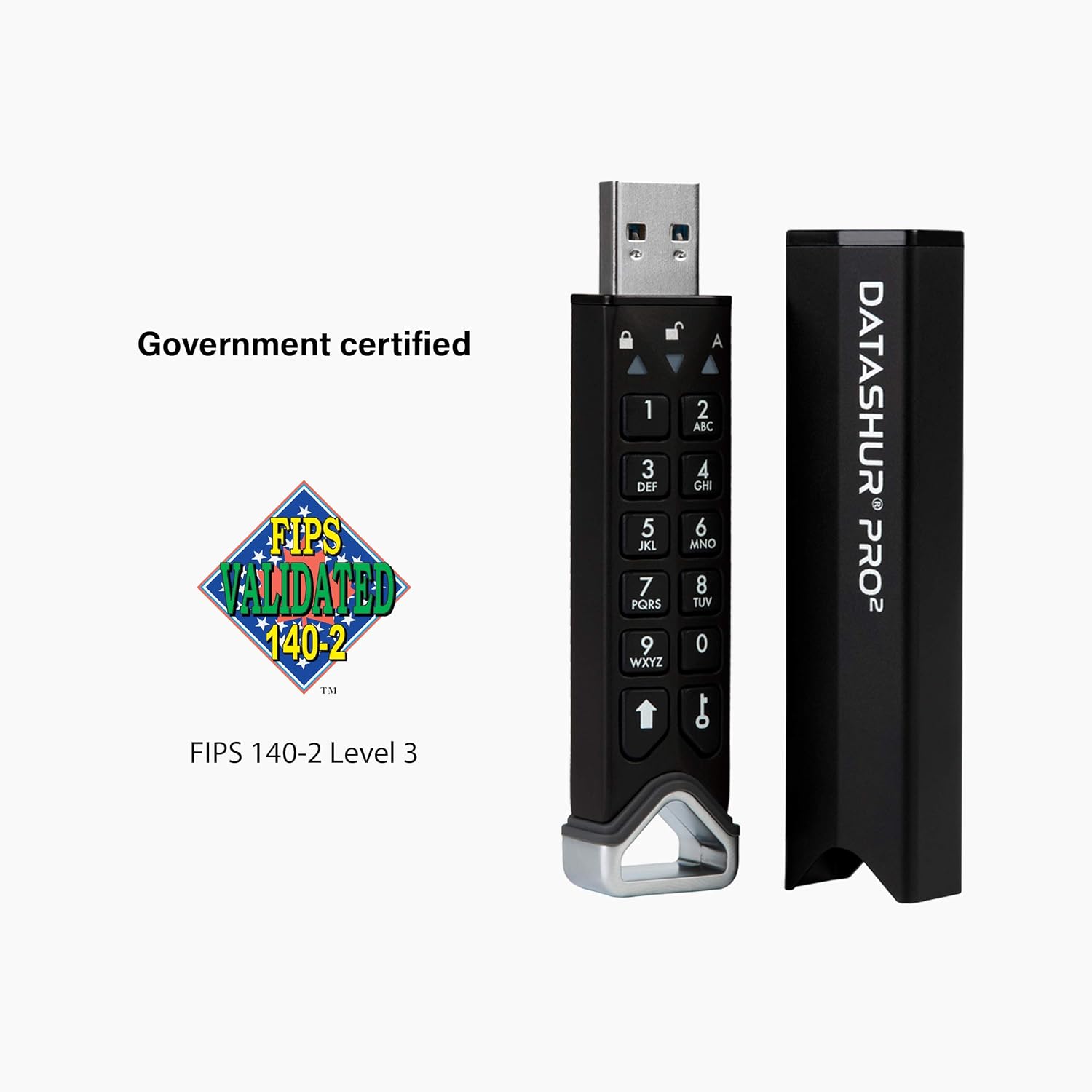
Figure 3: The datAshur PRO2 displaying its FIPS 140-2 Level 3 certification.
Myndband 3: Yfirview of the datAshur PRO2's security features, including its FIPS validation, hardware encryption, and tamper-evident design.
Tæknilýsing
| Eiginleiki | Smáatriði |
|---|---|
| Nafn líkans | datAshur PRO2 |
| Geymslugeta minni | 8 GB |
| Lestu hraða | Allt að 168 MB/s |
| Skrifa hraði | Allt að 116 MB/s |
| Tengitækni | USB 3.2 (backwards compatible) |
| Vélbúnaðarviðmót | USB gerð A |
| Litur | Svartur |
| Sérstakir eiginleikar | Encrypted, Water Resistant (IP68) |
| Mál (LxBxH) | 3.44 x 0.76 x 0.53 tommur |
| Þyngd hlutar | 1.31 aura |
| Rafhlöður | 1 Lithium Polymer rafhlaða nauðsynleg (fylgir með) |
| Vottanir | FIPS 140-2 Level 3, Common Criteria EAL5+ |
Viðhald
To ensure the longevity and optimal performance of your datAshur PRO2, consider the following maintenance guidelines:
- Líkamleg vernd: The drive is IP68 certified, making it dust and water-resistant. It can withstand submersion in 1.5m of water for up to 30 minutes. However, always ensure the protective sleeve is securely in place when not in use to maximize protection.
- Umhirða rafhlöðu: The datAshur PRO2 contains a rechargeable Lithium Polymer battery. If the battery charge becomes too low, the device may erase itself to protect data integrity. It is recommended to use the drive regularly or charge it periodically to prevent the battery from fully depleting, especially if storing critical data for extended periods without access.
- Þrif: Use a soft, dry cloth to clean the exterior of the drive. Avoid abrasive cleaners or solvents.

Figure 4: The datAshur PRO2 demonstrating its water-resistant capabilities, highlighting its IP68 rating.
Úrræðaleit
Hér eru nokkur algeng vandamál og lausnir þeirra:
- Drif ekki þekkt: Ensure the drive is properly unlocked by following the "Setup" steps before inserting it into the USB port. The green light should be flashing when inserted.
- Incorrect PIN Attempts: The datAshur PRO2 has a security feature that will delete the encryption key and render all data inaccessible if an incorrect PIN is entered 10 consecutive times. This is a security measure to prevent brute-force attacks. There is no recovery for data after this event.
- Drive Not Powering On: Ensure the internal battery has sufficient charge. Connect the drive to a powered USB port to charge it.
- Hæg gagnaflutningur: Verify that you are using a USB 3.0 or higher port for optimal speeds. Older USB 2.0 ports will result in slower transfer rates.
Ábyrgð og stuðningur
For detailed warranty information, technical support, or further assistance with your iStorage datAshur PRO2, please visit the official iStorage website or contact their customer support directly. Keep your purchase receipt and product model number handy for any warranty claims.
Official iStorage Websíða: www.istorage-uk.com


