Inngangur
This manual provides detailed instructions for the operation and maintenance of your GTMEDIA Z3 Portable DAB+/FM RDS Radio. Please read this manual thoroughly before using the device to ensure proper functionality and to maximize your listening experience.
Mikilvægar öryggisupplýsingar
- Ekki láta tækið verða fyrir rigningu, raka eða miklum hita.
- Forðist að missa tækið eða láta það verða fyrir miklum höggum.
- Ekki reyna að taka tækið í sundur eða gera við það sjálfur. Látið hæft starfsfólk sjá um alla þjónustu.
- Notið aðeins tilgreinda hleðslusnúru og straumbreyti.
- Geymið þar sem börn ná ekki til.
Innihald pakka
Gakktu úr skugga um að allir hlutir séu til staðar í pakkanum:
- 1 x GTMEDIA Z3 DAB+/FM Radio
- 1 x USB hleðslusnúra
- 1 x Notendahandbók

Image: The GTMEDIA Z3 radio, its retail box, USB charging cable, and user manual.
Vara lokiðview
The GTMEDIA Z3 is a portable DAB+/FM RDS radio featuring a 2.4-inch TFT-LCD screen. It supports 60 preset stations for both DAB+ and FM, and includes functions such as clock, alarm, and sleep timer. The device is powered by a rechargeable 18650 lithium battery.
Stjórnborð og skjár að framan
- Afl/biðhnappur: Turns the radio on/off or puts it in standby mode.
- Skanna hnappur: Initiates station scanning.
- DAB/FM hnappur: Switches between DAB+ and FM modes.
- Valmyndarhnappur: Opnar aðalvalmyndina.
- EQ hnappur: Stillir stillingar á jöfnunartæki.
- Forstillingarhnappur: Accesses preset stations.
- Hljóðstyrks-/valhnappur: Adjusts volume and navigates/selects menu options.
- 2.4-inch TFT-LCD Display: Sýnir upplýsingar um stöðvar, tíma og valmöguleika í valmyndinni.
Bakhlið og tengi
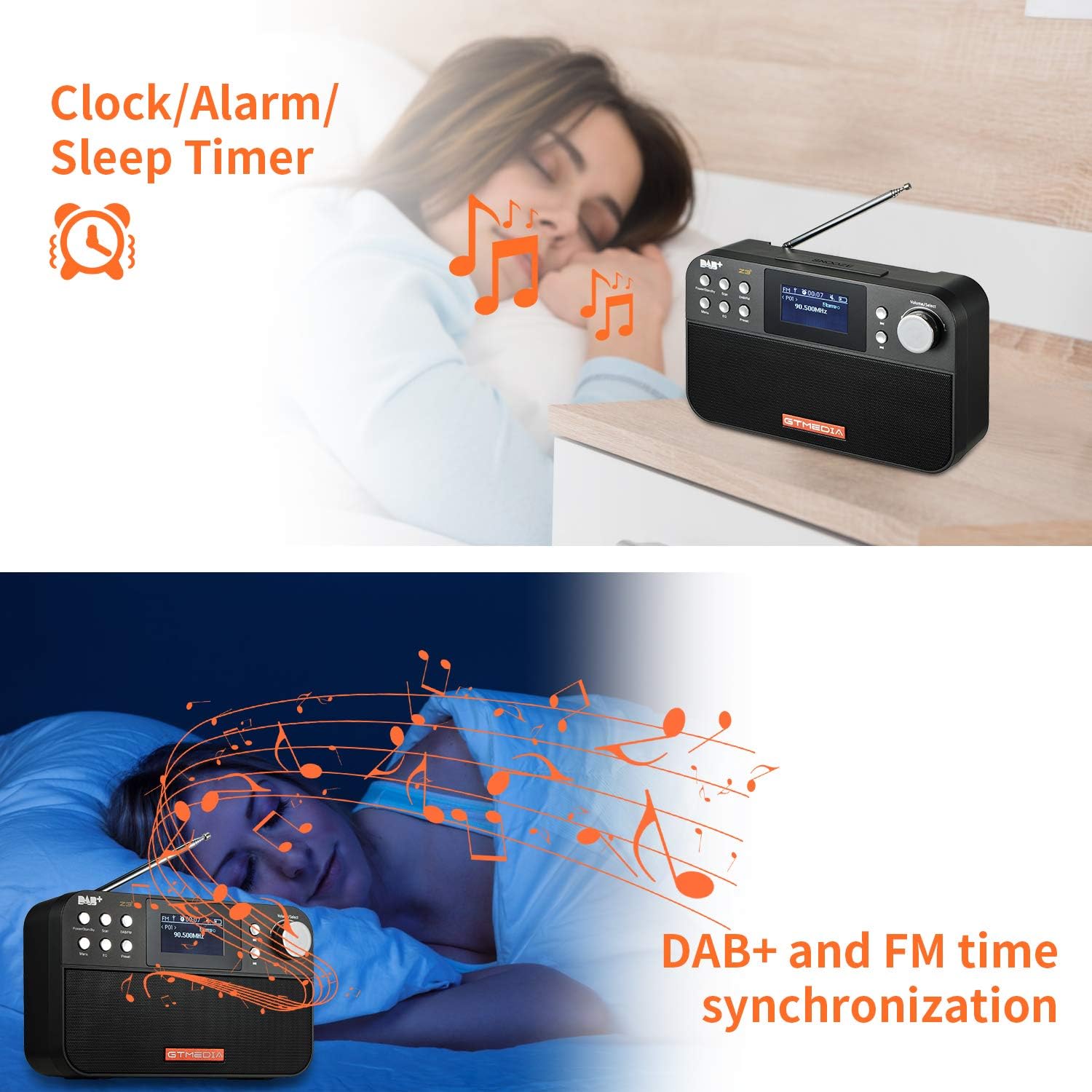
Image: The back of the GTMEDIA Z3 radio, highlighting the 18650 lithium battery compartment and the DC 5V USB charging port.
- 18650 Lithium Battery Compartment: Hýsir endurhlaðanlega rafhlöðuna.
- DC 5V USB Charging Port: Til að hlaða tækið.
Uppsetningarleiðbeiningar
1. Hleðsla rafhlöðunnar
- Locate the USB charging port on the rear of the radio.
- Connect the provided USB charging cable to the radio and to a compatible USB power adapter (DC 5V, ≥1500mA) or a computer USB port.
- The battery indicator on the display will show charging status. A full charge typically provides 4-7 hours of operation.
Image: The GTMEDIA Z3 radio's rear panel, illustrating the USB charging port and battery specifications.
2. Fyrsta ræsing og tungumálaval
- Ýttu á og haltu inni Power/Biðstaða hnappinn til að kveikja á útvarpinu.
- Upon first use, you may be prompted to select a language. Use the Hljóðstyrkur/Val knob to navigate and press to confirm your choice. English is the default language.
3. Tímasamstilling
The clock can be set manually or synchronized automatically with DAB+ or FM signals.
- Sjálfvirk samstilling: When tuned to a DAB+ or FM station that broadcasts time information, the radio will automatically update its clock.
- Handvirk stilling: Aðgangur að kerfisstillingum í gegnum Matseðill button to manually set the time and date.
Notkunarleiðbeiningar
1. Radio Modes (DAB+/FM)
Skipta stillingar:
Ýttu á DAB / FM hnappinn til að skipta á milli DAB+ og FM útvarpsstillinga.
Leitar að stöðvum:
- Auto Scan (FM): Í FM-stillingu, ýttu á Skanna button to automatically search for and store available stations.
- Local Scan (DAB+): Í DAB+ ham, ýttu á Skanna button to perform a local scan for DAB+ stations. Manual tuning is also supported.
Forstilla stöðvar:
The radio supports 60 preset stations for both FM and DAB+ (10 quick access presets). To save a station:
- Stilltu á viðkomandi stöð.
- Ýttu á og haltu inni Forstillt hnappinn.
- Notaðu Hljóðstyrkur/Val knob to choose a preset number and press to confirm.
Til að kalla upp forstillta stöð, ýttu stutt á Forstillt hnappinn og notaðu Hljóðstyrkur/Val hnappinn til að velja.
FM RDS Station Name Display:
When tuned to an FM station broadcasting RDS (Radio Data System) information, the 2.4-inch TFT-LCD screen will display the station name and other relevant data.
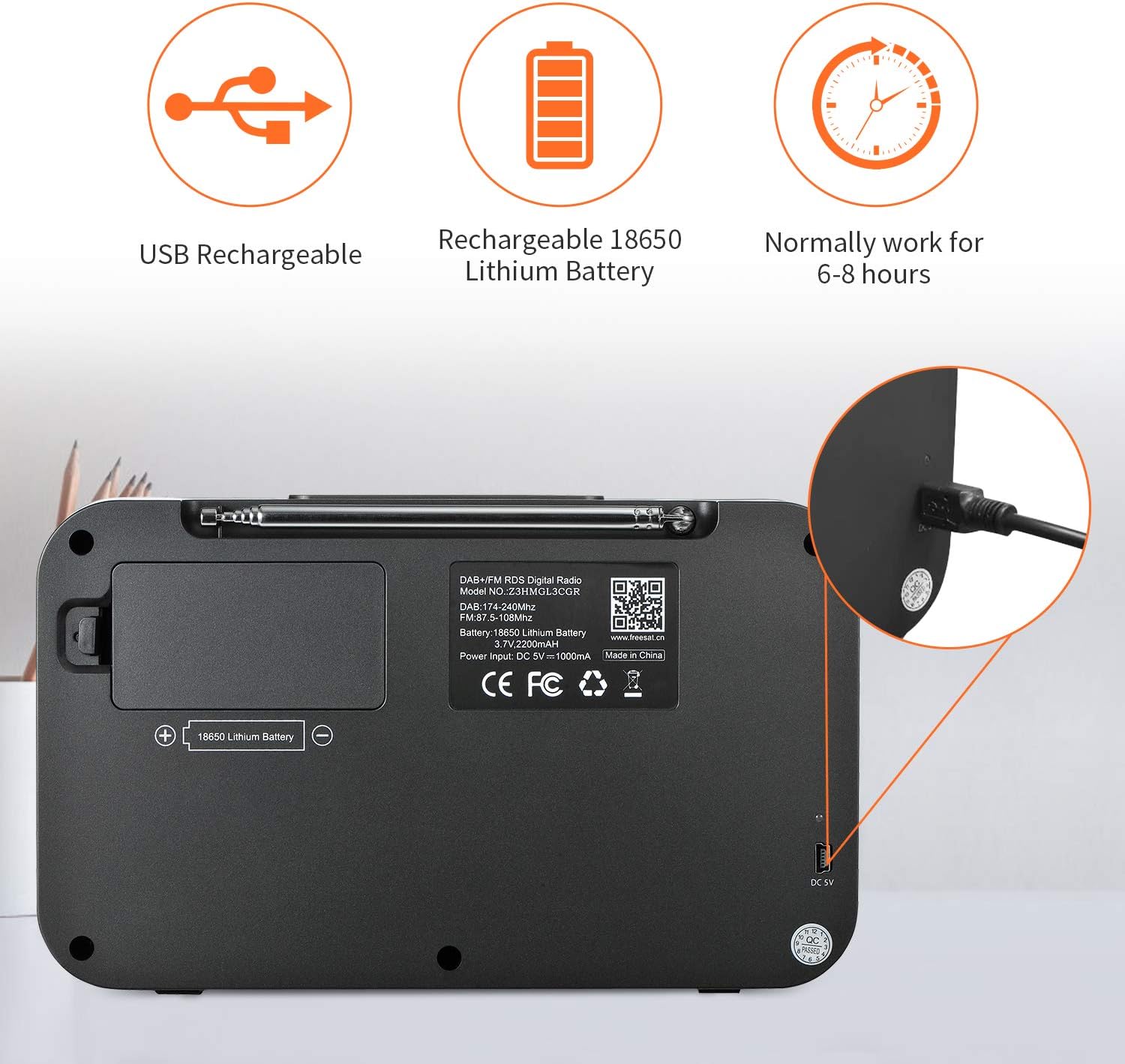
Image: The GTMEDIA Z3 radio's display showing "FM" and "90.500MHz" along with a station name, demonstrating the RDS feature.
2. Clock, Alarm, and Sleep Timer
The GTMEDIA Z3 radio includes integrated clock, alarm, and sleep timer functions for enhanced convenience.

Image: The GTMEDIA Z3 radio with icons representing clock, alarm, and sleep timer functions, depicted in a bedroom setting.
Stilla vekjaraklukkuna:
- Ýttu á Matseðill button and navigate to the "Alarm" settings.
- Notaðu Hljóðstyrkur/Val knob to set the alarm time, duration, and alarm source (e.g., buzzer, DAB+, FM).
- Staðfestu stillingarnar þínar.
Stilla svefntíma:
- Ýttu á Matseðill button and navigate to the "Sleep Timer" settings.
- Notaðu Hljóðstyrkur/Val knob to choose the desired sleep duration (e.g., 15, 30, 60 minutes).
- Útvarpið slekkur sjálfkrafa á sér eftir tiltekinn tíma.
3. Tónlistarspilun
The GTMEDIA Z3 supports playback of various music formats including MP3, FLAC, and WAV. Playback modes include single play, repeat, and shuffle. Specific instructions for accessing and controlling music playback are typically found within the device's menu system.
Viðhald
Þrif:
- Wipe the radio with a soft, dry cloth.
- Notið ekki fljótandi hreinsiefni eða slípiefni.
Umhirða rafhlöðu:
- Til að lengja líftíma rafhlöðunnar skal forðast að tæma hana alveg oft.
- Hlaðið rafhlöðuna reglulega, jafnvel þótt útvarpið sé ekki í mikilli notkun.
- Geymið útvarpið á köldum og þurrum stað þegar það er ekki í notkun í langan tíma.
Úrræðaleit
| Vandamál | Möguleg orsök | Lausn |
|---|---|---|
| Enginn kraftur | Rafhlaða er tæmd. | Hladdu rafhlöðuna með meðfylgjandi USB snúru. |
| Léleg útvarpsmóttaka | Veikt merki; loftnet ekki útdregið. | Extend the telescopic antenna fully. Try repositioning the radio. Perform a new scan for stations. |
| Ekkert hljóð | Volume too low; Mute activated. | Auktu hljóðstyrkinn með því að nota Hljóðstyrkur/Val knob. Check if mute is active in settings. |
| Skjárinn ekki skýr | Birtustillingin er of lág. | Adjust LCD brightness in the system settings. |
Tæknilýsing
| Eiginleiki | Smáatriði |
|---|---|
| Vörumerki | GTMEDIA |
| Fyrirmynd | Z3 |
| Tuner tækni | DAB Plus, FM RDS |
| Studdar útvarpsbönd | DAB+ (174.92-239.20 MHz), FM (87.5-108 MHz) |
| Skjár | 2.4-inch TFT-LCD (240 x 320 pixels) |
| Forstilltar stöðvar | 60 FM, 60 DAB+ |
| Aflgjafi | Rafhlöðuknúið |
| Tegund rafhlöðu | 18650 Lithium Battery (3.7V 2200mAh) |
| Opnunartími | 4-7 klukkustundir (venjulega) |
| Hleðsluinntak | DC 5V, ≥1500mA (via USB) |
| Tengitækni | USB |
| Sérstakur eiginleiki | Portable, Clock, Alarm, Sleep Timer, USB Upgradeable |
| Þyngd hlutar | 620 g |
| Vörumál | 20 x 5 x 12 cm |
| Rekstrarhitastig | 0~+45°C |
| Geymsluhitastig | -10~+60°C |
| Tónlistarsnið | MP3, FLAC, WAV |

Image: Dimensions of the GTMEDIA Z3 radio, showing approximate measurements of 200mm x 120mm x 50mm.
Uppfærsla vélbúnaðar
The GTMEDIA Z3 radio supports firmware upgrades via a USB connection to a PC. For the latest firmware and detailed instructions, please visit the official support websíða.

Image: The GTMEDIA Z3 radio connected to a laptop via a USB cable, indicating its upgradeable feature.
Ábyrgð og stuðningur
For technical support, warranty information, or any questions regarding your GTMEDIA Z3 radio, please visit the official GTMEDIA support websíða:


