1. Inngangur
The Anker PowerPort Cube (Model A2763) is a compact and versatile power strip designed to provide convenient power and charging solutions for various devices. It features multiple outlets and USB ports, along with integrated safety mechanisms, making it suitable for home, office, and travel use.
Helstu eiginleikar:
- 6-í-1 orkulausn: Equipped with 3 AC outlets and 3 USB-A high-speed charging ports.
- PowerIQ tækni: Anker's smart charging technology automatically detects connected devices and adjusts voltage output for optimized, high-speed charging.
- Fyrirferðarlítil og flytjanleg hönnun: Its cube shape and small size (less than 2.5 cubic inches) make it ideal for saving space and easy portability.
- Alhliða öryggi: Features overload protection, a fire-retardant casing, and a thick rubber-coated power cable for enhanced safety.
- 8 ft Extension Cord: Provides extended reach for flexible placement.

Figure 1: Anker PowerPort Cube with 3 AC outlets and 3 USB-A ports, highlighting its 8ft cable and safety certifications.
2. Uppsetning
Úrpakkning og fyrsta skoðun:
Carefully remove the Anker PowerPort Cube from its packaging. Inspect the device and its cable for any signs of damage. Ensure all components, including the adhesive strip and welcome guide, are present.
Myndband 1: Upppakkning og yfirview of the Anker PowerPort Cube, demonstrating its compact size and features.
Staðsetning og uppsetning:
The PowerPort Cube can be placed on a flat surface or mounted using the included adhesive strip.
- Choose a clean, flat surface (e.g., desk or wall) for placement.
- Clean the surface thoroughly with a dry cloth before applying the adhesive strip.
- Attach the adhesive strip to the bottom of the PowerPort Cube.
- Secure the PowerPort Cube to your desired surface.
- Wait 24 hours after adhering the device before connecting any devices to ensure a strong bond.

Figure 2: The Anker PowerPort Cube shown attached to the underside of a desk, illustrating its discreet placement using the adhesive pad.
3. Notkunarleiðbeiningar
Tenging við rafmagn:
Plug the power strip's 8 ft cord into a standard wall outlet. The PowerPort Cube is compatible with all standard wall outlet voltages worldwide (90V - 264V).
Notkun rafmagnsinnstungna:
The PowerPort Cube features 3 AC outlets. Plug your appliances and devices directly into these outlets. The maximum power output for AC outlets is 1250W at 125V.
Using USB-A Charging Ports:
The PowerPort Cube includes 3 USB-A ports for charging mobile devices. These ports utilize Anker's PowerIQ technology to deliver an optimized charge.
- Connect your USB-powered devices (e.g., smartphones, tablets) to the USB-A ports using appropriate cables.
- The USB ports have a maximum output of 18W at 5V / 3.6A.
- Note: The USB ports do not support Qualcomm Quick Charge.
USB Power Switch:
A dedicated power button controls the USB ports. Press the button to turn the USB charging functionality on or off. This button does not affect the AC outlets.

Figure 3: Illustration of the Anker PowerPort Cube's PowerIQ technology, demonstrating faster charging for an iPad Pro and iPhone 11 compared to standard chargers.
Video 2: Anker Power Strip in use, demonstrating how to connect various devices to its AC outlets and USB ports.
4. Öryggisupplýsingar
The Anker PowerPort Cube is designed with a comprehensive 7-Point Safety System to protect you and your devices.
7-punkta öryggiskerfi:
- Yfirálagsvörn
- Eldviðnám
- Styrktur kapall
- Grounded Protection
- Skammhlaupsvörn
- Yfirstraumsvörn
- Over-Temperature Control
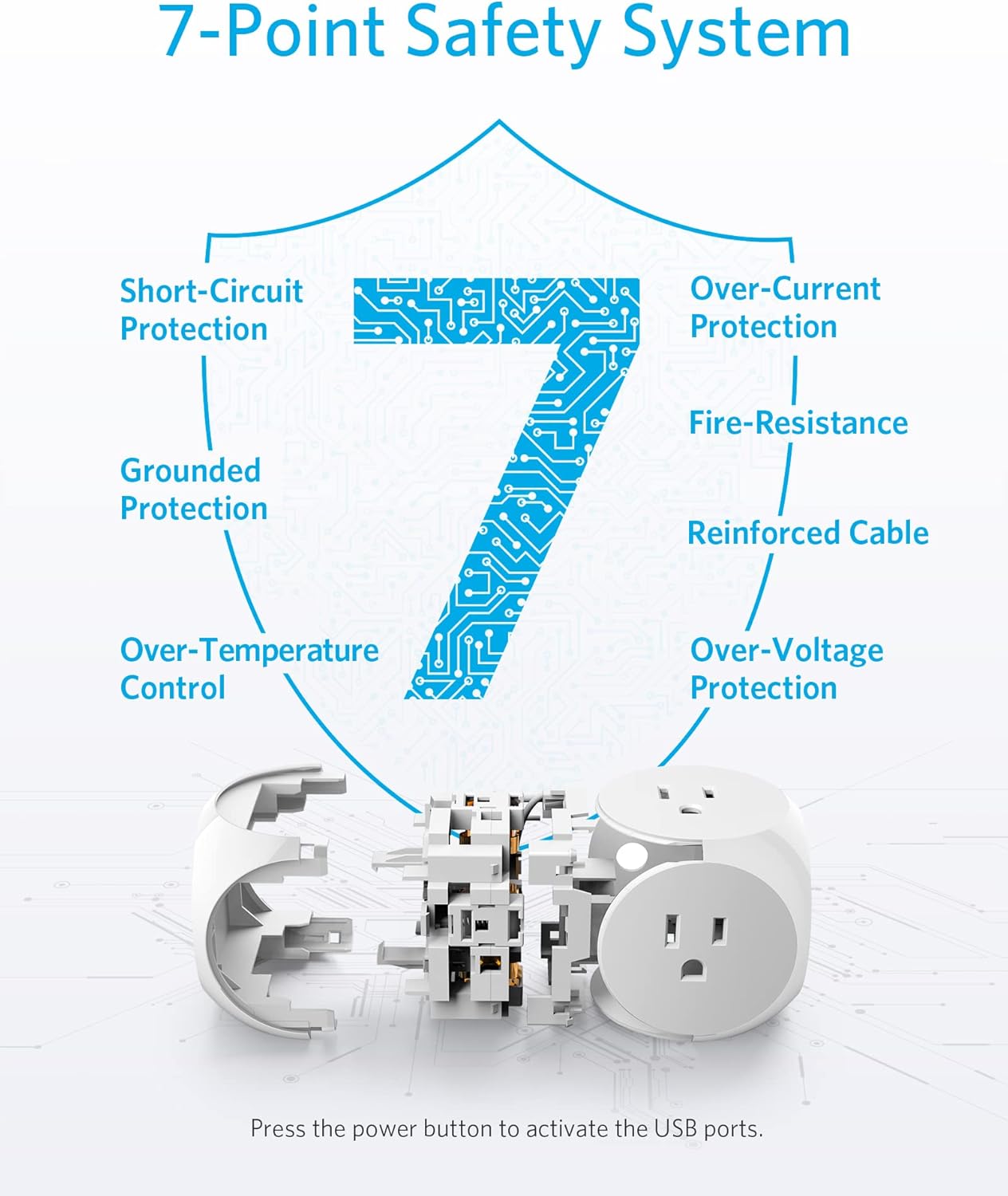
Figure 4: Detailed diagram of the PowerPort Cube's 7-Point Safety System, ensuring protection against various electrical hazards.
Mikilvægar athugasemdir:
- Do not exceed the maximum power output of 1250W for AC outlets.
- Ensure proper grounding when connecting to a wall outlet.
- For cruise travel, verify the cruise operator's guidelines regarding power strips with extension cords, as some may forbid them.
5. Viðhald
To ensure optimal performance and longevity of your Anker PowerPort Cube, follow these simple maintenance guidelines:
- Regularly clean the exterior of the device with a dry, soft cloth.
- Avoid using liquid cleaners or abrasive materials, as these may damage the casing eða innri íhlutir.
- Haldið tækinu frá raka, miklum hita og beinu sólarljósi.
- Reynið ekki að taka tækið í sundur eða gera við það sjálfur. Leitið til hæfs þjónustuaðila ef viðgerðir eru nauðsynlegar.
6. Bilanagreining
Algeng vandamál og lausnir:
- USB ports not charging: Ensure the USB power switch button on the top of the cube is pressed to activate the USB ports. This button does not affect the AC outlets.
- Slow USB charging: The USB ports provide a maximum of 18W at 5V / 3.6A and do not support Qualcomm Quick Charge. For faster charging, ensure your device is compatible with PowerIQ or use an AC adapter in one of the AC outlets if your device supports higher wattage hleðsla.
- Tækið hleðst ekki: Check if the power strip is securely plugged into a functional wall outlet. Verify that the device's charging cable is properly connected to both the PowerPort Cube and your device.
- Incompatibility with Nintendo Switch Pro Controllers: This power strip does not support charging for Nintendo Switch Pro Controllers.
7. Tæknilýsing
| Eiginleiki | Smáatriði |
|---|---|
| Gerðarnúmer | A2763 |
| Vörumál | 2.44 x 2.44 x 2.44 tommur |
| Þyngd hlutar | 12.6 aura |
| Heildarfjöldi loftkælinga | 3 |
| Total USB-A Ports | 3 |
| AC Input Voltage | 90V - 264V |
| Max AC Power Output | 1250W við 125V |
| Max DC Power Output (USB) | 18W at 5V / 3.6A |
| Lengd snúru | 8 fet |
| Sérstakir eiginleikar | Compact, Portable, Overload Protection, PowerIQ |

Figure 5: The compact design of the Anker PowerPort Cube, illustrating its small footprint and dimensions.
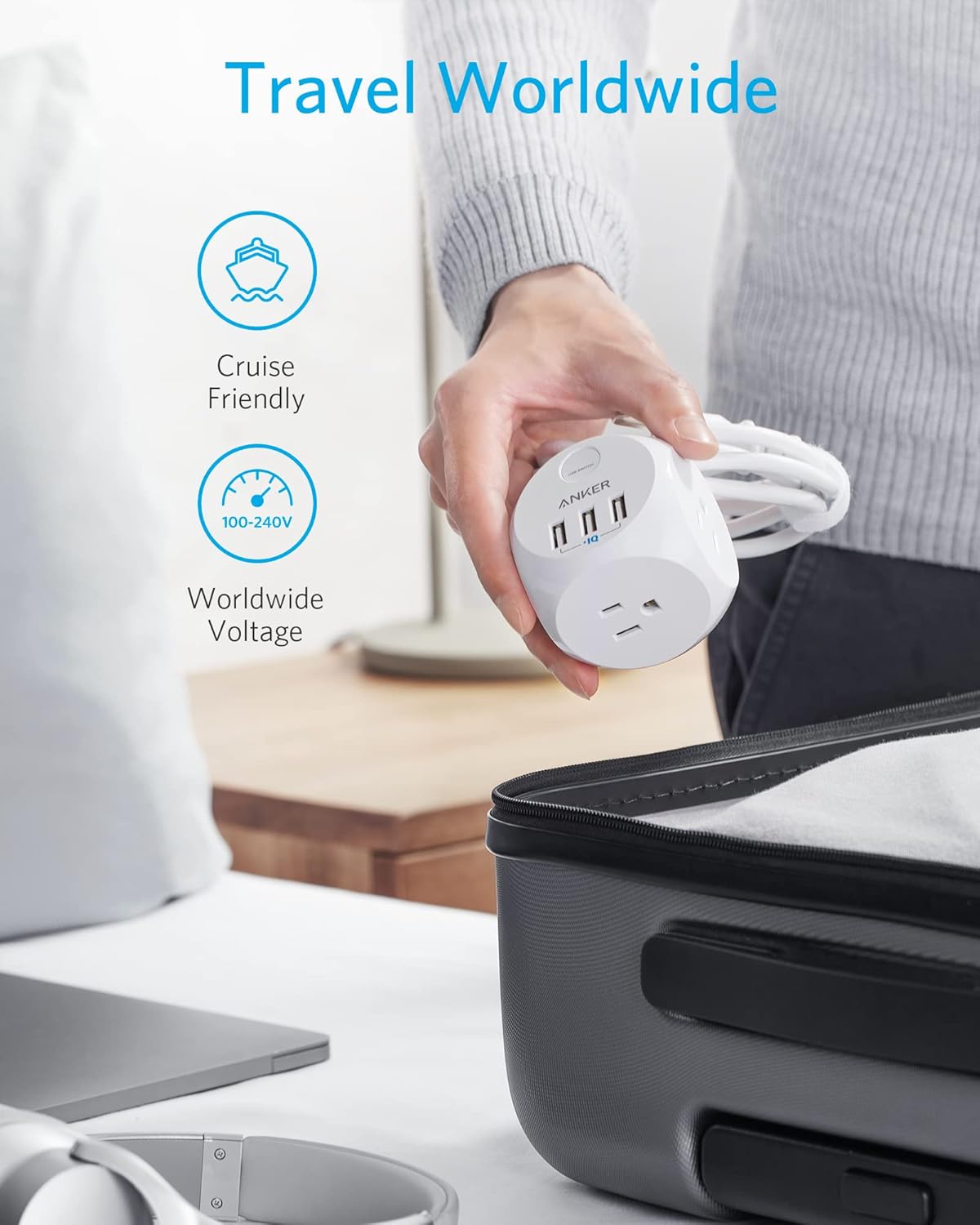
Figure 6: The Anker PowerPort Cube highlighted as a travel-friendly device, compatible with worldwide voltage (100-240V) and suitable for cruise ships.
8. Ábyrgð og stuðningur
Upplýsingar um ábyrgð:
- The Anker PowerPort Cube comes with a worry-free 18-month warranty.
- It also includes a lifetime* $25,000 connected equipment warranty.
- *For the purpose of this connected equipment warranty, "lifetime" is defined as the lifetime of the product.
Þjónustudeild:
For any questions, issues, or warranty claims, please contact Anker's friendly customer service. Refer to the contact information provided in your product's welcome guide or visit the official Anker websíða fyrir stuðningsúrræði.


