1. Inngangur
This manual provides instructions for the Xgody Mate10+ smartphone. It covers device setup, operation, features, and maintenance to ensure optimal performance and user experience. The Mate10+ operates on Android 8.1, features a 5.5-inch HD display, dual 5MP cameras, and supports dual SIM functionality.
2. Innihald pakka
Staðfestið að allir hlutir séu í umbúðum vörunnar:
- 1 x Xgody Mate10+ Smartphone
- 1 x hleðslutæki
- 1 x USB snúru
- 1 x símamáli
- 1 x ensk notendahandbók
- 1 x HD Film (Screen Protector)
- 1 x Hertu filmu (skjávörn)

Image: Contents of the Xgody Mate10+ smartphone package.
3. Að byrja
3.1. Uppsetning SIM-korts og geymslukorts
The Xgody Mate10+ supports dual SIM dual standby, allowing the use of two SIM cards simultaneously. It has two independent card slots: one for a Nano SIM and one for a Micro SIM or a TF (microSD) card for expandable storage.
- Finndu SIM/TF-kortaskúffuna á hlið tækisins.
- Notaðu meðfylgjandi SIM-kortsútkastarverkfæri til að opna skúffuna.
- Carefully place your Nano SIM card, Micro SIM card, and/or TF card into the designated slots. Ensure correct orientation.
- Ýttu bakkanum varlega aftur inn í tækið þar til hann er alveg í sléttu.
3.2. Hleður tækið
Before first use, fully charge the smartphone using the provided charger and USB cable.
- Connect the USB cable to the charger adapter.
- Stingdu hleðslutækinu í rafmagnsinnstungu.
- Tengdu USB snúruna við hleðslutengið á símanum þínum.
- Rafhlöðutáknið á skjánum gefur til kynna hleðslustöðu.
3.3. Kveikja / slökkva á
- To power on: Press and hold the Power button until the screen lights up.
- Til að slökkva: Haltu inni aflrofanum og veldu síðan „Slökkva“ úr valkostunum á skjánum.
3.4. Upphafsuppsetning
Upon first power-on, follow the on-screen prompts to complete the initial setup, including language selection, Wi-Fi connection, Google account setup, and security settings.
4. Helstu eiginleikar og notkun
4.1. Skjár
The Xgody Mate10+ features a 5.5-inch HD full-view display, providing a wide visual experience for viewing efni.

Image: The 5.5-inch full-view display of the Xgody Mate10+.

Image: The compact design of the Xgody Mate10+ for easy portability.
4.2. Operating System (Android 8.1)
The device runs on Android 8.1, offering a user-friendly interface and enhanced performance for daily tasks.
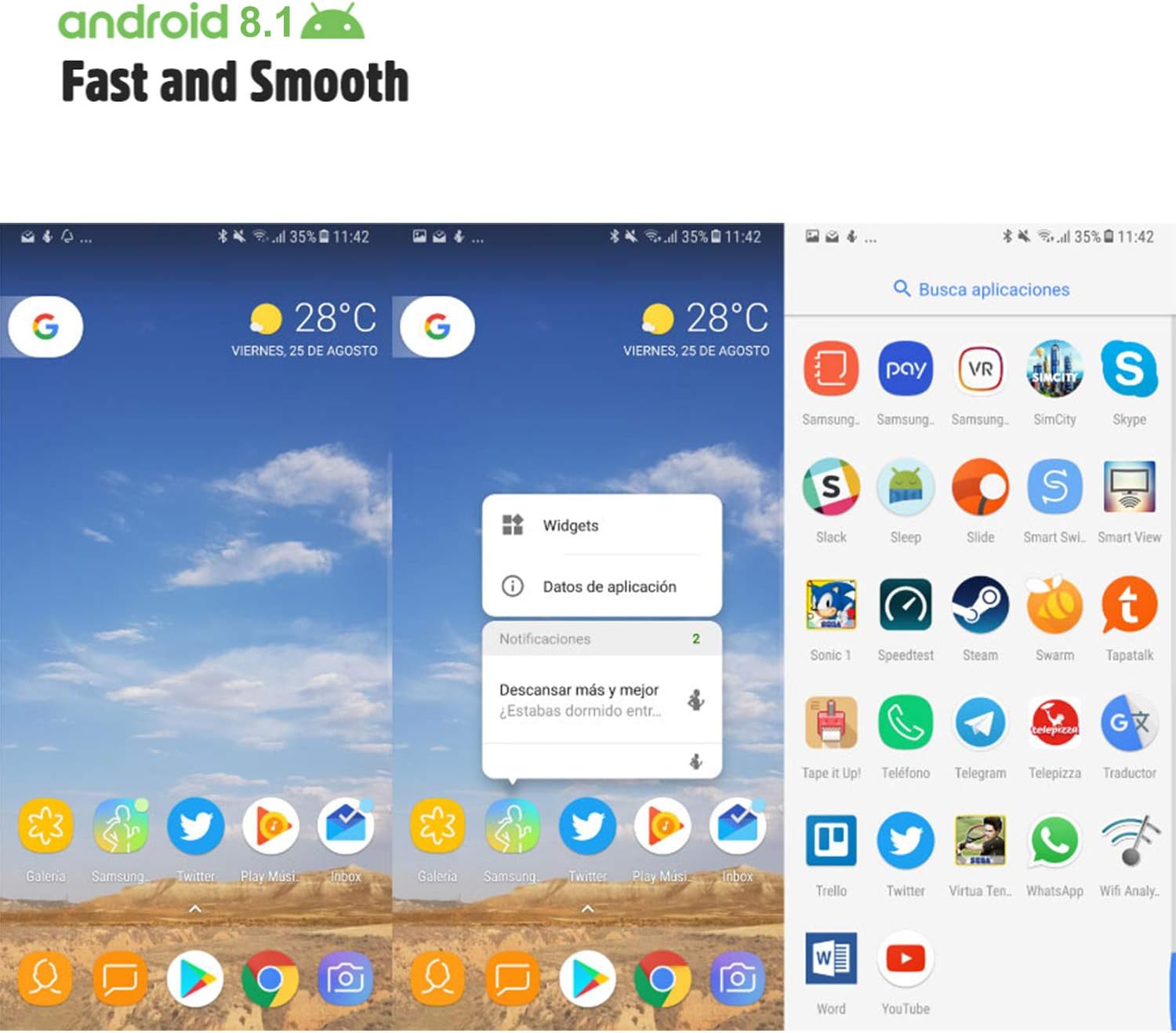
Image: Android 8.1 interface on the Xgody Mate10+.
4.3. Myndavél
The Xgody Mate10+ is equipped with dual 5MP cameras, including a rear camera and a front beauty camera, for capturing photos and videos.

Image: Using the front camera for selfies.
4.4. Afköst og geymsla
The device includes 1GB RAM and 8GB internal storage (ROM), expandable up to 32GB with an external SD card, providing sufficient space for applications and media.

Image: Internal components and storage capabilities.
4.5. Tengingar
The Xgody Mate10+ is a 3G unlocked smartphone, supporting WCDMA 850/1900/2100MHz and GSM 850/900/1800/1900 MHz network bands. It is compatible with most WCDMA SIM carriers but not with CDMA carriers (e.g., Sprint, Verizon, Boost Mobile).
4.6. Öryggi
The device supports Face ID for unlocking, providing a convenient and secure method to access your phone.
Myndband: Yfirview of Xgody Mate10+ features, including camera, processor, memory, Face ID, 5.5-inch screen, dual SIM, and Android 8.1 operating system.
5. Tæknilýsing
| Fyrirmynd | Mate10+ |
| Stýrikerfi | Android 8.1 |
| Skjár | 5.5 inch HD Full View Skjár |
| vinnsluminni | 1GB |
| ROM (innri geymsla) | 8GB |
| Stækkanlegt geymsla | Up to 32GB (TF card) |
| Myndavél að aftan | 5MP |
| Myndavél að framan | 5MP (Beauty Camera) |
| Stuðningur við SIM-kort | Dual SIM Dual Standby (1 Nano SIM, 1 Micro SIM or TF card) |
| Nethljómsveitir | 3G WCDMA 850/1900/2100MHz, 2G GSM 850/900/1800/1900 MHz |
| Rafhlöðugeta | 2000mAh |
| Þráðlaus tækni | Bluetooth, Wi-Fi, Farsími |
| Tengingar | USB |
| GPS | GLONASS |
| Þyngd hlutar | 14 aura |
| Vörumál | 0.39 x 0.39 x 0.39 tommur |
6. Bilanagreining
If you encounter issues with your Xgody Mate10+, refer to the following common solutions:
- Kveikir ekki á tækinu: Gakktu úr skugga um að rafhlaðan sé hlaðin. Tengdu hleðslutækið og bíddu í nokkrar mínútur áður en þú reynir að kveikja aftur.
- Lélegur rafhlaðaending: Reduce screen brightness, close unused apps running in the background, disable Wi-Fi/Bluetooth when not in use, and limit background data usage.
- Vandamál með nettengingu: Check if your SIM card is properly inserted. Verify that your SIM card supports the device's network bands (3G WCDMA 850/1900/2100MHz & 2G GSM 850/900/1800/1900 MHz). Restart the device.
- Forrit sem frýsa eða hrynja: Close and restart the application. If the issue persists, clear the app's cache and data in Settings > Apps. Consider uninstalling and reinstalling the app.
- Hæg frammistaða: Close unnecessary background applications. Clear cache data regularly. Ensure sufficient free storage space.
- Skjárinn svarar ekki: Endurræstu tækið með því að halda inni rofanum. Ef tækið bregst ekki við skaltu þvinga fram endurræsingu með því að halda inni rofanum í langan tíma (venjulega 10-15 sekúndur).
7. Ábyrgð og stuðningur
For warranty information and technical support, please refer to the warranty card included in your product package or contact Xgody customer service through their official website or designated support channels. Keep your purchase receipt as proof of purchase for warranty claims.


