1. Inngangur
This manual provides detailed instructions for the KOSPET Max S Android Smart Watch. Please read this manual thoroughly before using the device to ensure proper operation and to maximize its features. Keep this manual for future reference.
2. Öryggisupplýsingar
- Do not attempt to disassemble, repair, or modify the device. Unauthorized modifications may void the warranty and cause damage.
- Haldið tækinu frá miklum hita, beinu sólarljósi og ætandi efnum.
- Notið aðeins meðfylgjandi hleðslusnúru og millistykki. Notkun ósamhæfs fylgihluta getur valdið skemmdum eða eldsvoða.
- The device is IP67 waterproof. Avoid prolonged immersion in water or exposure to high-pressure water jets. Ensure the SIM card tray is properly sealed to maintain water resistance.
- Consult a medical professional before using the device if you have a pacemaker or other medical implants.
3. Innihald pakka
Staðfestu að allir hlutir séu til staðar í vörupakkningunni þinni:
- KOSPET Max S Smart Watch
- Charging Cable/Dock
- Watch Band/Strap
- Notendahandbók (þetta skjal)
- SIM Card Tray Ejector Tool (or small screwdriver)
4. Vöru lokiðview
Familiarize yourself with the components of your KOSPET Max S Smart Watch.

Figure 4.1: KOSPET Max S Smart Watch front view showing the display with time, date, network, battery status, and app icons.

Figure 4.2: Close-up of the KOSPET Max S 2.4-inch Super Retina Display, showcasinskýrleika þess og skærir litir.
Mynd 4.3: Hlið view of the KOSPET Max S Smart Watch, highlighting the integrated side camera and physical buttons.
Lykilhlutir:
- Skjár: 2.4 tommu háskerpu snertiskjár.
- Hliðar myndavél: 8-megapixel camera for photos and video.
- Myndavél að framan: 2-megapixel camera for video calls and face unlock.
- SIM kortarauf: Supports Nano SIM for 4G LTE connectivity.
- Hljóðnemi og hátalari: Fyrir símtöl og raddskipanir.
- Hjartsláttarskynjari: Located on the back for fitness tracking.
5. Uppsetning
5.1. Hleður tækið
Before initial use, fully charge your KOSPET Max S Smart Watch. Connect the charging cable to the watch's charging port and plug the other end into a USB power adapter (not included) or a computer's USB port. The screen will indicate charging status.

Figure 5.1: Diagram illustrating the KOSPET Max S battery life under typical usage (40 hours) and light usage (60 hours) with its 2000mAh battery.
5.2. Uppsetning SIM-korts
The KOSPET Max S supports 4G LTE connectivity via a Nano SIM card. To install:
- Slökktu á úrinu.
- Finndu SIM-kortaskúffuna á hlið úrsins.
- Use the provided ejector tool (or a small screwdriver) to open the SIM card tray.
- Carefully place the Nano SIM card into the tray with the gold contacts facing down.
- Insert the tray back into the watch until it clicks into place. Ensure it is flush with the watch body to maintain water resistance.
Note: Some users have reported difficulty with the provided screwdriver. If necessary, use a suitable alternative tool for SIM tray access.
5.3. Fyrsta ræsing
Press and hold the power button (usually on the side) until the KOSPET logo appears. Follow the on-screen prompts to complete the initial setup, including language selection, time zone, and Wi-Fi connection.
5.4. Pörun við snjallsíma
To fully utilize all features, pair your KOSPET Max S with a compatible smartphone. The recommended application is WiiWatch 2. Download it from the Google Play Store or Apple App Store.
- Enable Bluetooth on your smartphone and the KOSPET Max S.
- Open the WiiWatch 2 app on your smartphone and follow the instructions to search for and connect to your watch.
Note: Some users have experienced unstable Bluetooth connections with WiiWatch 2. Alternatives like "Watch Droid Phone" (for smartphone) and "Watch Droid Assistant" (for watch) may offer a more stable connection.
6. Notkunarleiðbeiningar
6.1. Grunnleiðsögn
- Snertiskjár: Strjúktu til vinstri/hægri, upp/niður til að fletta í gegnum valmyndir og skjái. Ýttu til að velja.
- Aflhnappur: Ýttu til að vekja/svæfa skjáinn. Ýttu og haltu inni til að kveikja/slökkva á eða endurræsa.
- Til baka hnappur: (If present) Returns to the previous screen.
6.2. 4G LTE Network and Calls
With a Nano SIM card installed, your KOSPET Max S can function as a standalone phone. It supports 5 network modes and global 4G/3G/2G bands.
- Hringing: Use the dialer app on the watch to make calls directly.
- Að taka á móti símtölum: Answer or decline incoming calls directly from the watch.
- Skilaboð: Senda og taka á móti SMS skilaboðum.
6.3. Applications and Google Play Store
Running on Android 10.1, the KOSPET Max S allows you to download and install applications from the Google Play Store. This includes social media, navigation, and productivity apps.
6.4. Virkni myndavélarinnar
The watch features dual cameras:

Mynd 6.1: Sprungið view illustrating the KOSPET Max S dual camera setup, featuring an 8MP side camera and a 2MP front camera for versatile photography and video calls.
- Side Camera (8MP): Ideal for capturing photos and videos in a traditional camera orientation.
- Frammyndavél (2MP): Primarily used for video calls and the Face Unlock feature.
Access the camera app from the main menu to take pictures or record videos.
6.5. GPS-leiðsögn
The KOSPET Max S integrates multi-satellite positioning, supporting GPS, GLONASS, and A-GPS signals for accurate location tracking and navigation.
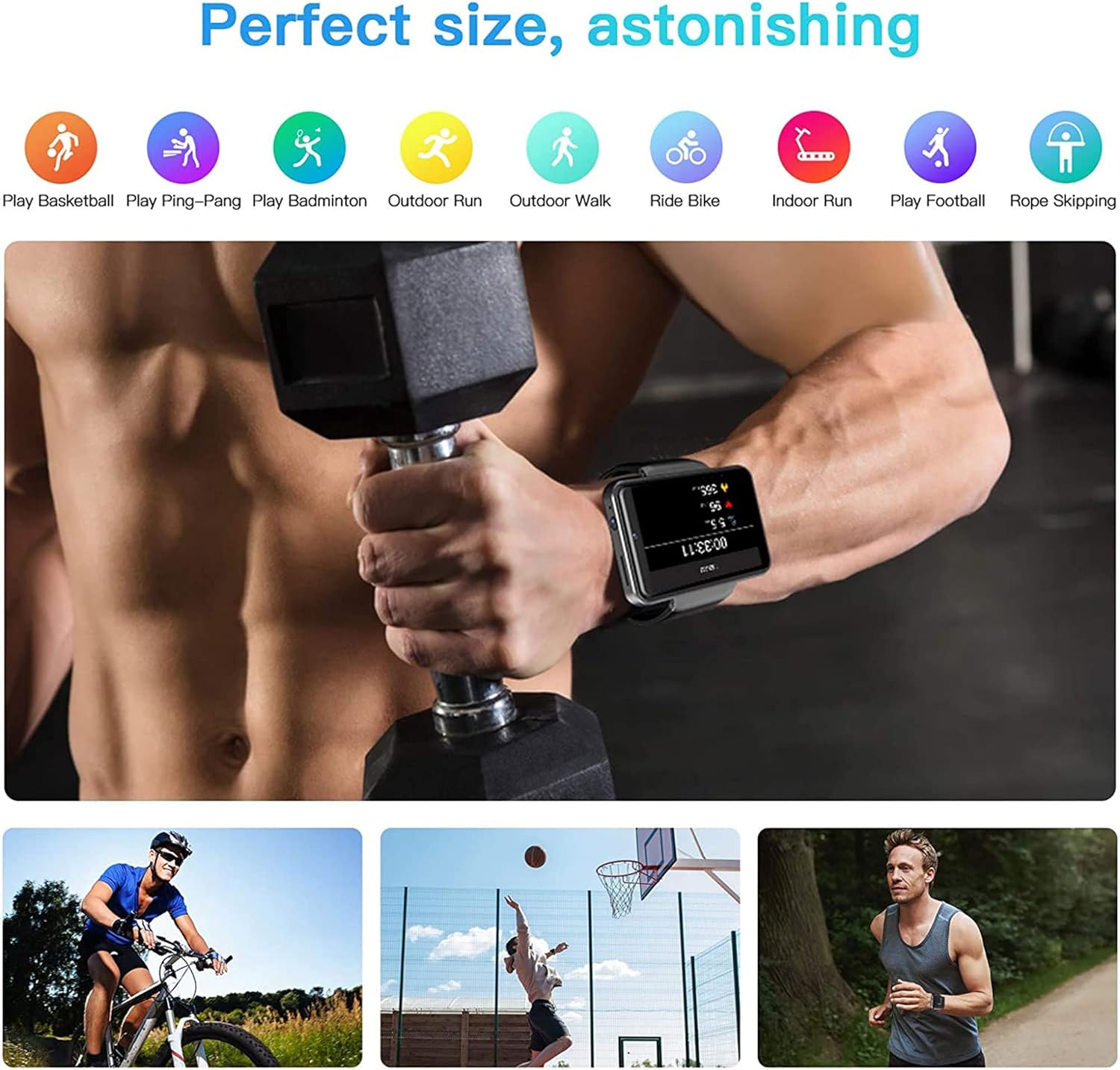
Figure 6.2: KOSPET Max S Smart Watch displaying a map with GPS navigation, indicating multi-satellite positioning support (GPS, A-GPS, GLONASS) for precise location tracking.
Notaðu fyrirfram uppsett kortaforrit eða sæktu leiðsöguforritið þitt úr Google Play Store.
6.6. Face Unlock and Security
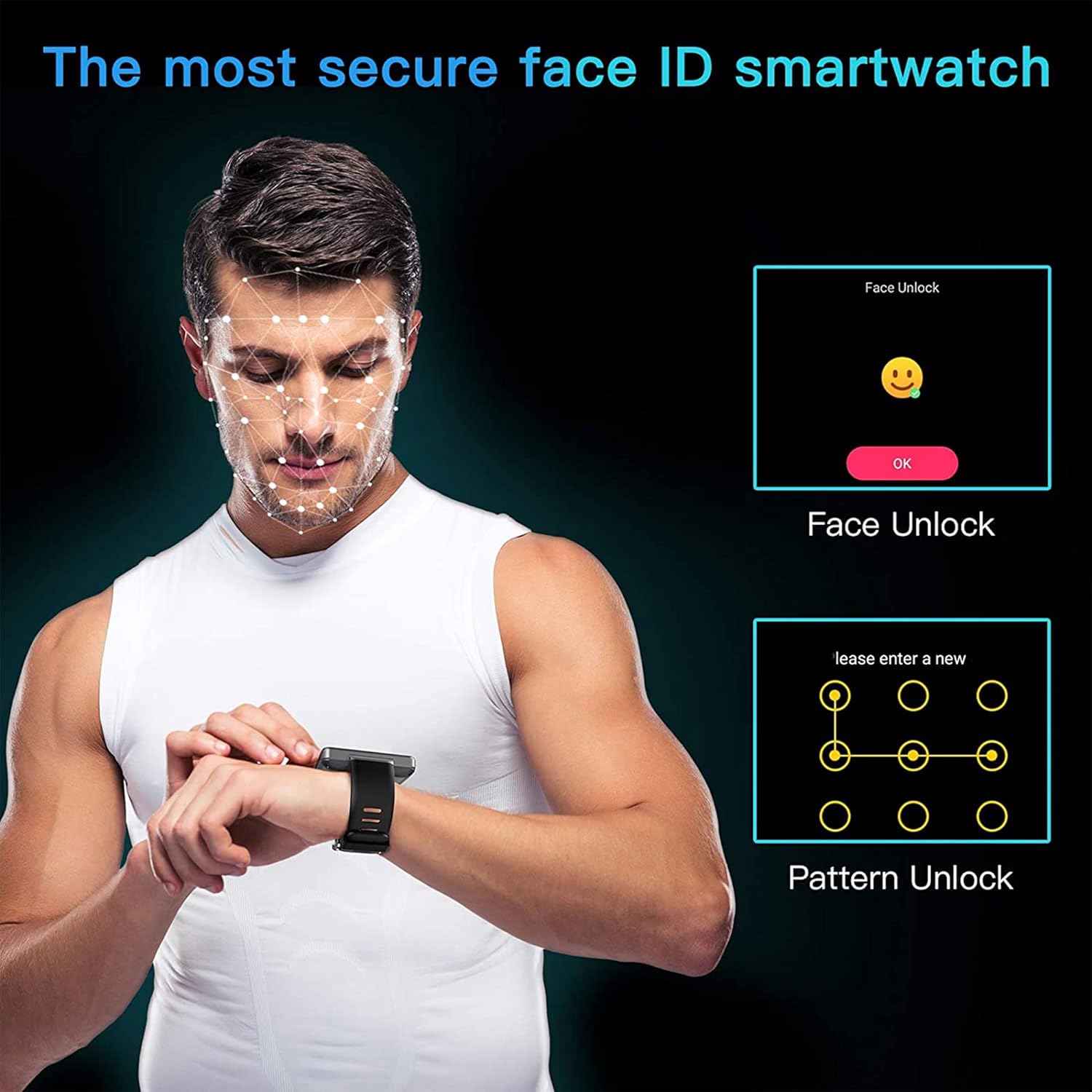
Enhance the security of your watch with Face Unlock. This feature uses the front camera to recognize your face for quick and secure access.

Figure 6.3: Illustration of the KOSPET Max S Face Unlock feature, showing facial recognition in action, alongside the option for pattern unlock.
To set up Face Unlock, navigate to the security settings in your watch and follow the on-screen instructions to register your face. You can also set up a pattern or PIN as a backup.
6.7. Líkamleg mæling
The KOSPET Max S includes features for tracking your physical activity.

Figure 6.4: KOSPET Max S Smart Watch displaying various fitness tracking modes, including basketball, ping-pong, badminton, outdoor run, outdoor walk, ride bike, indoor run, play football, and rope skipping.
- Skrefteljari: Skráir sjálfkrafa dagleg skref þín.
- Hjartsláttarmælir: Mælir hjartsláttinn þinn yfir daginn.
- Íþróttastillingar: Select from various sports modes (e.g., running, cycling) for more accurate tracking of specific activities.
Access fitness data through the dedicated fitness app on your watch.
7. Viðhald
7.1. Þrif
Þurrkið úrið og ólina reglulega með mjúkum klút.amp klút. Forðist að nota sterk efni eða slípiefni, sem geta skemmt áferðina.
7.2. Vatnsheldni (IP67)
The KOSPET Max S is rated IP67 waterproof, meaning it is resistant to dust and can withstand immersion in water up to 1 meter for 30 minutes. However, it is not suitable for swimming, diving, or exposure to high-pressure water. Always ensure the SIM card tray is securely closed to maintain water resistance.
8. Bilanagreining
- Úrið kveikir ekki á sér: Ensure the watch is fully charged. If the issue persists, try a hard reset by holding the power button for an extended period (e.g., 15-20 seconds).
- SIM card not detected or no network:
- Verify the SIM card is correctly inserted and the tray is fully closed.
- Gakktu úr skugga um að SIM-kortið þitt sé virkt og hafi gilda gagnaáskrift.
- Check network settings on the watch to ensure mobile data is enabled.
- Confirm compatibility with your network provider's bands.
- Bluetooth-tenging óstöðug:
- Endurræstu bæði úrið og snjallsímann þinn.
- Ensure both devices are within Bluetooth range.
- Consider using alternative pairing applications like "Watch Droid Phone" and "Watch Droid Assistant" if WiiWatch 2 is problematic.
- Forrit eru hæg eða óvirk:
- Close background applications to free up memory.
- Hreinsaðu skyndiminnið í forritinu sem veldur vandræðum.
- Gakktu úr skugga um að hugbúnaður úrsins sé uppfærður.
- GPS fær ekki merki:
- Gakktu úr skugga um að þú sért á opnu svæði með skýru ljósi view himinsins.
- Check that location services are enabled in the watch settings.
9. Tæknilýsing
| Eiginleiki | Forskrift |
|---|---|
| Vörumerki | KOSPET |
| Fyrirmynd | Max S |
| Stýrikerfi | Android 10.1 |
| Skjár | 2.4 Inches LCD, 400 x 400 resolution |
| Örgjörvi | MediaTek MT6739 (1.25GHz max clock speed, 570MHz graphics processor) |
| Geymslugeta minni | 3 GB RAM (implied from 3GB+32GB feature bullet) |
| Innri geymsla | 32 GB (implied from 3GB+32GB feature bullet) |
| Tengingar | 4G LTE (Cellular), GPS (Built-in GPS, GLONASS, A-GPS), 802.11ac Wireless |
| Myndavélar | 8MP Side Camera, 2MP Front Camera |
| Rafhlöðugeta | 2000 mAh |
| Vatnsþol | IP67 |
| Þyngd hlutar | 259 g |
| Hlutarform | Ferningur |
10. Ábyrgð og stuðningur
Warranty information for the KOSPET Max S Smart Watch is typically provided with your purchase documentation or can be found on the official KOSPET websíða. Vinsamlegast skoðið þessar heimildir til að fá nánari upplýsingar um ábyrgð, skilmála og skilyrði.
For technical support, troubleshooting assistance beyond this manual, or warranty claims, please contact KOSPET customer service through their official websíðuna eða upplýsingar um tengiliði sem fylgja vörunni þinni.