1. Inngangur
Thank you for choosing the KLARSTEIN VapoAir Opal Smart Humidifier. This device is designed to improve air quality and comfort in your home by adding moisture to dry air. It features smart control via an app, an ionizer, a large 5-liter water tank, and multiple mist levels. Please read this manual carefully before use to ensure proper operation and maintenance.
2. Öryggisleiðbeiningar
- Setjið rakatækið alltaf á fast, slétt og vatnsheldt yfirborð fjarri beinu sólarljósi og hitagjöfum.
- Do not place the humidifier near furniture or appliances that are sensitive to moisture.
- Geymið tækið þar sem börn og gæludýr ná ekki til.
- Ekki sökkva einingunni niður í vatn eða annan vökva.
- Taktu rakatækið úr sambandi við rafmagn áður en þú fyllir það, þrífur það eða færir það.
- Notið aðeins hreint, kalt kranavatn. Mælt er með eimuðu eða steinefnasnauðu vatni til að koma í veg fyrir uppsöfnun steinefna.
- Do not add essential oils directly into the water tank; use the designated aroma diffuser tray.
- Ef rafmagnssnúran er skemmd verður framleiðandi, þjónustuaðili hans eða álíka hæfum aðilum að skipta um hana til að forðast hættu.
- Ekki loka fyrir þokuúttakið.
3. Innihald pakka
Vinsamlegast athugið hvort eftirfarandi atriði séu í pakkanum:
- KLARSTEIN VapoAir Opal Smart Humidifier
- Fjarstýring
- Leiðbeiningarhandbók
- Cleaning Brush (may be included)
4. Vöru lokiðview og íhlutir
Kynntu þér helstu hluta rakatækisins:

Mynd: Framan view of the KLARSTEIN VapoAir Opal Smart Humidifier, showcasinmeð glæsilegri hönnun og LED skjá.
- Mist Outlet: Where the mist is released into the air.
- Vatnsgeymir: Removable tank for water storage.
- Grunneining: Inniheldur ómskoðunarskynjara og hitunarelement.
- Control Panel/LED Display: Touch-sensitive buttons and digital display for settings.
- Ilmdreifarabakki: Small tray for essential oils (located at the bottom/side).
- Rafmagnssnúra: Til að tengja við rafmagnsinnstungu.

Image: The KLARSTEIN VapoAir Opal Smart Humidifier with its dimensions labeled: 23cm (depth), 18cm (width), 37cm (height).
5. Uppsetning
5.1 Upptaka
Carefully remove all packaging materials. Retain the packaging for future storage or transport.
5.2 Staðsetning
Place the humidifier on a flat, stable surface at least 15 cm away from walls and furniture. Ensure the mist outlet is not directed towards any objects or walls.
5.3 Fylling á vatnsgeymi
- Gakktu úr skugga um að rakatækið sé ekki í sambandi.
- Carefully lift the water tank from the base unit.
- Invert the water tank and unscrew the cap at the bottom.
- Fill the tank with clean, cool tap water. Distilled or demineralized water is recommended to minimize mineral residue. Do not fill past the MAX line.
- Skrúfaðu hettuna vel á aftur.
- Place the filled water tank back onto the base unit, ensuring it is seated correctly. The auto-stop function will prevent operation if the tank is not properly placed or if water is absent.
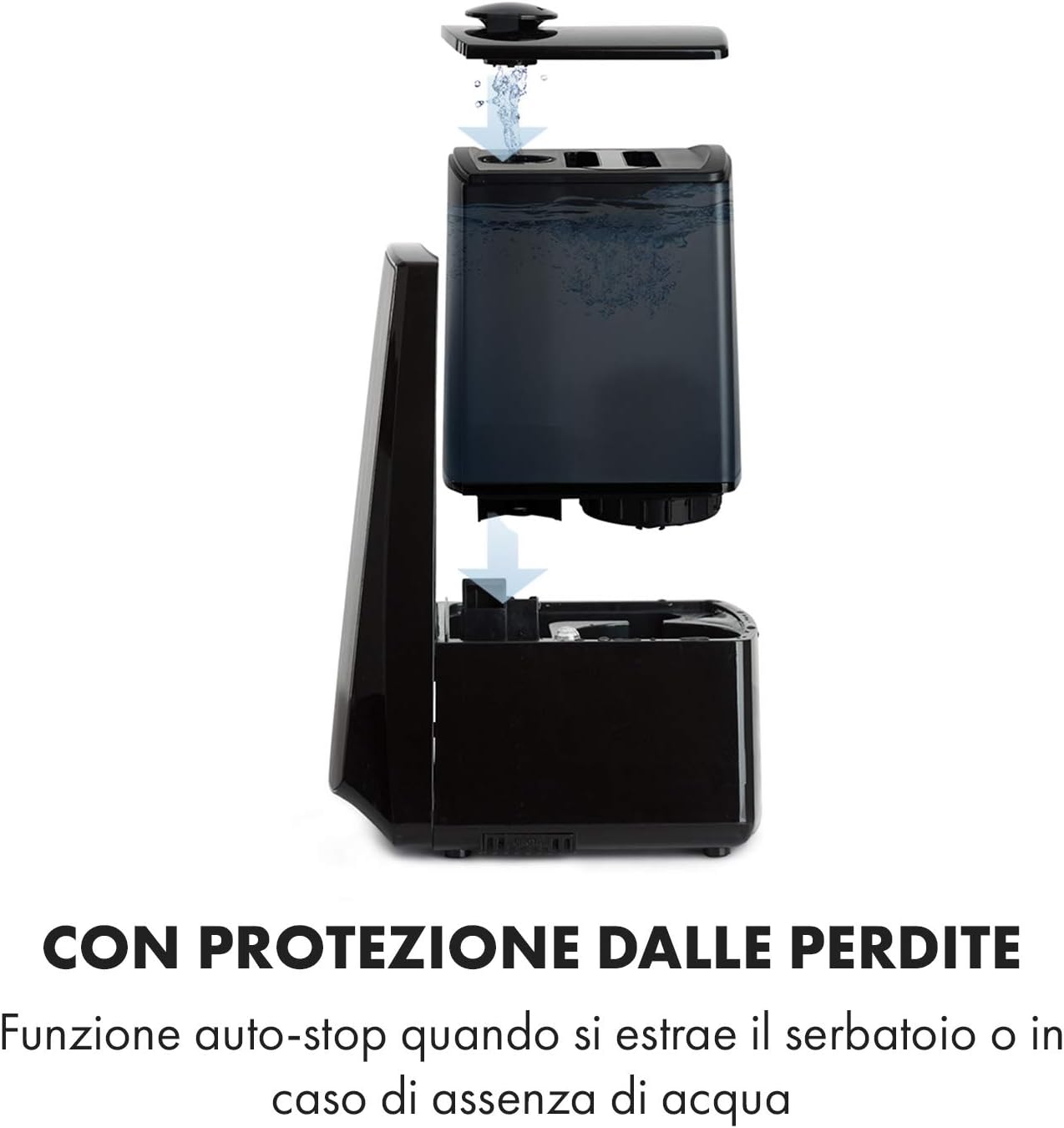
Image: Diagram illustrating the removal and refilling process of the water tank, highlighting the auto-stop feature when the tank is removed or empty.
5.4 Rafmagnstenging
Stingdu rafmagnssnúrunni í viðeigandi rafmagnsinnstungu (230V).
6. Notkunarleiðbeiningar
6.1 Stjórnborð yfirview

Mynd: Nærmynd view of the humidifier's LED display and touch controls, showing a hand interacting with the buttons.
The LED display shows current humidity, temperature, and selected settings. The touch buttons allow control over various functions.
6.2 Kveikt/slökkt
Ýttu á ON/OFF hnappinn á stjórnborðinu eða fjarstýringunni til að kveikja eða slökkva á tækinu.
6.3 Stilling á úðastigi
The humidifier offers 7 levels of mist output. Press the MIST button repeatedly to cycle through the mist intensity levels. The current level will be displayed on the screen.
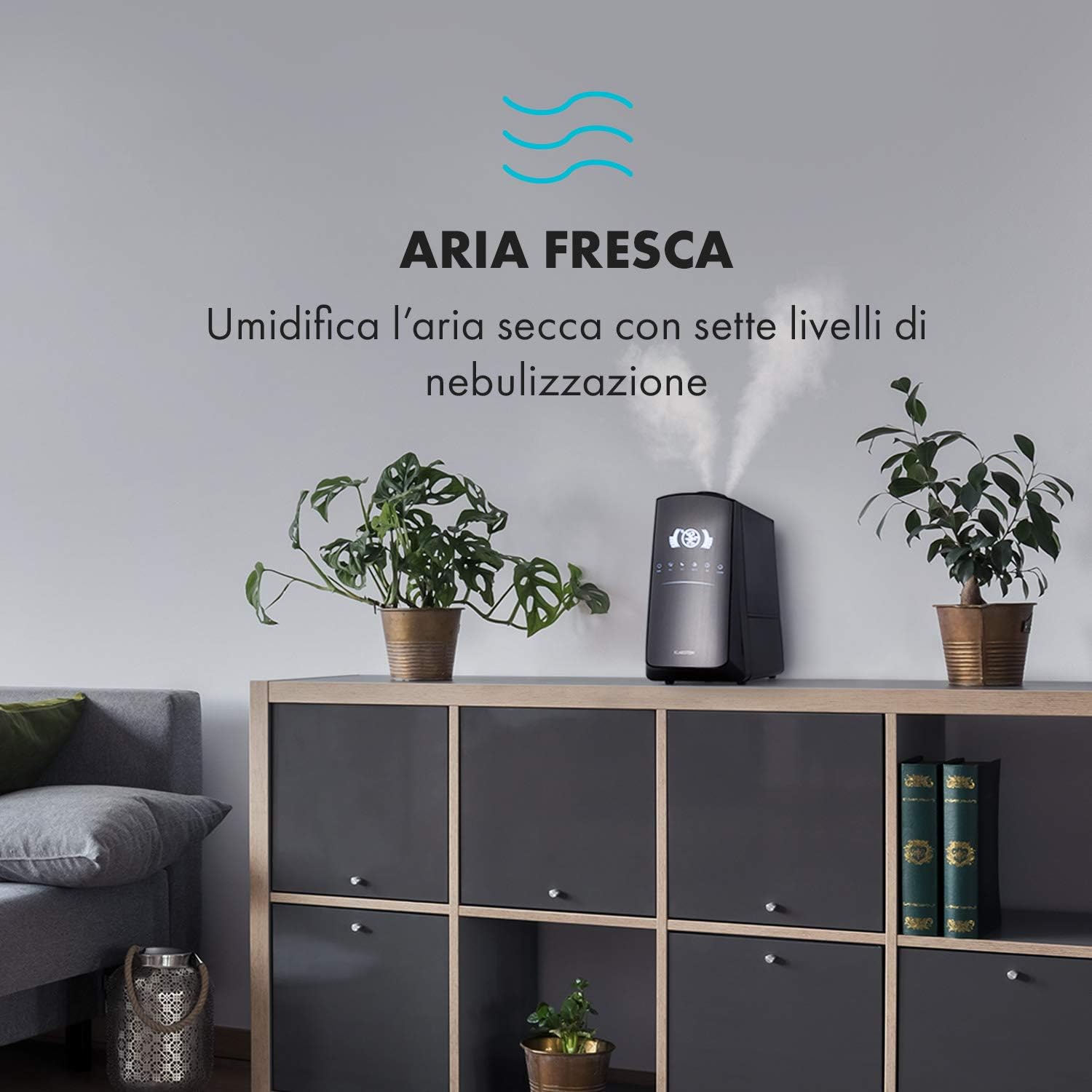
Image: The humidifier operating in a room, releasing mist to humidify the air.
6.4 Humidity Setting (Humidistat)
Ýttu á RAKI button to set your desired humidity level (e.g., 40% to 80% RH). The unit will automatically maintain this level, turning on and off as needed.
6.5 Hlýr/kaldur úði
Ýttu á HITI button to activate the warm mist function. Press again to switch back to cool mist. Warm mist can help raise room temperature slightly and is often preferred in colder climates.

Image: A close-up shot of the mist output, illustrating the option for either cool or warm mist.
6.6 Tímamæliraðgerð
Ýttu á TIMER button to set an operating duration from 1 to 12 hours. The unit will automatically turn off after the set time.
6.7 Virkni jónunartækisins
Ýttu á ION button to activate the ionizer. This function releases negative ions to help purify the air by attracting dust and other particles.
6.8 ilmdreifir
Pull out the aroma diffuser tray located at the bottom of the unit. Add a few drops of essential oil onto the sponge pad. Slide the tray back in. The mist will carry the aroma into the air.

Image: The integrated aroma diffuser tray, shown pulled out with an essential oil bottle and lemon slices nearby, indicating its use for adding scents.
6.9 næturstilling
Ýttu á NÓTT button to dim the LED display and reduce operational noise for undisturbed sleep.

Image: The humidifier in a modern living space, illustrating its versatile functions like auto mode, heating, health, baby, night mode, and timer.
7. Forritastjórnun
The KLARSTEIN VapoAir Opal Smart Humidifier can be controlled via a dedicated smartphone application.

Image: A person using a smartphone with the Klarstein app open, showing controls for the humidifier's settings and current humidity levels.
7.1 Sækja forritið
Leitaðu að the 'Klarstein App Experience' in your smartphone's app store (available for Android and iOS).
7.2 Tengist við Wi-Fi
- Ensure your humidifier is plugged in and turned on.
- Open the Klarstein App and follow the on-screen instructions to add a new device.
- The humidifier requires a 2.4 GHz Wi-Fi net for connection. It is not compatible with 5 GHz networks. Ensure your router is configured to support 2.4 GHz or that your phone is connected to the 2.4 GHz band during setup.
- Once connected, you can control all humidifier functions remotely via the app.

Image: A smartphone displaying the Klarstein app interface, indicating smart home control via WiFi for Android and iOS devices.
8. Viðhald og þrif
Regluleg þrif eru nauðsynleg fyrir bestu mögulegu virkni og hreinlæti.
8.1 Daglegt viðhald
- Tæmið og skolið vatnstankinn daglega.
- Þurrkið vatnstankinn að innan með hreinum klút.
8.2 Vikuleg þrif
- Taktu tækið úr sambandi fyrir hreinsun.
- Fjarlægið vatnstankinn og tæmið allt eftirstandandi vatn úr bæði tankinum og botninum.
- Þrif á vatnsgeymi: Fill the tank with a mixture of water and white vinegar (1:1 ratio). Let it sit for 30 minutes, then rinse thoroughly.
- Þrif á grunneiningunni: Gently wipe the ultrasonic transducer (the small disc in the center of the base) with a soft brush or cloth to remove mineral deposits. Do not scrape or use abrasive cleaners. You can use a cotton swab dipped in vinegar for hard-to-reach areas.
- Ilmdreifarabakki: Remove and clean the sponge pad with mild soap and water. Allow it to dry completely before reinserting.
- Wipe all external surfaces with a soft, damp klút.
8.3 Geymsla
Ef rakatækið verður ekki notað í langan tíma skal þrífa það vandlega, ganga úr skugga um að allir hlutar séu þurrir og geyma það í upprunalegum umbúðum á köldum, þurrum stað.
9. Bilanagreining
| Vandamál | Möguleg orsök | Lausn |
|---|---|---|
| Enginn eða lítill úðaframleiðsla |
|
|
| Eining kviknar ekki |
|
|
| Óþægileg lykt |
|
|
| Hvítt ryk í kringum tækið | Hard water with high mineral content | Notið eimað eða afsteinað vatn. Þrífið tækið reglulega. |
| Vandamál með Wi-Fi tengingu |
|
|
10. Tæknilýsing
| Eiginleiki | Forskrift |
|---|---|
| Vörumerki | KLARSTEIN |
| Gerðarnúmer | XJ3-VapoAirOpalSmart |
| Litur | Svartur |
| Mál (L x B x H) | 23 x 18 x 37 cm |
| Þyngd | 2.5 kg |
| Kraftur | 110 Watt |
| Voltage | 230 volt |
| Stærð vatnstanks | 5 lítrar |
| Rekstrartími | Up to 2 hours (continuous, depending on mist level) |
| Sérstakir eiginleikar | Remote Control, Timer, App Control, Ionizer, LED Display, 7 Mist Levels, Warm/Cool Mist, Aroma Diffuser |
| Herbergistegund | Stofa |
11. Ábyrgð og stuðningur
KLARSTEIN products are covered by a manufacturer's warranty. For detailed warranty information, please refer to the warranty card included with your product or visit the official KLARSTEIN website. For technical support, spare parts, or service inquiries, please contact KLARSTEIN customer service through their official channels.
Vinsamlegast geymdu sönnunina þína fyrir kaupum fyrir ábyrgðarkröfur.


