Inngangur
This manual provides essential information for the safe and efficient use of your Lenovo Tab P11 Tablet. Please read this manual thoroughly before operating the device and retain it for future reference.
The Lenovo Tab P11 features an 11-inch touchscreen, powered by a Snapdragon 662 processor with 4GB RAM and 128GB storage, running on Android. It is designed for versatile use, from entertainment to productivity.
Innihald pakka
Upon unboxing your Lenovo Tab P11, verify that all components are present:
- Lenovo Tab P11 spjaldtölva
- USB snúru
- Rafmagns millistykki
- Leiðbeiningar um hraða notkun (ef fylgja með)

Image: The Lenovo Tab P11 Tablet, showcasing its 11-inch display with a vibrant wallpaper. This is the main unit of the product.
Uppsetning
Upphafleg hleðsla
Before first use, fully charge your tablet. Connect the provided USB cable to the tablet's USB-C port and the power adapter. Plug the adapter into a wall outlet. The charging indicator will illuminate.

Mynd: Nærmynd af hliðinni view of the Lenovo Tab P11, highlighting the power button and volume rocker. These controls are essential for basic device operation.
Kveikt/slökkt
- Til að kveikja á: Ýttu á og haltu inni aflrofann (sem er staðsettur á hliðinni) þar til Lenovo merkið birtist.
- Til að slökkva á: Haltu inni aflrofanum þar til valmyndin fyrir aflgjafavalkosti birtist og veldu síðan „Slökkva“.
Upphafleg stilling
Fylgdu leiðbeiningunum á skjánum til að ljúka upphafsuppsetningunni, þar á meðal vali á tungumáli, Wi-Fi tengingu, innskráningu á Google reikning og öryggisstillingum.
Notkun spjaldtölvunnar
Leiðsögn og bendingar
The Lenovo Tab P11 operates using touch gestures on its 11-inch IPS display. Common gestures include:
- Bankaðu á: Veldu hlut eða opnaðu forrit.
- Strjúktu: Fletta í gegnum skjái eða lista.
- Klípaðu til aðdráttar: Aðdráttur eða minnkun á myndum og web síður.
- Langt ýtt: Opnaðu samhengisvalmyndir eða færðu tákn.

Image: The Lenovo Tab P11 connected to an external keyboard, displaying multiple open application windows. This illustrates its capability for productivity tasks.
Að tengja jaðartæki
The tablet supports various peripherals via Bluetooth 5.1 and its USB-C port. You can connect keyboards, mice, and other accessories.

Mynd: Ítarleg view of the bottom edge of the Lenovo Tab P11, showing the magnetic connector pins. These pins are used for attaching compatible accessories like a keyboard.
Notkun myndavélar
The tablet features an 8 MP front camera and a 13 MP rear camera with LED flash. Open the Camera app to capture photos and videos.
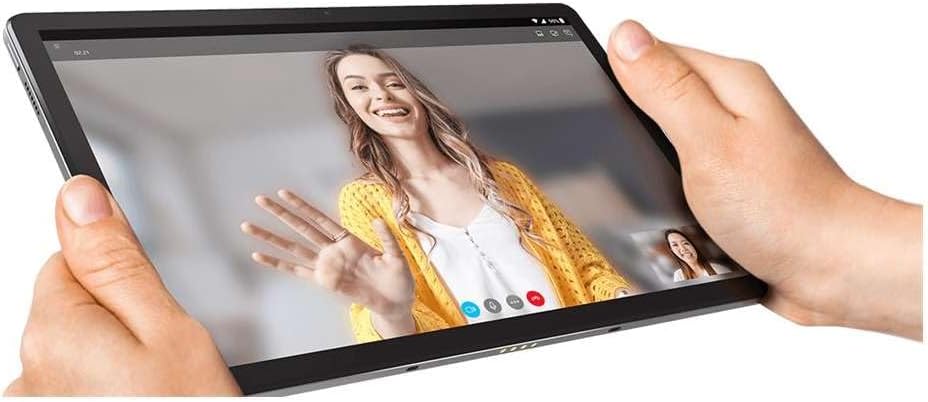
Image: A person holding the Lenovo Tab P11 horizontally, engaged in a video call. This demonstrates the tablet's use for communication and its front-facing camera.
Hljóðeiginleikar
The Lenovo Tab P11 is equipped with four speakers and Dolby Atmos support, providing an immersive audio experience. Adjust volume using the physical volume buttons or through the system settings.