Inngangur
This user manual provides detailed instructions for the setup, operation, maintenance, and troubleshooting of your iFFALCON 43K71 4K Ultra HD Smart Android LED TV. Please read this manual thoroughly before using the television and retain it for future reference.

Mynd: Framan view of the iFFALCON 43K71 4K Ultra HD Smart Android LED TV, showcasinmeð grannri hönnun og líflegum skjá.
Öryggisupplýsingar
Fylgið alltaf eftirfarandi öryggisráðstöfunum til að koma í veg fyrir eld, rafstuð eða meiðsli:
- Ekki láta sjónvarpið verða fyrir rigningu eða raka.
- Tryggið góða loftræstingu; ekki loka fyrir loftræstiop.
- Notið aðeins rafmagnssnúruna sem fylgir sjónvarpinu.
- Do not open the TV cabinet; refer all servicing to qualified personnel.
- Haldið sjónvarpinu frá beinu sólarljósi, hitagjöfum og sterkum segulsviðum.
- Setjið sjónvarpið á stöðugt, slétt yfirborð eða festið það örugglega á vegg.
Hvað er í kassanum
Staðfestið að allir íhlutir séu til staðar við upppakkningu:
- 1 x iFFALCON 43K71 LED TV
- 1 x Remote Controller (with 2 AAA batteries)
- 2 x Table Stand components
- 1 x Notendahandbók
- 1 x ábyrgðarkort
- 1 x hljóðsnúra
Uppsetning
1. Líkamleg uppsetning
You can install your TV using the included table stands or by wall-mounting (wall mount bracket sold separately).
Uppsetning borðstands:
- Leggið sjónvarpið varlega með framhliðina niður á mjúkan, sléttan flöt til að koma í veg fyrir að skjárinn skemmist.
- Attach the two table stand components to the designated slots on the bottom of the TV using the provided screws. Ensure they are securely fastened.
- Lyftu sjónvarpinu varlega upp á stöðugan, sléttan flöt.
Uppsetning veggfestingar:
For wall mounting, consult a professional installer. Ensure the wall mount bracket is compatible with the TV's VESA mounting pattern and can support the TV's weight (approximately 6.9 kg).

Mynd: Efst view of the iFFALCON 43K71 TV, showing its slim profile og festingarpunktar fyrir stand.
2. Fyrsta ræsing og nettenging
- Tengdu rafmagnssnúruna við sjónvarpið og síðan í rafmagnsinnstungu.
- Ýttu á rofann á sjónvarpinu eða fjarstýringunni til að kveikja á sjónvarpinu.
- Fylgdu leiðbeiningunum á skjánum til að ljúka upphafsuppsetningunni, þar á meðal vali á tungumáli, landi og nettengingu (Wi-Fi eða Ethernet).
- Skráðu þig inn með Google reikningnum þínum til að fá aðgang að eiginleikum Android TV og hlaða niður forritum.
Að stjórna sjónvarpinu
Fjarstýring
The supplied remote control allows you to navigate the TV's interface and access various functions.
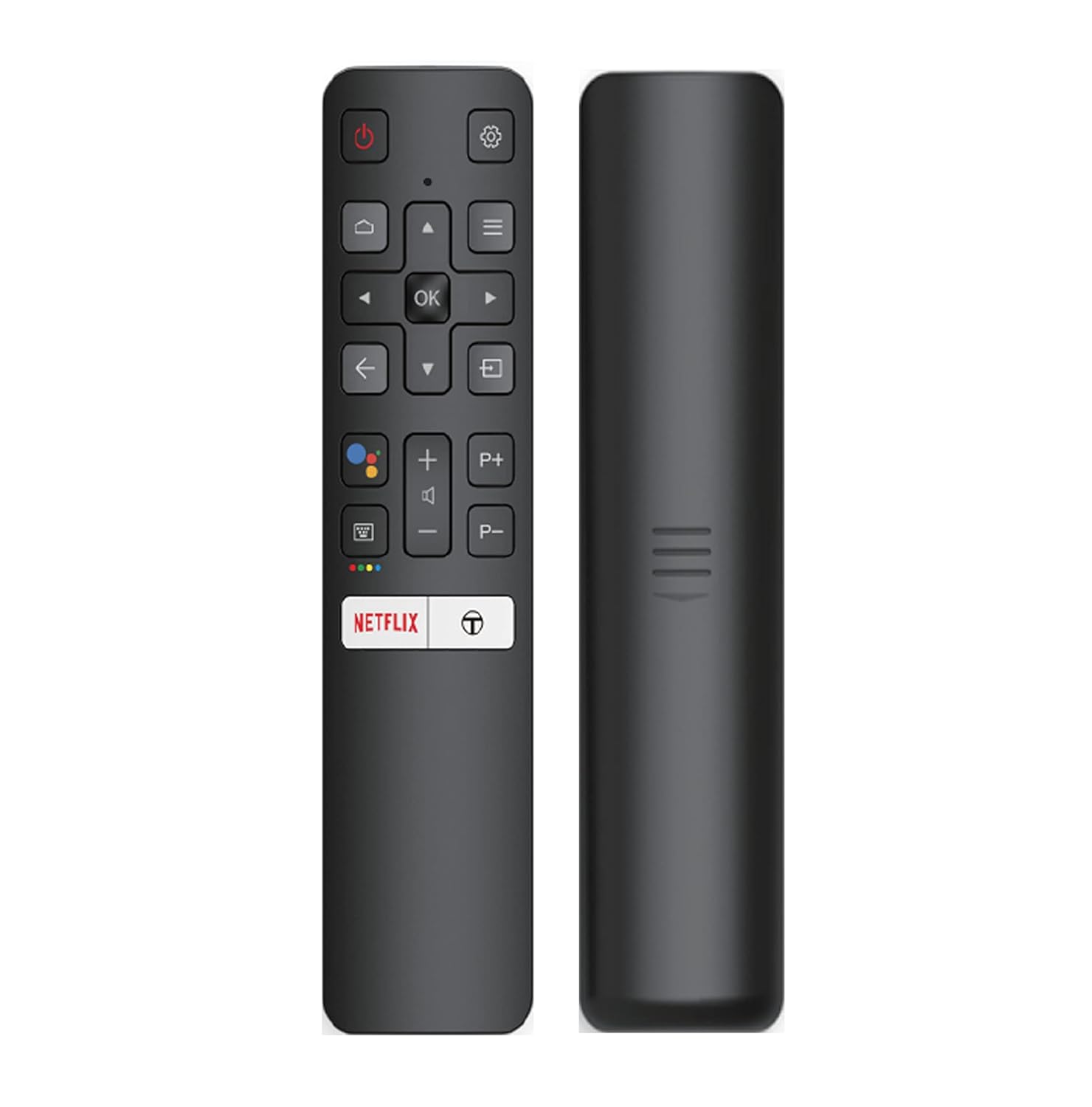
Image: The iFFALCON 43K71 remote control, featuring dedicated buttons for Netflix, Amazon Prime Video, Zee5, and Google Assistant.
Lykilhnappar eru meðal annars:
- Kraftur: Kveikir/slökkvið á sjónvarpinu.
- Leiðsögn (Upp/Niður/Vinstri/Hægri/Í lagi): Fleir í gegnum valmyndir og staðfestir val.
- Aftur: Fer aftur á fyrri skjá.
- Heimili: Opnar heimaskjá Android TV.
- Bindi +/-: Stillir hljóðstyrk.
- Channel P+/P-: Skiptir um rásir.
- Google aðstoðarmaður: Virkjar raddstýringu.
- Netflix, Prime Video, Zee5: Bein aðgangshnappar fyrir streymisþjónustur.
Eiginleikar snjallsjónvarps (Android TV)
Your iFFALCON 43K71 TV runs on Android 9.0, providing access to a wide range of applications and smart functionalities.

Image: The Android TV home screen on the iFFALCON 43K71, displaying various streaming apps like Netflix, YouTube, and Prime Video.
- Forrit: Download and install apps from the Google Play Store, including Netflix, YouTube, Prime Video, Disney+Hotstar, and more.
- Handfrjáls raddstýring: Use the built-in Google Assistant to control your TV, search for content, and manage smart home devices by speaking commands directly to the TV.
- Chromecast Innbyggt: Sendu efni beint úr snjallsímanum, spjaldtölvunni eða tölvunni á sjónvarpsskjáinn.
- AI-IN: iFFALCON's AI-IN technology integrates with Google Assistant for enhanced smart home connectivity and personalized recommendations.
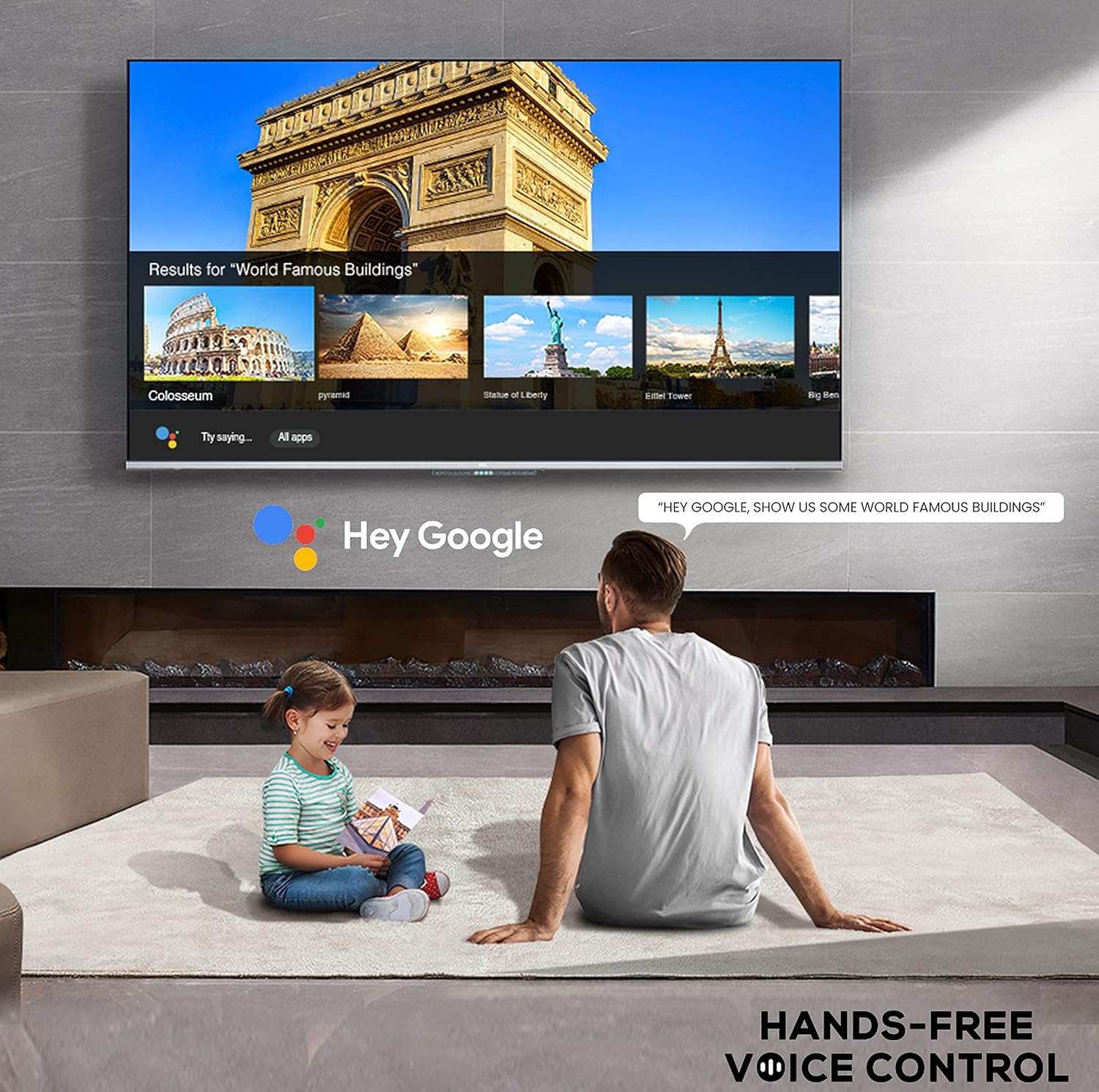
Image: A user interacting with the iFFALCON 43K71 using hands-free voice control, demonstrating the Google Assistant feature.
Tengingar
Sjónvarpið býður upp á ýmsa tengi fyrir tengingu við utanaðkomandi tæki:
- HDMI tengi (2): Connect set-top boxes, Blu-ray players, gaming consoles, etc.
- USB tengi (1): Tengdu harða diska, USB-lykla til að spila margmiðlunarefni.
- Bluetooth: Tengdu þráðlaus heyrnartól, hljóðstikur eða annan Bluetooth-tengdan aukabúnað.
- Wi-Fi: Tengstu við þráðlausa heimanetið þitt til að fá aðgang að internetinu.
- Hljóðstrengur: For external audio connections.
Mynd- og hljóðstillingar
Stilltu mynd- og hljóðstillingar til að hámarka viewupplifun.
- Myndastillingar: Veldu úr ýmsum forstilltum myndstillingum (t.d. Staðlað, Kvikmynd, Kvikmynd, Íþróttir) eða sérsníddu stillingar eins og birtustig, andstæða, lit og skerpu.
- 4K Ultra HD & HDR 10: Experience stunning detail and vibrant colors with 4K resolution and High Dynamic Range (HDR 10) support.
- Ör dimming: Enhances contrast by analyzing video content in hundreds of separate zones and adjusting brightness and darkness independently.
- Hljóðstillingar: Choose from preset sound modes (e.g., Standard, Music, Movie, Clear Voice) or adjust equalizer settings.
- Dolby hljóð: Enjoy immersive audio with Dolby Audio processing, delivering rich, clear, and powerful sound from the 30 Watts speakers.
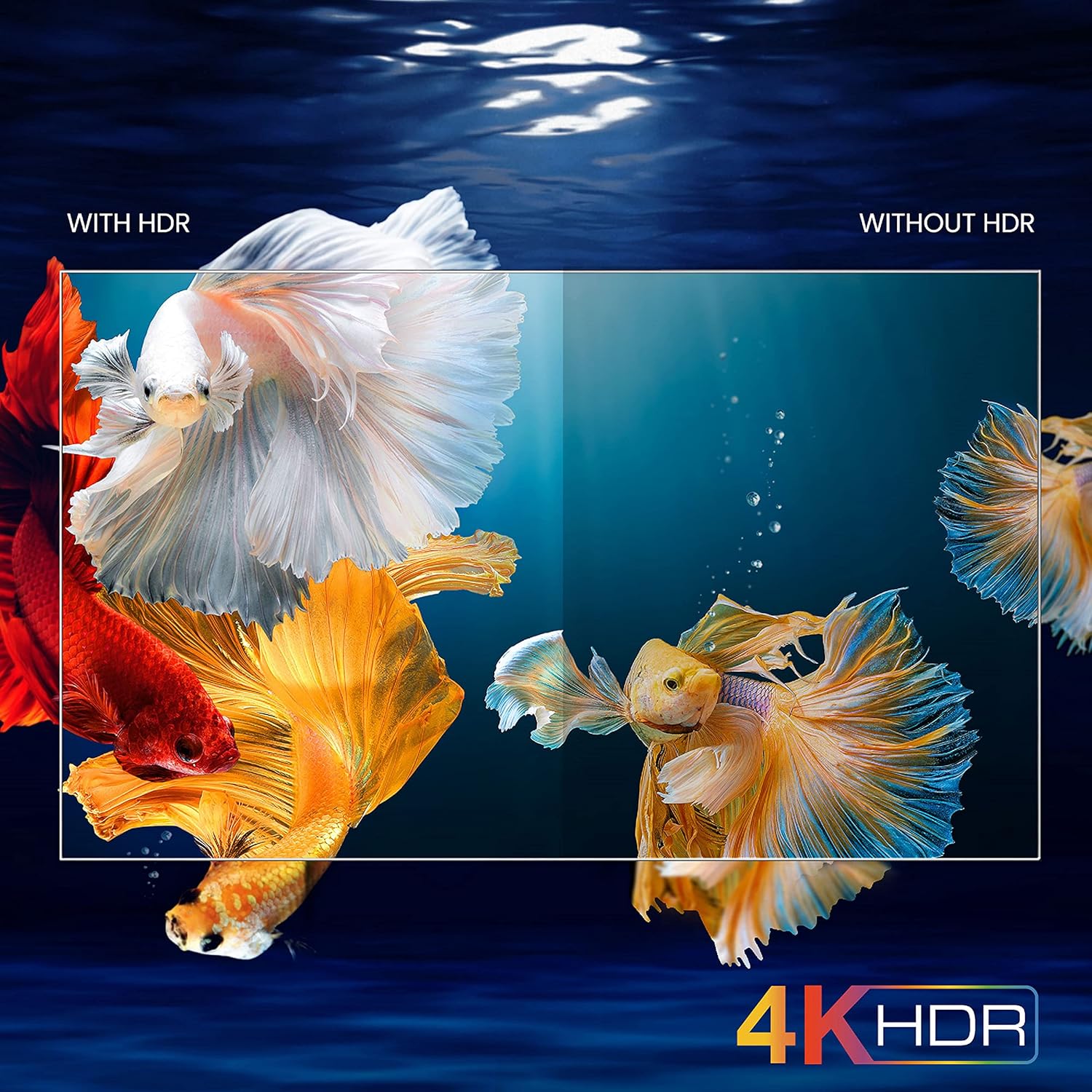
Image: A visual comparison demonstrating the enhanced color and contrast with 4K HDR enabled versus disabled on the iFFALCON 43K71 TV.
Viðhald
Þrif
- Taktu alltaf sjónvarpið úr sambandi áður en það er þrifið.
- Notið mjúkan, þurran klút til að þurrka skjáinn og skápinn. Ef þrjósk bletti eru til staðar, þurrkið létt.ampÞurrkið klútinn með vatni eða mildum, ekki slípandi skjáhreinsiefni.
- Ekki nota alkóhól, bensen, þynningarefni eða önnur rokgjörn efni.
Hugbúnaðaruppfærslur
The TV may receive software updates periodically to improve performance and add new features. Ensure your TV is connected to the internet to receive these updates automatically or check for them manually in the settings menu.
Úrræðaleit
If you encounter issues, refer to the following common solutions before contacting support:
| Vandamál | Möguleg lausn |
|---|---|
| Sjónvarpið kviknar ekki. | Check if the power cord is securely plugged into the TV and the power outlet. Ensure the power outlet is working. Try pressing the power button on the TV itself. |
| Engin mynd, en hljóð er til staðar. | Athugaðu inntaksuppsprettu. Gakktu úr skugga um að ytri tæki séu rétt tengd og kveikt á. Reyndu að endurræsa sjónvarpið. |
| Ekkert hljóð, en mynd er til staðar. | Check the volume level and ensure the TV is not muted. Verify audio output settings. If using external speakers, check their connections and power. |
| Fjarstýring virkar ekki. | Skiptu um rafhlöður (2 AAA). Gakktu úr skugga um að engar hindranir séu á milli fjarstýringarinnar og innrauða skynjarans í sjónvarpinu. |
| Get ekki tengst Wi-Fi. | Check your router and modem. Restart them if necessary. Ensure you are entering the correct Wi-Fi password. Try moving the TV closer to the router or using an Ethernet cable. |
| Hæg afköst eða forrit hrynur. | Close unused applications. Clear cache for problematic apps. Restart the TV. Consider a factory reset as a last resort (this will erase all data and settings). |
Tæknilýsing
Key technical specifications for the iFFALCON 43K71 TV:
| Eiginleiki | Smáatriði |
|---|---|
| Fyrirmynd | 43K71 |
| Skjástærð | 43 tommur (108 cm) |
| Upplausn | 4K Ultra HD (3840 x 2160 pixlar) |
| Endurnýjunartíðni | 60 Hz |
| Stýrikerfi | Android 9.0 |
| vinnsluminni | 2 GB |
| Geymsla | 16 GB |
| Hljóðúttak | 30 Watts (Dolby Audio Power Speakers) |
| HDMI tengi | 2 |
| USB tengi | 1 |
| Tengingar | Wi-Fi, Bluetooth |
| Mál (LxBxH) | 96 x 4.1 x 55.8 cm (án standar) |
| Þyngd hlutar | 6.9 kg |

Image: Diagram showing the physical dimensions of the iFFALCON 43K71 TV in centimeters and inches.
Ábyrgð
The iFFALCON 43K71 TV comes with a 1 árs ábyrgð provided by the manufacturer from the date of purchase. Please retain your purchase receipt for warranty claims. For detailed terms and conditions, refer to the included Warranty Card.
Stuðningur
For further assistance, technical support, or service requests, please contact iFFALCON customer service. Contact details can typically be found on the manufacturer's official websíðunni eða á ábyrgðarkortinu.
Vara lokiðview Myndband
Myndband: Stutt kynningview myndbandssýningasing key features and visual enhancements of the iFFALCON 43K71 4K Ultra HD Smart Android LED TV, including 4K HDR, dynamic tone mapping, color enhancement, Android TV interface, and hands-free voice control.


