1. Inngangur
The MiLESEEY DT20 combines a laser distance meter with a digital readout tape measure in one device, offering versatile measurement capabilities for various applications.
This augmented tool measures directly your target length and outputs digital area/volume measurements. It allows for alternative use of tape data for short distances and laser mode for long distances to obtain accurate values efficiently. A tape lock mechanism prevents accidental slipping.
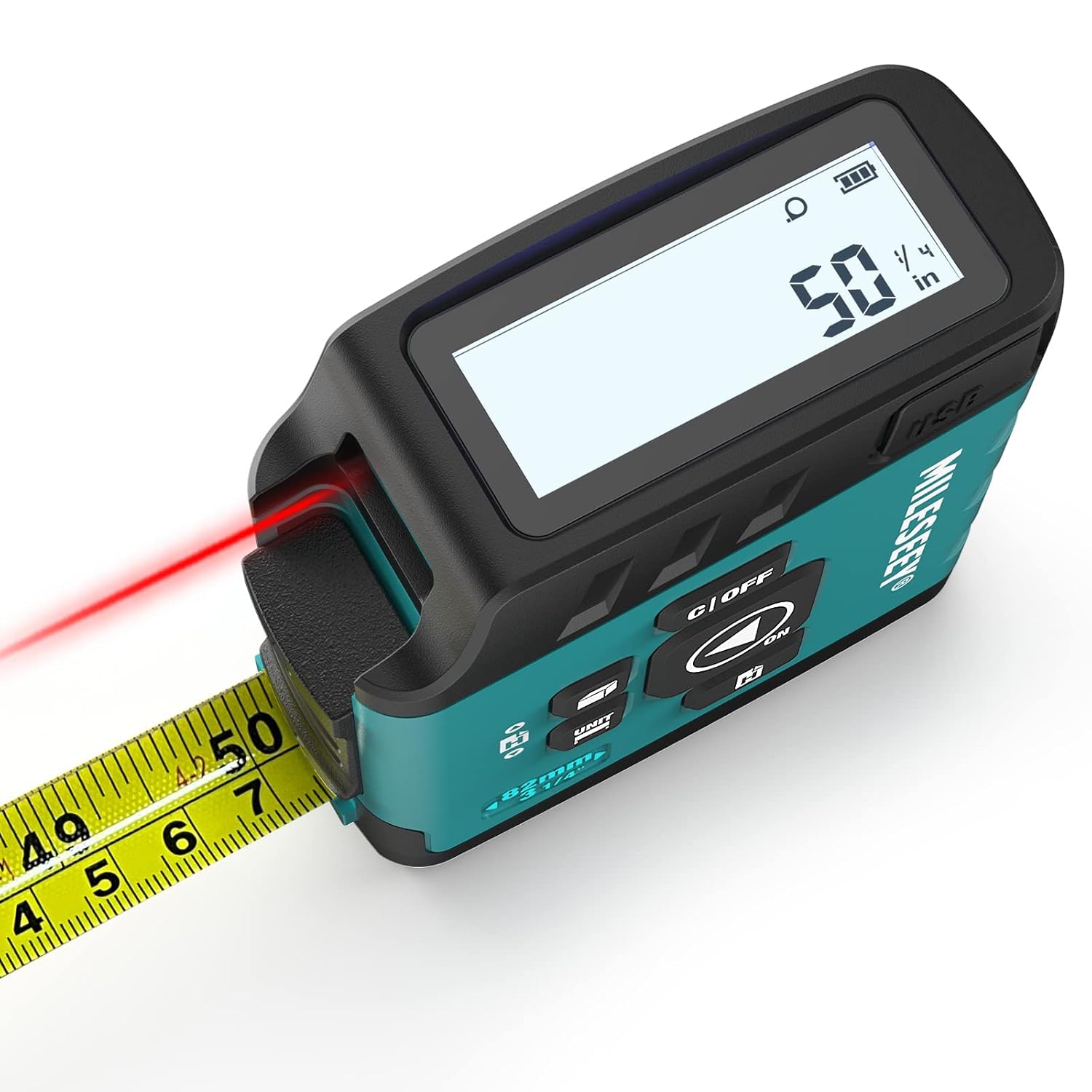
Myndband 1: Yfirview of the MiLESEEY DT20 3-in-1 Laser Tape Measure, demonstrating its key features and measurement capabilities.
2. Hvað er í kassanum
- 1 x MiLESEEY DT20 Laser Digital Tape Measure
- 1 x USB hleðslusnúra
- 1 x Notendahandbók
- 1 x Portable Wrist Strap
3. Uppsetning
3.1 Hleðsla tækisins
The DT20 features a rechargeable battery. Connect the provided USB charging cable to the device's charging port and a suitable USB power source. The battery indicator on the display will show the charging status.
3.2 Kveikt/slökkt
To power on the device, press the 'ON/OFF' button. The digital display will illuminate. To power off, press and hold the 'ON/OFF' button for a few seconds.
4. Rekstraraðferðir
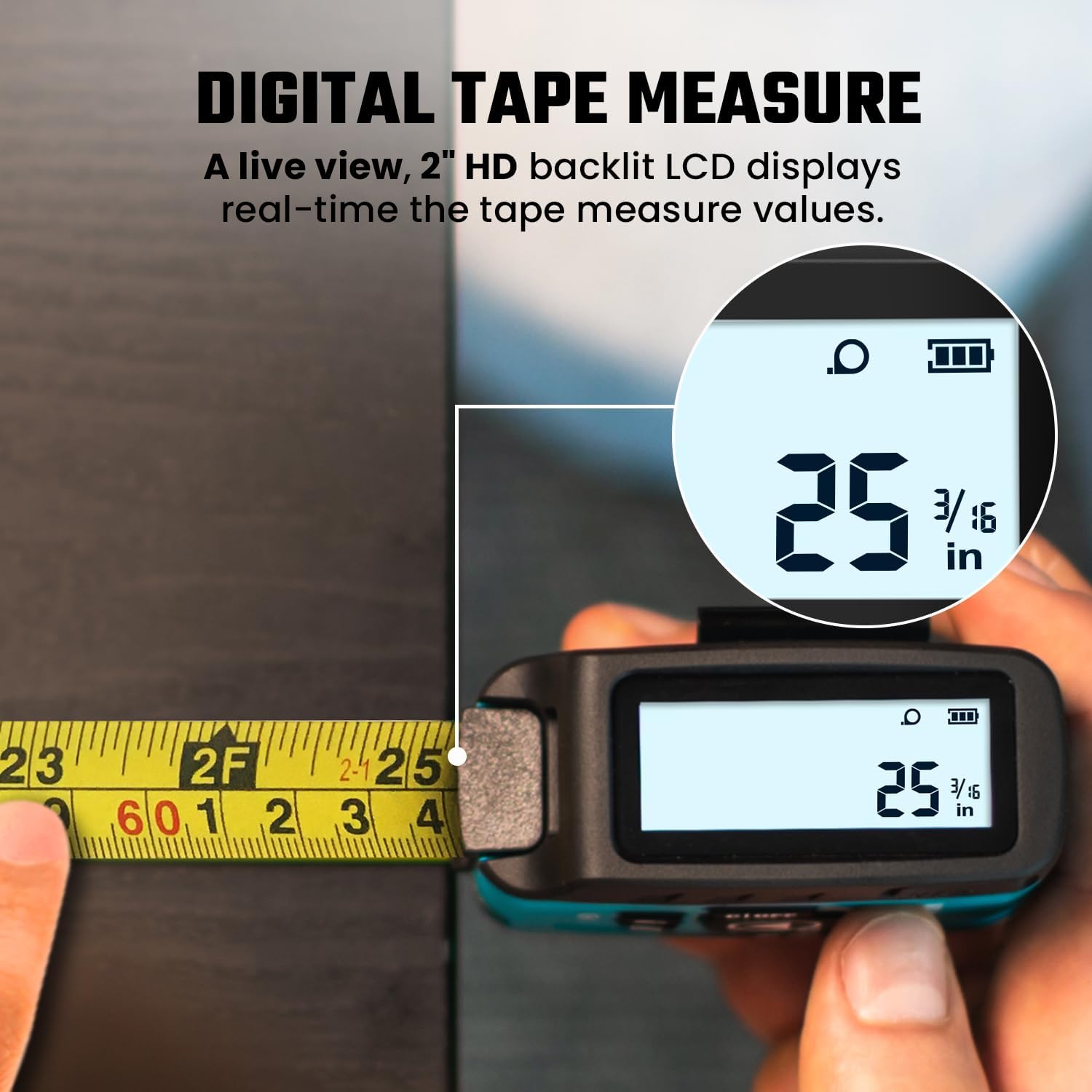
4.1 Digital Tape Measure
Pull out the physical tape measure. The MiLESEEY's patented PowerBrust Digital Display technology will show real-time precise figures on the screen as you extend the tape. The 16FT Digital Tape Measure offers an accuracy of up to ±1/16 inch.
4.2 Laser Distance Measurement
Press the 'MEAS' button to activate the laser. Point the laser at your target. Press 'MEAS' again to take a measurement. The 130FT Laser Distance Measure provides accuracy up to ±1/8 inch. The laser is Class II (<1mW) for safety.

4.3 Mæling á flatarmáli og rúmmáli
The DT20 supports area and volume calculations. Use the 'UNIT' button to cycle through measurement modes until the area (square icon) or volume (cube icon) mode is selected. Follow the on-screen prompts to take the necessary length, width, and height measurements using either the tape or laser, and the device will automatically calculate the result.

4.4 Unit Switching and Measurement Datum
Press the 'UNIT' button to switch between different measurement units (feet, inches, meters). Hold the 'UNIT' button for 1 second to change the measurement datum (pre-datum from the front of the device or post-datum from the back of the device). This applies to all measurement types.

Video 2: Demonstration of the MiLESEEY DT20's ease of use for various digital tape measure functions.
5. Data Sync and Storage
The DT20 features Data Sync Display Technology, providing real-time precise figures on the screen as you measure. It also has memory to store up to 20 measurement values, eliminating the need for manual notes.


6. Advanced Technology & Accuracy
MiLESEEY incorporates advanced optical decoding and tape error correction technology, ensuring industry-leading accuracy and stable performance. The 130FT Laser Distance Measure boasts an accuracy of ±1/8 inch, while the 16FT Digital Tape Measure achieves ±1/16 inch accuracy. The tape blade features both English and metric units.

7. Flytjanleiki og endingartími
The DT20 features a compact, slim, and lightweight design, making it highly portable. It includes a wrist strap and a back clip for easy attachment to tool belts, pants, or for use in elevated work environments like scaffolding or ladders. Its construction incorporates impact-absorbing geometries and soft materials to protect components against drops and shocks.

8. Viðhald
8.1 Hleðsla
Regularly charge the device using the provided USB cable to ensure optimal performance. The battery indicator on the display will show the current charge level.
8.2 Þrif
Wipe the device and tape blade with a soft, dry cloth. Avoid using abrasive cleaners or solvents that could damage the display or housing.
9. Bilanagreining
- Tækið kveikir ekki á sér: Ensure the battery is sufficiently charged. Connect to a USB power source and allow it to charge.
- Inaccurate laser measurement: Verify that the measurement datum (front or back of the device) is correctly set for your application. Ensure the laser target is clear and stable.
- Digital tape display not syncing: Ensure the tape is pulled out smoothly and consistently. Avoid sudden jerks or stops.
10. Tæknilýsing
| Eiginleiki | Smáatriði |
|---|---|
| Vörumál | 3.15" L x 1.29" B |
| Tegundarnúmer vöru | DT20 measuring tape |
| Þyngd hlutar | 0.35 grömm |
| Measurement Accuracy (Laser) | ±1/8 tommur |
| Measurement Accuracy (Tape) | ±1/16 tommur |
| Laser öryggisstig | Flokkur II, <1mW |
| Vörumerki | Mílesey |
| Litur | Non App |
11. Ábyrgð og stuðningur
Warranty and specific support contact information are not available in this manual. Please refer to the product packaging or the manufacturer's official website for the most up-to-date details regarding warranty coverage and customer support.


