Inngangur
Welcome to the Altec Lansing NanoBuds True Wireless Earbuds instruction manual. This guide provides essential information for setting up, operating, maintaining, and troubleshooting your new earbuds. Please read this manual thoroughly to ensure optimal performance and longevity of your device.

Image: The Altec Lansing NanoBuds True Wireless Earbuds shown with their charging case.
Hvað er í kassanum
Your Altec Lansing NanoBuds package includes the following items:
- Altec Lansing NanoBuds True Wireless Earbuds (Left and Right)
- Þráðlaus hleðslutaska
- USB hleðslusnúra
- Multiple sizes of ear tips for a customized fit
- Flýtileiðarvísir

Image: The NanoBuds earbuds displayed alongside their charging case.
Uppsetning
1. Hleðsla eyrnatólanna og hulstrsins
Before first use, fully charge your NanoBuds and their charging case. Place the earbuds into the charging case. Connect the USB charging cable to the charging port on the case and plug the other end into a USB power source. The indicator lights on the case will show the charging status.

Image: NanoBuds seated in the charging case, with blue indicator lights illuminated, signifying charging status.
2. Pörun Bluetooth
- Gakktu úr skugga um að heyrnartólin séu hlaðin.
- Opnaðu hleðsluhulstrið. Eyrnatólin fara sjálfkrafa í pörunarstillingu, sem blikkandi ljós gefa til kynna.
- Farðu í Bluetooth-stillingar í tækinu þínu (snjallsíma, spjaldtölvu o.s.frv.) og kveiktu á Bluetooth.
- Select "Altec NanoBuds" from the list of available devices.
- Þegar tengingin hefur verið tengd mun raddskilaboð staðfesta að pörunin hafi tekist.
3. Að ná öruggri passun
For optimal sound quality and comfort, select the ear tips that best fit your ears. The NanoBuds feature Altec Lansing Helix wings for a secure fit, especially during active use. Gently insert each earbud into your ear canal and twist slightly to lock the Helix wing into place.

Mynd: Nærmynd view of the NanoBuds, highlighting the integrated Helix wings designed for a stable and secure fit in the ear.
Notkun eyrnatappa
Snertistýringar
The NanoBuds feature intuitive touch controls on each earbud for managing audio playback and calls.
| Aðgerð | Virka |
|---|---|
| Einn smellur (vinstri/hægri) | Spila/gera hlé á tónlist, svara/ljúka símtali |
| Tvísmella (hægri) | Næsta lag |
| Tvísmella (vinstri) | Fyrra lag |
| Þríþætt snúningur (vinstri/hægri) | Virkjaðu raddaðstoðarmann |
| Haltu inni (2 sekúndur) | Hafna símtali |
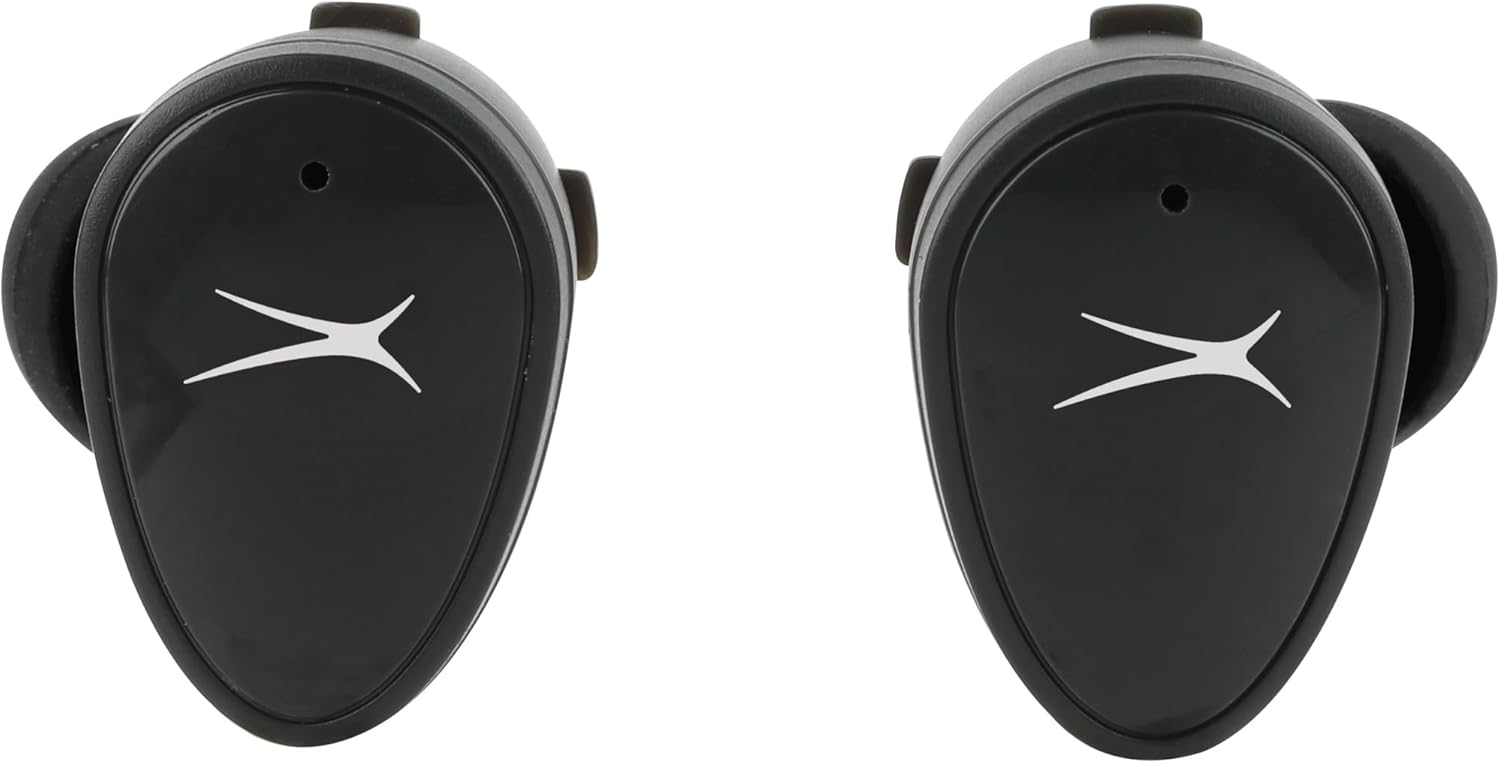
Mynd: Framan view of the NanoBuds, indicating the touch-sensitive surface for controls.
Kveikt/slökkt
- Kveikt á: Eyrnatólin kvikna sjálfkrafa þegar þau eru tekin úr hleðsluhulstrinu.
- Slökkva á: Settu eyrnatólin aftur í hleðsluhulstrið til að slökkva sjálfkrafa á þeim og hefja hleðslu.
Hringt og móttekið símtöl
The NanoBuds feature dual microphones for clear calling. Use the touch controls as described above to manage your calls.
Viðhald
Þrif
Regularly clean your earbuds and charging case to maintain performance. Use a soft, dry, lint-free cloth. Do not use harsh chemicals or abrasive materials. Ensure charging contacts are free of debris.
Vatnsþol (IPX4)
The NanoBuds are rated IPX4 water-resistant, meaning they are protected from splashing water from any direction. This makes them suitable for workouts and light rain. They are not designed for submersion in water.
Úrræðaleit
If you encounter issues with your NanoBuds, try the following steps:
- Enginn kraftur: Gakktu úr skugga um að eyrnatólin og hleðsluhulstrið séu fullhlaðin.
- Pörunarvandamál: Make sure Bluetooth is enabled on your device and the earbuds are in pairing mode. Try forgetting the device in your phone's Bluetooth settings and re-pairing.
- Eitt heyrnartól virkar ekki: Place both earbuds back into the charging case, close the lid, wait a few seconds, then open and try again. Ensure both earbuds are charged.
- Léleg hljóðgæði: Check the ear tip fit. Ensure there is no obstruction in the earbud's speaker mesh.
- No Audio During Calls: Confirm the NanoBuds are selected as the audio output device on your phone during a call.
- Endurstilla: For persistent issues, consult the Altec Lansing support websíðuna fyrir nákvæmar leiðbeiningar um endurstillingu fyrir þína gerð.
Tæknilýsing
| Eiginleiki | Forskrift |
|---|---|
| Nafn líkans | NanoBuds Sport |
| Gerðarnúmer | MZX5200 |
| Tengitækni | Þráðlaust (Bluetooth 5.0) |
| Bluetooth svið | Allt að 15.24 metrar (50 fet) |
| Vatnsþolsstig | IPX4 (vatnsheldur) |
| Rafhlöðulíftími (heyrnartól) | Allt að 5 tímar á hleðslu |
| Heildarspilunartími (með hulstri) | Allt að 30 klukkustundir (4 viðbótargjöld úr málinu) |
| Hleðslutími | Um það bil 5 klukkustundir (fyrir fulla hleðslu kerfisins) |
| Hávaðastýring | Óbein hávaði |
| Eftirlitsaðferð | Snerta |
| Tíðnisvið | 20Hz - 20,000Hz |
| Þyngd | 5.3 aura |
Upplýsingar um ábyrgð
Altec Lansing products are designed and manufactured to the highest quality standards. For detailed warranty information, including terms, conditions, and registration, please refer to the warranty card included with your product or visit the official Altec Lansing webGeymið kaupkvittunina vegna ábyrgðarkröfu.
Þjónustudeild
If you require further assistance or have questions not covered in this manual, please contact Altec Lansing customer support. You can find contact information, FAQs, and additional resources on the official Altec Lansing websíða: www.alteclansing.com.


