Inngangur
This user manual provides essential information for the Lenovo ThinkPad X1 Carbon Gen 9 laptop. It covers initial setup, basic operation, maintenance guidelines, troubleshooting tips, and detailed product specifications. Please read this manual thoroughly to ensure proper use and care of your device.
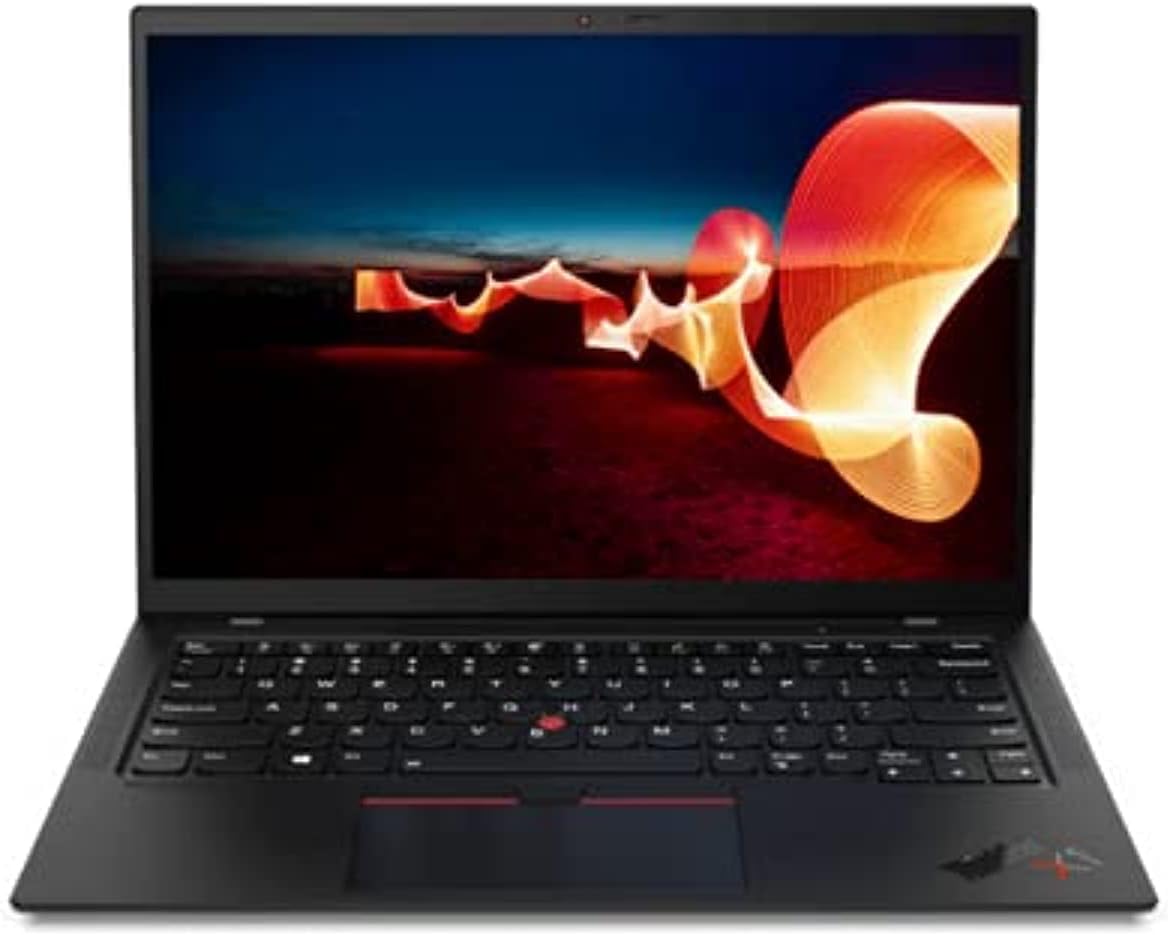
Image: The Lenovo ThinkPad X1 Carbon Gen 9 laptop in a closed position, showcasing glæsilegri hönnun sinni.
Uppsetning
1. Upptaka og frumskoðun
Carefully remove the laptop and all accessories from the packaging. Verify that all components are present, including the laptop and the power adapter. Inspect the device for any visible damage.
2. Tenging við straumbreytinn
Connect the power adapter to the laptop's USB-C port (Thunderbolt 4 compatible) and then plug it into a power outlet. It is recommended to fully charge the battery before initial use.

Image: Left side of the laptop, illustrating the USB-C (Thunderbolt 4) and USB 3.1 ports for power and data connections.
3. Fyrsta ræsing og uppsetning Windows
Press the power button to turn on the laptop. Follow the on-screen instructions to complete the Windows 11 Pro operating system setup. This includes selecting your region, connecting to a Wi-Fi network, and creating a user account.
Notkunarleiðbeiningar
Kveikt/slökkt og svefnstilling
- Kveikt á: Ýttu á rofann sem er staðsettur á hlið fartölvunnar.
- Slökkva á: Smelltu á Start hnappinn, síðan á Power og veldu „Loka“.
- Svefnhamur: Lokaðu fartölvunni eða smelltu á Start hnappinn, síðan Power og veldu „Sleep“.
Lyklaborð og inntakstæki
The ThinkPad X1 Carbon Gen 9 features a backlit keyboard for improved visibility in low-light conditions. Utilize the integrated touchpad or the TrackPoint pointing device for navigation.
Að tengja ytri tæki
Tölvan er búin ýmsum tengjum fyrir tengingu við utanaðkomandi tæki:
- USB-C (Thunderbolt 4): Fyrir háhraða gagnaflutning, myndbandsútgang og hleðslu.
- USB 3.1: Til að tengja venjuleg USB tæki.
- HDMI: Til að tengja við ytri skjái eða skjávarpa.
- Hljómtæki: Fyrir heyrnartól eða ytri hátalara.

Image: Right side of the laptop, displaying the audio jack, USB 3.1 port, and a security lock slot.
Þráðlaus tenging
The laptop supports Wi-Fi 6 (Intel AX201 11ax) for fast wireless internet access and Bluetooth 5.1 for connecting wireless peripherals such as mice, keyboards, or headphones.
Fingrafaralesari
Utilize the integrated fingerprint reader for secure and convenient login to your Windows operating system.
Viðhald
Þrif á fartölvunni
- Notaðu mjúkan, lólausan klút örlítið dampÞvoið með vatni eða skjáhreinsiefni til að þrífa skjáinn.
- Notið mjúkan klút fyrir lyklaborðið og undirvagninn. Forðist sterk efni eða slípiefni.
- Gakktu úr skugga um að fartölvan sé slökkt og úr sambandi áður en hún er þrifin.
Umhirða rafhlöðu
- Forðist að útsetja rafhlöðuna fyrir miklum hita.
- Til að hámarka endingu rafhlöðunnar skal forðast að tæma rafhlöðuna stöðugt niður í 0% eða halda henni á 100% í langan tíma.
Hugbúnaðaruppfærslur
Athugaðu reglulega hvort uppfærslur á stýrikerfinu (Windows Update) og bílstjórauppfærslur (Lenovo Van) séu til staðar og settu upp þær.taghugbúnaður eða Lenovo stuðningur websíðu) til að tryggja bestu mögulegu afköst og öryggi.
Úrræðaleit
If you encounter issues with your Lenovo ThinkPad X1 Carbon Gen 9, consider the following common troubleshooting steps:
- Enginn kraftur: Gakktu úr skugga um að rafmagnstengið sé vel tengt og að innstungan virki. Prófaðu aðra innstungu.
- Sýnamál: If the screen is blank, try connecting an external monitor to verify if the issue is with the laptop's display or graphics output. Ensure display drivers are updated.
- Tengingarvandamál (Wi-Fi/Bluetooth): Check if Wi-Fi and Bluetooth are enabled in Windows settings. Restart your router for Wi-Fi issues. Ensure drivers are up to date.
- Hægur árangur: Lokaðu óþarfa forritum, athugaðu hvort spilliforrit séu til staðar og vertu viss um að nægilegt geymslurými sé laust.
- Kerfið svarar ekki: Haltu inni rofanum í 10-15 sekúndur til að þvinga fram slökkvun og endurræstu síðan fartölvuna.
For more complex issues or hardware failures, refer to the official Lenovo support websíðuna eða hafðu samband við þjónustuver þeirra.
Tæknilýsing
Below are the key technical specifications for the Lenovo ThinkPad X1 Carbon Gen 9 laptop:
| Eiginleiki | Smáatriði |
|---|---|
| Örgjörvi | Intel Core i7-1165G7 (4C / 8T, 2.8 / 4.7GHz, 12MB) |
| Grafík | Innbyggt Intel Iris Xe grafík |
| Skjár | 14" FHD IPS 400nits Anti-glare (1920 x 1080 pixels) |
| Minni (RAM) | 16GB LPDDR4 (soldered) |
| Geymsla | 512GB SSD M.2 2280 PCIe x4 NVMe Opal2 |
| Stýrikerfi | Windows 11 Pro |
| Þráðlaus tenging | Wi-Fi 6 (Intel AX201 11ax), Bluetooth 5.1 |
| Hafnir | USB-C (Thunderbolt 4), HDMI, USB 3.1, Audio Jack |
| Webkambur | Innbyggt Webmyndavél með hljóðnema |
| Öryggiseiginleikar | Fingrafaralesari |
| Mál (BxDxH) | 315 x 221.6 x 14.9 mm (12.4 x 8.72 x 0.59 tommur) |
| Þyngd | Um það bil 2.48 pund |
Ábyrgð og stuðningur
Endurnýjuð ábyrgð Amazon
This product is covered by the Amazon Renewed Guarantee. If you are not satisfied with your purchase, renewed products are eligible for replacement or refund within 90 days of receipt under this guarantee. For details, please refer to the Amazon Renewed program terms.
Stuðningur framleiðanda
Fyrir tæknilega aðstoð, niðurhal á rekla eða frekari upplýsingar um vöruna, vinsamlegast farðu á opinbera þjónustusíðu Lenovo. website. You may need your product's serial number for specific support inquiries.
Optional protection plans may be available for extended coverage beyond the Amazon Renewed Guarantee. Please check your purchase details for information on any additional plans.


