1. Inngangur
This manual provides essential information for the proper setup, operation, and maintenance of your HP Wireless Mouse S1500. Please read these instructions carefully before using the product to ensure optimal performance and longevity.

Image 1.1: The HP Wireless Mouse S1500, showcasing its ergonomic and lightweight design.
2. Uppsetning
2.1 Innihald pakka
Gakktu úr skugga um að pakkinn þinn innihaldi eftirfarandi hluti:
- HP Wireless Mouse S1500
- USB 2.4GHz móttakari
- AA rafhlaða (fyrirfram uppsett eða fylgir sér)
2.2 Uppsetning rafhlöðu
- Finndu rafhlöðulokið neðst á músinni.
- Renndu eða lyftu lokinu til að opna hólfið.
- Settu eina AA rafhlöðu í og vertu viss um að plús (+) og neikvæðu (-) tengipunktarnir passi rétt við vísana inni í hólfinu.
- Settu hlífina yfir rafhlöðuhólfið aftur.
2.3 Tenging við USB-móttakara

Image 2.1: The HP Wireless Mouse S1500 and its accompanying 2.4GHz USB receiver.
- Remove the USB 2.4GHz receiver from its storage slot, usually located within the battery compartment or on the underside of the mouse.
- Tengdu USB-móttakara í lausu USB-tengi á tölvunni þinni.
- Tölvan þín ætti sjálfkrafa að greina og setja upp nauðsynlega rekla. Þetta ferli gæti tekið nokkrar stundir.

Image 2.2: The mouse utilizes 2.4GHz wireless technology for a stable connection up to approximately 10 meters.
3. Notkunarleiðbeiningar
3.1 Grunnaðgerðir
The HP Wireless Mouse S1500 features three standard buttons and a scroll wheel:
- Vinstri hnappur: Aðalsmellvirkni, notuð til að velja hluti, opna files, og samskipti við hugbúnað.
- Hægri hnappur: Auka smelliaðgerð, venjulega notuð til að opna samhengisvalmyndir.
- Skrunahjól: Notað til að fletta í gegnum skjöl og web pages. It can also function as a middle button when pressed.

Image 3.1: The HP Wireless Mouse S1500 in use, demonstrating its comfortable fit for daily tasks.
3.2 Ergonomía og flytjanleiki
The S1500 mouse is designed for comfort and ease of use. Its ergonomic shape fits naturally in the hand, and its lightweight construction makes it suitable for extended use and portability.
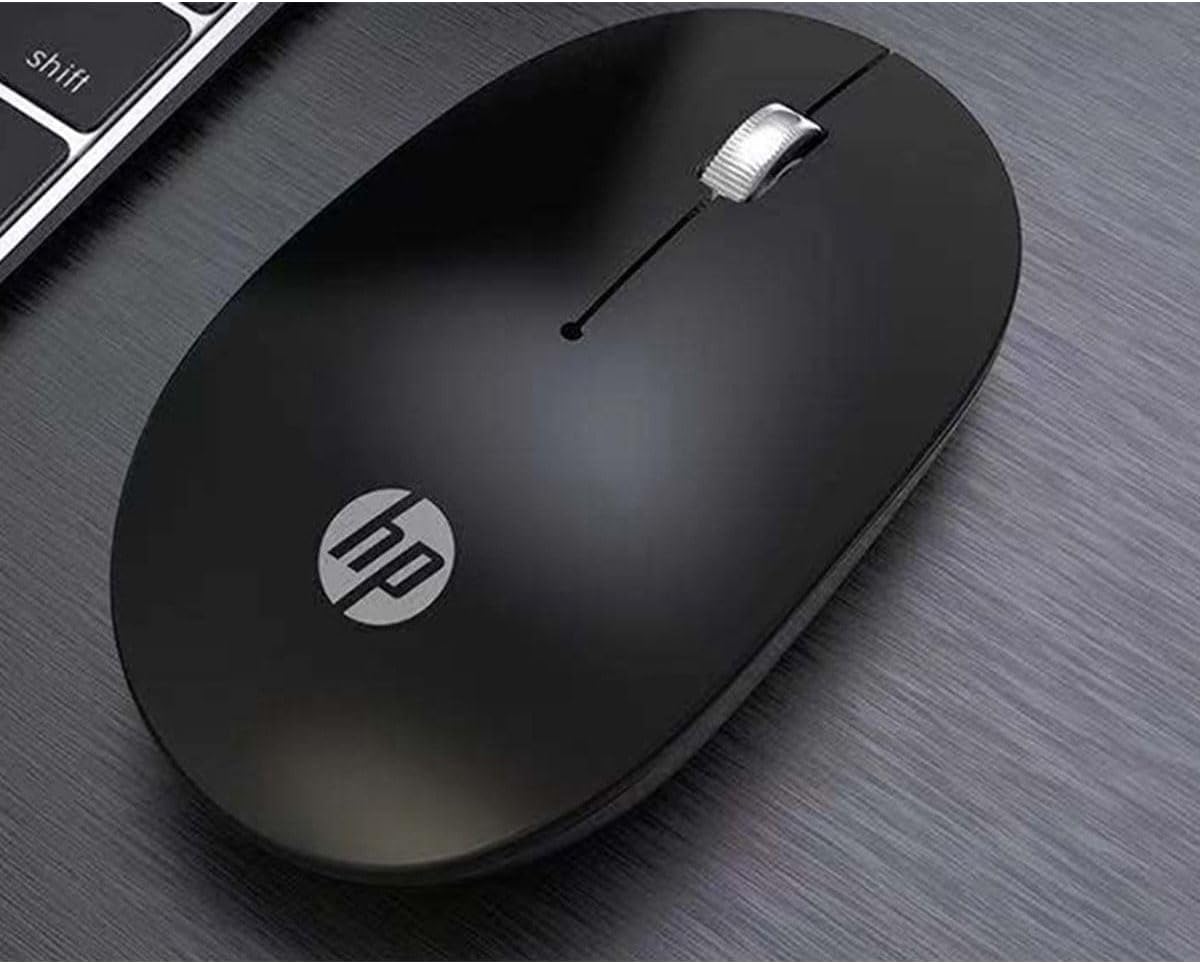
Image 3.2: The HP Wireless Mouse S1500 positioned for use on a typical workspace.
3.3 Orkustjórnun
The mouse features a smart sleep function combined with energy-saving optimization to extend battery life. If the mouse is inactive for a period, it will enter a low-power sleep mode. To wake it up, simply move the mouse or click any button.

Image 3.3: The HP Wireless Mouse S1500's power management features contribute to long battery life.
4. Viðhald
4.1 Þrif
Til að þrífa músina skaltu nota mjúkan, þurran og lólausan klút. Fyrir þrjósk óhreinindi skaltu þurrka örlítiðampen the cloth with water. Avoid using harsh chemicals, solvents, or abrasive cleaners, as these can damage the mouse's surface.
4.2 Skipt um rafhlöðu
When the mouse's performance degrades or it stops responding, it may be time to replace the battery. Follow the steps in Section 2.2 to replace the AA battery.
5. Bilanagreining
5.1 Músin svarar ekki
- Athugaðu rafhlöðu: Gakktu úr skugga um að AA-rafhlöðan sé rétt sett í og nægilega hleðst. Skiptu um hana ef þörf krefur.
- Athugaðu USB móttakara: Gakktu úr skugga um að USB-móttakarinn sé vel tengdur við virkan USB-tengi á tölvunni þinni. Prófaðu aðra USB-tengi.
- Fjarlægð: Ensure the mouse is within the effective operating range (approximately 10 meters) of the USB receiver.
- Truflun: Færið músina og móttakarann frá öðrum þráðlausum tækjum eða stórum málmhlutum sem gætu valdið truflunum.
- Endurupptaka tengingu: Some mice have a connect button on the underside. If available, press it and then press the connect button on the receiver (if applicable) to re-establish the connection.
5.2 Erratic Cursor Movement
- Hreinn skynjari: Ensure the optical sensor on the underside of the mouse is clean and free from dust or debris.
- Yfirborð: Use the mouse on a clean, non-reflective, and uniform surface. Avoid highly reflective or transparent surfaces like glass. A mouse pad is recommended.
6. Tæknilýsing
| Eiginleiki | Smáatriði |
|---|---|
| Nafn líkans | S1500 |
| Vörumerki | HP |
| Tengitækni | 2.4 GHz þráðlaust (USB móttakari) |
| Hreyfing uppgötvun | Optískur |
| Magn hnappa | 3 (Vinstri, Hægri, Skrunhjól/Miðja) |
| Handstilling | Rétt |
| Sérstakir eiginleikar | Ergonomic hönnun, létt, flytjanleg, hljóðlaus, þráðlaus |
| Aflgjafi | 1 x AA rafhlaða |
| Samhæf tæki | Einkatölva |
| Stærðir pakka | 12 x 8.2 x 4.6 cm |
| Þyngd | 250 g (þar með talið umbúðir) |
7. Ábyrgð og stuðningur
7.1 Upplýsingar um ábyrgð
This HP product is covered by a limited warranty. For specific warranty terms and conditions, please refer to the warranty card included with your product or visit the official HP support webGeymið kaupkvittunina vegna ábyrgðarkröfu.
7.2 Tæknileg aðstoð
Fyrir tæknilega aðstoð, niðurhal á rekla eða frekari upplýsingar, vinsamlegast farðu á opinbera HP þjónustusíðuna. website or contact HP customer service. Contact details can typically be found on the HP websíðuna eða í vöruumbúðunum.
HP opinbert Websíða: www.hp.com