1. Inngangur
Thank you for choosing the InFocus P120 INL412 Multimedia Projector. This manual provides essential information for the safe and efficient operation of your projector. Please read it thoroughly before using the device and retain it for future reference. The InFocus P120 INL412 is designed for versatile multimedia presentations, offering clear and vibrant images for various applications.
2. Öryggisupplýsingar
To ensure safe operation and prevent damage to the projector, please observe the following safety precautions:
- Ekki loka fyrir loftræstiop. Tryggið nægilegt pláss í kringum skjávarpann til að tryggja rétta loftflæði til að koma í veg fyrir ofhitnun.
- Forðastu að horfa beint inn í linsu skjávarpa þegar lamp er kveikt, þar sem bjart ljós getur valdið augnskaða.
- Do not place the projector on an unstable cart, stand, or table. The projector may fall, causing serious injury to a child or adult, and serious damage to the unit.
- Aftengdu rafmagnssnúruna úr vegginnstungunni ef skjávarpinn verður ekki notaður í langan tíma.
- Látið hæft þjónustufólk sjá um alla þjónustu. Reynið ekki að opna eða gera við skjávarpann sjálfur.
- Keep the projector away from water or moisture. Do not expose it to rain or immerse it in liquid.
- Use only the power cord supplied with the projector or an authorized replacement.
3. Innihald pakka
Verify that all items listed below are included in your projector package:
- InFocus P120 INL412 Multimedia Projector
- Rafmagnssnúra
- Fjarstýring með rafhlöðum
- VGA snúru
- Notendahandbók (þetta skjal)
- Flýtileiðarvísir
4. Vöru lokiðview
Familiarize yourself with the main components of your InFocus P120 INL412 projector.
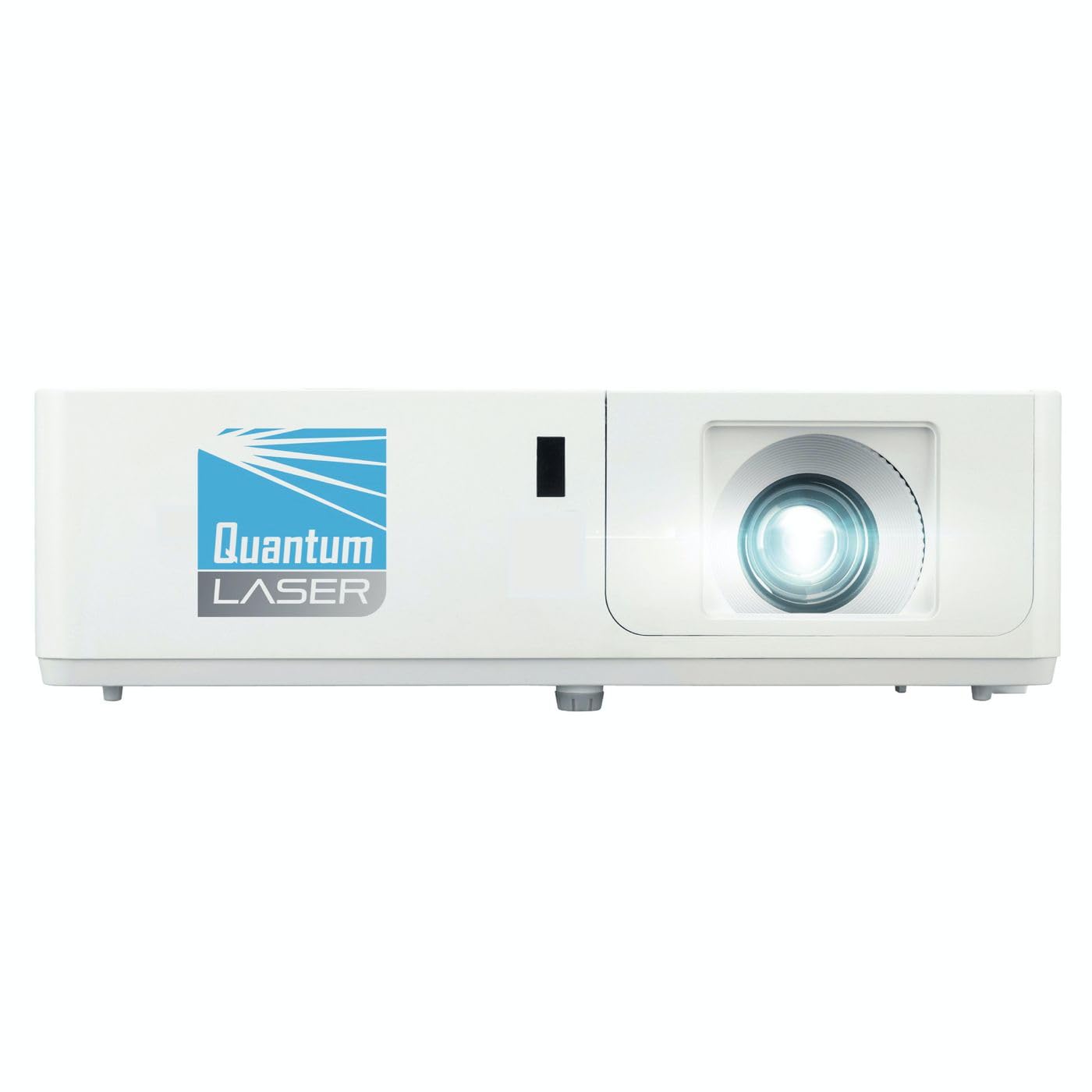
Mynd 1: Framan view of the InFocus P120 INL412 Multimedia Projector, showing the lens and ventilation grilles.
4.1 Framhlið
- Myndvarpslinsa: Sendir myndina út á skjáinn.
- Fókushringur: Stillir skýrleika varpaðrar myndar.
- Aðdráttarhringur: Adjusts the size of the projected image.
- IR móttakari: Tekur við merkjum frá fjarstýringunni.
4.2 Efsta spjaldið
- Stjórnborð: Buttons for power, menu navigation, source selection, and keystone correction.
- Gaumljós: Display the projector's status (e.g., power, lamp, temperature).
4.3 Rear Panel (Connectivity)
- HDMI inntak: Connects to HDMI-enabled devices (laptops, Blu-ray players).
- VGA inntak: Tengist tölvum með VGA úttaki.
- USB tengi: For service or connecting USB devices (if supported by model).
- Hljóð inn/út: For connecting external audio sources or speakers.
- Aflinntak: Tengir rafmagnssnúruna.
5. Uppsetning
Fylgdu þessum skrefum fyrir fyrstu uppsetningu á skjávarpanum þínum:
- Staðsetning: Place the projector on a stable, flat surface or mount it securely. Ensure the projector is positioned at an appropriate distance from the screen to achieve the desired image size.
- Rafmagnstenging: Tengdu rafmagnssnúruna við rafmagnsinntak skjávarpans og síðan við jarðtengda rafmagnsinnstungu.
- Tengja upprunatæki: Connect your source device (e.g., laptop, DVD player) to the projector using an appropriate cable (HDMI, VGA, etc.). Ensure the cable is securely connected to both the source and the projector.
- Kveikt á: Press the power button on the projector's control panel or the remote control to turn on the projector. The power indicator light will illuminate.
- Stilla fókus og aðdrátt: Once an image is projected, rotate the focus ring on the lens until the image is sharp and clear. Use the zoom ring to adjust the image size to fit your screen.
- Keystone leiðrétting: If the image appears trapezoidal, use the keystone correction function (either via buttons on the projector/remote or through the on-screen menu) to square the image.
6. Notkunarleiðbeiningar
6.1 Kveikt/slökkt
- Til að kveikja á: Press the power button once. The projector will go through a warm-up sequence.
- Til að slökkva á: Press the power button twice. The first press will prompt a shutdown confirmation; the second press will initiate shutdown. Allow the projector to cool down completely before unplugging.
6.2 Heimildaval
Press the 'Source' button on the projector or remote control to cycle through available input sources (HDMI, VGA, etc.) until your desired source is displayed.
6.3 Valmyndarleiðsögn
Press the 'Menu' button to access the on-screen display (OSD) menu. Use the arrow buttons to navigate through options and 'Enter' or 'OK' to select. Use the 'Exit' or 'Menu' button to close the OSD.
- Myndastillingar: Adjust brightness, contrast, color, aspect ratio, and picture mode.
- Sýna stillingar: Configure keystone, projection mode (front/rear, desktop/ceiling), and resolution.
- Hljóðstillingar: Stjórna hljóðstyrk og hljóðútgangsvalkostum.
- Kerfisstillingar: Manage language, timer, power-saving modes, and factory reset.
7. Viðhald
Reglulegt viðhald tryggir bestu mögulegu afköst og lengir líftíma skjávarpans.
- Linsuhreinsun: Þurrkið varlega linsuna á skjávarpanum með mjúkum, lólausum klút sem er sérstaklega hannaður fyrir sjónfleti. Notið ekki slípandi hreinsiefni eða of mikið afl.
- Skápaþrif: Use a soft, dry cloth to clean the projector's exterior. For stubborn marks, dampen the cloth slightly with water. Avoid using harsh chemicals.
- Hreinsun/skipti á loftsíu: Check the air filter periodically. If your model has a removable filter, clean it with a soft brush or vacuum cleaner. Replace the filter as recommended in the on-screen menu or when visibly dirty to maintain proper ventilation.
- Lamp Skipti: Myndvarpi lamp hefur takmarkaðan líftíma. Þegar lamp life indicator appears, or the image brightness significantly decreases, replace the lamp according to the instructions provided in the full service manual or by a qualified technician. Always allow the projector to cool down completely before attempting lamp skipti.
8. Bilanagreining
Sjá töfluna hér að neðan fyrir algeng vandamál og lausnir á þeim:
| Vandamál | Möguleg orsök | Lausn |
|---|---|---|
| Engin mynd sýnd | Power cord disconnected, incorrect input source, source device off. | Check power connections. Select correct input source. Ensure source device is powered on. |
| Myndin er óskýr | Linsan er úr fókus, röng vörpunarfjarlægð. | Adjust the focus ring on the lens. Reposition the projector closer or further from the screen. |
| Myndin er trapisulaga | Skjávarpinn er ekki hornréttur á skjáinn. | Use keystone correction (manual or automatic) to square the image. |
| Skjávarpinn ofhitnar og slokknar á sér | Loftræsting óhrein, loftsía óhrein. | Tryggið að rými sé autt í kringum loftræstingarop. Hreinsið eða skiptið um loftsíu. |
| Fjarstýring virkar ekki | Dead batteries, obstruction between remote and projector, incorrect angle. | Replace batteries. Ensure clear line of sight to IR receiver. Point remote directly at the projector. |
9. Tæknilýsing
Key technical specifications for the InFocus P120 INL412 Multimedia Projector:
| Eiginleiki | Forskrift |
|---|---|
| Gerðarnúmer | P120 INL412 (Item model number: 7296144) |
| Skjár Tegund | DLP |
| Innfæddur upplausn | 1280 x 800 |
| Hámarks skjáupplausn | 1280 x 800 |
| Tengitækni | USB (and other standard inputs like HDMI, VGA) |
| Vörumál | 5.25 x 0.31 x 1.66 tommur |
| Þyngd hlutar | 6.6 pund |
| Framleiðandi | Í fókus |
10. Ábyrgð og stuðningur
The InFocus P120 INL412 Multimedia Projector comes with a standard manufacturer's warranty. Please refer to the warranty card included in your package for specific terms and conditions, including warranty duration and coverage details. For technical support, service, or further inquiries, please visit the official InFocus support websíðuna eða hafðu samband við þjónustudeild þeirra.
Fyrir nýjustu upplýsingar um stuðning, vinsamlegast farðu á: www.infocus.com/support


