1. Inngangur
This manual provides detailed instructions for the installation, operation, and maintenance of your Tbest 9-inch Android Car GPS Navigation Multimedia Player. Please read this manual thoroughly before using the product to ensure proper function and safety.
2. Öryggisupplýsingar
- Notið tækið alltaf á ábyrgan hátt og í samræmi við umferðarlög á hverjum stað.
- Do not attempt to install or service the device if you are not qualified. Improper installation can lead to damage or injury.
- Forðist að láta tækið verða fyrir miklum hita, beinu sólarljósi í langan tíma eða miklum raka.
- Gakktu úr skugga um að allar raflagnir séu rétt tengdar til að koma í veg fyrir skammhlaup eða rafmagnshættu.
3. Innihald pakka
Gakktu úr skugga um að allir hlutir sem taldir eru upp hér að neðan séu innifaldir í pakkanum þínum:
- 1 x Navigator Unit (9-inch Android Multimedia Player)
- 10 x Various Connection Cables
- 4 x Camera Units
- 1 x GPS loftnet
- 1 x Notendahandbók
- 2 x festingar
- 1 x gata
- 2 x Buffer Rings
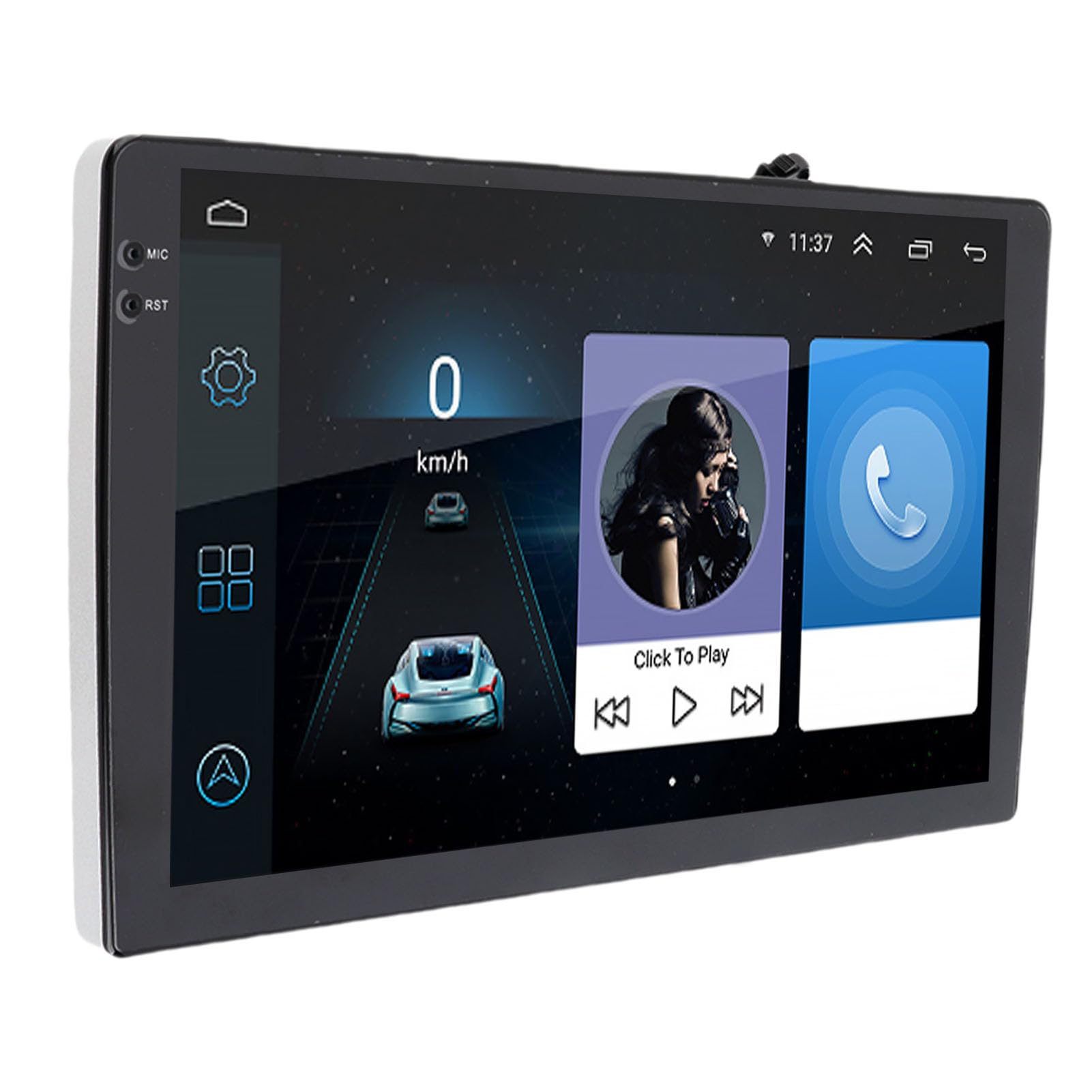
Image: The Tbest 9-inch Android Car GPS Navigation Multimedia Player unit shown with all accompanying cables, cameras, GPS antenna, mounting brackets, and other accessories.
4. Uppsetning og uppsetning
4.1 Almennar uppsetningarleiðbeiningar
The Tbest multimedia player is designed for universal fit in various car models. Due to variations in vehicle dashboards, professional installation is recommended. Ensure the mounting location allows for clear visibility and safe operation.
4.2 Raflagnatengingar
Carefully connect all necessary cables. Refer to your vehicle's wiring diagram and the provided cable labels for correct connections. Key connections include:
- Rafmagnssnúrur: Tengist við aflgjafa ökutækisins (ACC, B+, Ground).
- Hátalarakaplar: Connect to your car's speaker system.
- RCA Terminals: For reverse input, video input, and audio output.
- USB tengi: For external devices or media.
- GPS loftnet: Tengdu GPS-loftnetið og settu það á stað þar sem er gott ljós. view himinsins fyrir bestu mögulegu merkjamóttöku.
- Myndavélatengingar: Connect the four camera units to the designated camera inputs for panoramic view virkni.

Mynd: Ítarleg view of the Tbest multimedia player's rear connections and the array of cables provided for power, audio, video, and peripheral devices.
5. Notkunarleiðbeiningar
5.1 Kveikt/slökkt
The unit will typically power on automatically when the vehicle's ignition is turned on. To manually power off, press and hold the power button (if available) or turn off the vehicle's ignition.
5.2 Notkun snertiskjás
The device features a 9-inch capacitive touch screen. Navigate through menus, select applications, and control functions by tapping, swiping, and pinching gestures similar to a smartphone or tablet.
5.3 GPS leiðsögn
The unit has built-in GPS reception. You can download navigation applications and maps directly from the Application Store for offline use. Ensure the GPS antenna is properly installed for accurate positioning.
5.4 Bluetooth aðgerðir
The device includes Bluetooth 4.0 for hands-free calling and music streaming (A2DP).
- Pörun: Go to the Bluetooth settings on the device, enable Bluetooth, and search for available devices. Select your phone from the list and confirm the pairing code.
- Handfrjáls símtöl: Once paired, you can make and receive calls directly through the multimedia player. The phone book can be automatically loaded.
- Bluetooth tónlist: Stream audio from your paired phone to the car's speakers.
5.5 Margmiðlunarspilun
The player supports various audio formats including MP3, FLAC, APE, WMA, WAV, AAC, AMR. Video playback is also supported. You can play media from USB drives or via Bluetooth streaming.
5.6 Panoramic Camera and Recorder
The integrated 360-degree panoramic camera system provides a comprehensive view around your vehicle, aiding in safe parking. The system also supports recording, allowing you to retain video evidence if needed. Playback functionality is available directly on the unit.
5.7 Stýrisstýring
The unit supports steering wheel control functions, allowing you to manage audio and other features without taking your hands off the wheel. Configuration may be required in the settings menu.
5.8 Mobile Internet (Mirror Link)
The device supports screen mirroring for both iOS (one-way projection) and Android phones (two-way connection). This allows you to display your phone's screen on the multimedia player.
5.9 Útvarp
Access FM, AM, and RDS radio bands. Use the touch screen interface to scan for stations and save presets.

Image: The Tbest multimedia player's 9-inch screen showing a typical user interface with navigation on the left and media playback controls on the right.
6. Viðhald
6.1 Þrif á skjánum
Notið mjúkan, lólausan klút til að þurrka skjáinn varlega. Fyrir þrjósk bletti, strjúkið örlítiðampen the cloth with water or a screen-cleaning solution designed for electronics. Avoid harsh chemicals or abrasive materials.
6.2 Hugbúnaðaruppfærslur
Periodically check for software updates to ensure optimal performance and access to new features. Updates can usually be performed via a Wi-Fi connection or USB. Follow the on-screen prompts for any available updates.
7. Bilanagreining
If you encounter issues with your Tbest multimedia player, refer to the following common problems and solutions:
| Vandamál | Möguleg orsök | Lausn |
|---|---|---|
| Enginn kraftur | Röng raflögn, sprungið öryggi, rafmagnsvandamál í bílnum. | Check power cable connections, inspect vehicle fuses, ensure ignition is on. |
| Ekkert GPS merki | GPS-loftnet ekki tengt, loftnet stíflað, léleg gervihnattamóttaka. | Ensure GPS antenna is securely connected and placed with a clear view himinsins. Færðu þig á opið svæði. |
| Bluetooth tengist ekki | Bluetooth off on device/phone, incorrect pairing, interference. | Gakktu úr skugga um að Bluetooth sé virkt á báðum tækjunum. Eyða fyrri pörunum og paraðu aftur. Endurræstu bæði tækin. |
| Snertiskjár svarar ekki | Hugbúnaðarvilla, skjáskemmdir. | Endurræstu tækið. Ef vandamálið heldur áfram skaltu hafa samband við þjónustudeild. |
| Myndavél View Ekki birt | Camera cables loose, camera malfunction. | Check all camera connections. Ensure the vehicle is in reverse (if applicable for rear camera). |
Ef vandamálið heldur áfram eftir að þessar lausnir hafa verið prófaðar, vinsamlegast hafið samband við þjónustuver.
8. Tæknilýsing
| Eiginleiki | Forskrift |
|---|---|
| Skjástærð | 9 tommur |
| Stýrikerfi | Android |
| Skjáupplausn | 1024 x 600 |
| GPS leiðsögn | Support (Offline maps via app store) |
| Bluetooth útgáfa | 4.0 (A2DP, Hands-free, Phone Book) |
| Útvarpshljómsveitir | FM, AM, RDS |
| Kraftur Amplifier Chip | TDA7388 |
| Camera Host Chip | For HiSilicon 3520DV300 |
| Myndavélarhorn | 181 gráður |
| Pixel myndavélar | 1MP (Resolution: 1280 x 720P) |
| Vinnandi binditage | DC9V-24V |
| Vinnustraumur | 500mA (DC12V) |
| Rekstrarhitastig | 35°C - 75°C (Host), -25°C - 90°C (Camera) |
| Tengingar | USB, Wi-Fi |
| Stutt hljóðsnið | MP3, FLAC, APE, WMA, WAV, AAC, AMR, etc. |
| Myndbandsúttak | CVBS, VGA |
| Waterproof Grade (Camera) | IP67 |
| Vörumál | 9 x 9 x 9 tommur |
| Þyngd hlutar | 3.38 pund |
9. Ábyrgð og stuðningur
Your Tbest multimedia player comes with a standard manufacturer's warranty. Please refer to the warranty card included in your package for specific terms and conditions. For technical support, troubleshooting assistance, or warranty claims, please contact your retailer or the Tbest customer service department.
Samskiptaupplýsingar: (Please refer to your purchase documentation or the official Tbest website for current contact details.)


